
A fast, minimal dependency command-line todo/task manager backed by SQLite
Verified details
These details have been verified by PyPIProject links
GitHub Statistics
Maintainers

Project description






RazTodo
A lightweight, cross-platform, privacy-first CLI task manager powered by SQLite.
| Preview |
|---|
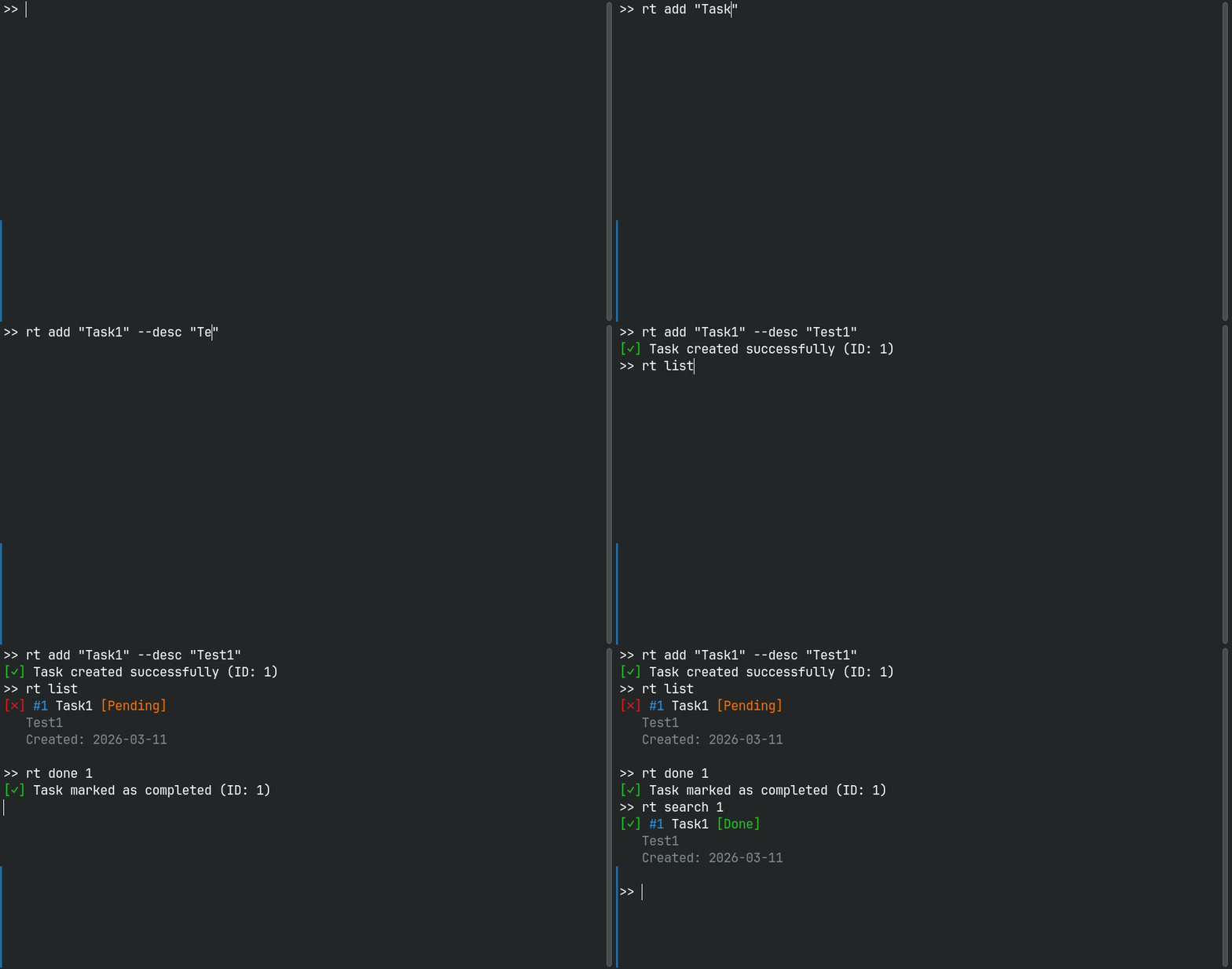 |
Why RazTodo?
Lightweight & Fast — Minimal dependencies, SQLite-powered, optimized for speed
Privacy-First — Your data stays local, no cloud services, no tracking
Developer-Friendly — Clean Architecture, well-tested, type-safe, modern Python
Simple & Powerful — Intuitive CLI, works out of the box, rich features
Cross-Platform — Works seamlessly on Linux, macOS, and Windows
Perfect for developers, power users, and anyone who wants a fast, reliable, local-first task manager.
Quick Start
Installation
# Recommended: Install via pipx (isolated environment)
pipx install raztodo

# Alternative: Install via pip
pip install raztodo
📖 For more installation options (virtual environments, from source), see the Installation Guide
Basic Usage
# Create a task with priority and due date
rt add "Buy groceries" --priority H --due 2024-12-31

# List all tasks
rt list

# Mark task as done
rt done 1

# Search for tasks
rt search "groceries"

# Update a task
rt update 1 --title "Buy groceries and milk"

# Delete a task
rt remove 1
Shell Completion
rt supports native <Tab> completion for bash, zsh and fish
Quick activation (bash/zsh):
eval "$(rt completion bash)"
Now try:
rt <Tab>
rt add --<Tab>
📖 For permanet setup and other shells (zsh, fish), see the Completion Guide
Docker (Optional)
RazTodo can also be run as a Docker container for isolated or portable usage.
# Build the image
docker build -t raztodo:local .

# Add a task
docker run --rm -it -v "$HOME/raztodo-data:/data" raztodo:local add "My first docker task"
📖 For Docker usage and persistence details, see the Docker Guide
Features
- 📝 Task Management — Create, update, delete, and organize tasks
- 🏷️ Tags & Projects — Organize tasks with tags and project names
- 🔍 Full-Text Search — Search across all task fields
- 📅 Due Dates & Priority — Set deadlines and priority levels (L/M/H)
- 💾 Import/Export — Backup and restore tasks via JSON
- 🎨 Colored Output — Beautiful ANSI colors and icons
- 🗄️ SQLite Storage — No external services required
- 🚀 Cross-Platform — Works on Linux, macOS, and Windows
- ⚡ Fast Performance — Lazy loading and optimized architecture
- 🏗️ Clean Architecture — Maintainable and testable codebase
- ✨ Shell Autocompletion — Tab completion fo bash, zsh, and fish
Commands
| Command | Description | Example |
|---|---|---|
add |
Create a new task | rt add "Task title" --priority H |
list |
List tasks with filters | rt list --pending --priority H |
update |
Update a task | rt update 1 --title "New title" |
done |
Mark task as done/undone | rt done 1 |
remove |
Delete a task | rt remove 1 |
search |
Search tasks | rt search "keyword" |
export |
Export to JSON | rt export backup.json |
import |
Import from JSON | rt import backup.json |
migrate |
Run database migration | rt migrate |
clear |
Delete all tasks | rt clear --confirm |
completion |
bash,zsh,fish Shell type for completion | rt completion bash |
# Get help for any command
rt --help
rt add --help
📖 See the Usage Guide for detailed command documentation
Configuration
RazTodo can be configured using environment variables:
| Variable | Description | Default |
|---|---|---|
RAZTODO_DB |
Database filename or path | tasks.db |
LOG_LEVEL |
Logging level | ERROR |
Example:
# Use a custom database location
export RAZTODO_DB="/path/to/custom.db"

# Enable debug logging
export LOG_LEVEL="DEBUG"
📖 For detailed configuration options, see the Configuration Guide
Documentation
Complete documentation is available in the docs/ directory:
- 📦 Installation Guide — Install via pip, pipx, or from source
- ⌨️ Completion Guide — Shell completion setup for bash, zsh, fish, and more
- 🐳 Docker Guide — Run RazTodo using Docker with volume persistence
- 📖 Usage Guide — Complete command reference with examples
- ⚙️ Configuration Guide — Environment variables and options
- 🏗️ Architecture — Project structure and design patterns
- 🧪 Testing — Running tests and development setup
- 📝 Changelog — Release notes and version history
Contributing
Contributions are welcome! Here's how you can help:
- Fork the repository
- Create a feature branch:
git checkout -b feature/your-feature-name - Make your changes and ensure quality:
# Run tests
pytest

# Check code quality
ruff check src/ tests/
black --check src/ tests/
ty check src/
- Submit a pull request
For detailed guidelines, see the Contributing Guide.
License
MIT License
Support
- 🐛 Found a bug? Open an issue
- 💡 Have a suggestion? Open an issue
- 📧 Questions? Check the Documentation
Project details
Verified details
These details have been verified by PyPIProject links
GitHub Statistics
Maintainers
Release history Release notifications | RSS feed


Download files
Download the file for your platform. If you're not sure which to choose, learn more about installing packages.
Source Distribution
Built Distribution
Filter files by name, interpreter, ABI, and platform.
If you're not sure about the file name format, learn more about wheel file names.
Copy a direct link to the current filters
File details
Details for the file raztodo-0.4.1.tar.gz.
File metadata
- Download URL: raztodo-0.4.1.tar.gz
- Upload date:
- Size: 197.7 kB
- Tags: Source
- Uploaded using Trusted Publishing? Yes
- Uploaded via: uv/0.11.11 {"installer":{"name":"uv","version":"0.11.11","subcommand":["publish"]},"python":null,"implementation":{"name":null,"version":null},"distro":{"name":"Ubuntu","version":"24.04","id":"noble","libc":null},"system":{"name":null,"release":null},"cpu":null,"openssl_version":null,"setuptools_version":null,"rustc_version":null,"ci":true}
File hashes
| Algorithm | Hash digest | |
|---|---|---|
| SHA256 |
4ebfabfb8706f957835838852597d4739f19c776b46c6662b41ec108180598b2
|
|
| MD5 |
c7afd8a8430d5f8c5fae22c0cfab027c
|
|
| BLAKE2b-256 |
1390c50b3873c3549f214eec9e3605844db3673663651b90f610e93ed9ab188f
|
File details
Details for the file raztodo-0.4.1-py3-none-any.whl.
File metadata
- Download URL: raztodo-0.4.1-py3-none-any.whl
- Upload date:
- Size: 47.3 kB
- Tags: Python 3
- Uploaded using Trusted Publishing? Yes
- Uploaded via: uv/0.11.11 {"installer":{"name":"uv","version":"0.11.11","subcommand":["publish"]},"python":null,"implementation":{"name":null,"version":null},"distro":{"name":"Ubuntu","version":"24.04","id":"noble","libc":null},"system":{"name":null,"release":null},"cpu":null,"openssl_version":null,"setuptools_version":null,"rustc_version":null,"ci":true}
File hashes
| Algorithm | Hash digest | |
|---|---|---|
| SHA256 |
eefeb9697cea4d138ee8ddf928acf3093132bc2ba88da994d480ba34374a339a
|
|
| MD5 |
06b8bcfab1691b1763988816f80a4498
|
|
| BLAKE2b-256 |
0c685c49deebae76435d990d8be4c5035825d4a3ce4c89177ccb835edb4675e3
|






