
A python wrapper for rclone.

Project description


rclone-python ☁️
A python wrapper for rclone that makes rclone's functionality usable in python. rclone needs to be installed on the system for the wrapper to work.
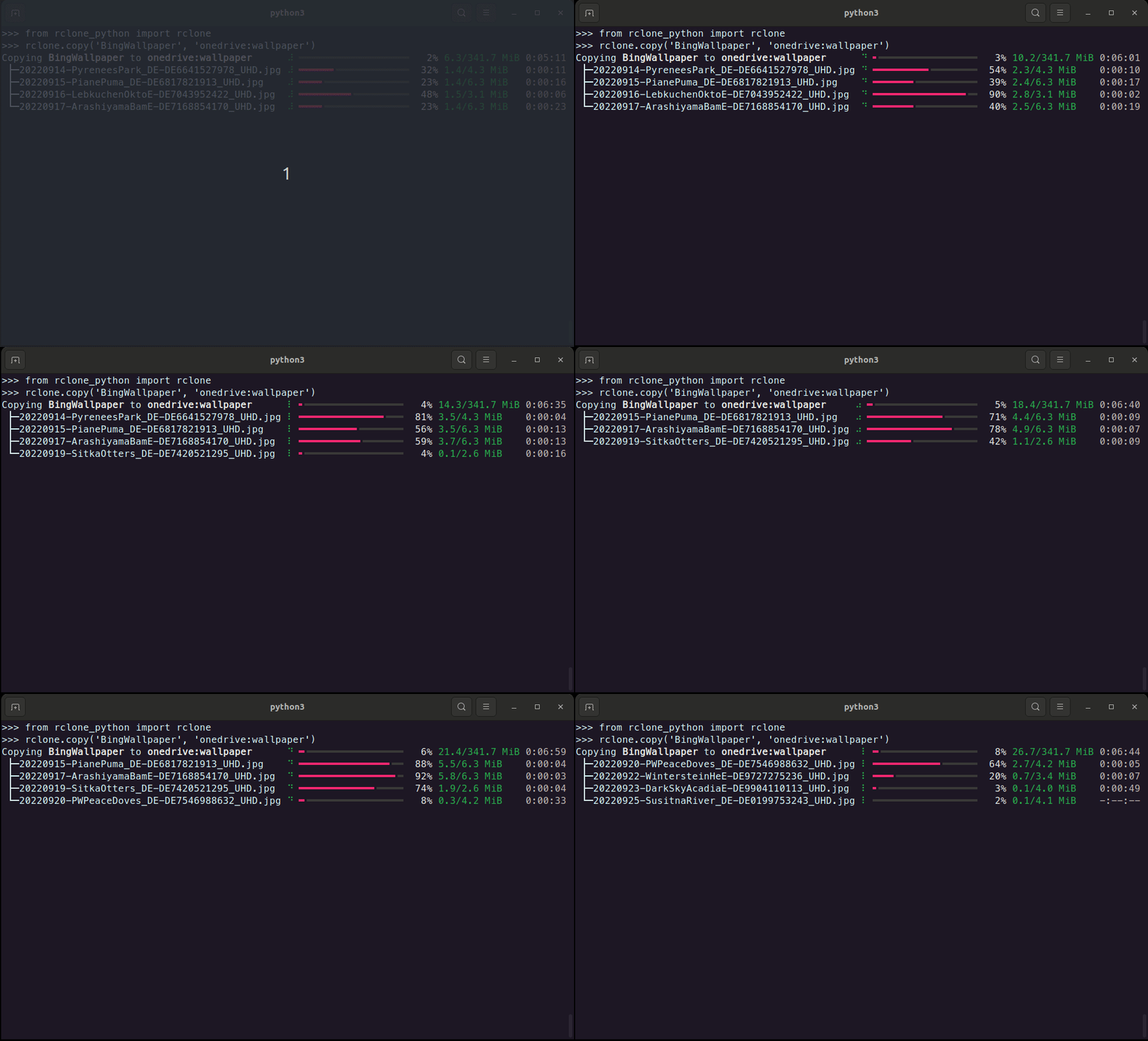
Features ⚒️
- Copy, move and sync files between remotes
- Delete and prune files/directories
- List files in a directory including properties of the files.
- List available remotes.
- Generate hashes from files or validate them with their hashsum.
- Create new remotes
- Check available remotes
- Create and manage public links.
- Check the currently installed rclone versions and if updates are available.
Installation 💾
rclone_python can be installed using pip
pip install rclone-python
or by cloning this repository and running from within the root of the project
pip install .
How to use 💡
All functionally of this wrapper is accessible through rclone.
The following example checks if rclone is installed.
from rclone_python import rclone

print(rclone.is_installed())
True
Create new remote
Create a new rclone remote connection with rclone's default client-id and client-secret.
from rclone_python import rclone
from rclone_python.remote_types import RemoteTypes

rclone.create_remote('onedrive', RemoteTypes.onedrive)
Additionally, client-id and client-secret can be used with many cloud providers.
from rclone_python import rclone
from rclone_python.remote_types import RemoteTypes

rclone.create_remote('onedrive', RemoteTypes.onedrive, client_id='YOUR_CLIENT_ID', client_secret='YOUR_CLIENT_SECRET')
Copy
from rclone_python import rclone

# copy all file in the test_dir on OneDrive to the local data folder.
rclone.copy('onedrive:data', 'data', ignore_existing=True, args=['--create-empty-src-dirs'])
Copying onedrive:data to data ⠸ ━━━━━━━━━━━━━━━━━━╸━━━━━━━━━━━━━━━━━━━━━  47% 110.0/236.5 MiB 0:00:04
 ├─video1.webm                ⠸ ━━━━━━━━━━━━╺━━━━━━━━━━━━━━━━━━━━━━━━━━━  31% 24.4/78.8 MiB   0:00:06
 ├─video2.webm                ⠸ ━━━━━━━━━━━━━━━━━━╺━━━━━━━━━━━━━━━━━━━━━  45% 35.5/78.8 MiB   0:00:03
 └─video3.webm                ⠸ ━━━━━━━━━━━━━╸━━━━━━━━━━━━━━━━━━━━━━━━━━  35% 27.6/78.8 MiB   0:00:05
Delete
Delete a file or a directory. When deleting a directory, only the files in the directory (and all it's subdirectories) are deleted, but the folders remain.
from rclone_python import rclone

# delete a specific file on onedrive
rclone.delete('onedrive:data/video1.mp4')
Prune
from rclone_python import rclone

# remove the entire test_dir folder (and all files contained in it and it's subdirectories) on onedrive
rclone.purge('onedrive:test_dir')
Get Hash
from rclone_python import rclone
from rclone_python.hash_types import HashTypes

print(rclone.hash(HashTypes.sha1, "box:data")
{'video1.webm': '3ef08d895f25e8b7d84d3a1ac58f8f302e33058b', 'video3.webm': '3ef08d895f25e8b7d84d3a1ac58f8f302e33058b', 'video2.webm': '3ef08d895f25e8b7d84d3a1ac58f8f302e33058b'}
Debug
For debugging progress related functionality, set the DEBUG flag to true:
rclone.DEBUG = True
This will make the wrapper print the raw rclone progress.
Release history Release notifications | RSS feed


Download files
Download the file for your platform. If you're not sure which to choose, learn more about installing packages.
Source Distribution
Built Distribution
Filter files by name, interpreter, ABI, and platform.
If you're not sure about the file name format, learn more about wheel file names.
Copy a direct link to the current filters
File details
Details for the file rclone-python-0.1.12.tar.gz.
File metadata
- Download URL: rclone-python-0.1.12.tar.gz
- Upload date:
- Size: 12.5 kB
- Tags: Source
- Uploaded using Trusted Publishing? No
- Uploaded via: twine/4.0.2 CPython/3.11.5
File hashes
| Algorithm | Hash digest | |
|---|---|---|
| SHA256 |
92a1d21c5e225574db438908a42522eff97e467f0bfeebd2007c83723a834a8b
|
|
| MD5 |
892029fce529f2eb8157c98603be0c3b
|
|
| BLAKE2b-256 |
403a034ace4cb45233bd85ae771ce3f0443f6dbb29c67bb41d48148b91fab06e
|
File details
Details for the file rclone_python-0.1.12-py3-none-any.whl.
File metadata
- Download URL: rclone_python-0.1.12-py3-none-any.whl
- Upload date:
- Size: 12.4 kB
- Tags: Python 3
- Uploaded using Trusted Publishing? No
- Uploaded via: twine/4.0.2 CPython/3.11.5
File hashes
| Algorithm | Hash digest | |
|---|---|---|
| SHA256 |
09a2779831684ec49e7a99201f4bf5cc2eff5871ffed48b0925e6b492b27bb54
|
|
| MD5 |
b96f672dfdb0fe8033694168683257cb
|
|
| BLAKE2b-256 |
0bff12f3340b0f1b0562e048e5350d5d76f66022c14917b8a7df50d8cab11251
|






