
🚀 Generate awesome README.md files from the terminal, powered by OpenAI's GPT language model APIs 💫

Project description


README-AI
◦ Generate beautiful and informative README.md documents.
◦ Developed with OpenAI's GPT language model APIs.






📖 Table of Contents
- 📖 Table of Contents
- 📍 Overview
- 👾 Demo
- ⚙️ Features
- 🚀 Getting Started
- 🛠 Future Development
- 📒 Changelog
- 🤝 Contributing
- 📄 License
- 👏 Acknowledgments
📍 Overview
README-AI is a powerful, user-friendly command-line tool that generates extensive README markdown documents for your software and data projects. By providing a remote repository URL or directory path to your codebase, this tool will document your entire project, leveraging the capabilities of large language models and OpenAI's GPT APIs.
🎯 Motivation
Simplifies the process of writing and maintaining high-quality project documentation. My aim for this project is to provide all skill levels a tool that improves their technical workflow, in an efficient and user-friendly manner. Ultimately, the goal of README-AI is to improve the adoption and usability of open-source projects, enabling everyone to better understand and use open-source tools.
⚠️ Disclaimer
README-AI is currently under development and has an opinionated configuration and setup. While this tool provides an excellent starting point for documentation, its important to review all text generated by the OpenAI API to ensure it accurately represents your codebase. Ensure all content in your repository is free of sensitive information before executing.
Additionally, frequently monitor your API usage and costs by visiting the OpenAI API Usage Dashboard.
👾 Demo
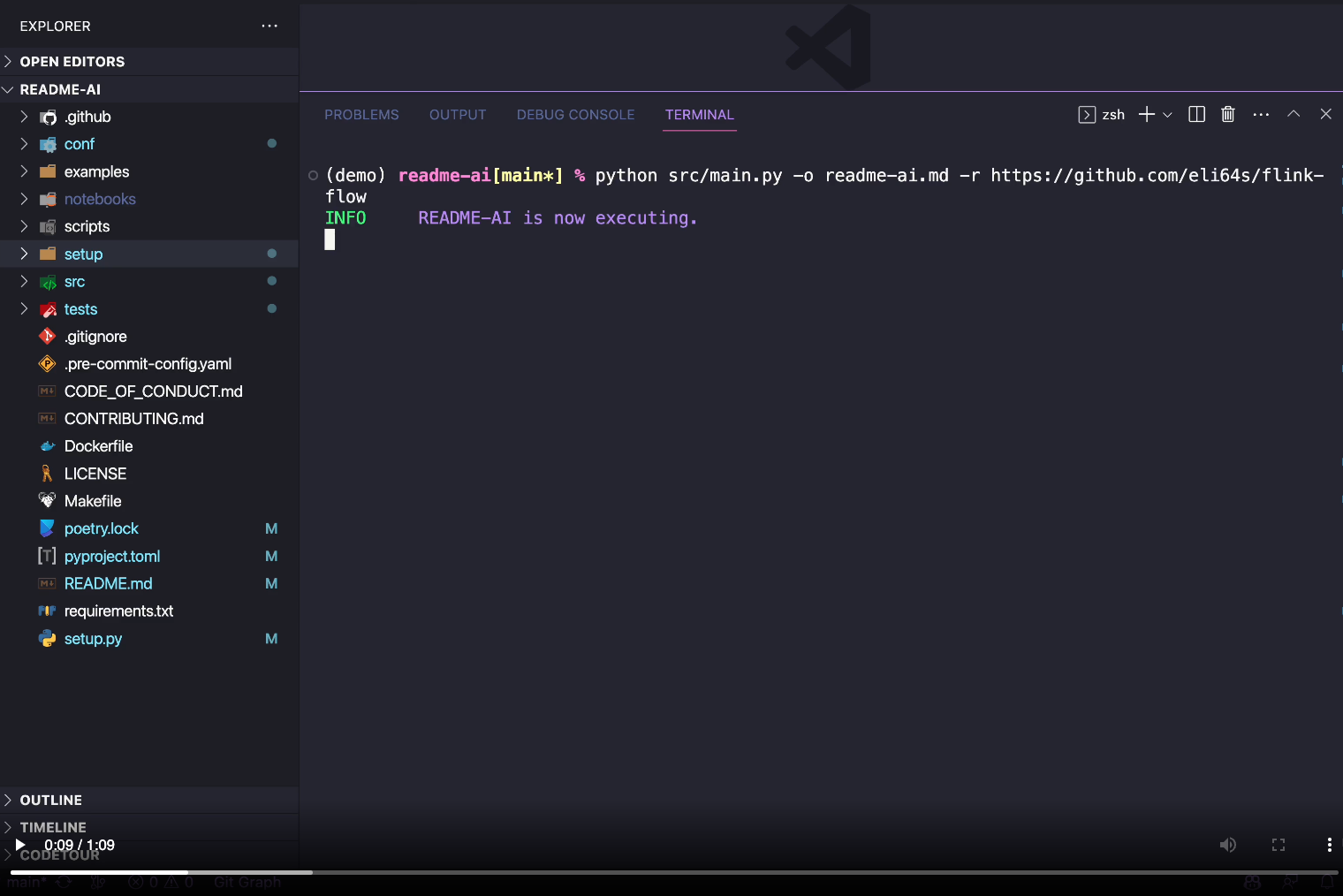
⚙️ Features
1.
👇
📑 Codebase Documentation
◦ Repository File Summaries
|

|
⒉
👇
🎖 Badges
◦ Introduction, Badges, & Table of Contents
|

|
⒊
👇
🧚 Prompted Text Generation
◦ Features Table & Overview
|


|
⒋
👇
🌲 Repository Tree

|
⒌
👇
📦 Dynamic User Setup Guides
◦ Installation, Usage, & Testing
|

|
⒍
👇
👩💻Contributing Guidelines & more!
 |
⒎
👇
💥 Example Files
Markdown example files generated by the README-AI app!
| Example File | Repository | Language | Bytes | |
|---|---|---|---|---|
| 1️⃣ | readme-python.md | readme-ai | Python |
19,839 |
| 2️⃣ | readme-typescript.md | chatgpt-app-react-typescript | TypeScript, React |
988 |
| 3️⃣ | readme-javascript.md | assistant-chat-gpt-javascript | JavaScript, React |
212 |
| 4️⃣ | readme-kotlin.md | file.io-android-client | Kotlin, Java, Android |
113,649 |
| 5️⃣ | readme-rust-c.md | rust-c-app | C, Rust |
72 |
| 6️⃣ | readme-go.md | go-docker-app | Go |
41 |
| 7️⃣ | readme-java.md | java-minimal-todo | Java |
17,725 |
| 8️⃣ | readme-fastapi-redis.md | async-ml-inference | Python, FastAPI, Redis |
355 |
| 9️⃣ | readme-mlops.md | mlops-course | Python, Jupyter |
8,524 |
| 🔟 | readme-pyflink.md | flink-flow | PyFlink |
32 |
⒏
👇
📜 Custom README templates coming soon!
Developing a feature that allows users to select from a variety of README formats and styles.
Custom templates will be tailored for use-cases such as data, ai & ml, research, minimal, and more!
🚀 Getting Started
✔️ Dependencies
Before you begin, ensure that you have the following prerequisites installed:
- Python 3.9 or higher
- Conda or Poetry package manager (recommended)
- Access to the OpenAI API (see the setup guide below)
📂 Repository
Most user's will run README-AI using the command-line, specifying their repository on run-time. However, if you would like to use the default configuration, you will need to update the configuration file with your repository's remote URL (GitHub, GitLab) or local directory path on your machine.
[git]
repository = "Insert your repository URL or local path here!"
🔐 OpenAI API
To use the README-AI application, you will need to create an account with OpenAI to generate an API key. The steps below outline this setup process:
OpenAI API User Guide
- Go to the OpenAI website.
- Click the "Sign up for free" button.
- Fill out the registration form with your information and agree to the terms of service.
- Once logged in, click on the "API" tab.
- Follow the instructions to create a new API key.
- Copy the API key and keep it in a secure place.
⚠️ Note
To maximize your experience with README-AI, it is recommended to set up a payment method on OpenAI's website. By doing so, you gain access to more powerful language models like gpt-3.5-turbo. Without a payment method, your usage will be restricted to the base gpt-3 models. This limitation might lead to less precise README files or potential errors during the generation process.
When using a payment method, make sure you have sufficient credits to run the README-AI application. Additionally, remember to regularly monitor your API usage and costs by visiting the OpenAI API Usage Dashboard. Please note that this API is not free and you will be charged for each request made, which can accumulate rapidly.
The generation of the README.md file should typically complete in under 1 minute. If it takes longer than a few minutes, please terminate the process.
📦 Installation
- Clone the readme-ai repository to your local machine.
git clone https://github.com/eli64s/readme-ai
- Navigate to the readme-ai directory.
cd readme-ai
- Use one of the following methods to install the required dependencies:
Pip (PyPI Package)
pip install readmeai
Bash
bash setup/setup.sh
Conda
conda create -n readmeai python=3.9 -y && \
conda activate readmeai && \
pip install -r requirements.txt
Poetry
poetry install
Docker
docker pull zeroxeli/readme-ai:0.0.6
🎮 Using README-AI
Use the command-line to provide the OpenAI API key (if not already set) and specify an output path for your README file, along with the path to your local repository or remote code repository. You can also provide the output path in the configuration file
Command-Line Arguments:
-kor--api-key: Your OpenAI API key.-oor--output: The output path for your README.md file.-ror--repository: The URL or path to your code repository.-tor--template: The README template format to use. (coming soon!)lor--language: The language of text written in the README file (coming soon!)
Pip (PyPI Package)
readmeai --api-key "YOUR_API_KEY" --output readme-ai.md --repository https://github.com/eli64s/readme-ai

# Or export your OpenAI API key as an environment variable
export OPENAI_API_KEY="YOUR_API_KEY"
readmeai -o readme-ai.md -r https://github.com/eli64s/readme-ai
Conda
python readmeai/main.py --api-key "YOUR_API_KEY" --output readme-ai.md --repository https://github.com/eli64s/readme-ai

# Or export your OpenAI API key as an environment variable
conda activate readmeai
export OPENAI_API_KEY="YOUR_API_KEY"
python readmeai/main.py -o readme-ai.md -r https://github.com/eli64s/readme-ai
Poetry
poetry shell
export OPENAI_API_KEY="YOUR_API_KEY"
poetry run python readmeai/main.py -o readme-ai.md -r https://github.com/eli64s/readme-ai
Docker
docker run -it \
-e OPENAI_API_KEY="YOUR_API_KEY" \
-v "$(pwd)":/app zeroxeli/readme-ai:0.0.6 \
readmeai -o readme-ai.md -r https://github.com/eli64s/readme-ai
🧪 Running Tests
To run the unit-tests for README-AI, use the following command.
bash scripts/test.sh
🛠 Future Development
- Add additional language support for populating the installation, usage, and test README sections.
- Upload the readme-ai CLI tool to PyPI under the module name readmeai.
- Design and implement a variety of README template formats for different use-cases.
- Add support for writing the README in any language (i.e. CN, ES, FR, JA, KO, RU).
- Create UI with Textual or another framework to improve user experience.
📒 Changelog
🤝 Contributing
📄 License
👏 Acknowledgments
Badges
Release history Release notifications | RSS feed


Download files
Download the file for your platform. If you're not sure which to choose, learn more about installing packages.
Source Distribution
Built Distribution
Filter files by name, interpreter, ABI, and platform.
If you're not sure about the file name format, learn more about wheel file names.
Copy a direct link to the current filters
File details
Details for the file readmeai-0.0.62.tar.gz.
File metadata
- Download URL: readmeai-0.0.62.tar.gz
- Upload date:
- Size: 25.4 kB
- Tags: Source
- Uploaded using Trusted Publishing? No
- Uploaded via: poetry/1.5.1 CPython/3.11.4 Darwin/21.6.0
File hashes
| Algorithm | Hash digest | |
|---|---|---|
| SHA256 |
29c1fbb7f9a5e78bc84d5626f8df2645fdf33947e3a0c6ec9635b94c25445bd6
|
|
| MD5 |
d096a4b70397441ae5127468d0a0ce06
|
|
| BLAKE2b-256 |
1bd1bd2070f53e2e47ca1ed958e7d0f83b410989e0071878e9dc2b0626304118
|
File details
Details for the file readmeai-0.0.62-py3-none-any.whl.
File metadata
- Download URL: readmeai-0.0.62-py3-none-any.whl
- Upload date:
- Size: 23.5 kB
- Tags: Python 3
- Uploaded using Trusted Publishing? No
- Uploaded via: poetry/1.5.1 CPython/3.11.4 Darwin/21.6.0
File hashes
| Algorithm | Hash digest | |
|---|---|---|
| SHA256 |
ed1283eefce2ffc27925ae04fc0ffe79a2b4994c29cad0ccb1e63975f8d267bd
|
|
| MD5 |
9a921e2e82e03f37151ecb4fd99d863b
|
|
| BLAKE2b-256 |
1cf69107ab2dc15f2f62e0f8f9412dbfc5f55b7c3fa6a172d0fbe5c66ea53bf4
|






