
reaf-sim



reaf-sim is a simulation environment framework written in PyTorch and built on MuJoCo and MuJoCo Warp with the Robotics Environment Authoring Framework (REAF).
reaf-sim enables creation of environments in simulation that can be zero-shot deployed onto hardware and vice versa. Workflows that reaf-sim enables include large-batch RL on GPU, sim evaluation, sim and hardware teleoperation, system identification, agentic workflows, and sim2real deployment.
This project adheres to the GDM Robotics Environment interface.
Looking for pre-built robot environments and training scripts? We will be revamping MuJoCo Playground with ready-made examples for RL, sim/real teleop, sysid, sim2real, and agentic robotics. Stay tuned!
Quickstart
Clone reaf-sim from GitHub and install with uv:
git clone https://github.com/google-deepmind/reaf-sim.git && cd reaf-sim
make install  # install dependencies (use `make install-cpu` for CPU only)
make test     # run all tests, verify everything works
Cartpole Example
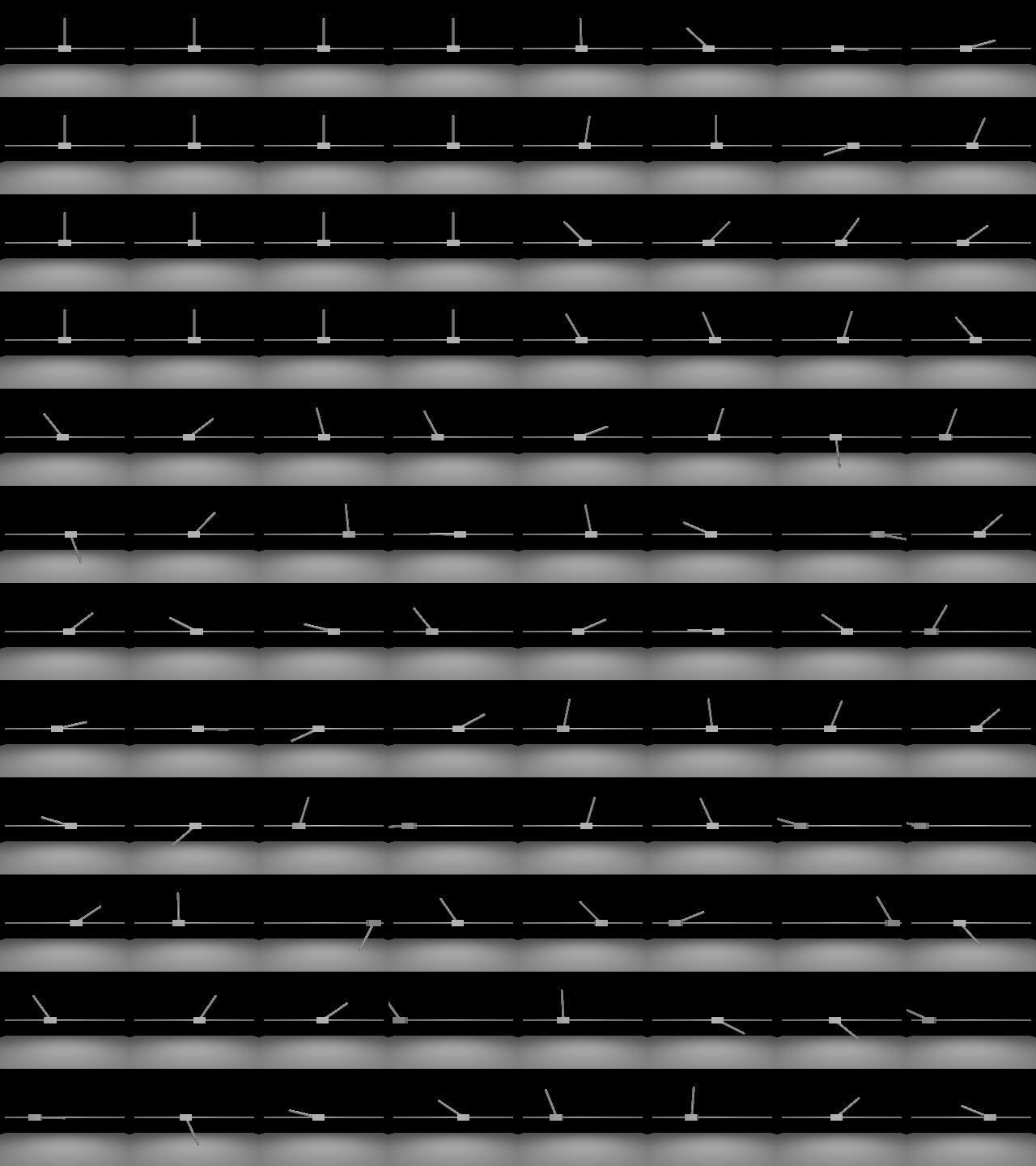
For a quick preview, let's create a reaf-sim environment controlling a cartpole system alongside a camera rendering RGB observations across 16 parallel environments on GPU (impl="warp"). Step the environments with control commands and capture visual rollouts:
import mujoco
from reaf.simulation.torch import ActuatorDevice, CameraDevice, flat_scene
import torch

spec = mujoco.MjSpec.from_file("cartpole.xml")

# configure the environment
config = flat_scene.Environment(
    base_scene=spec,
    sim=flat_scene.Sim(nworld=16, xpu_device="cuda:0", impl="warp"),
    device_layer=flat_scene.DeviceLayer(
        devices={
            "slider": flat_scene.Component(
                ActuatorDevice, targets=["slider"]
            ).configure_spec(mode="motor"),
            "camera": flat_scene.Component(
                CameraDevice,
                cam_name="fixed",
                cam_resolution=(160, 120),
                render_rate_hz=20.0,
                output_name_prefix="camera/",
            ),
        }
    ),
)

# build the environment
env = flat_scene.build_env(config)

# step the environment with batched actions and extract camera frames
timestep = env.reset()
for _ in range(100):
  commands = torch.rand((env.nworld, 1), device="cuda:0") * 2.0 - 1.0
  timestep = env.step({"slider/ctrl": commands})
  camera_frames = timestep.observation["camera/fixed_rgb"]  # (16, 120, 160, 3)
For the complete, runnable script that loads the Cartpole model and generates the tiled grid video below, see reaf/simulation/torch/examples/cartpole.py.
Documentation & Contributing
- Documentation: See the reaf-sim documentation for the user guide, architecture overview, and API reference.
- Contributing: See CONTRIBUTING.md for contribution guidelines.
- Changelog: See docs/changelog.rst.
Citation
If you use reaf-sim in your work, please cite it as follows (see the GitHub contributors page for the full list of contributors):
@software{reaf_sim_2026,
  author = {{reaf-sim Contributors}},
  title = {{reaf-sim: Robotics Environment Authoring Framework - Simulation}},
  url = {https://github.com/google-deepmind/reaf-sim},
  year = {2026},
}
Acknowledgements
We are grateful to all members of the MuJoCo team for their support in developing reaf-sim. Additionally, we thank the authors of REAF, mjlab, and Isaac Lab for inspiring reaf-sim.
License & Disclaimer
reaf-sim is released under the Apache 2.0 license. See LICENSE for details.
This is not an official Google product.
1 maintainer

Metadata
1 maintainer
Release files for reaf-sim 0.0.1
For a detailed explanation of source distributions (sdists) and built distributions (wheels), please see the package formats documentation.
Source distribution (sdist)
| File | Size | Uploaded | Provenance | |
|---|---|---|---|---|
| reaf_sim-0.0.1.tar.gz | 190.5 kB | Without provenance | Details |
Built distribution (wheel)
| File | Interpreter | ABI | Platform | Reset |
|---|---|---|---|---|
| reaf_sim-0.0.1-py3-none-any.whl | Python 3 | none | any | Details |
Total release size: 457.5 kB
Release files / reaf_sim-0.0.1.tar.gz
| Download URL | reaf_sim-0.0.1.tar.gz |
|---|---|
| Size | 190.5 kB |
| Tags | Source |
|
SHA-256 checksum How to use checksums |
9328725aeb1711c7737f56ff91a68ecd689b029ce36193ee4aa9c7b69005f402
|
|
BLAKE2b-256 checksum How to use checksums |
463b355a9beae87872447dc092f1fbdd99de4530d1d533b38edac26d38752ac4
|
| Upload date | |
|
Uploaded using Trusted Publishing? What is trusted publishing? |
Yes |
| Uploaded via |
uv/0.13.2 {"installer":{"name":"uv","version":"0.13.2","subcommand":["publish"]},"python":null,"implementation":{"name":null,"version":null},"distro":{"name":"Ubuntu","version":"24.04","id":"noble","libc":null},"system":{"name":null,"release":null},"cpu":null,"openssl_version":null,"setuptools_version":null,"rustc_version":null,"ci":true}
|
Release files / reaf_sim-0.0.1-py3-none-any.whl
| Download URL | reaf_sim-0.0.1-py3-none-any.whl |
|---|---|
| Size | 266.9 kB |
| Tags | Python 3 |
|
SHA-256 checksum How to use checksums |
6f46d77601192e484ac46860c6bb5829007fe0fe3449376a7ebcb250789173d3
|
|
BLAKE2b-256 checksum How to use checksums |
0ac6463d176775046f698c21125d74b7fcbf86c860b9a4436916818f186b95ac
|
| Upload date | |
|
Uploaded using Trusted Publishing? What is trusted publishing? |
Yes |
| Uploaded via |
uv/0.13.2 {"installer":{"name":"uv","version":"0.13.2","subcommand":["publish"]},"python":null,"implementation":{"name":null,"version":null},"distro":{"name":"Ubuntu","version":"24.04","id":"noble","libc":null},"system":{"name":null,"release":null},"cpu":null,"openssl_version":null,"setuptools_version":null,"rustc_version":null,"ci":true}
|
Security for reaf-sim 0.0.1
Provenance
Provenance describes where a file came from. On PyPI, provenance is shared via attestations, which provide a verifiable record of the build or publishing details. View details, limitations and caveats.
No provenance found
None of the files in this release were uploaded with provenance metadata.
A note on package security
PyPI is a repository for distributing packages, not a service for auditing them. While third-party security researchers and our staff do their best to detect and remove malicious packages, PyPI cannot guarantee the quality, security or suitability of any given package.













