
Remi Detector Calculation for Monitoring Electrons
GUI tool to simulate Reaction Microscope detector images.
Try out the examples:








Example Outputs
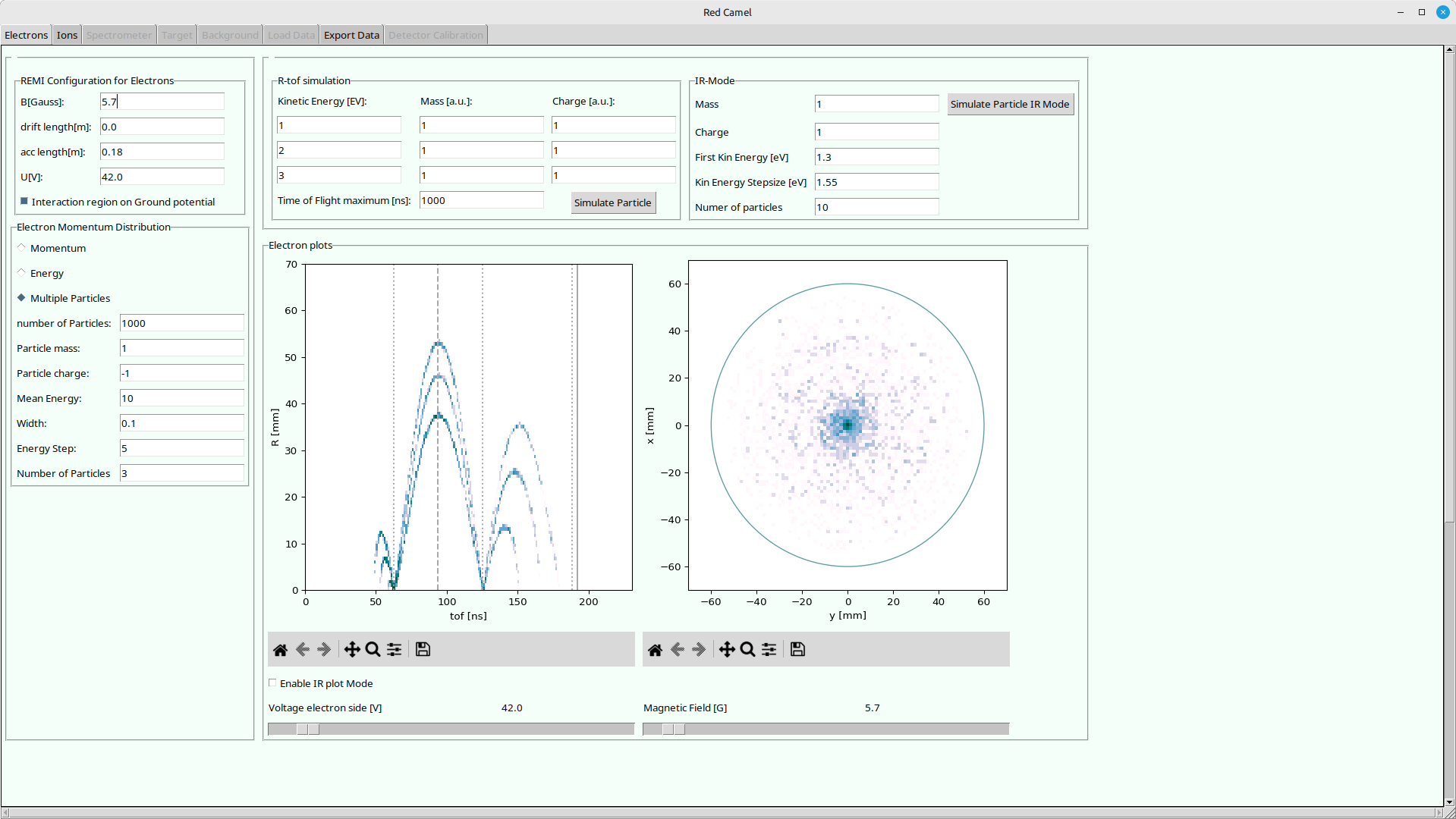
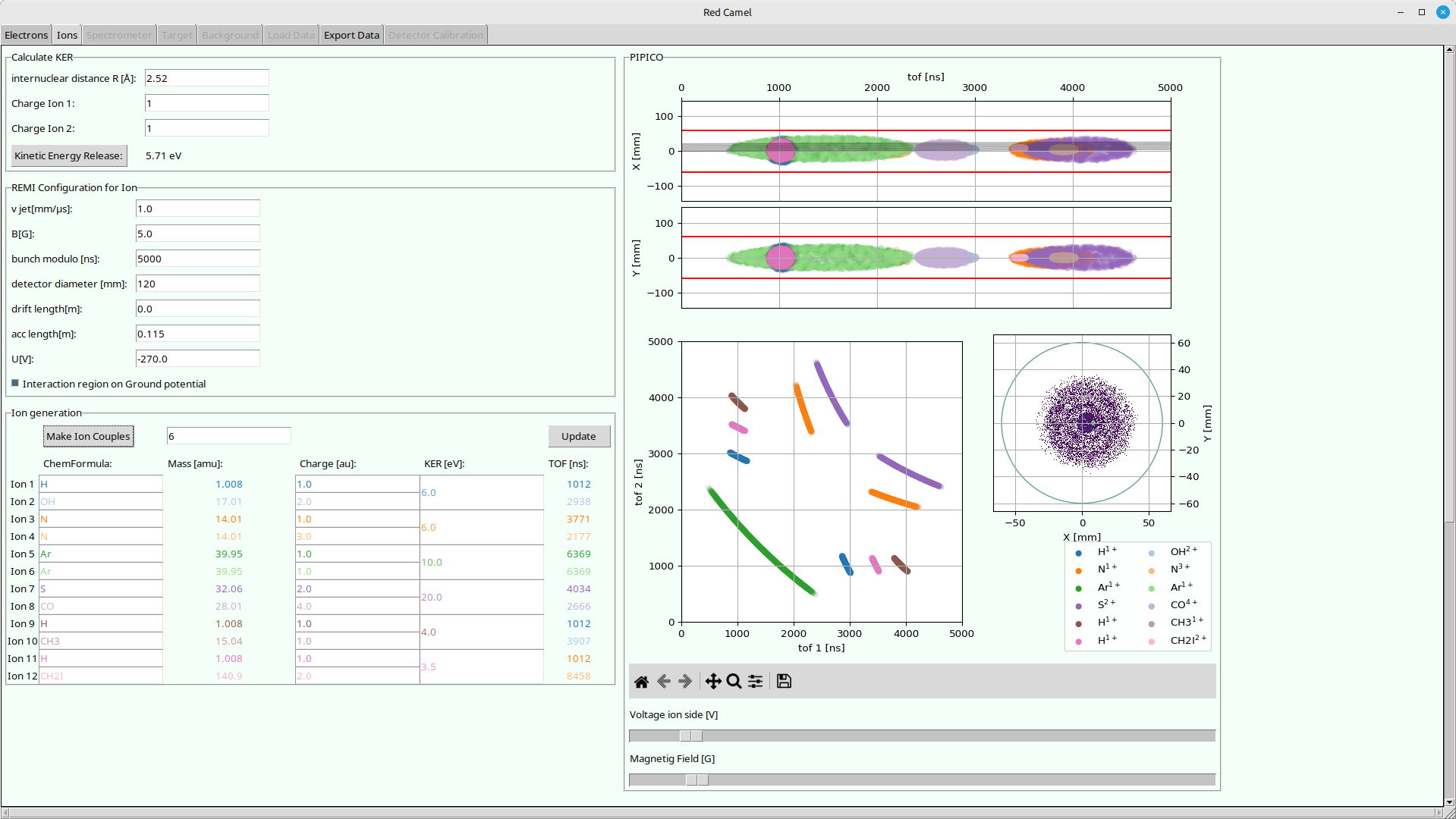
Usage
With uv (recommended)
Try out with temporary python environment:
uvx redcamel
Permanently install in isolated python environment:
uv tool install redcamel
Run:
redcamel
Upgrade
uv tool upgrade redcamel
uv can be found here: https://docs.astral.sh/uv/getting-started/installation/
With pipx (recommended)
Install in isolated python environment:
pipx install redcamel
Run:
redcamel
Update:
pipx upgrade redcamel
pipx can be found here: https://pipx.pypa.io/latest/installation/
With pip
Installing in your current python environment:
Install:
pip install redcamel
Run:
redcamel
Update:
pip install --upgrade redcamel
With conda/mamba/pixi
Not yet implemented, sorry..
Authors
- Initial implementation by Patrizia Schoch
- Maintained by Hannes Lindenblatt
For developers
First get the repository:
git clone https://codeberg.org/FlashREMI/RedCamel.git
or if you have an codeberg.org account with an ssh key set up:
git clone ssh://git@codeberg.org/FlashREMI/RedCamel.git
Then work inside the RedCamel folder. uv or pixi will find their configuration files there. You might need to get the image files with git-lfs:
git lfs install
git lfs pull
Usage with pixi (recommended)
pixi can be found here: https://pixi.sh/latest/#installation If you are on a cluster like DESYs maxwell, check if you can load pixi from a module like this:
module load maxwell pixi
Check the available pixi tasks!
pixi task list
Run tasks like this, e.g. the RedCamel:
pixi run redcamel
Usage with uv
uv run redcamel
uv can be found here: https://docs.astral.sh/uv/getting-started/installation/
Usage with venv + pip
Set up and activate a virtual environment:
python3 -m venv .venv
source .venv/bin/activate
Install redcamel in development mode:
pip install -e ./
Usage with mamba / conda
Setup
- install environment with dependencies:
mamba env create
Usage
- activate environment:
mamba activate redcamel
- run GUI with:
python src/redcamel/remi_gui.py
- Play around with plots and sliders!
Updating
- pull changes:
git pull
- update environment:
mamba activate redcamel
mamba env update
1 maintainer

Metadata
1 maintainer
Release files for redcamel 0.1.10
For a detailed explanation of source distributions (sdists) and built distributions (wheels), please see the package formats documentation.
Source distribution (sdist)
| File | Size | Uploaded | Provenance | Actions |
|---|---|---|---|---|
| redcamel-0.1.10.tar.gz | 76.7 kB | Without provenance | Details for redcamel-0.1.10.tar.gz |
Built distribution (wheel)
| File | Interpreter | ABI | Platform | Actions Reset |
|---|---|---|---|---|
| redcamel-0.1.10-py3-none-any.whl | Python 3 | none | any | Details for redcamel-0.1.10-py3-none-any.whl |
Total release size: 160.0 kB
Release files / redcamel-0.1.10.tar.gz
| Download URL | redcamel-0.1.10.tar.gz |
|---|---|
| Size | 76.7 kB |
| Tags | Source |
|
SHA-256 checksum How to use checksums |
4319b544f57186ede64a2fd0113405a4af1b2ec6cc27fc1d42ab747014727470
|
|
BLAKE2b-256 checksum How to use checksums |
c615cb3be37be78fd5af4087fc47a3d1a7724038687c98e57ea716206f805578
|
| Upload date | |
|
Uploaded using Trusted Publishing? What is trusted publishing? |
Yes |
| Uploaded via |
uv/0.12.23 {"installer":{"name":"uv","version":"0.12.23","subcommand":["publish"]},"python":null,"implementation":{"name":null,"version":null},"distro":{"name":"Ubuntu","version":"24.04","id":"noble","libc":null},"system":{"name":null,"release":null},"cpu":null,"openssl_version":null,"setuptools_version":null,"rustc_version":null,"ci":true}
|
Release files / redcamel-0.1.10-py3-none-any.whl
| Download URL | redcamel-0.1.10-py3-none-any.whl |
|---|---|
| Size | 83.3 kB |
| Tags | Python 3 |
|
SHA-256 checksum How to use checksums |
f1d545b148b3ce5ba3e3677b5f3eb0d5afaf66757d67cb892a627ae891a9c031
|
|
BLAKE2b-256 checksum How to use checksums |
cdbc583ed825075553afc084f795e05a158666f955f834f34ebf46470cbeb4a3
|
| Upload date | |
|
Uploaded using Trusted Publishing? What is trusted publishing? |
Yes |
| Uploaded via |
uv/0.12.23 {"installer":{"name":"uv","version":"0.12.23","subcommand":["publish"]},"python":null,"implementation":{"name":null,"version":null},"distro":{"name":"Ubuntu","version":"24.04","id":"noble","libc":null},"system":{"name":null,"release":null},"cpu":null,"openssl_version":null,"setuptools_version":null,"rustc_version":null,"ci":true}
|
Security for redcamel 0.1.10
Provenance
Provenance describes where a file came from. On PyPI, provenance is shared via attestations, which provide a verifiable record of the build or publishing details. View details, limitations and caveats.
No provenance found
None of the files in this release were uploaded with provenance metadata.
A note on package security
PyPI is a repository for distributing packages, not a service for auditing them. While third-party security researchers and our staff do their best to detect and remove malicious packages, PyPI cannot guarantee the quality, security or suitability of any given package.
To learn more about protecting yourself from malicious actors, visit our package security documentation.














