
Remi Detector Calculation for Monitoring Electrons
GUI tool to simulate Reaction Microscope detector images.
Try out the examples:








Example Outputs
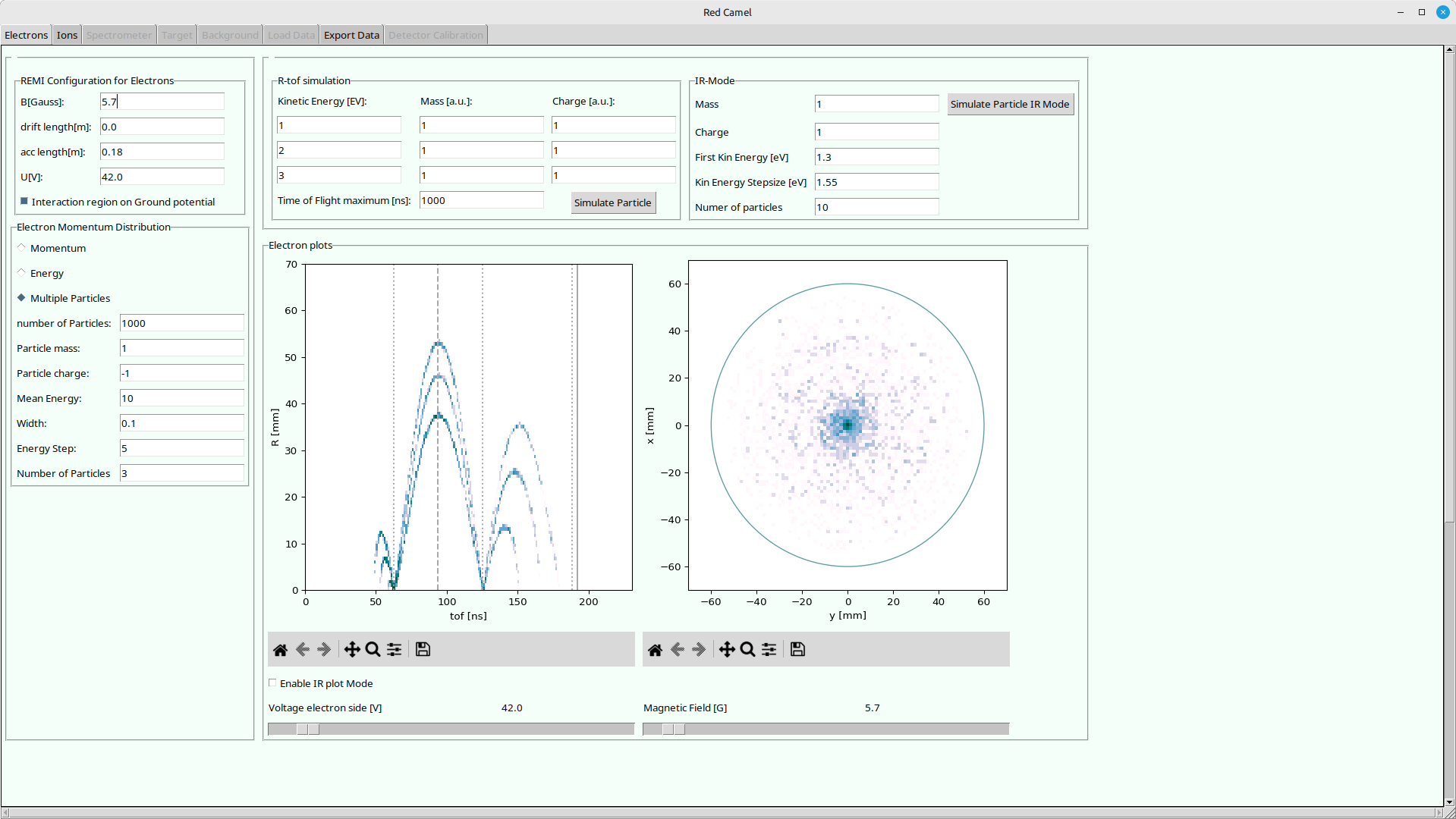
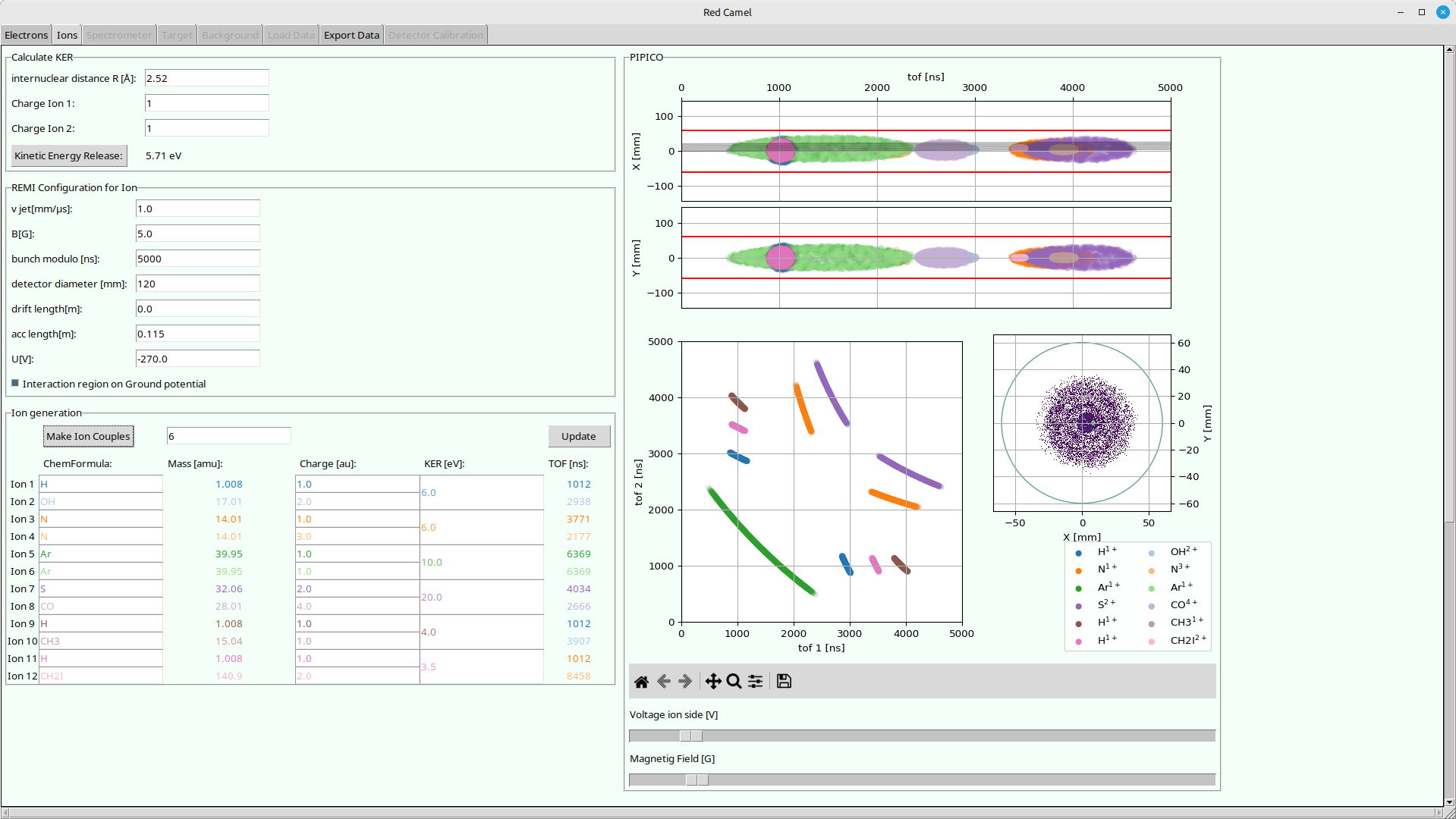
Usage
With uv (recommended)
Try out with temporary python environment:
uvx redcamel
Permanently install in isolated python environment:
uv tool install redcamel
Run:
redcamel
Upgrade
uv tool upgrade redcamel
uv can be found here: https://docs.astral.sh/uv/getting-started/installation/
With pipx (recommended)
Install in isolated python environment:
pipx install redcamel
Run:
redcamel
Update:
pipx upgrade redcamel
pipx can be found here: https://pipx.pypa.io/latest/installation/
With pip
Installing in your current python environment:
Install:
pip install redcamel
Run:
redcamel
Update:
pip install --upgrade redcamel
With conda/mamba/pixi
Not yet implemented, sorry..
Authors
- Initial implementation by Patrizia Schoch
- Maintained by Hannes Lindenblatt
For developers
First get the repository:
git clone https://codeberg.org/FlashREMI/RedCamel.git
or if you have an codeberg.org account with an ssh key set up:
git clone ssh://git@codeberg.org/FlashREMI/RedCamel.git
Then work inside the RedCamel folder. uv or pixi will find their configuration files there. You might need to get the image files with git-lfs:
git lfs install
git lfs pull
Usage with pixi (recommended)
pixi can be found here: https://pixi.sh/latest/#installation If you are on a cluster like DESYs maxwell, check if you can load pixi from a module like this:
module load maxwell pixi
Check the available pixi tasks!
pixi task list
Run tasks like this, e.g. the RedCamel:
pixi run redcamel
Usage with uv
uv run redcamel
uv can be found here: https://docs.astral.sh/uv/getting-started/installation/
Usage with venv + pip
Set up and activate a virtual environment:
python3 -m venv .venv
source .venv/bin/activate
Install redcamel in development mode:
pip install -e ./
Usage with mamba / conda
Setup
- install environment with dependencies:
mamba env create
Usage
- activate environment:
mamba activate redcamel
- run GUI with:
python src/redcamel/remi_gui.py
- Play around with plots and sliders!
Updating
- pull changes:
git pull
- update environment:
mamba activate redcamel
mamba env update
1 maintainer

Metadata
1 maintainer
Release files for redcamel 0.1.10
For a detailed explanation of source distributions (sdists) and built distributions (wheels), please see the package formats documentation.
Source distribution (sdist)
| File | Size | Uploaded | |
|---|---|---|---|
| redcamel-0.1.10.tar.gz | 76.7 kB | Details |
Built distribution (wheel)
| File | Interpreter | ABI | Platform | Reset |
|---|---|---|---|---|
| redcamel-0.1.10-py3-none-any.whl | Python 3 | none | any | Details |
Total release size: 160.0 kB
Release files / redcamel-0.1.10.tar.gz
| Download URL | redcamel-0.1.10.tar.gz |
|---|---|
| Size | 76.7 kB |
| Tags | Source |
|
SHA-256 checksum How to use checksums |
4319b544f57186ede64a2fd0113405a4af1b2ec6cc27fc1d42ab747014727470
|
|
BLAKE2b-256 checksum How to use checksums |
c615cb3be37be78fd5af4087fc47a3d1a7724038687c98e57ea716206f805578
|
| Upload date | |
|
Uploaded using Trusted Publishing? What is trusted publishing? |
Yes |
| Uploaded via |
uv/0.12.23 {"installer":{"name":"uv","version":"0.12.23","subcommand":["publish"]},"python":null,"implementation":{"name":null,"version":null},"distro":{"name":"Ubuntu","version":"24.04","id":"noble","libc":null},"system":{"name":null,"release":null},"cpu":null,"openssl_version":null,"setuptools_version":null,"rustc_version":null,"ci":true}
|
Release files / redcamel-0.1.10-py3-none-any.whl
| Download URL | redcamel-0.1.10-py3-none-any.whl |
|---|---|
| Size | 83.3 kB |
| Tags | Python 3 |
|
SHA-256 checksum How to use checksums |
f1d545b148b3ce5ba3e3677b5f3eb0d5afaf66757d67cb892a627ae891a9c031
|
|
BLAKE2b-256 checksum How to use checksums |
cdbc583ed825075553afc084f795e05a158666f955f834f34ebf46470cbeb4a3
|
| Upload date | |
|
Uploaded using Trusted Publishing? What is trusted publishing? |
Yes |
| Uploaded via |
uv/0.12.23 {"installer":{"name":"uv","version":"0.12.23","subcommand":["publish"]},"python":null,"implementation":{"name":null,"version":null},"distro":{"name":"Ubuntu","version":"24.04","id":"noble","libc":null},"system":{"name":null,"release":null},"cpu":null,"openssl_version":null,"setuptools_version":null,"rustc_version":null,"ci":true}
|














