
One canvas API, multiple backends
Project description





rendercanvas
One canvas API, multiple backends 🚀
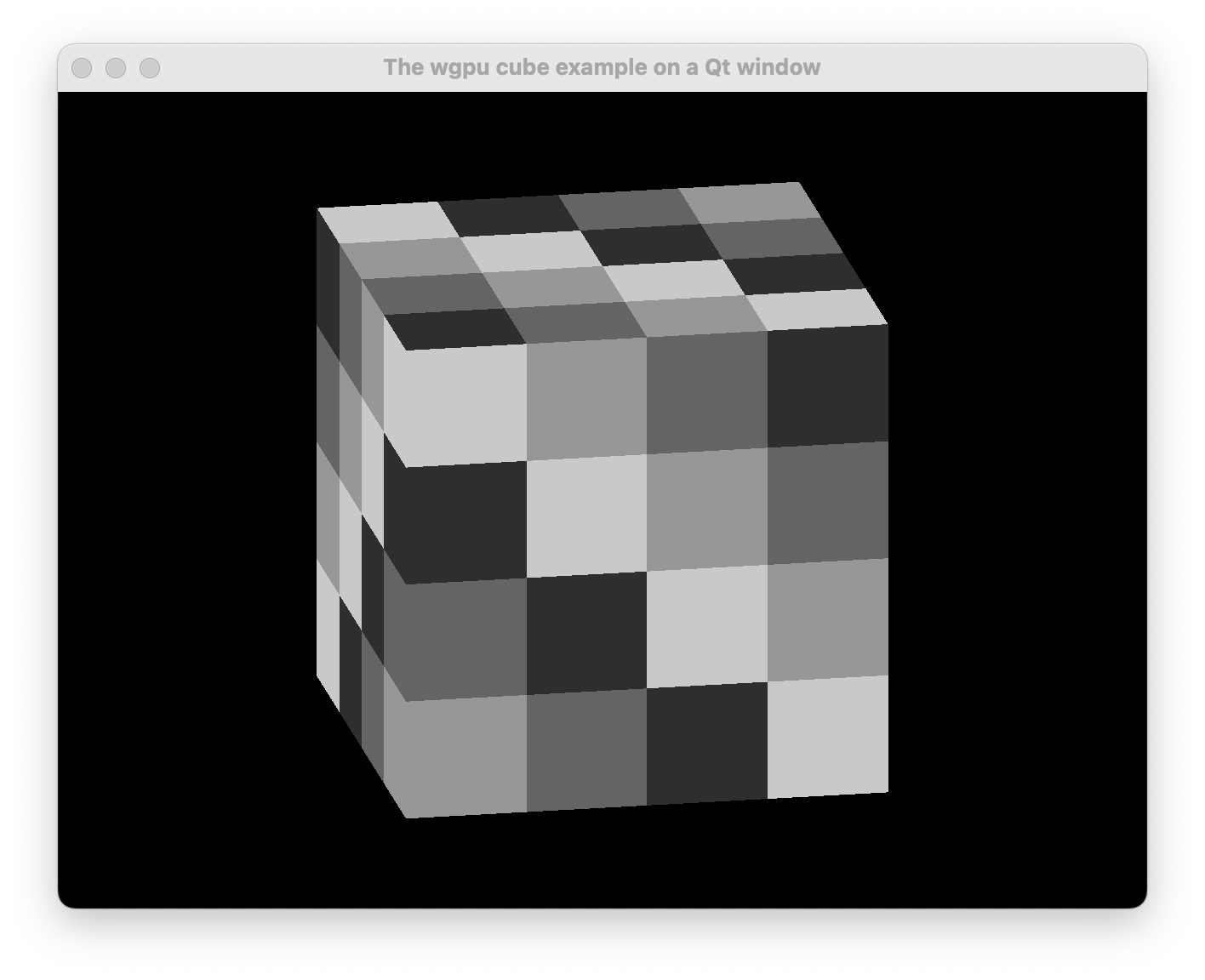
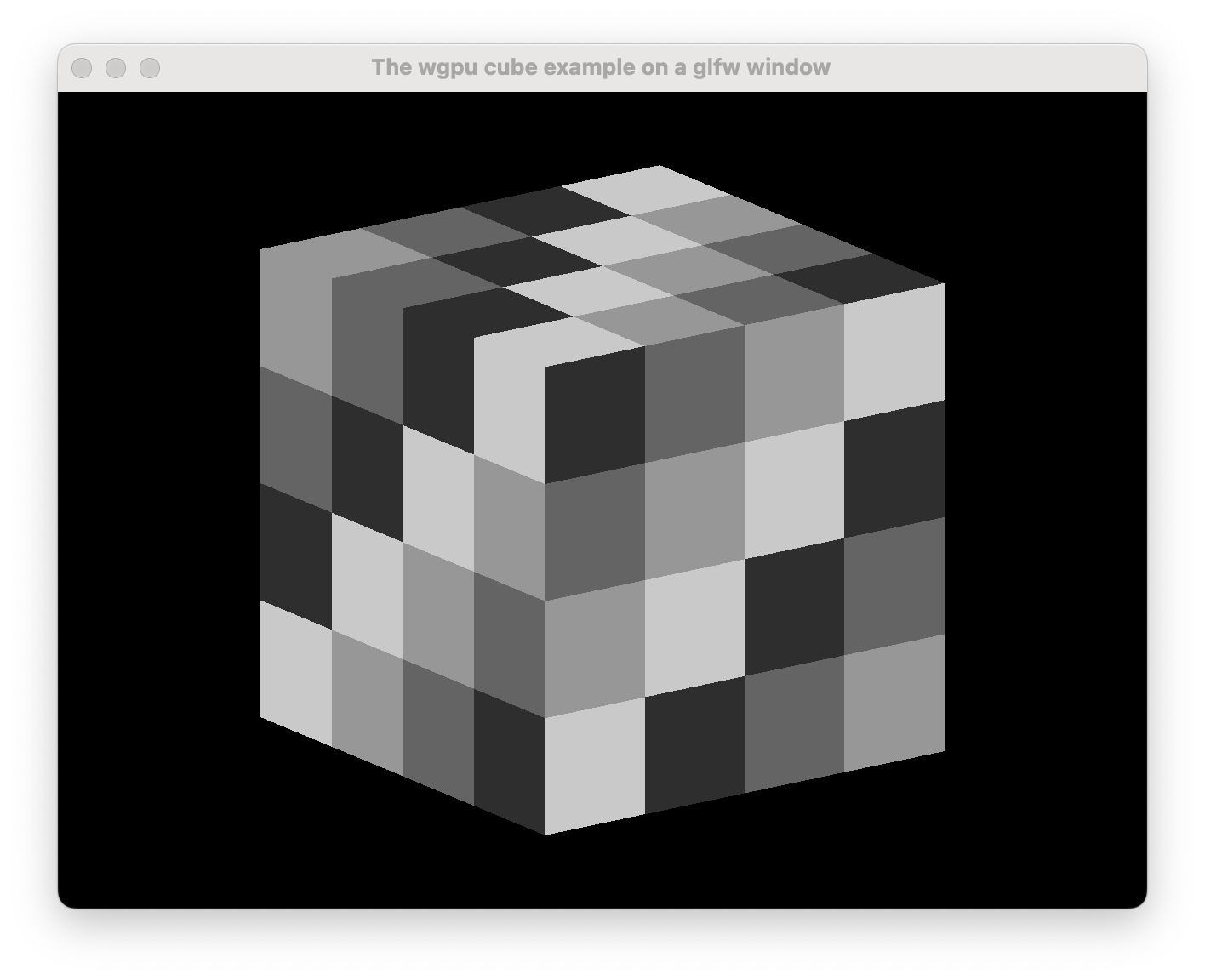
This project is part of pygfx.org
Introduction
See how the two windows above look the same? That's the idea; they also look the same to the code that renders to them. Yet, the GUI systems are very different (Qt vs glfw in this case). Now that's a powerful abstraction!
Purpose
Providing a generic API for:
- managing a canvas window (
BaseRenderCanvas). - presenting rendered results with
wgpu(WgpuContext). - presenting rendered results as a bitmap (
BitmapContext). - working with events that have standardized behavior.
Implement that on top of a variety of backends:
- Running on desktop with a light backend (glfw).
- Running in the browser (with Pyodide or PyScript).
- Running from a (Jupyter) notebook.
- Embedding as a widget in a GUI library.
- Qt
- wx
- In addition to the GUI libraries mentioned above, the following event loops are supported:
- asyncio
- trio
- raw
Installation
pip install rendercanvas
To have at least one backend, we recommend:
pip install rendercanvas glfw
Usage
Also see the online documentation and the examples.
A minimal example that renders noise:
import numpy as np
from rendercanvas.auto import RenderCanvas, loop

canvas = RenderCanvas(update_mode="continuous")
context = canvas.get_bitmap_context()

@canvas.request_draw
def animate():
    w, h = canvas.get_logical_size()
    bitmap = np.random.uniform(0, 255, (h, w)).astype(np.uint8)
    context.set_bitmap(bitmap)

loop.run()
Run wgpu visualizations:
from rendercanvas.auto import RenderCanvas, loop
from rendercanvas.utils.cube import setup_drawing_sync


canvas = RenderCanvas(
    title="The wgpu cube example on $backend", update_mode="continuous"
)
draw_frame = setup_drawing_sync(canvas)
canvas.request_draw(draw_frame)

loop.run()
Embed in a Qt application:
from PySide6 import QtWidgets
from rendercanvas.qt import QRenderWidget

class Main(QtWidgets.QWidget):

    def __init__(self):
        super().__init__()

        splitter = QtWidgets.QSplitter()
        self.canvas = QRenderWidget(splitter)
        ...


app = QtWidgets.QApplication([])
main = Main()
app.exec()
Async or not async
We support both; a render canvas can be used in a fully async setting using e.g. Asyncio or Trio, or in an event-driven framework like Qt.
If you like callbacks, loop.call_later() always works. If you like async, use loop.add_task().
See the docs on async for details.
License
This code is distributed under the 2-clause BSD license.
Developers
- Clone the repo.
- Install
rendercanvasand developer deps usingpip install -e .[dev]. - Use
ruff formatto apply autoformatting. - Use
ruff checkto check for linting errors. - Optionally, if you install pre-commit hooks with
pre-commit install, lint fixes and formatting will be automatically applied ongit commit. - Use
pytest teststo run the tests. - Use
pytest examplesto run a subset of the examples.
Project details
Release history Release notifications | RSS feed


Download files
Download the file for your platform. If you're not sure which to choose, learn more about installing packages.
Source Distribution
Built Distribution
Filter files by name, interpreter, ABI, and platform.
If you're not sure about the file name format, learn more about wheel file names.
Copy a direct link to the current filters
File details
Details for the file rendercanvas-2.5.1.tar.gz.
File metadata
- Download URL: rendercanvas-2.5.1.tar.gz
- Upload date:
- Size: 83.0 kB
- Tags: Source
- Uploaded using Trusted Publishing? Yes
- Uploaded via: twine/6.1.0 CPython/3.13.7
File hashes
| Algorithm | Hash digest | |
|---|---|---|
| SHA256 |
633b2b35cb6fdb2502023ff0c5e1784f2014a44fe69e4e64a26b7a95572cc018
|
|
| MD5 |
308f873c5138860dfd8e68fd1f645280
|
|
| BLAKE2b-256 |
5a75bf383e762d455d9d0665903dae57a305fba02f4546fe1c6e33cebb9c747b
|
Provenance
The following attestation bundles were made for rendercanvas-2.5.1.tar.gz:
Publisher:
ci.yml on pygfx/rendercanvas
-
Statement:
-
Statement type:
https://in-toto.io/Statement/v1 -
Predicate type:
https://docs.pypi.org/attestations/publish/v1 -
Subject name:
rendercanvas-2.5.1.tar.gz -
Subject digest:
633b2b35cb6fdb2502023ff0c5e1784f2014a44fe69e4e64a26b7a95572cc018 - Sigstore transparency entry: 771240148
- Sigstore integration time:
-
Permalink:
pygfx/rendercanvas@078e4076607ccbabacebd7698e44ceded0127783 -
Branch / Tag:
refs/tags/v2.5.1 - Owner: https://github.com/pygfx
-
Access:
public
-
Token Issuer:
https://token.actions.githubusercontent.com -
Runner Environment:
github-hosted -
Publication workflow:
ci.yml@078e4076607ccbabacebd7698e44ceded0127783 -
Trigger Event:
push
-
Statement type:
File details
Details for the file rendercanvas-2.5.1-py3-none-any.whl.
File metadata
- Download URL: rendercanvas-2.5.1-py3-none-any.whl
- Upload date:
- Size: 97.4 kB
- Tags: Python 3
- Uploaded using Trusted Publishing? Yes
- Uploaded via: twine/6.1.0 CPython/3.13.7
File hashes
| Algorithm | Hash digest | |
|---|---|---|
| SHA256 |
aa47b4d452005883215c8d793a6b3e80d801408ad0534fe709c20fcfc30e49b6
|
|
| MD5 |
0f8e9aad7145aa89eaf5a9341bb6cf44
|
|
| BLAKE2b-256 |
20f4391caec6d19610d335914b5c7f02cb5fc466eb5afde17e66f01aedab4fdd
|
Provenance
The following attestation bundles were made for rendercanvas-2.5.1-py3-none-any.whl:
Publisher:
ci.yml on pygfx/rendercanvas
-
Statement:
-
Statement type:
https://in-toto.io/Statement/v1 -
Predicate type:
https://docs.pypi.org/attestations/publish/v1 -
Subject name:
rendercanvas-2.5.1-py3-none-any.whl -
Subject digest:
aa47b4d452005883215c8d793a6b3e80d801408ad0534fe709c20fcfc30e49b6 - Sigstore transparency entry: 771240165
- Sigstore integration time:
-
Permalink:
pygfx/rendercanvas@078e4076607ccbabacebd7698e44ceded0127783 -
Branch / Tag:
refs/tags/v2.5.1 - Owner: https://github.com/pygfx
-
Access:
public
-
Token Issuer:
https://token.actions.githubusercontent.com -
Runner Environment:
github-hosted -
Publication workflow:
ci.yml@078e4076607ccbabacebd7698e44ceded0127783 -
Trigger Event:
push
-
Statement type:






