
restricted: Enforcing Restrictions on Python Code Execution
Overview
A lightweight Python package for analyzing and securely executing code blocks with AST-based restrictions. This package provides multiple execution methods, including direct execution, subprocesses, and uv, allowing for controlled execution with customizable whitelist/blacklist lists.
Demo
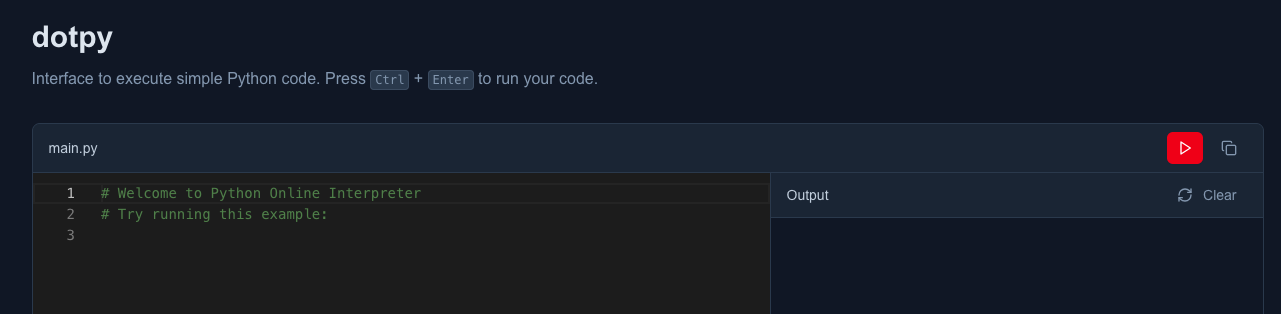
Live demo using the default settings.
Installation
pip
pip install restricted
uv
uv add restricted
Usage
With helper function
The helper function provides the easiest way to execute code with restrictions.
from restricted.helpers import execute_restricted

# A block of code pretending to be malicious.
code = """
import os
print(os.getcwd())
"""

# Restrict specific modules
result = execute_restricted(code, method="direct", blacklist=["os"])
print(result)

# Output: RestrictedImportError: 'os' is not allowed
Using whitelist
You can specify exactly what modules/functions are allowed instead of what's restricted.
from restricted.helpers import execute_restricted

code = """
import math
print(math.sqrt(16))
"""

# Only allow specific modules
result = execute_restricted(code, method="direct", whitelist=["math", "print"])
print(result)

# Output: 4.0
Different execution methods
Choose from different execution methods based on your needs:
from restricted.helpers import execute_restricted

code = """
print("Hello World")
"""

# Direct execution (fastest)
result = execute_restricted(code, method="direct", whitelist=["print"])

# Subprocess execution (more isolated)
result = execute_restricted(code, method="subprocess", whitelist=["print"])

# UV execution (using uv for isolation)
result = execute_restricted(code, method="uv", whitelist=["print"])
Without helper function
For more advanced control over the execution process, you can use the Executor and Restrictor directly.
from restricted.core import Executor, Restrictor

code = """
print("Hello World")
"""

# Create a restrictor with specific restrictions
restrictor = Restrictor(blacklist=["os", "sys", "subprocess"])
executor = Executor(code, restrictor=restrictor)

# Execute with your preferred method
result = executor.execute(method="direct")
print(result)
Using only the Restrictor
The Restrictor class can be used independently for validation without execution.
from restricted.core import Restrictor

code = """
import os
print("Hello World")
"""

# Only validate, don't execute
restrictor = Restrictor(blacklist=["os"])
try:
    validated_code = restrictor.restrict(code)
    print("Code is safe to execute")
except Exception as e:
    print(f"Code validation failed: {e}")
API Reference
Restrictor
whitelist: Optional list of allowed modules/functionsblacklist: Optional list of restricted modules/functions- Only one of
whitelistorblacklistcan be provided
Executor
method: Execution method ("direct","subprocess", or"uv")- Automatically applies restrictions before execution
Exceptions
RestrictedImportError: Raised when a restricted import is detectedRestrictedBuiltInsError: Raised when a restricted built-in is usedScriptExecutionError: Raised when script execution fails
Security Notice
Caution: Always ensure that the code you execute is thoroughly reviewed to avoid potential security risks. Malicious or unsafe code can harm the system or access sensitive resources. Consider running code in a controlled or isolated environment to minimize potential damage.
Contribution
Any contributions to improve this project are welcome! If you have suggestions, bug fixes, or new features to propose, feel free to submit a pull request on GitHub.
1 maintainer

Metadata
1 maintainer
Release files for restricted 0.2.1
For a detailed explanation of source distributions (sdists) and built distributions (wheels), please see the package formats documentation.
Source distribution (sdist)
| File | Size | Uploaded | |
|---|---|---|---|
| restricted-0.2.1.tar.gz | 8.7 kB | Details |
Built distribution (wheel)
| File | Interpreter | ABI | Platform | Reset |
|---|---|---|---|---|
| restricted-0.2.1-py3-none-any.whl | Python 3 | none | any | Details |
Total release size: 18.2 kB
Release files / restricted-0.2.1.tar.gz
| Download URL | restricted-0.2.1.tar.gz |
|---|---|
| Size | 8.7 kB |
| Tags | Source |
|
SHA-256 checksum How to use checksums |
0bf5651ba8a27eab16eaee15ac01e0a5e208a24b87c1707f626ffc647542994d
|
|
BLAKE2b-256 checksum How to use checksums |
e4facd2d2e46d02110561c312fb016c6149dfd3a595b47895d8d759d211e9dfd
|
| Upload date | |
|
Uploaded using Trusted Publishing? What is trusted publishing? |
Yes |
| Uploaded via |
twine/6.1.0 CPython/3.12.9
|
Provenance
Provenance describes where a file came from. On PyPI, provenance is shared via attestations, which provide a verifiable record of the build or publishing details. View details, limitations and caveats.


PyPI Publish Attestation
PyPI verified that this artifact, at this checksum, originated from the publisher listed below.
Signed by GitHub Actions, verified by PyPI on May 29, 2025.
Transparency logRelease files / restricted-0.2.1-py3-none-any.whl
| Download URL | restricted-0.2.1-py3-none-any.whl |
|---|---|
| Size | 9.5 kB |
| Tags | Python 3 |
|
SHA-256 checksum How to use checksums |
2890cd0c7b92e7d1e2e996e0af8c0bffc2b7789bb08964e68cd5c6bde920362e
|
|
BLAKE2b-256 checksum How to use checksums |
c3618f755b0aa943ac97ef8dfbf5a3d12d52f38fd4d25aea2de7d7f4d47c5422
|
| Upload date | |
|
Uploaded using Trusted Publishing? What is trusted publishing? |
Yes |
| Uploaded via |
twine/6.1.0 CPython/3.12.9
|
Provenance
Provenance describes where a file came from. On PyPI, provenance is shared via attestations, which provide a verifiable record of the build or publishing details. View details, limitations and caveats.
PyPI Publish Attestation
PyPI verified that this artifact, at this checksum, originated from the publisher listed below.
Signed by GitHub Actions, verified by PyPI on May 29, 2025.
Transparency log













