
A lightweight Python package for analyzing and securely executing code blocks with AST-based restrictions.

Project description
restricted: Enforcing Restrictions on Python Code Execution
Overview
A lightweight Python package for analyzing and securely executing code blocks with AST-based restrictions. This package provides multiple execution methods, including direct execution, subprocesses, and uv, allowing for controlled execution with customizable whitelist/blacklist lists.
Demo
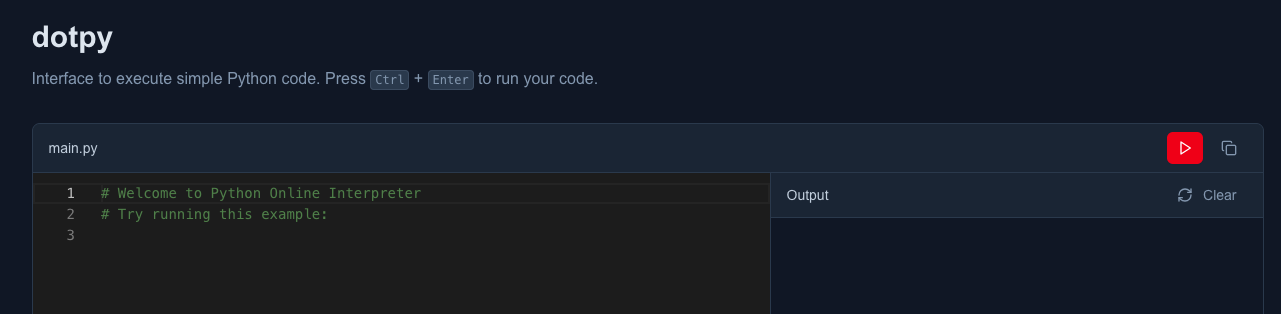
Live demo using the default settings.
Installation
pip
pip install restricted
uv
uv add restricted
Usage
With helper function
The helper function provides the easiest way to execute code with restrictions.
from restricted.helpers import execute_restricted

# A block of code pretending to be malicious.
code = """
import os
print(os.getcwd())
"""

# Restrict specific modules
result = execute_restricted(code, method="direct", blacklist=["os"])
print(result)

# Output: RestrictedImportError: 'os' is not allowed
Using whitelist
You can specify exactly what modules/functions are allowed instead of what's restricted.
from restricted.helpers import execute_restricted

code = """
import math
print(math.sqrt(16))
"""

# Only allow specific modules
result = execute_restricted(code, method="direct", whitelist=["math", "print"])
print(result)

# Output: 4.0
Different execution methods
Choose from different execution methods based on your needs:
from restricted.helpers import execute_restricted

code = """
print("Hello World")
"""

# Direct execution (fastest)
result = execute_restricted(code, method="direct", whitelist=["print"])

# Subprocess execution (more isolated)
result = execute_restricted(code, method="subprocess", whitelist=["print"])

# UV execution (using uv for isolation)
result = execute_restricted(code, method="uv", whitelist=["print"])
Without helper function
For more advanced control over the execution process, you can use the Executor and Restrictor directly.
from restricted.core import Executor, Restrictor

code = """
print("Hello World")
"""

# Create a restrictor with specific restrictions
restrictor = Restrictor(blacklist=["os", "sys", "subprocess"])
executor = Executor(code, restrictor=restrictor)

# Execute with your preferred method
result = executor.execute(method="direct")
print(result)
Using only the Restrictor
The Restrictor class can be used independently for validation without execution.
from restricted.core import Restrictor

code = """
import os
print("Hello World")
"""

# Only validate, don't execute
restrictor = Restrictor(blacklist=["os"])
try:
    validated_code = restrictor.restrict(code)
    print("Code is safe to execute")
except Exception as e:
    print(f"Code validation failed: {e}")
API Reference
Restrictor
whitelist: Optional list of allowed modules/functionsblacklist: Optional list of restricted modules/functions- Only one of
whitelistorblacklistcan be provided
Executor
method: Execution method ("direct","subprocess", or"uv")- Automatically applies restrictions before execution
Exceptions
RestrictedImportError: Raised when a restricted import is detectedRestrictedBuiltInsError: Raised when a restricted built-in is usedScriptExecutionError: Raised when script execution fails
Security Notice
Caution: Always ensure that the code you execute is thoroughly reviewed to avoid potential security risks. Malicious or unsafe code can harm the system or access sensitive resources. Consider running code in a controlled or isolated environment to minimize potential damage.
Contribution
Any contributions to improve this project are welcome! If you have suggestions, bug fixes, or new features to propose, feel free to submit a pull request on GitHub.


Download files
Download the file for your platform. If you're not sure which to choose, learn more about installing packages.
Source Distribution
Built Distribution
Filter files by name, interpreter, ABI, and platform.
If you're not sure about the file name format, learn more about wheel file names.
Copy a direct link to the current filters
File details
Details for the file restricted-0.2.1.tar.gz.
File metadata
- Download URL: restricted-0.2.1.tar.gz
- Upload date:
- Size: 8.7 kB
- Tags: Source
- Uploaded using Trusted Publishing? Yes
- Uploaded via: twine/6.1.0 CPython/3.12.9
File hashes
| Algorithm | Hash digest | |
|---|---|---|
| SHA256 |
0bf5651ba8a27eab16eaee15ac01e0a5e208a24b87c1707f626ffc647542994d
|
|
| MD5 |
e793db0182ead5cbec6e9aa62e7b6bad
|
|
| BLAKE2b-256 |
e4facd2d2e46d02110561c312fb016c6149dfd3a595b47895d8d759d211e9dfd
|
Provenance
The following attestation bundles were made for restricted-0.2.1.tar.gz:
Publisher:
python-publish.yml on bimalpaudels/restricted
-
Statement:
-
Statement type:
https://in-toto.io/Statement/v1 -
Predicate type:
https://docs.pypi.org/attestations/publish/v1 -
Subject name:
restricted-0.2.1.tar.gz -
Subject digest:
0bf5651ba8a27eab16eaee15ac01e0a5e208a24b87c1707f626ffc647542994d - Sigstore transparency entry: 224739595
- Sigstore integration time:
-
Permalink:
bimalpaudels/restricted@6a1d27f07b6b82666bb352f1f5f094436696c20a -
Branch / Tag:
refs/tags/v0.2.1 - Owner: https://github.com/bimalpaudels
-
Access:
public
-
Token Issuer:
https://token.actions.githubusercontent.com -
Runner Environment:
github-hosted -
Publication workflow:
python-publish.yml@6a1d27f07b6b82666bb352f1f5f094436696c20a -
Trigger Event:
release
-
Statement type:
File details
Details for the file restricted-0.2.1-py3-none-any.whl.
File metadata
- Download URL: restricted-0.2.1-py3-none-any.whl
- Upload date:
- Size: 9.5 kB
- Tags: Python 3
- Uploaded using Trusted Publishing? Yes
- Uploaded via: twine/6.1.0 CPython/3.12.9
File hashes
| Algorithm | Hash digest | |
|---|---|---|
| SHA256 |
2890cd0c7b92e7d1e2e996e0af8c0bffc2b7789bb08964e68cd5c6bde920362e
|
|
| MD5 |
1e4a90a4ea24940797d4601020a7207f
|
|
| BLAKE2b-256 |
c3618f755b0aa943ac97ef8dfbf5a3d12d52f38fd4d25aea2de7d7f4d47c5422
|
Provenance
The following attestation bundles were made for restricted-0.2.1-py3-none-any.whl:
Publisher:
python-publish.yml on bimalpaudels/restricted
-
Statement:
-
Statement type:
https://in-toto.io/Statement/v1 -
Predicate type:
https://docs.pypi.org/attestations/publish/v1 -
Subject name:
restricted-0.2.1-py3-none-any.whl -
Subject digest:
2890cd0c7b92e7d1e2e996e0af8c0bffc2b7789bb08964e68cd5c6bde920362e - Sigstore transparency entry: 224739600
- Sigstore integration time:
-
Permalink:
bimalpaudels/restricted@6a1d27f07b6b82666bb352f1f5f094436696c20a -
Branch / Tag:
refs/tags/v0.2.1 - Owner: https://github.com/bimalpaudels
-
Access:
public
-
Token Issuer:
https://token.actions.githubusercontent.com -
Runner Environment:
github-hosted -
Publication workflow:
python-publish.yml@6a1d27f07b6b82666bb352f1f5f094436696c20a -
Trigger Event:
release
-
Statement type:






