
Convert Markdown resumes to HTML and PDF
Verified details
These details have been verified by PyPIProject links
GitHub Statistics
Maintainers

Project description
resume.md
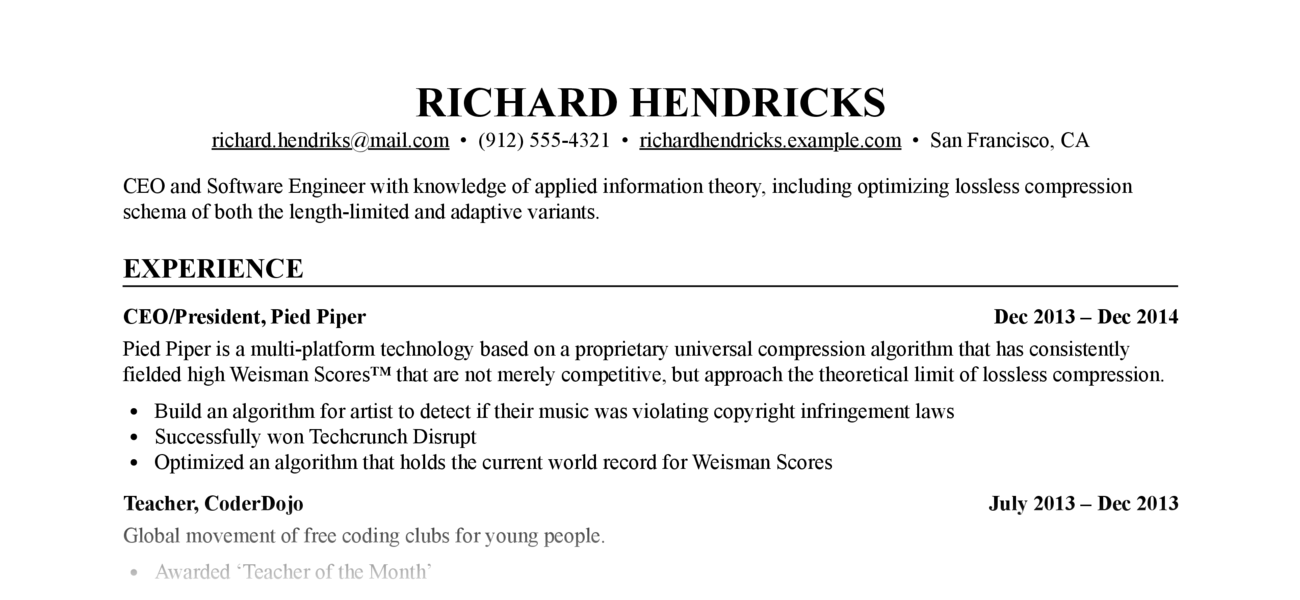
Write your resume in
Markdown,
style it with CSS, output to resume.html and
resume.pdf.
Prerequisites
- Python ≥ 3.9 or
uv - Optional, required for PDF output: Google Chrome or Chromium
Installation
Using uvx (recommended, no installation needed)
Run directly without installing:
uvx resume-markdown
Using uv tool install (persistent installation)
Install once, use everywhere:
uv tool install resume-markdown
Using pip
pip install resume-markdown
Usage
Quick start
-
Create template files in your current directory:
resume-markdown init
# or with uvx: uvx resume-markdown init
This creates
resume.mdandresume.cssin the current directory. -
Edit your copy of
resume.mdwith your resume content (the placeholder text is taken with thanks from the JSON Resume Project) -
Build HTML and PDF output:
resume-markdown build
# or with uvx: uvx resume-markdown build
Build options
-
Use
--no-htmlor--no-pdfto disable HTML or PDF output:resume-markdown build --no-pdf
-
Use
--chrome-path=/path/to/chromeif the tool cannot find your Chrome or Chromium executable (needed for PDF output)resume-markdown build --chrome-path=/path/to/chrome
-
Specify a custom input file:
resume-markdown build myresume.md
Customization
Edit resume.css to change the appearance of your resume. The
default style is extremely generic, which is perhaps what you want in a resume,
but CSS gives you a lot of flexibility. See, e.g. The Tech Resume
Inside-Out for good advice about what a
resume should look like (and what it should say).
Change the appearance of the PDF version (without affecting the HTML version) by
adding rules under the @media print CSS selector.
Change the margins and paper size of the PDF version by editing the @page CSS
rule.
Project details
Verified details
These details have been verified by PyPIProject links
GitHub Statistics
Maintainers
Release history Release notifications | RSS feed


Download files
Download the file for your platform. If you're not sure which to choose, learn more about installing packages.
Source Distribution
Built Distribution
Filter files by name, interpreter, ABI, and platform.
If you're not sure about the file name format, learn more about wheel file names.
Copy a direct link to the current filters
File details
Details for the file resume_markdown-1.0.0.tar.gz.
File metadata
- Download URL: resume_markdown-1.0.0.tar.gz
- Upload date:
- Size: 141.8 kB
- Tags: Source
- Uploaded using Trusted Publishing? Yes
- Uploaded via: twine/6.1.0 CPython/3.13.7
File hashes
| Algorithm | Hash digest | |
|---|---|---|
| SHA256 |
6e85651fdee407565b6f7f9d51f2a16d2c00ad70e1eaadeeddbfa41274506116
|
|
| MD5 |
7667252b1383340ab2765dca0e3f7df8
|
|
| BLAKE2b-256 |
72c204ef8c2cbf96039b8f3e46fea7943affdd54dfc71f5454af93e4ec654997
|
Provenance
The following attestation bundles were made for resume_markdown-1.0.0.tar.gz:
Publisher:
release.yml on mikepqr/resume-markdown
-
Statement:
-
Statement type:
https://in-toto.io/Statement/v1 -
Predicate type:
https://docs.pypi.org/attestations/publish/v1 -
Subject name:
resume_markdown-1.0.0.tar.gz -
Subject digest:
6e85651fdee407565b6f7f9d51f2a16d2c00ad70e1eaadeeddbfa41274506116 - Sigstore transparency entry: 601025483
- Sigstore integration time:
-
Permalink:
mikepqr/resume-markdown@7a26cf1817f84514b7505071b3001ee4717fa49d -
Branch / Tag:
refs/tags/v1.0.0 - Owner: https://github.com/mikepqr
-
Access:
public
-
Token Issuer:
https://token.actions.githubusercontent.com -
Runner Environment:
github-hosted -
Publication workflow:
release.yml@7a26cf1817f84514b7505071b3001ee4717fa49d -
Trigger Event:
release
-
Statement type:
File details
Details for the file resume_markdown-1.0.0-py3-none-any.whl.
File metadata
- Download URL: resume_markdown-1.0.0-py3-none-any.whl
- Upload date:
- Size: 8.8 kB
- Tags: Python 3
- Uploaded using Trusted Publishing? Yes
- Uploaded via: twine/6.1.0 CPython/3.13.7
File hashes
| Algorithm | Hash digest | |
|---|---|---|
| SHA256 |
cbb645fe895c68c835147d68a2e0f47a4eda2ebf088898b100b8976ee1bd551e
|
|
| MD5 |
03890022d52e472942b7b496adf0ad64
|
|
| BLAKE2b-256 |
efeb5673989e76338a7a3eefb6bf246f2606cae9fbc9fa830eed9a36f992703c
|
Provenance
The following attestation bundles were made for resume_markdown-1.0.0-py3-none-any.whl:
Publisher:
release.yml on mikepqr/resume-markdown
-
Statement:
-
Statement type:
https://in-toto.io/Statement/v1 -
Predicate type:
https://docs.pypi.org/attestations/publish/v1 -
Subject name:
resume_markdown-1.0.0-py3-none-any.whl -
Subject digest:
cbb645fe895c68c835147d68a2e0f47a4eda2ebf088898b100b8976ee1bd551e - Sigstore transparency entry: 601025486
- Sigstore integration time:
-
Permalink:
mikepqr/resume-markdown@7a26cf1817f84514b7505071b3001ee4717fa49d -
Branch / Tag:
refs/tags/v1.0.0 - Owner: https://github.com/mikepqr
-
Access:
public
-
Token Issuer:
https://token.actions.githubusercontent.com -
Runner Environment:
github-hosted -
Publication workflow:
release.yml@7a26cf1817f84514b7505071b3001ee4717fa49d -
Trigger Event:
release
-
Statement type:






