
Roboto SDK
Roboto is the analytics engine for Physical AI: ingest, search, and analyze your robotics data at scale, and put AI agents to work on it 🤖
This package is the official Python SDK for Roboto. The roboto command line utility is distributed separately as standalone binaries (see CLI below).
If this is your first time using Roboto, start with the docs and the core concepts.
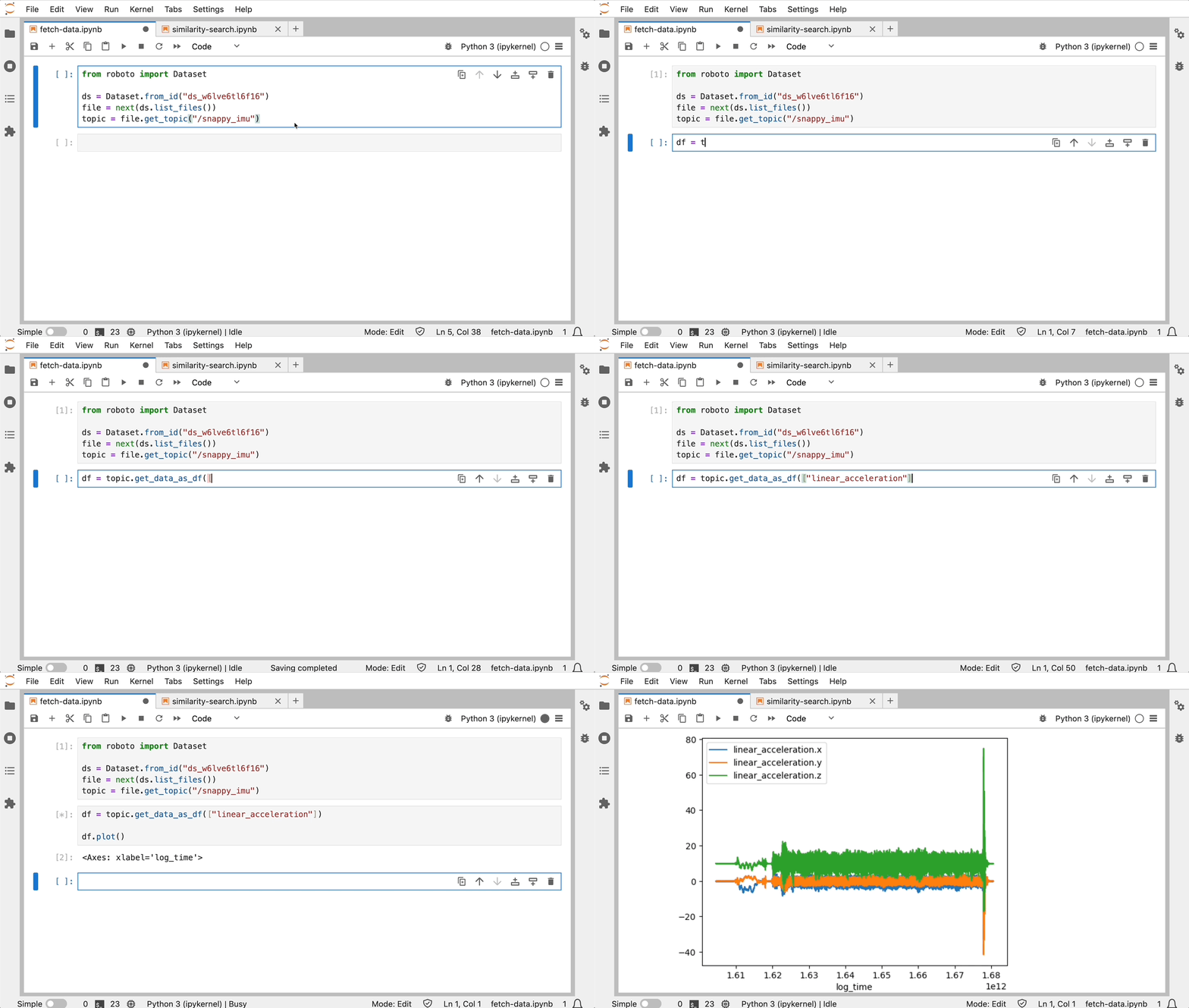
Why Roboto?
Most robotics teams start with manual review: visualizing logs and replaying data. But that approach alone doesn't scale; your fleet generates more data than your team can ever review. Roboto helps you go from raw logs to root cause 🚀
Ingest logs in every major robotics format, query data across your fleet, and define custom actions to post-process it: identify events, generate KPIs, and more.
You can also let AI agents do the analysis: they search your data, dig into signals, summarize and triage datasets, and detect events, whether in the Roboto web app, through this SDK, or from the AI tools you already use.
See below for supported data formats, installation instructions, and getting started examples.
Connect Your AI Tools
The hosted Roboto MCP server brings Roboto to the AI you already work in. Connect it once, and Claude Code, Claude Desktop, Codex, Cursor, VS Code, or any other client that speaks the Model Context Protocol can search your Roboto data, explore datasets and files, and analyze topic data mid-conversation:
claude mcp add --transport http roboto https://mcp.roboto.ai/mcp
- You authenticate as yourself — sign in with your browser or use a personal access token; every tool call runs with your own permissions.
- Read-only by design — a curated set of search, retrieval, and analysis tools; nothing exposed over MCP can modify your data.
- All of your organizations, one connection — if you belong to several orgs, ask the AI to call
whoamiandset_active_orgto switch between them.
See Use the Roboto MCP Server for setup instructions per client, and the Roboto MCP Server docs for everything the AI can do once connected.
Data Formats
Roboto ingests the following formats, each with a corresponding action in the Action Hub.
| Format | Extensions | Status | Action |
|---|---|---|---|
| ROS 2 | .mcap, .db3 |
✅ | ros_ingestion |
| ROS 1 | .bag |
✅ | ros_ingestion |
| PX4 | .ulg |
✅ | ulog_ingestion |
| Parquet | .parquet |
✅ | parquet_ingestion |
| CSV | .csv |
✅ | csv_ingestion |
| ArduPilot | .bin, .log, .tlog |
✅ | ardupilot_ingestion |
| Video | .mp4, .avi, .mkv |
✅ | video_ingestion |
| Journal | .log |
✅ | journal_log_ingestion |
Roboto can also support custom formats. Reach out to discuss your use case.
Install Roboto
To use the Roboto SDK or CLI:
- Sign up at app.roboto.ai and create an access token (docs)
- Save your access token to
~/.roboto/config.json
Python
The Roboto Python SDK is available on PyPI.
Requirements: Python 3.10+
Installation:
pip install roboto
[!TIP]
If
pip install robotofails or behaves unexpectedly, the two most common causes are a Python version below 3.10 and dependency conflicts from installing into your system Python or an existing environment.
To rule out both, confirm your Python version meets the requirement:
python3 -c "import sys; assert sys.version_info >= (3, 10), f'Python 3.10+ required, found {sys.version}'"
Create and activate a virtual environment:
# macOS/Linux
python3 -m venv .venv && source .venv/bin/activate

# Windows
python -m venv .venv && .venv\Scripts\activate
Then re-run pip install roboto.
Optional features:
pip install roboto installs the core SDK. Some functionality depends on heavier third-party libraries that ship as optional extras, so you install them only when you need them:
| Extra | Install | Enables |
|---|---|---|
analytics |
pip install 'roboto[analytics]' |
Searching for similar signals (roboto.analytics.find_similar_signals) and reading topic data into pandas DataFrames (Topic.get_data_as_df, MessagePath.get_data_as_df). Adds fsspec, numpy, orjson, pandas, pyarrow, and stumpy. |
ingestion |
pip install 'roboto[ingestion]' |
Parsing and writing topic data as Parquet, e.g. when building ingestion actions. Adds pandas and pyarrow. |
video |
pip install 'roboto[video]' |
Extracting frames from video files (roboto.experimental.video). Adds av, numpy, and pillow. |
Without the matching extra, these code paths raise an ImportError naming the extra to install. For example, calling find_similar_signals without the analytics extra raises:
ImportError: Missing optional dependency 'stumpy'. Re-install roboto using pip or conda with 'roboto[analytics]' to install a compatible version.
The examples extra provides the tooling needed to run the SDK's example notebooks, namely ipython, jupyter, matplotlib, and pillow. Use pip install 'roboto[examples]' before trying out the included examples.
[!IMPORTANT]
Quote the package spec when installing an extra. Zsh (the default shell on macOS) treats the square brackets as a glob pattern, so an unquoted
pip install roboto[analytics]fails withzsh: no matches found: roboto[analytics]. Quoting the spec (pip install 'roboto[analytics]') avoids the error.
Authentication (required):
The SDK uses the access token you saved above; if you haven't created one yet, see Setting up programmatic access. Verify your credentials are configured correctly:
python -m roboto.cli users whoami
See the complete SDK documentation.
CLI
To use Roboto from the command line without the Python SDK, install the standalone CLI.
Pre-built binaries for every version are on the releases page of this package. We build for Linux (aarch64, x86_64), macOS (aarch64, x86_64), and Windows (x86_64). See per-platform installation instructions below.
The CLI provides the roboto command line utility. List available commands with roboto -h, or see the complete CLI reference documentation.
Linux
- Go to the latest release page for this package
- (apt) Download the relevant
roboto.debfile for your platform- e.g.
roboto-linux-x86_64_0.9.2.deb(not aroboto-agentrelease) - Double-click the downloaded
.debfile to install it withapt
- e.g.
- (non-apt) Download the relevant
robotofile for your platform- e.g.
roboto-linux-x86_64(not aroboto-agentrelease) - Move the downloaded file to
/usr/local/binor another directory on yourPATH
- e.g.
Coming soon: direct apt-get install support
macOS
Install with the Homebrew package manager:
brew install roboto-ai/tap/roboto
Or download the relevant Mac binary, e.g. roboto-macos-aarch64, from the latest release page.
Windows
- Go to the latest release page for this package
- Download the
roboto-windows-x86_64.exefile - Move the downloaded
.exeto a folder on yourPATH, likeC:\Program Files\
Upgrade CLI
The CLI automatically checks for updates and notifies you when a new version is available.
Homebrew users can upgrade by running brew upgrade roboto. If you installed a .deb or a standalone executable, download the latest version and replace the old one.
Getting Started
Use the CLI for quick tasks: creating datasets, uploading or downloading files, and running actions. Use the Python SDK for full platform coverage, data analysis, and integration with your other tools.
CLI Example
The example below creates a new dataset and uploads a file to it. In a Python environment with the SDK installed, the same commands are available via python -m roboto.cli.
> roboto datasets create --tag boston
{
  "administrator": "Roboto",
  "created": "2024-09-25T22:22:48.271387Z",
  "created_by": "benji@roboto.ai",
  "dataset_id": "ds_9ggdi910gntp",
  ...
  "tags": [
    "boston"
  ]
}

> roboto datasets upload-files -d ds_9ggdi910gntp -p scene57.bag
100.0%|█████████████████████████ | 58.9M/58.9M | 2.62MB/s | 00:23 | Src: 1 file
Python Example
The example below accesses topic data from an ingested ROS bag file:
from roboto import Dataset

ds = Dataset.from_id("ds_9ggdi910gntp")
bag = ds.get_file_by_path("scene57.bag")
steering_topic = bag.get_topic("/vehicle_monitor/steering")

steering_data = steering_topic.get_data(
    start_time="1714513576", # "<sec>.<nsec>" since epoch
    end_time="1714513590",
)
You can also create events:
from roboto import Event

Event.create(
  start_time="1714513580", # "<sec>.<nsec>" since epoch
  end_time="1714513590",
  name="Fast Turn",
  topic_ids=[steering_topic.topic_id]
)
Or search for logs matching metadata and statistics with RoboQL:
from roboto import query, RobotoSearch
roboto_search = RobotoSearch(query.client.QueryClient())

query = '''
dataset.tags CONTAINS 'boston' AND
topics[0].msgpaths[/vehicle_monitor/vehicle_speed.data].max > 20
'''

results = roboto_search.find_files(query)
Or put an AI agent to work on your data and stream its findings as it goes:
from roboto.ai import AgentThread
from roboto.ai.agent_thread import AgentTextDeltaEvent

thread = AgentThread.start(
    "Look at dataset ds_9ggdi910gntp and check /vehicle_monitor/steering for anomalies."
)

for event in thread.events():
    if isinstance(event, AgentTextDeltaEvent):
        print(event.text, end="", flush=True)
The same agents are available in the web app's AI Chat and on the command line via roboto chat start.
See the notebooks directory for complete examples!
Learn More
For more information, check out:
- General Docs
- AI Agents
- Use the Roboto MCP Server
- User Guides
- Example Notebooks
- SDK Reference
- CLI Reference
- About Roboto
Contact
Email us at info@roboto.ai or join our community Discord server.
4 maintainers


Metadata
4 maintainers
Release files for roboto 0.55.0
For a detailed explanation of source distributions (sdists) and built distributions (wheels), please see the package formats documentation.
Source distribution (sdist)
| File | Size | Uploaded | |
|---|---|---|---|
| roboto-0.55.0.tar.gz | 533.4 kB | Details |
Built distribution (wheel)
| File | Interpreter | ABI | Platform | Reset |
|---|---|---|---|---|
| roboto-0.55.0-py3-none-any.whl | Python 3 | none | any | Details |
Total release size: 1.3 MB
Release files / roboto-0.55.0.tar.gz
| Download URL | roboto-0.55.0.tar.gz |
|---|---|
| Size | 533.4 kB |
| Tags | Source |
|
SHA-256 checksum How to use checksums |
5e44ed98af51d79085d5638f914fb3b142562f835bf5862e93af5ebe58a1e605
|
|
BLAKE2b-256 checksum How to use checksums |
170a72e5b458e480165777ae88e725d4c6448b891864ab18cf7df53fcb73747d
|
| Upload date | |
|
Uploaded using Trusted Publishing? What is trusted publishing? |
Yes |
| Uploaded via |
twine/7.0.0 CPython/3.13.14
|
Provenance
Provenance describes where a file came from. On PyPI, provenance is shared via attestations, which provide a verifiable record of the build or publishing details. View details, limitations and caveats.


PyPI Publish Attestation
PyPI verified that this artifact, at this checksum, originated from the publisher listed below.
Signed by GitHub Actions, verified by PyPI on Sep 1, 2026.
Transparency logRelease files / roboto-0.55.0-py3-none-any.whl
| Download URL | roboto-0.55.0-py3-none-any.whl |
|---|---|
| Size | 741.5 kB |
| Tags | Python 3 |
|
SHA-256 checksum How to use checksums |
a3c9c6691a9ea2d15bdf8f3dc457b659f8b194616c4a56b1fe99d6093ddb0eb6
|
|
BLAKE2b-256 checksum How to use checksums |
c97482cfbc7acac9c748850e4fc48a9b9d00b634177e73d4e36c235f3638e0cf
|
| Upload date | |
|
Uploaded using Trusted Publishing? What is trusted publishing? |
Yes |
| Uploaded via |
twine/7.0.0 CPython/3.13.14
|
Provenance
Provenance describes where a file came from. On PyPI, provenance is shared via attestations, which provide a verifiable record of the build or publishing details. View details, limitations and caveats.
PyPI Publish Attestation
PyPI verified that this artifact, at this checksum, originated from the publisher listed below.
Signed by GitHub Actions, verified by PyPI on Sep 1, 2026.
Transparency log













