
romledger
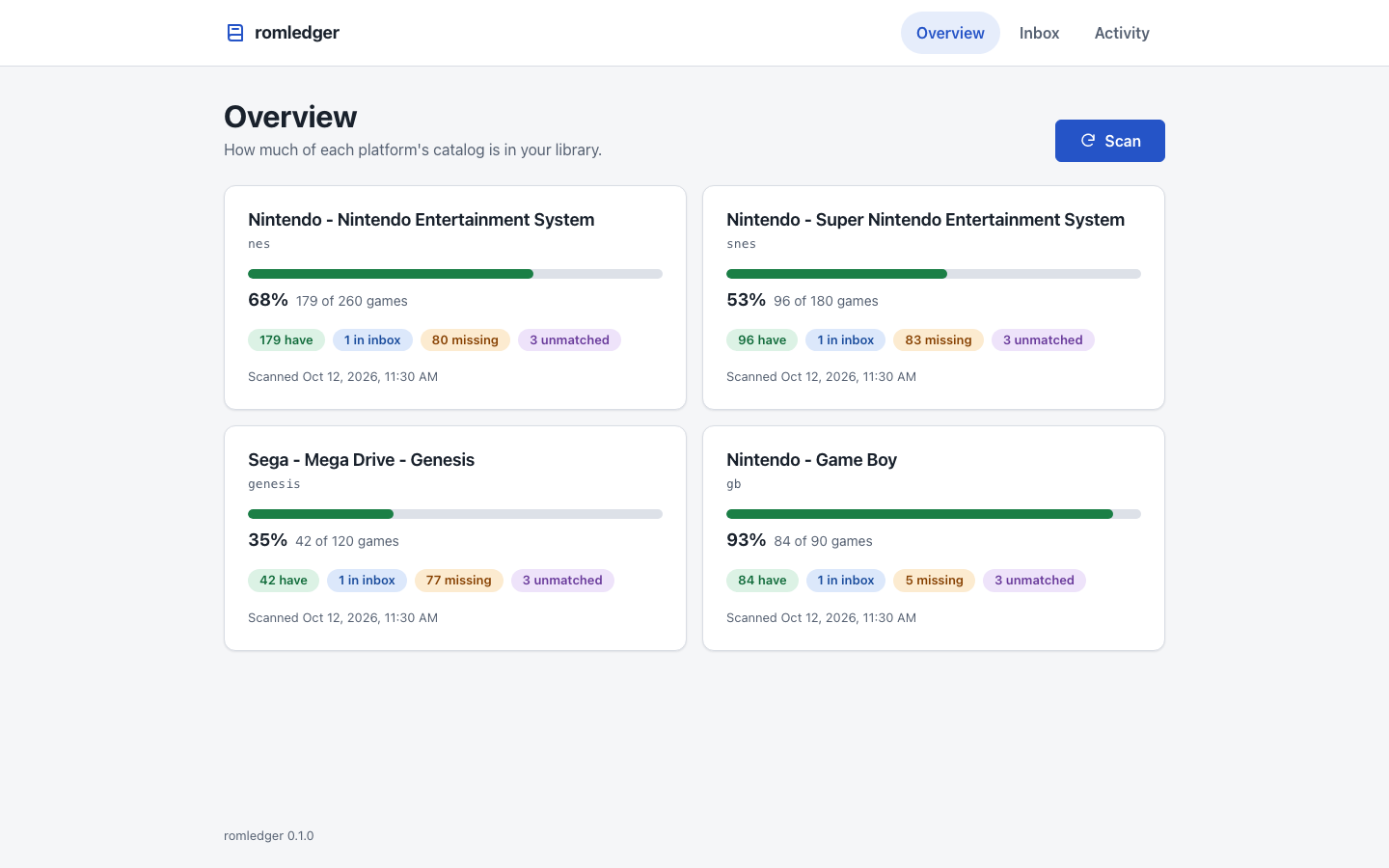
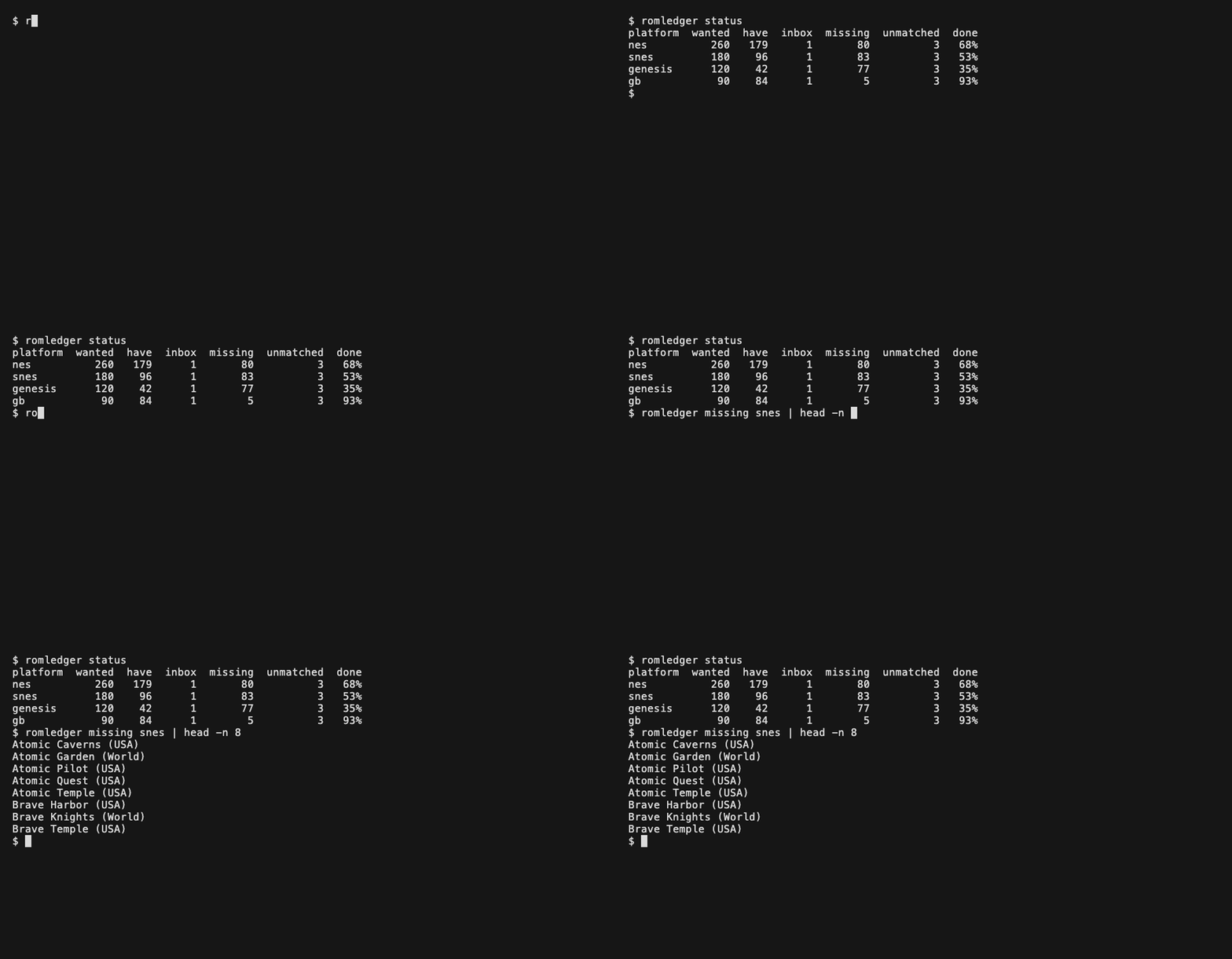
Track which retro games you have and which are missing, verified against No-Intro and Redump DATs. It runs on one computer: point it at a folder of ROMs and it reports, per platform, what is there and what is not.
How it works
- Run
romledger initonce. It creates the config file,library/andinbox/. - Download a game: use the browser extension
on Vimm's Lair, drop or upload files in the dashboard, or run
romledger fetch. The files land in the inbox. - Import. Under
romledger serveit runs by itself; otherwise press Import in the dashboard or runromledger import. Each file is checked against the DAT, renamed to its DAT name and filed underlibrary/<platform>/. - Files that do not fit are set aside inside the inbox, never deleted:
inbox/unmatched/(not in any DAT),inbox/unwanted/(a valid dump you did not ask for) andinbox/duplicates/(you already have it).
The inbox is a plain folder. Copy files into it yourself, zipped or not, and the next import processes whatever is there. A zip is matched by the ROM inside it and the ROM is extracted, so you do not unzip it.
How it fits
- igir matches files to DATs and moves them into place.
- romledger decides what you have and what is missing.
- RomM is optional. The library layout is RomM's folder naming
(
roms/<platform>/), and romledger works the same without RomM.
Install
Requires Python 3.11+ and Node.js 22.22+ (romledger runs igir through npx).
uv tool install romledger
or, with pipx:
pipx install romledger
Configure
romledger init
It asks for a ROM folder and the platforms to track, creates <roms>/library and <roms>/inbox,
and writes ~/.config/romledger/config.toml. romledger platforms lists the platform names.
Without a terminal, pass romledger init --roms ~/roms --platform nes --platform snes.
Then fetch the DATs, scan and open the dashboard:
romledger dats update
romledger scan
romledger serve --open
See docs/setup.md for all options, docs/deploy.md to run it as a container, docs/extension.md for the browser extension, docs/playing.md to play what you collect, docs/sources.md for download sources and docs/troubleshooting.md for error messages.
To work on romledger, see CONTRIBUTING.md.
1 maintainer

Metadata
1 maintainer
Release files for romledger 0.5.1
For a detailed explanation of source distributions (sdists) and built distributions (wheels), please see the package formats documentation.
Source distribution (sdist)
| File | Size | Uploaded | |
|---|---|---|---|
| romledger-0.5.1.tar.gz | 240.9 kB | Details |
Built distribution (wheel)
| File | Interpreter | ABI | Platform | Reset |
|---|---|---|---|---|
| romledger-0.5.1-py3-none-any.whl | Python 3 | none | any | Details |
Total release size: 314.5 kB
Release files / romledger-0.5.1.tar.gz
| Download URL | romledger-0.5.1.tar.gz |
|---|---|
| Size | 240.9 kB |
| Tags | Source |
|
SHA-256 checksum How to use checksums |
021de659504cf29d67386e580be64fc542d9f3c872dbfe8da86c2b502f0bf735
|
|
BLAKE2b-256 checksum How to use checksums |
8bf6de246b474c3ccf0cb24c1cfd52a4bdde414218e9ab8430ae55bcf358cd75
|
| Upload date | |
|
Uploaded using Trusted Publishing? What is trusted publishing? |
Yes |
| Uploaded via |
uv/0.13.1 {"installer":{"name":"uv","version":"0.13.1","subcommand":["publish"]},"python":null,"implementation":{"name":null,"version":null},"distro":{"name":"Ubuntu","version":"24.04","id":"noble","libc":null},"system":{"name":null,"release":null},"cpu":null,"openssl_version":null,"setuptools_version":null,"rustc_version":null,"ci":true}
|
Release files / romledger-0.5.1-py3-none-any.whl
| Download URL | romledger-0.5.1-py3-none-any.whl |
|---|---|
| Size | 73.7 kB |
| Tags | Python 3 |
|
SHA-256 checksum How to use checksums |
2b42434cf10e30c7a5ea776a69975bb3ff27805f0b790ffc697dc26e8c23bd33
|
|
BLAKE2b-256 checksum How to use checksums |
26925a3f2b42e6c141c28bd4ee8c55ca0233e1c0d463b856b3958f4538290eb6
|
| Upload date | |
|
Uploaded using Trusted Publishing? What is trusted publishing? |
Yes |
| Uploaded via |
uv/0.13.1 {"installer":{"name":"uv","version":"0.13.1","subcommand":["publish"]},"python":null,"implementation":{"name":null,"version":null},"distro":{"name":"Ubuntu","version":"24.04","id":"noble","libc":null},"system":{"name":null,"release":null},"cpu":null,"openssl_version":null,"setuptools_version":null,"rustc_version":null,"ci":true}
|














