
RootPainter


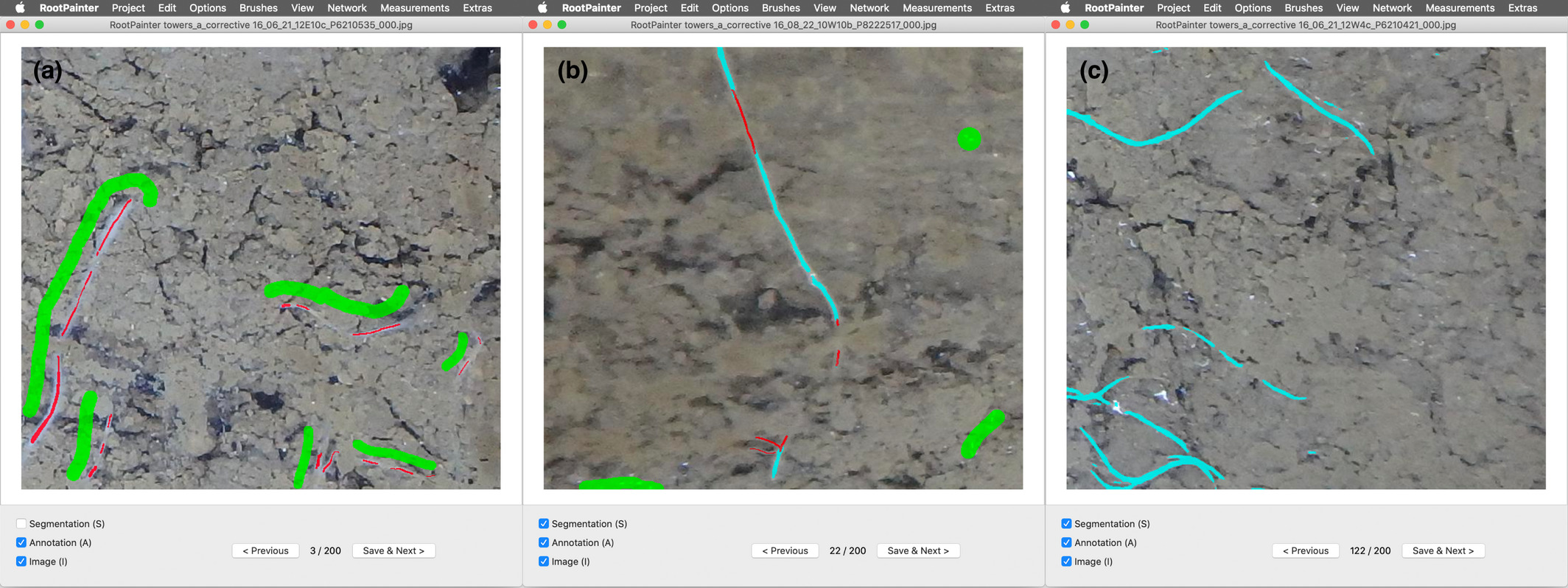
RootPainter is a GUI-based software tool for the rapid training of deep neural networks for use in image analysis. RootPainter uses a client-server architecture, allowing users with a typical laptop to utilise a GPU on a more computationally powerful server.
A detailed description is available in the paper published in the New Phytologist RootPainter: Deep Learning Segmentation of Biological Images with Corrective Annotation
To see a list of work using (or citing) the RootPainter paper, please see the google scholar page
A BioRxiv Pre-print (earlier version of the paper) is available at: https://www.biorxiv.org/content/10.1101/2020.04.16.044461v2
Getting started quickly
I suggest the colab tutorial.
A shorter quickstart is available including more concise instruction, that could be used as reference. I suggest the paper, videos and then colab tutorial to get an idea of how the software interface could be used and then this quickstart for reference to help remember each of the key steps to get from raw data to final measurements.
Videos
A 14 minute video showing how to install RootPainter on windows 11 with google drive and google colab is available on youtube. A similar video for macOS is also now available on youtube. I suggest watching these videos to help with the installation part of the colab tutorial.
A video demonstrating how to train and use a model is available to download
There is a youtube video of a workshop explaining the background behind the software and covering using the colab notebook to train and use a root segmentation model.
Installation
Server
The server needs to be installed on the machine that will run the training:
# with uv
uvx root-painter[trainer] trainer

# with pip
pip install root-painter[trainer]
root-painter trainer
Client
Go to releases, download, and install the client for your platform, or install directly with python
# run directly with uv
uvx root-painter

# similarly with pip - you need to figure out how to install the correct python yourself - uv does this for you.
pip install root-painter
root-painter
If you are not confident installing and running python applications on the command line then to get started quickly I suggest the colab tutorial.
Documentation
You can find comprehensive documentation, including setup guides, tutorials, and developer information here. Some quick links to the documentation:
- Getting Started: For a quick start, we recommend the Colab Tutorial. A concise Mini Guide is also available for quick reference.
- Server Setup: Instructions for setting up the server component are available for local installations, sshfs setups, and more.
- Tutorials: See the lung segmentation tutorial for a practical example.
- FAQ: Check the Frequently Asked Questions for answers to common issues.
For Developers
Developer-focused documentation, including build instructions and contribution guidelines, can found in the developer section
Questions and Problems
The FAQ may be worth checking before reaching out with any questions you have. If you do have a question you can either email me or post in the discussions. If you have an issue/ have identified a problem with the software then you can post an issue.
1 maintainer

Metadata
1 maintainer
Release files for root-painter 0.1.9
For a detailed explanation of source distributions (sdists) and built distributions (wheels), please see the package formats documentation.
Source distribution (sdist)
| File | Size | Uploaded | |
|---|---|---|---|
| root_painter-0.1.9.tar.gz | 4.5 kB | Details |
Built distribution (wheel)
| File | Interpreter | ABI | Platform | Reset |
|---|---|---|---|---|
| root_painter-0.1.9-py3-none-any.whl | Python 3 | none | any | Details |
Total release size: 9.8 kB
Release files / root_painter-0.1.9.tar.gz
| Download URL | root_painter-0.1.9.tar.gz |
|---|---|
| Size | 4.5 kB |
| Tags | Source |
|
SHA-256 checksum How to use checksums |
68da800c04d35a96615078d2b08feb8967a9a2d562e40381db12c42ec4c50520
|
|
BLAKE2b-256 checksum How to use checksums |
ed4d3097cc9480dd9b44cbf9d4889c5727754ef3d4fbad3b830984b905abd2f5
|
| Upload date | |
|
Uploaded using Trusted Publishing? What is trusted publishing? |
No |
| Uploaded via |
uv/0.8.14
|
Release files / root_painter-0.1.9-py3-none-any.whl
| Download URL | root_painter-0.1.9-py3-none-any.whl |
|---|---|
| Size | 5.4 kB |
| Tags | Python 3 |
|
SHA-256 checksum How to use checksums |
659d174c0865e5d5fe58b9f4697871d072aab2e44e113bb4f3cfa0e27d7044b2
|
|
BLAKE2b-256 checksum How to use checksums |
754d1b4fca445e28250f1aa270a9ea2500b2e2eca1fe4c5944237724e01ef53d
|
| Upload date | |
|
Uploaded using Trusted Publishing? What is trusted publishing? |
No |
| Uploaded via |
uv/0.8.14
|














