
RootPainter GUI and trainer packaged as a single CLI

Project description
RootPainter


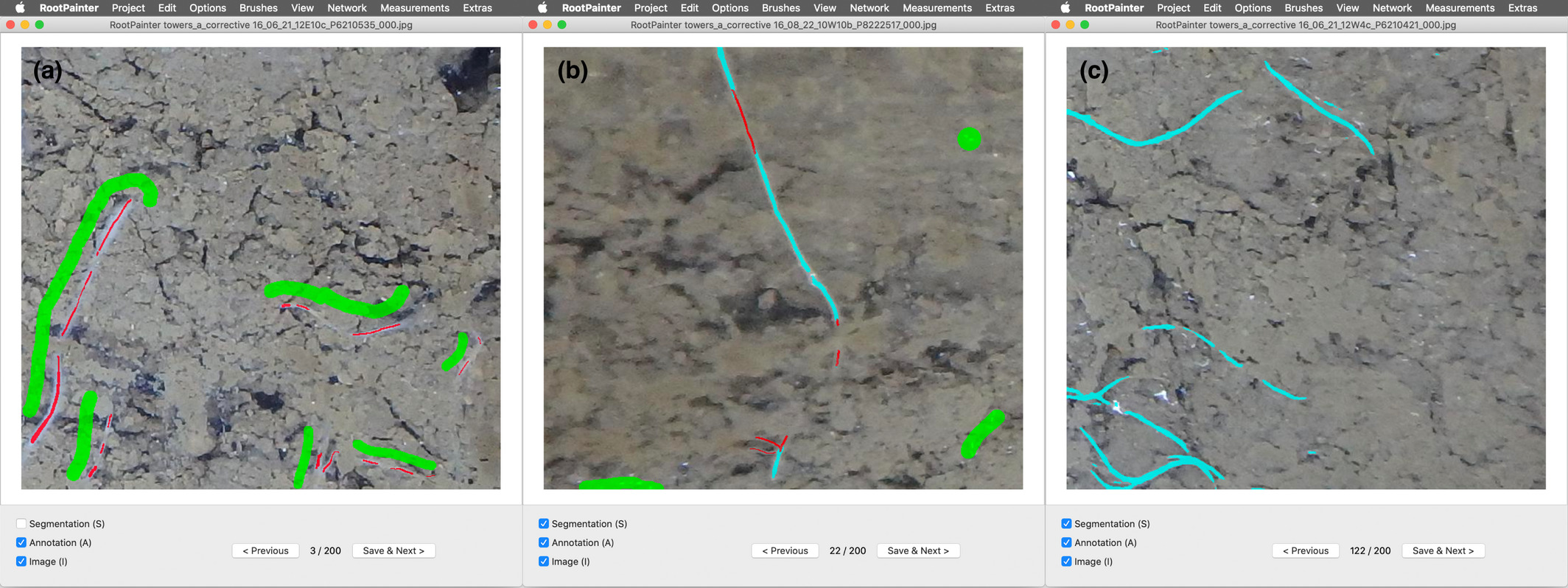
RootPainter is a GUI-based software tool for the rapid training of deep neural networks for use in image analysis. RootPainter uses a client-server architecture, allowing users with a typical laptop to utilise a GPU on a more computationally powerful server.
A detailed description is available in the paper published in the New Phytologist RootPainter: Deep Learning Segmentation of Biological Images with Corrective Annotation
To see a list of work using (or citing) the RootPainter paper, please see the google scholar page
A BioRxiv Pre-print (earlier version of the paper) is available at: https://www.biorxiv.org/content/10.1101/2020.04.16.044461v2
Getting started quickly
I suggest the colab tutorial.
A shorter quickstart is available including more concise instruction, that could be used as reference. I suggest the paper, videos and then colab tutorial to get an idea of how the software interface could be used and then this quickstart for reference to help remember each of the key steps to get from raw data to final measurements.
Videos
A 14 minute video showing how to install RootPainter on windows 11 with google drive and google colab is available on youtube. A similar video for macOS is also now available on youtube. I suggest watching these videos to help with the installation part of the colab tutorial.
A video demonstrating how to train and use a model is available to download
There is a youtube video of a workshop explaining the background behind the software and covering using the colab notebook to train and use a root segmentation model.
Installation
Server
The server needs to be installed on the machine that will run the training:
# with uv
uvx root-painter[trainer] trainer

# with pip
pip install root-painter[trainer]
root-painter trainer
Client
Go to releases, download, and install the client for your platform, or install directly with python
# run directly with uv
uvx root-painter

# similarly with pip - you need to figure out how to install the correct python yourself - uv does this for you.
pip install root-painter
root-painter
If you are not confident installing and running python applications on the command line then to get started quickly I suggest the colab tutorial.
Documentation
You can find comprehensive documentation, including setup guides, tutorials, and developer information here. Some quick links to the documentation:
- Getting Started: For a quick start, we recommend the Colab Tutorial. A concise Mini Guide is also available for quick reference.
- Server Setup: Instructions for setting up the server component are available for local installations, sshfs setups, and more.
- Tutorials: See the lung segmentation tutorial for a practical example.
- FAQ: Check the Frequently Asked Questions for answers to common issues.
For Developers
Developer-focused documentation, including build instructions and contribution guidelines, can found in the developer section
Questions and Problems
The FAQ may be worth checking before reaching out with any questions you have. If you do have a question you can either email me or post in the discussions. If you have an issue/ have identified a problem with the software then you can post an issue.


Download files
Download the file for your platform. If you're not sure which to choose, learn more about installing packages.
Source Distribution
Built Distribution
Filter files by name, interpreter, ABI, and platform.
If you're not sure about the file name format, learn more about wheel file names.
Copy a direct link to the current filters
File details
Details for the file root_painter-0.1.7.tar.gz.
File metadata
- Download URL: root_painter-0.1.7.tar.gz
- Upload date:
- Size: 116.9 kB
- Tags: Source
- Uploaded using Trusted Publishing? No
- Uploaded via: uv/0.7.19
File hashes
| Algorithm | Hash digest | |
|---|---|---|
| SHA256 |
2d8f0e759277a3f05dc8c8a0d7514225b0068ee834360267fa39c875e299cd44
|
|
| MD5 |
f541dc1af10fdf44299f73c40dc5cb73
|
|
| BLAKE2b-256 |
4f5f38530b4123ea9201451e4a04535a6611af54d7dde2c1b9adee60009530d5
|
File details
Details for the file root_painter-0.1.7-py3-none-any.whl.
File metadata
- Download URL: root_painter-0.1.7-py3-none-any.whl
- Upload date:
- Size: 161.8 kB
- Tags: Python 3
- Uploaded using Trusted Publishing? No
- Uploaded via: uv/0.7.19
File hashes
| Algorithm | Hash digest | |
|---|---|---|
| SHA256 |
19c96601257e321c958d0e0e3a5fc102a77e8d7e53f84abc7eddc82c05558b3c
|
|
| MD5 |
bb75f94ebc2e032268de73f99e5a63f6
|
|
| BLAKE2b-256 |
a318e7d7a72107592ed9a3c8347ec1654338880d8be9d4fc0689280141eb7da0
|






