
Git automation CLI — one command to add, commit, pull & push with smart commit messages, TUI, and GitHub repo creation

Project description
RUN-GIT
Git Operations Made Effortless — One command to add, commit, pull, and push with smart auto-messages.



Overview
RUN-GIT is a Python-powered CLI that simplifies Git workflows into single, intuitive commands. It handles the common add-commit-pull-push sequence automatically, generates meaningful commit messages, provides interactive branch management, and integrates with GitHub for repository creation.
Use case: Developers who run the same Git commands dozens of times daily and want a faster way to commit and push.
📦 Installation · 🚀 Quick Start · 📖 Commands · 🏗️ Architecture
Quick Push

One command does everything: run-git push
AI Assistant

Get AI-powered code reviews, PR descriptions, and commit messages directly from your terminal.
Features
| Feature | Description |
|---|---|
| One-Command Push | run-git push executes add → commit → pull → push automatically |
| Smart Commit Messages | Auto-generates Conventional Commits style messages based on staged changes |
| Interactive TUI | Full terminal menu for navigation without memorizing flags |
| GitHub Integration | Create public/private repositories directly from CLI |
| Branch Management | Create, switch, merge, and delete branches with simple commands |
| Commit Graph | Visualize commit history with ASCII graphs and file diffs |
| Secret File Guard | Warns before accidentally pushing sensitive files (.env, tokens) |
| Conflict Helper | Guided interactive merge conflict resolution |
| Rich Status View | Color-coded table-based status output |
| AI Assistant | Generate commit messages, code reviews, and PR descriptions with AI |
| Tag & Release | Create tags, push to remote, and publish GitHub releases with one click |
Installation
pip install run-git
Requires Python 3.8+. Works on macOS, Linux, and Windows.
First time: Set your GitHub token with
run-git initUpgrade:pip install --upgrade run-git
Quick Start
Push changes
run-git push                        # auto commit message + push
run-git push -m "feat: add login"  # custom commit message
Interactive menu
run-git # full TUI — no commands to memorize
Create GitHub repository
run-git new my-project                              # guided wizard
run-git new my-project --quick                      # defaults, no prompts
run-git new my-api -d "REST API" --public -g Python -l MIT  # full options
Tag & Release
# Create a tag
run-git tag v1.0.0

# Create tag with message
run-git tag v1.0.0 -m "First stable release"

# Create tag + push to remote
run-git tag v1.0.0 --push

# One-click: Create tag + push + GitHub release
run-git tag v1.0.0 -r

# Create release with AI-generated notes
run-git tag v1.0.0 -r --ai

# Create draft release
run-git tag v1.0.0 -r --draft

# Release from existing tag
run-git release v1.0.0
run-git release v1.0.0 -t "Version 1.0.0" -b "Bug fixes and improvements"
Command Reference
| Command | Description |
|---|---|
run-git |
Open the interactive TUI menu |
run-git push |
Add, commit, pull, and push in one step |
run-git push -m "<msg>" |
Push with custom commit message |
run-git new <name> |
Create a new GitHub repository |
run-git init |
Initialize a local or cloned repository |
run-git status |
Rich color-coded repository status |
run-git log |
Formatted commit history |
run-git graph |
Visual commit history (table view) |
run-git graph --graph |
ASCII graph with branch lines |
run-git branch |
List all branches |
run-git branch <name> |
Create a new branch |
run-git switch <name> |
Switch to a branch |
run-git merge <name> |
Merge a branch into current |
run-git pull |
Pull latest changes |
run-git sync |
Pull then push (keep in sync) |
run-git remote |
Show configured remotes |
run-git stash |
Stash uncommitted changes |
run-git undo |
Undo last commit (keeps changes staged) |
run-git config |
Manage configuration |
run-git tag <name> |
Create and push a tag |
run-git tag <name> -r |
Create tag + GitHub release |
run-git release <name> |
Create release from existing tag |
run-git --version |
Show installed version |
run-git --help |
Show help for any command |
Architecture
gitpush/
├── cli.py                 # Main CLI entry point (Click)
├── commands/              # Modular command handlers
│   ├── push.py           # Push command
│   ├── init.py           # Init command
│   ├── status.py         # Status & log commands
│   ├── branch.py         # Branch operations
│   ├── github.py         # GitHub integration
│   └── graph.py          # Commit graph visualization
├── core/                 # Business logic
│   ├── git_operations.py # Git operations
│   ├── commit_generator.py # Auto commit messages
│   └── conflict_resolver.py # Merge conflict handling
├── ui/                   # Terminal UI (Rich, questionary)
├── utils/                # Utilities (validators, formatters)
├── config/               # Configuration management
└── exceptions.py        # Custom exceptions
Design principles:
- Separation of concerns:
commands/(thin orchestration),core/(business logic),ui/(terminal rendering) - Testable: Core logic independent of CLI dependencies
- Extensible: New commands added as isolated modules
Auto Commit Messages
RUN-GIT analyzes staged changes and generates Conventional Commits style messages:
feat: add authentication module (3 files added)
fix: update user validation logic (2 files modified)
docs: update README (1 file modified)
refactor: remove deprecated helper functions (2 files deleted)
Comparison
| Raw Git | GitHub CLI (gh) |
RUN-GIT | |
|---|---|---|---|
| Push in one command | ❌ | ❌ | ✅ |
| Auto commit messages | ❌ | ❌ | ✅ |
| Interactive TUI | ❌ | Partial | ✅ |
| Create GitHub repos | ❌ | ✅ | ✅ |
| Secret file warnings | ❌ | ❌ | ✅ |
RUN-GIT is a speed layer on top of Git — not a replacement. Use it for daily work; reach for
gitorghwhen you need fine-grained control.
Contributing
Contributions, bug reports, and feature requests are welcome.
# Clone and setup
git clone https://github.com/himanshu231204/run-git.git
cd gitpush

# Install in development mode
pip install -e ".[test]"

# Run tests
pytest
License
Distributed under the MIT License. See LICENSE for details.
Author
Himanshu Kumar — @himanshu231204
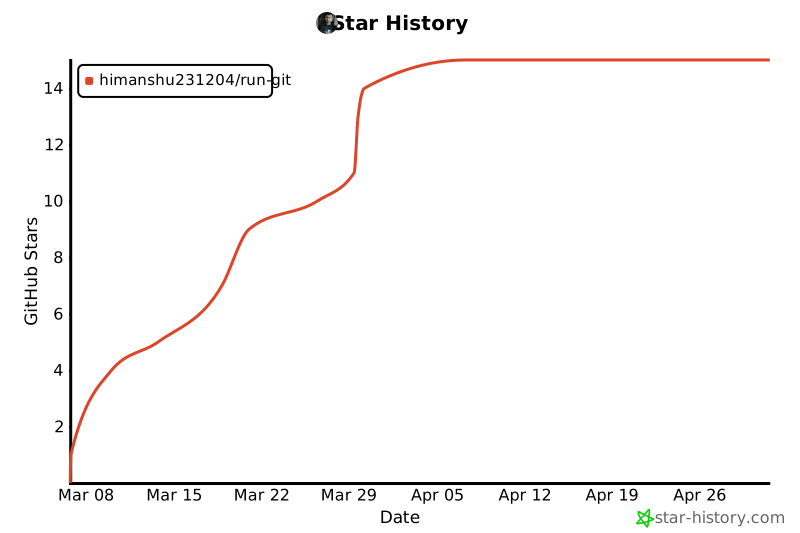
If RUN-GIT saves you time, please consider giving it a ⭐ — it helps others find the project!
Release history Release notifications | RSS feed


Download files
Download the file for your platform. If you're not sure which to choose, learn more about installing packages.
Source Distribution
Built Distribution
Filter files by name, interpreter, ABI, and platform.
If you're not sure about the file name format, learn more about wheel file names.
Copy a direct link to the current filters
File details
Details for the file run_git-1.5.0.tar.gz.
File metadata
- Download URL: run_git-1.5.0.tar.gz
- Upload date:
- Size: 1.4 MB
- Tags: Source
- Uploaded using Trusted Publishing? No
- Uploaded via: twine/6.2.0 CPython/3.10.20
File hashes
| Algorithm | Hash digest | |
|---|---|---|
| SHA256 |
578a3f85b9cb0f51a0b9e797bf8474c05c6be93096924b6c698ed8fbad70520a
|
|
| MD5 |
530d3ffe4daf9149644cf5baabc867a2
|
|
| BLAKE2b-256 |
ec42dd43924e7d6ee4cad7e05d53a2f5a49e5e9eab12fce132efcf93ee63e08f
|
File details
Details for the file run_git-1.5.0-py3-none-any.whl.
File metadata
- Download URL: run_git-1.5.0-py3-none-any.whl
- Upload date:
- Size: 95.3 kB
- Tags: Python 3
- Uploaded using Trusted Publishing? No
- Uploaded via: twine/6.2.0 CPython/3.10.20
File hashes
| Algorithm | Hash digest | |
|---|---|---|
| SHA256 |
cd10e9177937e08927beff4d52156305bfae2e36d43f132e80c6d3fa83b9817d
|
|
| MD5 |
6de6b827aab65e1e9b5e9ed6a5ef58d3
|
|
| BLAKE2b-256 |
ee2f325676acf1e62b6f0b3cffc2298ddeb31cc0426633edd732c69f5bb3f11f
|






