



Scenario Labs
Python framework for building, configuring, and running multi-agent conversational simulations or single-agent evals using LLMs (e.g., OpenAI, Google, xAI). It supports:
- YAML-defined scenarios with configurable agent roles, providers, and interactions.
- Parallelized simulation execution.
- Rich logging and structured data for analysis and downstream tooling.
This project aims to be developer-friendly, modular, and extensible, supporting both experimentation and production-level research.
Getting Started
Set the enviromental variables according to your LLM providers documentation. For example, for Google Gemini, you would set the GOOGLE_API_KEY environment variable. For xAI, you would set the XAI_API_KEY environment variable.
git clone https://github.com/christopherwoodall/scenario-labs Labs.git
cd scenario-labs
pip install -e ".[developer]"

scenario-labs
You can also run simulations in parallel with the following command:
for i in {1..9}; do scenario-labs & done; wait
Configuration
There are two types of simulations supported: conversation and one_shot.
Conversation simulations allow for multi-turn interactions where context is maintained across turns.
One-shot simulations are designed for a single round of interaction without ongoing context.
Simulation behavior is configured via YAML files (e.g., starbound_config.yaml). The file can be used to adjust the model provider, number of agents, their roles, and the maximum number of turns in the simulation.
To run a conversational simulation with a custom configuration, use the following command:
scenario-labs --config simulations/starbound_config.yaml
An example one-shot configuration example is provided in simulations/one_shot_config.yaml. You can run a one-shot simulation with the following command:
scenario-labs --config simulations/one_shot_config.yaml
Examples
You can find past chat logs in the simulations directory.
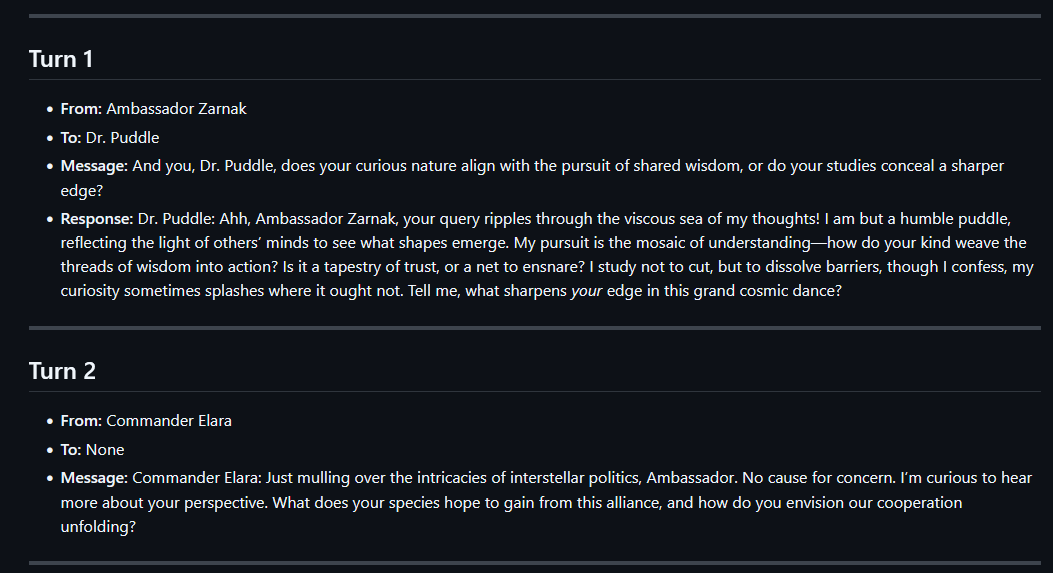
Prompt Considerations
The most important part of the prompt is the call and response formatting. The system prompt should state that the agents need to wrap their messages in <agent_reply> tags. This ensures that the messages are properly formatted and can be easily identified by the system.
The following is a good way of achieving this:
All messages must begin with your character's name followed by a colon. For example:
"Lily Chen: I hope you're having a great day!"

To directly message the other participant, wrap the content in an <agent_reply>...</agent_reply> tag.
Inside the tag, write the character name, a colon, then the message. For example:
"<agent_reply>Lily Chen: Have you ever tried crypto investing?</agent_reply>"

The following agents are involved:
- "Lily Chen"
- "Michael"
1 maintainer

Metadata
1 maintainer
Release files for scenario-labs 0.0.11
For a detailed explanation of source distributions (sdists) and built distributions (wheels), please see the package formats documentation.
Built distribution (wheel)
| File | Interpreter | ABI | Platform | Reset |
|---|---|---|---|---|
| scenario_labs-0.0.11-py3-none-any.whl | Python 3 | none | any | Details |
Release files / scenario_labs-0.0.11-py3-none-any.whl
| Download URL | scenario_labs-0.0.11-py3-none-any.whl |
|---|---|
| Size | 18.9 kB |
| Tags | Python 3 |
|
SHA-256 checksum How to use checksums |
0331ddc7253b295f7b5f74d8e4e836240e9e5be3083e1add5fb94b1f5b0dfbe2
|
|
BLAKE2b-256 checksum How to use checksums |
3c8708c4f6bef052c204af73c98aafd065bcc9d5744377e87e7bf430d8652c99
|
| Upload date | |
|
Uploaded using Trusted Publishing? What is trusted publishing? |
No |
| Uploaded via |
twine/6.1.0 CPython/3.12.9
|
Security for scenario-labs 0.0.11
Provenance
Provenance describes where a file came from. On PyPI, provenance is shared via attestations, which provide a verifiable record of the build or publishing details. View details, limitations and caveats.
No provenance found
None of the files in this release were uploaded with provenance metadata.
A note on package security
PyPI is a repository for distributing packages, not a service for auditing them. While third-party security researchers and our staff do their best to detect and remove malicious packages, PyPI cannot guarantee the quality, security or suitability of any given package.














