
SCPI Instrument Control









Drive your whole bench from Python. Oscilloscopes, function generators, power supplies, and DAQ units — one API, over LAN, USB, GPIB, or serial.
Point it at an IP address and it identifies the instrument, picks the right SCPI dialect, and gets out of your way. Or point it at nothing at all: the built-in mock synthesizes real waveforms so you can write and test the entire acquisition pipeline with an empty bench.
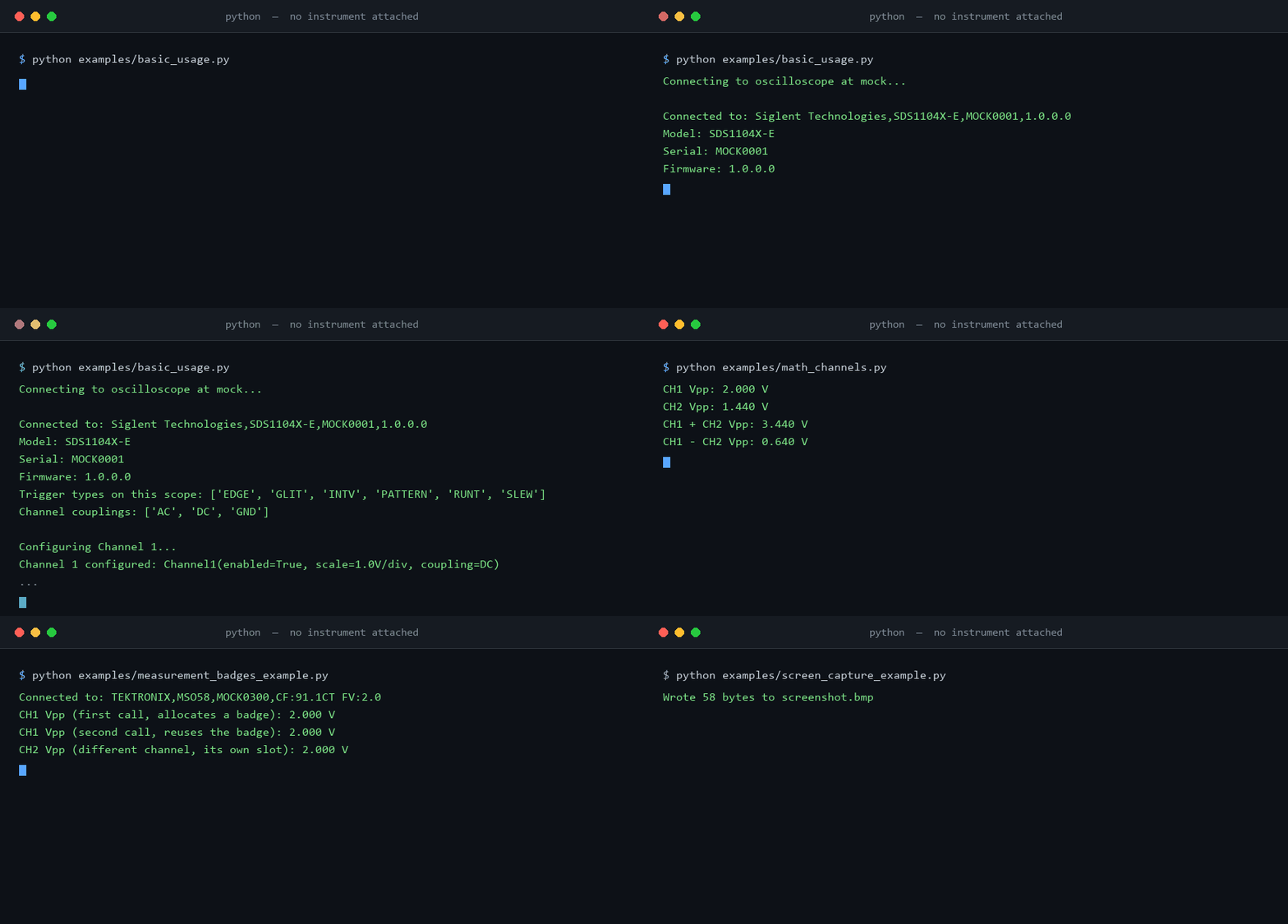
Try it with no instrument on your desk
pip install SCPI-Instrument-Control
from scpi_control.connection import MockConnection
from scpi_control.oscilloscope import Oscilloscope
from scpi_control.signal_synth import SignalSpec

# A virtual SDS1104X-E probing a 3.3 V, 1 kHz logic clock.
scope = Oscilloscope("mock", connection=MockConnection(
    "mock",
    channel_states={1: True},
    signals={1: SignalSpec(kind="square", frequency=1000.0, amplitude=1.65, offset=1.65)},
    sample_rate=20e6,
    timebase=500e-6,
))
scope.connect()

wf = scope.get_waveform(channel=1)
print(f"{len(wf.time)} samples")
print(f"Vpp  {wf.voltage.max() - wf.voltage.min():.3f} V")
print(f"Freq {scope.measurement.measure_frequency(1):.2f} Hz")
14000 samples
Vpp  3.280 V
Freq 1000.00 Hz
Those are the same 3.28 V rails as the real SDS824X HD calibration square wave further down this page — captured with nothing plugged in. The mock is not a stub replaying a canned buffer: every sample is computed from the scope's current timebase, volts/division, offset, and trigger state, so the capture window follows the timebase, the code grid quantizes the way an 8-bit digitizer does, and free-running acquisitions drift in phase like a real one. Your CI can exercise the full stack with nothing plugged in.
Captures become reports
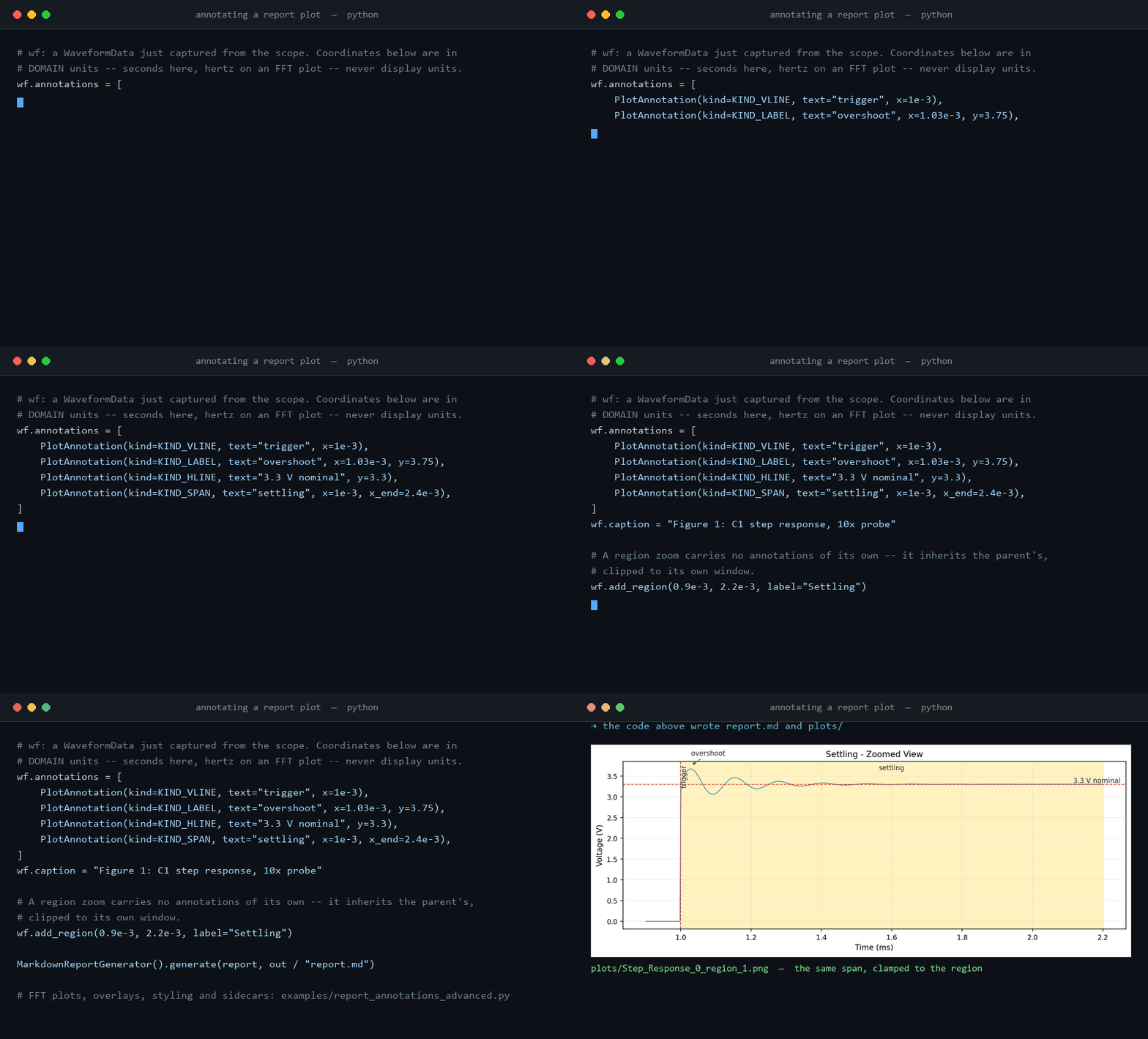
Annotate a plot with callouts, reference lines and shaded windows, and both the PDF and Markdown generators render them — here the code, then the plots it produced:
# wf: a WaveformData just captured from the scope. Coordinates below are in
# DOMAIN units -- seconds here, hertz on an FFT plot -- never display units.
wf.annotations = [
    PlotAnnotation(kind=KIND_VLINE, text="trigger", x=1e-3),
    PlotAnnotation(kind=KIND_LABEL, text="overshoot", x=1.03e-3, y=3.75),
    PlotAnnotation(kind=KIND_HLINE, text="3.3 V nominal", y=3.3),
    PlotAnnotation(kind=KIND_SPAN, text="settling", x=1e-3, x_end=2.4e-3),
]
wf.caption = "Figure 1: C1 step response, 10x probe"

# A region zoom carries no annotations of its own -- it inherits the parent's,
# clipped to its own window.
wf.add_region(0.9e-3, 2.2e-3, label="Settling")

MarkdownReportGenerator().generate(report, out / "report.md")

# FFT plots, overlays, styling and sidecars: examples/report_annotations_advanced.py
wf and report come from the capture and report setup around it —
examples/report_annotations_advanced.py
is the whole thing, runnable with no instrument attached.
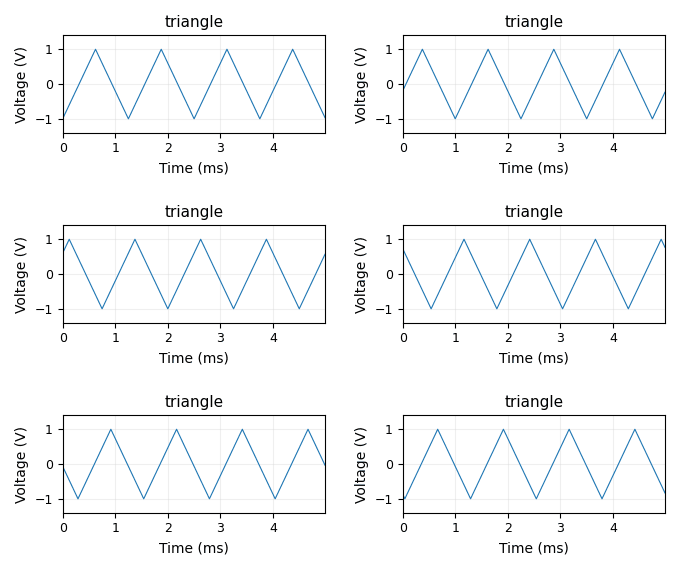
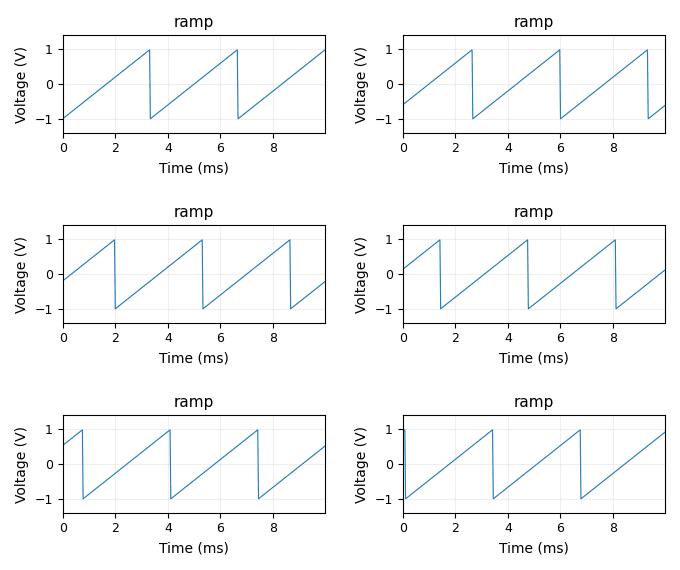
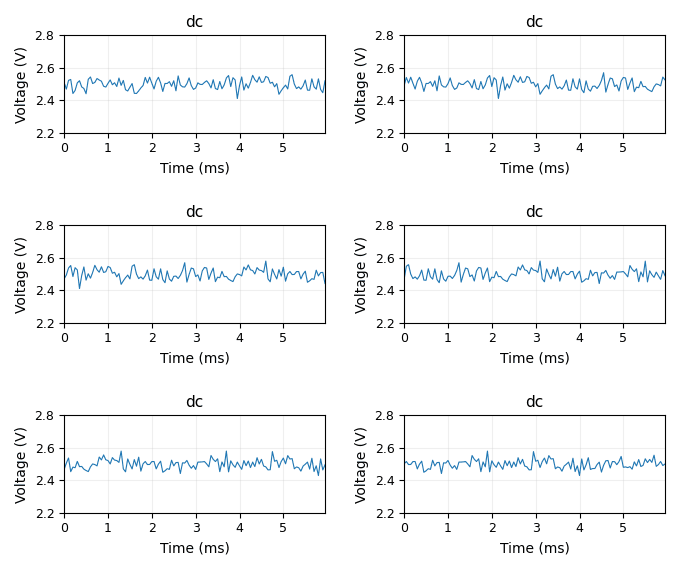
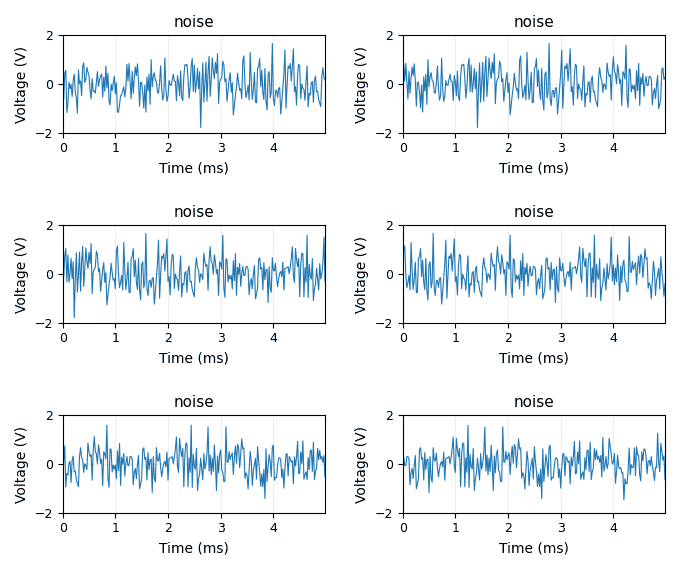
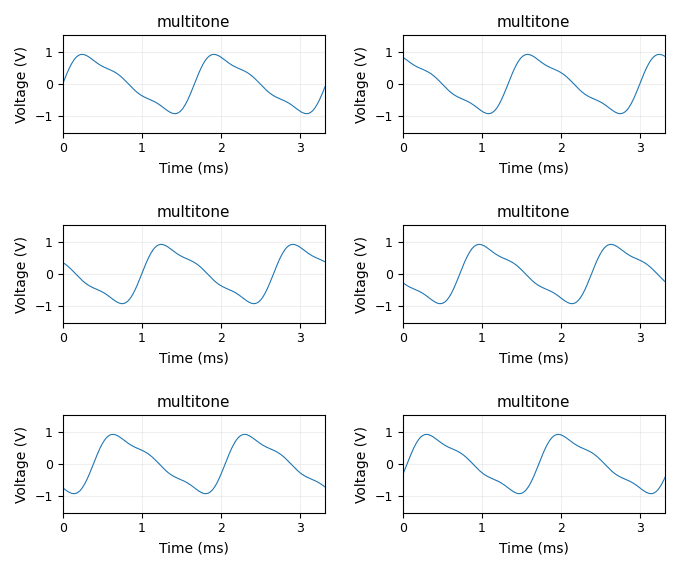
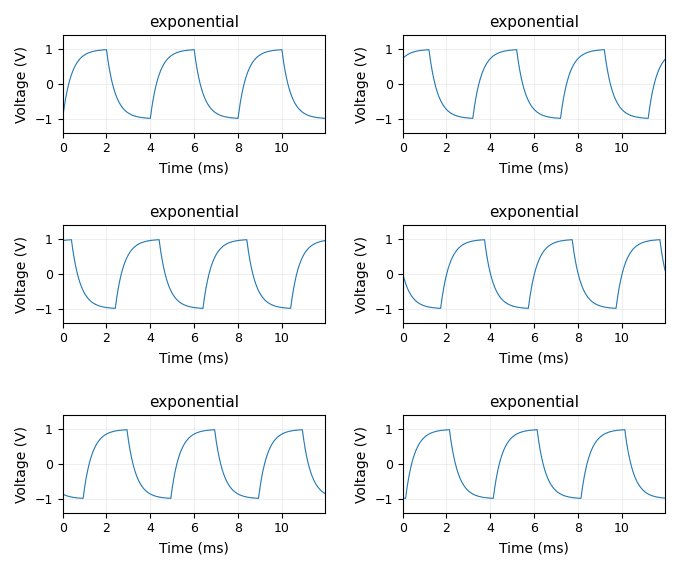
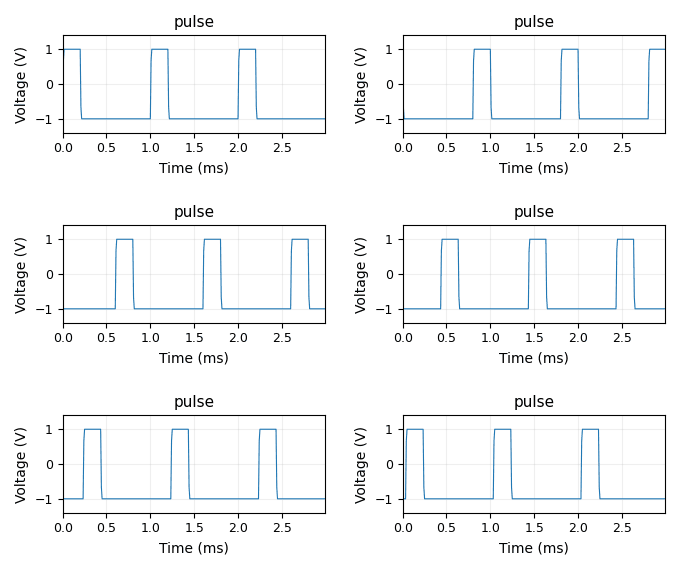
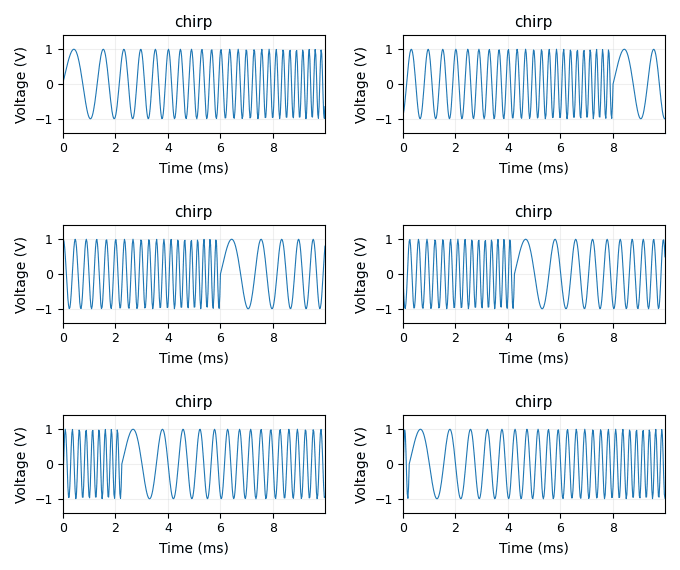
Every waveform kind, synthesized
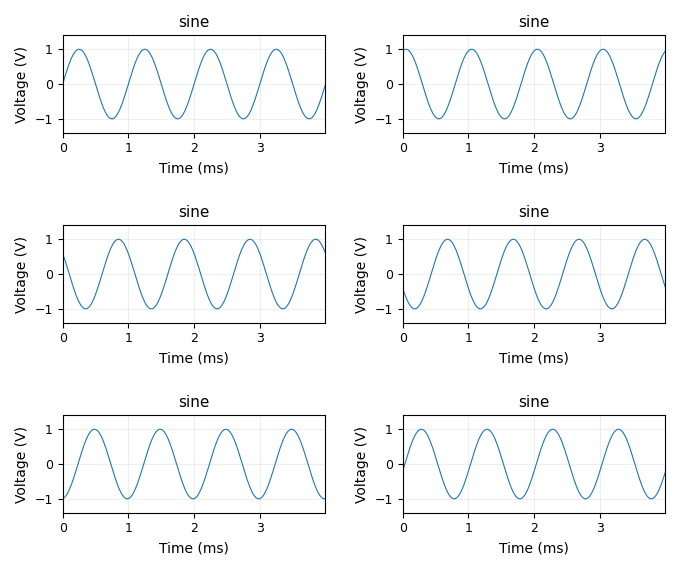
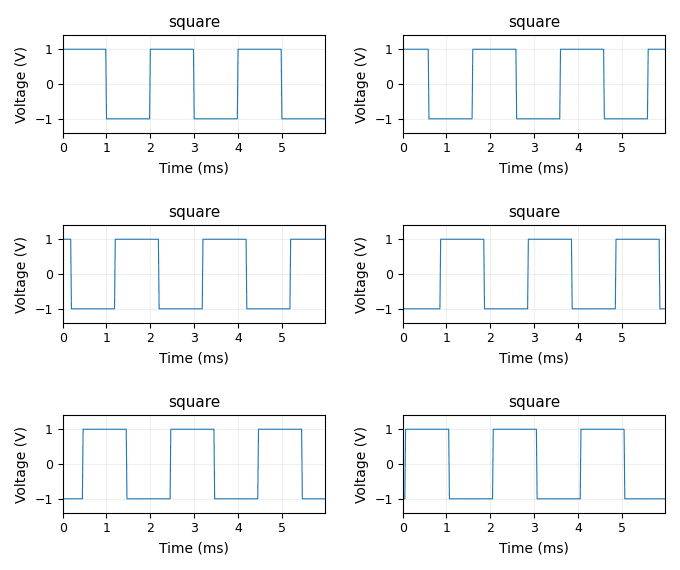
The mock scope behind every example above isn't limited to one signal shape.
scpi_control.signal_synth ships ten synthetic kinds — the same generator
functions MockConnection couples to a scope's timebase, volts/division and
trigger state — and each one below is a live scrolling-scope capture of it,
built by streaming a SignalSpec through signal_synth.stream() chunk by
chunk, the way a real acquisition loop would. Nothing here is a hand-drawn
sketch of a waveform shape.
 sine |
 square |
 triangle |
 ramp |
 dc |
 noise |
 multitone |
 exponential |
 pulse |
 chirp |
Every trace above is a fixed-window, fixed-axis scroll — no autoscaling
jitter frame to frame — and every one built from PERIODIC_KINDS (plus
chirp, at its own retrace boundary) loops with no visible phase jump: the
generator script advances an exact whole number of periods across all its
frames and verifies the wrap-around numerically before writing the GIF.
dc and noise have no cycle to align to and simply restart.
Combining signals on one channel
Real channels rarely carry just one clean shape. scpi_control.signal_synth's
SuperposedSignal sums two or more independently-synthesized SignalSpecs —
each with its own kind, impairments, and seed — onto a single channel via
synthesize_combined()/make_waveform_combined(), the same way MockConnection
can model a tone riding on a noise floor, two unrelated tones on one wire, or
an interferer on top of a clean signal.
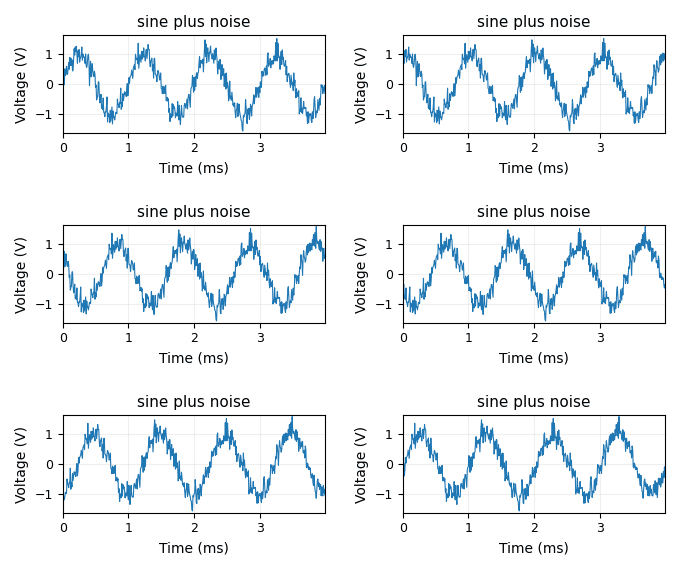 sine + noise |
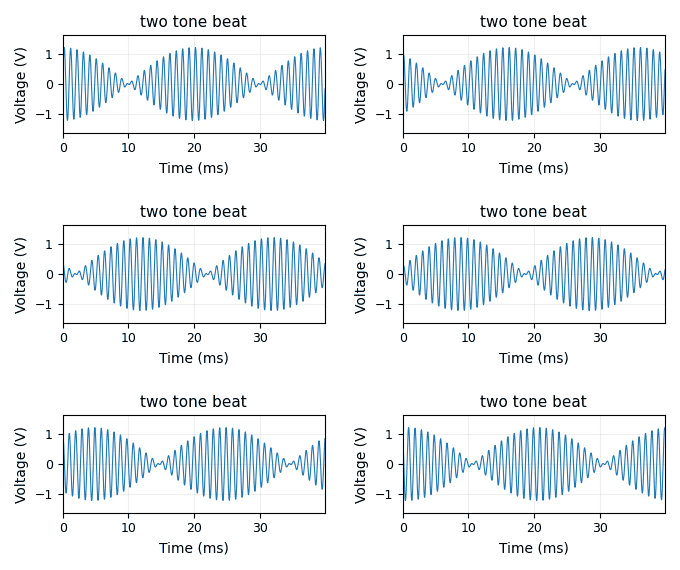 two-tone beat |
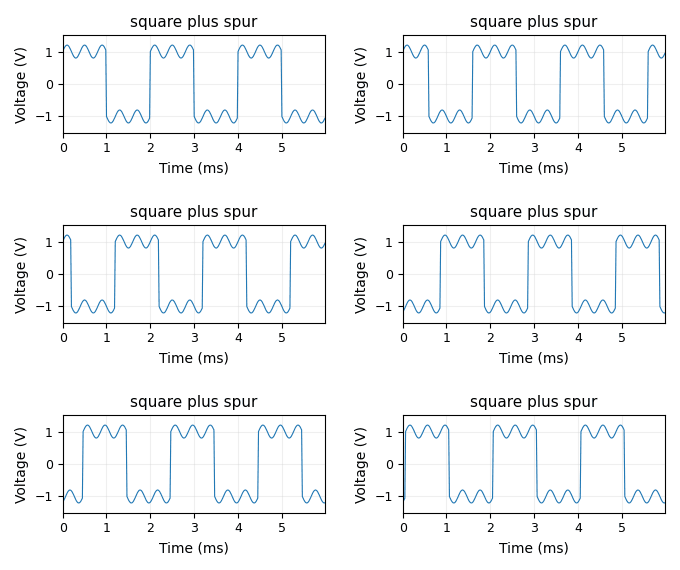 square + spur |
Each component keeps its own full SignalSpec, synthesized independently and
summed with no shared state — the same seamless-loop verification as the
gallery above applies wherever every component is periodic; sine + noise
restarts instead, since noise has no cycle to align to.
Clipping and saturation
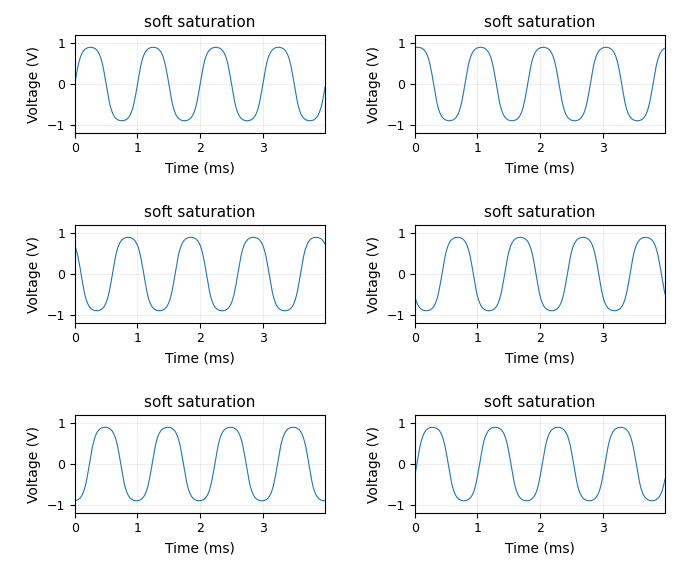
SignalSpec.clip_level/clip_softness model a non-linear output stage
(an amplifier or probe front-end driven into its rails) clipping whatever
signal reaches it. It is kind-agnostic — like noise_rms/drift_amplitude —
and applied LAST, after drift, glitches, and noise, so a noisy sample that
happens to land past the rail gets flattened too. clip_softness blends
between an exact hard clip (clip_softness=0.0, flat-topped at
±clip_level) and pure clip_level * tanh(v / clip_level) soft saturation
(clip_softness=1.0).
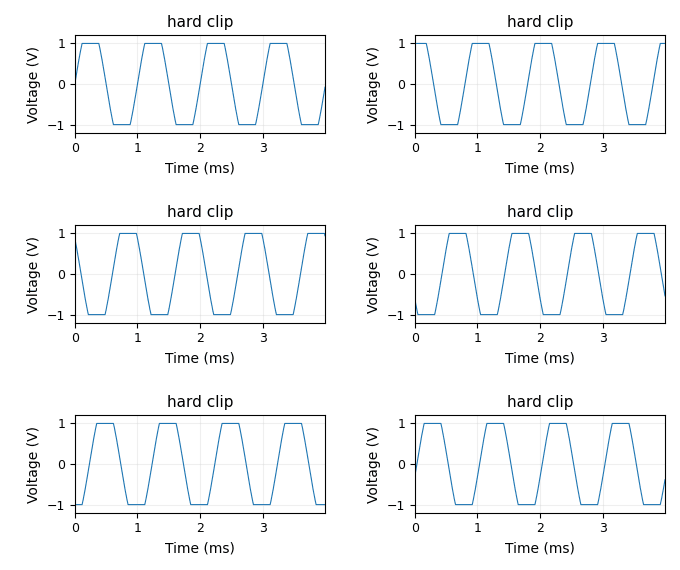 hard clip |
 soft saturation |
Both demos clip the same 1 kHz, 1.5 V-amplitude sine at a 1 V clip_level —
only clip_softness differs. Clipping is a memoryless, per-sample
nonlinearity, so it does not change the signal's period; both loops are
seamless the same way the galleries above are.
What you get
| One API, many vendors | Siglent, Tektronix, and LeCroy scopes auto-detected from *IDN?, plus AWGs, PSUs, and DAQ units. Unknown models fall back to a conservative per-vendor profile instead of being rejected. |
| Capture with provenance | Every saved waveform records the instrument, settings, and timestamp that produced it. Read any of it back with load_waveform() or the scpi-extract CLI. |
| Analysis built in | FFT, SNR, THD, jitter, rise/fall, and 25+ statistics — no separate toolchain. |
| A real desktop GUI | PyQt6 + PyQtGraph live view with draggable measurement markers. |
| A browser lab gateway | Share an instrument with the bench next door over HTTP/WebSocket. |
| Publication-ready reports | Automated PDF/Markdown test reports, optionally analyzed by a local LLM. |
Honest about limits
This project would rather raise than invent a number. Setting a trigger type a
scope's dialect cannot express raises FeatureNotSupportedError instead of
silently leaving the instrument as it was; a PSU without a documented protection
subsystem refuses ovp_level rather than sending a command the firmware
discards. Tektronix and LeCroy command tables were verified line-by-line against
the vendor programming manuals and exercised against a dialect-aware mock, but
have not yet been run against physical Tektronix or LeCroy hardware — the
Siglent path has.
Install
pip install SCPI-Instrument-Control          # core: capture + analysis
pip install "SCPI-Instrument-Control[all]"   # everything below
| Extra | Adds |
|---|---|
[gui] |
PyQt6 desktop application, live view, visual measurements |
[web] |
scpi-web browser lab gateway (FastAPI) |
[report-generator] |
PDF/Markdown test reports, local-LLM analysis |
[usb] |
USB-TMC, GPIB, and serial instruments via PyVISA |
[hdf5] |
.h5 waveform export |
[fun] |
Vector graphics / XY-mode drawing |
[mock] |
Nothing new -- names the mock/synthetic-signal tooling already in core, for discoverability |
Requires Python 3.9+. The core install needs only NumPy, SciPy, and Matplotlib.
Then point it at real hardware
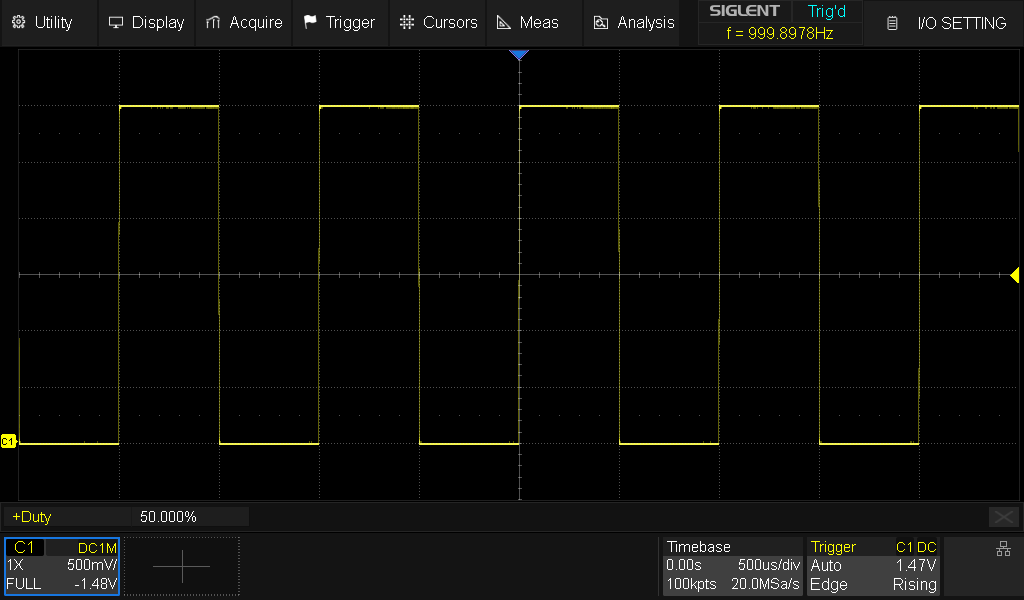
Not a mockup — a live screen grab pulled over LAN from a Siglent
SDS824X HD with scope.screen_capture.get_screenshot_pil().
from scpi_control import Oscilloscope

scope = Oscilloscope("192.168.1.100")   # dialect auto-detected from *IDN?
scope.connect()

scope.channel1.enable()
scope.channel1.voltage_scale = 1.0      # V/div
scope.channel1.coupling = "DC"

scope.trigger.set_edge_trigger(source="C1", slope="POS")
scope.trigger.level = 1.0

wf = scope.get_waveform(channel=1)
scope.waveform.save_waveform(wf, "capture.npz")   # provenance travels with it

scope.disconnect()
Ask the instrument what it can actually do before you ask it to do something:
caps = scope.capabilities
print(caps.trigger_types, caps.channel_couplings)
Batch sweeps, continuous logging, and trigger-driven capture live in
scpi_control.automation — see the
automation guide.
The desktop GUI
pip install "SCPI-Instrument-Control[gui]"
siglent-gui
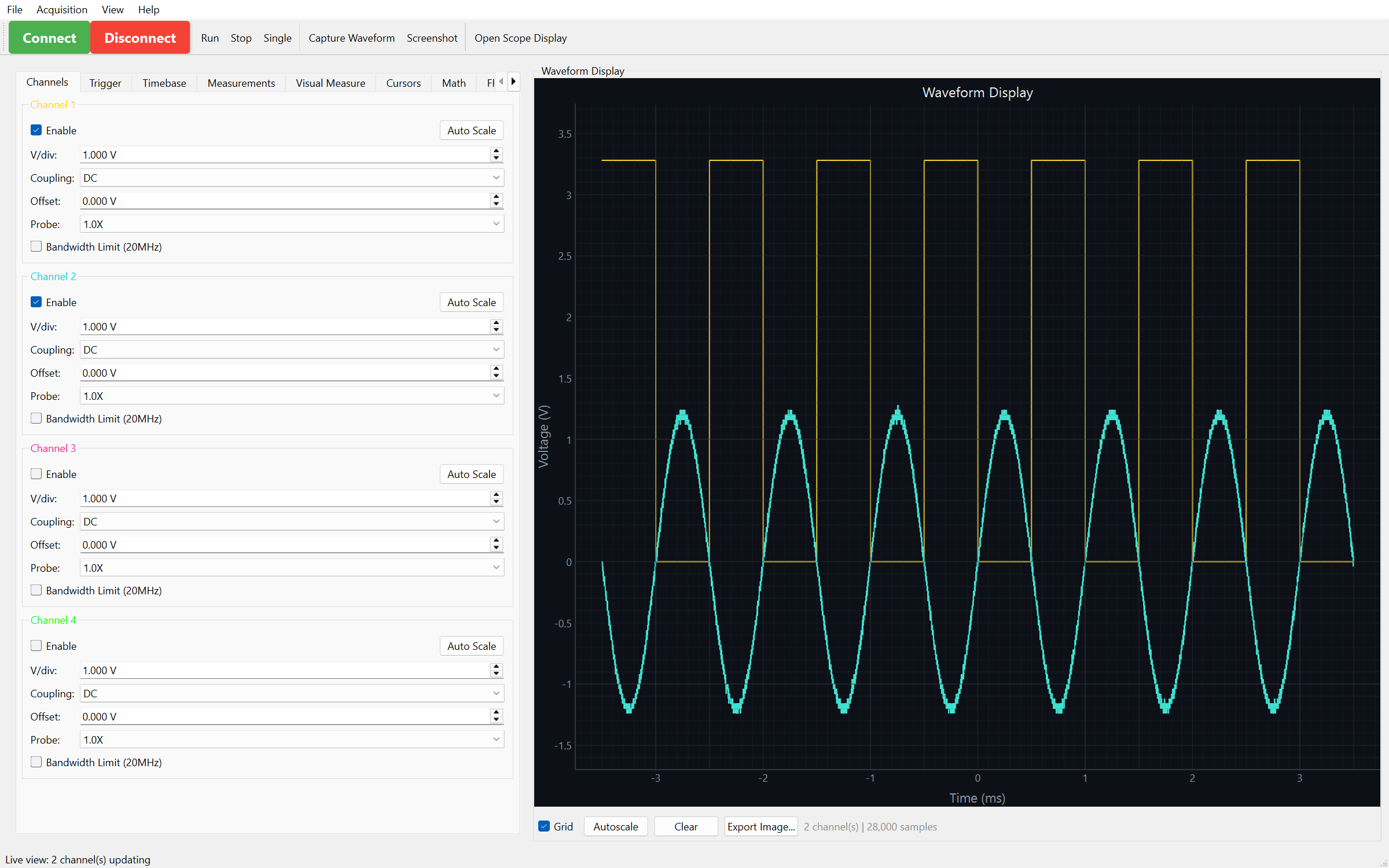
Two channels live. This one is the mock again — the desktop app runs
hardware-free too.
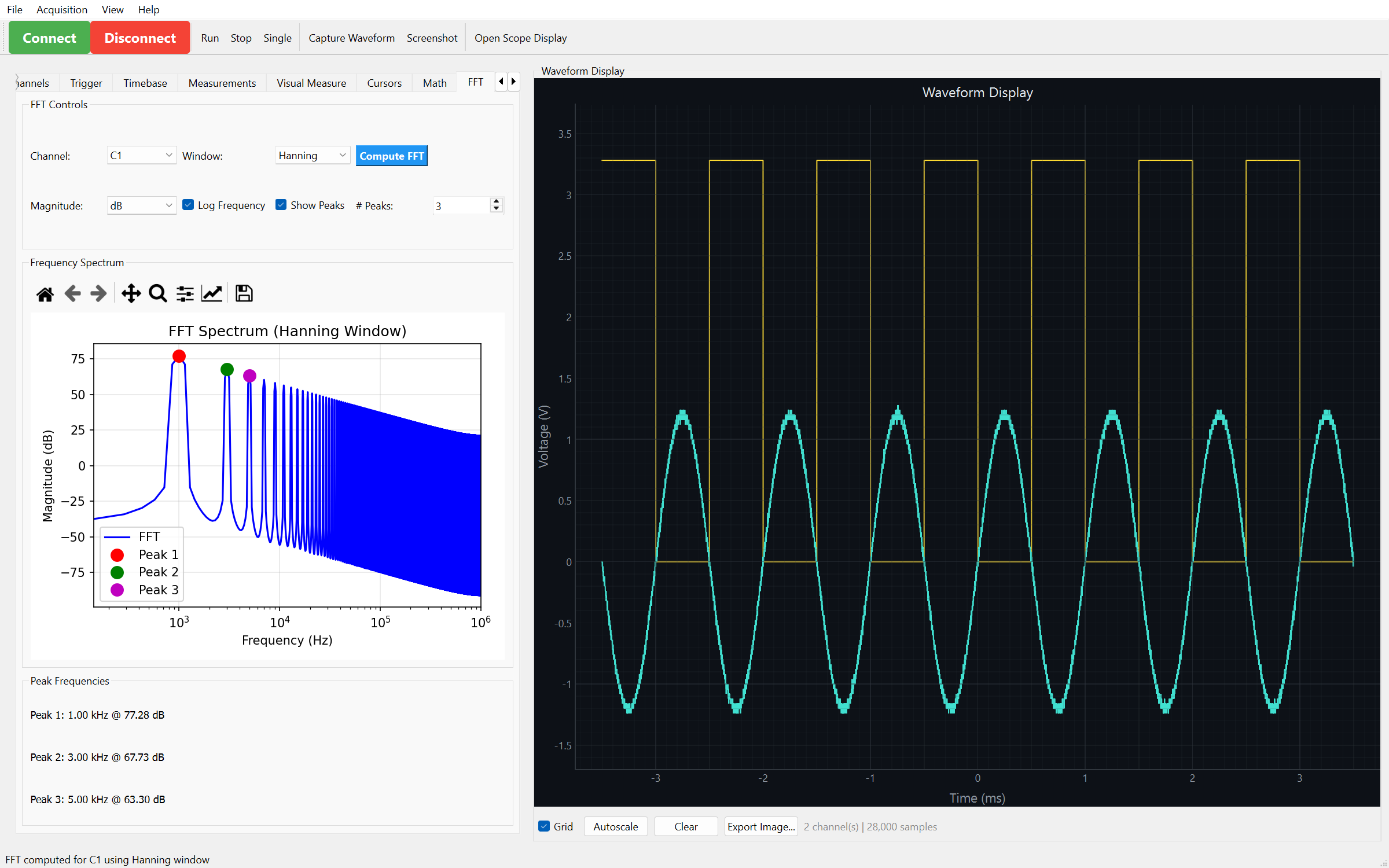
FFT of that square wave — the odd-harmonic comb, peaks picked out at
1, 3, and 5 kHz.
A live view that holds 5–20 fps on four channels, measurement markers you drag directly onto the trace, cursors, FFT, math channels, reference-waveform overlays, and a raw SCPI terminal for when you need to talk to the instrument yourself. Dedicated tabs connect to a power supply or a DAQ / data logger alongside the scope.
Software protocol decoding covers I2C, SPI, and UART.
The browser lab gateway
pip install "SCPI-Instrument-Control[web]"
scpi-web                    # prints its URL on every start
scpi-web invite alice       # a 10-minute link + code for a colleague
Run one gateway on the bench machine and reach your instruments from any browser
on the LAN — live traces, screenshots, measurements, server-side FFT and
filters, and ~1 Hz measurement logging with CSV export. GET /api/discover
sweeps the subnet for instruments when DHCP moves them.
Every request needs a token, each session has an owner (owner writes, everyone else watches), and outbound connection targets are validated. The admin panel binds loopback only. It does not terminate TLS — keep it on a trusted network or behind a reverse proxy.
→ Gateway guide · Security model
Automated test reports
pip install "SCPI-Instrument-Control[report-generator]"
Turn captures into PDF or Markdown reports with plots, signal classification, 25+ statistics, pass/fail criteria, and a SHA-256 manifest of the raw data. Comparison and batch modes handle before/after runs and multi-DUT yield tables. Analysis text can be generated by a local LLM through Ollama — on your machine, no cloud provider, no API key.
See example_reports/ for generated samples, including one
with LLM analysis.
Supported instruments
| Class | Models |
|---|---|
| Siglent scopes (hardware-tested) | SDS800X HD (SDS804X/824X HD) · SDS1000X-E (1102X-E/1104X-E/1202X-E/1204X-E) · SDS2000X Plus (2104X+/2204X+/2354X+) · SDS5000X (5034X/5054X/5104X) |
| Tektronix scopes (manual-verified) | TBS1000C (TBS1102C) · 2 Series MSO (MSO24) · 4 Series (MSO44/46) · 5 Series (MSO54/56/58/58LP) · 6 Series (MSO64) |
| LeCroy scopes (manual-verified) | WaveSurfer 3000z (3024z) · WaveRunner 8000 (8104) |
| Function generators | Siglent SDG1000X (1032X/1025/1020) · SDG2000X (2122X/2082X/2042X) |
| Power supplies | Siglent SPD3303X / SPD3303X-E · SPD1305X / SPD1168X |
| DAQ / data loggers | Keysight 34970A / 34972A · DAQ970A / DAQ973A · generic SCPI-99 |
Other SCPI instruments generally work: model-specific behavior comes from the
ModelCapability registry, and unrecognized models fall back to a conservative
profile for their vendor with a logged warning.
→ SCPI dialects and per-vendor gaps
Command-line tools
| Command | Does |
|---|---|
siglent-gui |
Launch the desktop application |
scpi-web |
Serve the browser lab gateway |
scpi-extract |
Inspect or export a saved waveform file |
siglent-report-generator |
Launch the standalone report generator |
Documentation
- Full documentation — guides, tutorials, API reference
- Quick start · Connecting an instrument
- Interactive tutorial — Jupyter notebook, step by step
- 31 runnable examples — 14 of them run with no instrument attached
- Changelog · Security policy
Upgrading?
import siglentbecameimport scpi_controlin v1.0.0 and the compatibility shim was removed in v2.0.0; the API is otherwise identical. PinSCPI-Instrument-Control<2.0if you cannot migrate yet. The v4.x → 5.0 gateway now requires a token — see the security guide.
Contributing
Issues and pull requests are welcome — see the Contributing Guide.
git clone https://github.com/little-did-I-know/SCPI-Instrument-Control.git
cd SCPI-Instrument-Control
make dev-setup
make check
License
MIT — see LICENSE.
1 maintainer

Metadata
1 maintainer
Release files for SCPI-Instrument-Control 7.3.0
For a detailed explanation of source distributions (sdists) and built distributions (wheels), please see the package formats documentation.
Source distribution (sdist)
| File | Size | Uploaded | |
|---|---|---|---|
| scpi_instrument_control-7.3.0.tar.gz | 11.5 MB | Details |
Built distribution (wheel)
| File | Interpreter | ABI | Platform | Reset |
|---|---|---|---|---|
| scpi_instrument_control-7.3.0-py3-none-any.whl | Python 3 | none | any | Details |
Total release size: 12.3 MB
Release files / scpi_instrument_control-7.3.0.tar.gz
| Download URL | scpi_instrument_control-7.3.0.tar.gz |
|---|---|
| Size | 11.5 MB |
| Tags | Source |
|
SHA-256 checksum How to use checksums |
e0b09dce3b4089f655492e5e18bbf5dc5ab80080866c36d60408bed20e345257
|
|
BLAKE2b-256 checksum How to use checksums |
dc306d1ed6cc2073bada7f6eaccc8c063ecc9fc6dba3a2b672841a72ff3e5a37
|
| Upload date | |
|
Uploaded using Trusted Publishing? What is trusted publishing? |
Yes |
| Uploaded via |
twine/7.0.0 CPython/3.13.14
|
Provenance
Provenance describes where a file came from. On PyPI, provenance is shared via attestations, which provide a verifiable record of the build or publishing details. View details, limitations and caveats.


PyPI Publish Attestation
PyPI verified that this artifact, at this checksum, originated from the publisher listed below.
Signed by GitHub Actions, verified by PyPI on Aug 30, 2026.
Transparency logRelease files / scpi_instrument_control-7.3.0-py3-none-any.whl
| Download URL | scpi_instrument_control-7.3.0-py3-none-any.whl |
|---|---|
| Size | 820.7 kB |
| Tags | Python 3 |
|
SHA-256 checksum How to use checksums |
65237f95bcdd2b5b73fd0321d7d3c095eb92a48e4d383b93d979a97aeb806d25
|
|
BLAKE2b-256 checksum How to use checksums |
a755389795282b0b6f3f917b0e18333e98b6e5e9ad93069fadcc7708ac75bb09
|
| Upload date | |
|
Uploaded using Trusted Publishing? What is trusted publishing? |
Yes |
| Uploaded via |
twine/7.0.0 CPython/3.13.14
|
Provenance
Provenance describes where a file came from. On PyPI, provenance is shared via attestations, which provide a verifiable record of the build or publishing details. View details, limitations and caveats.
PyPI Publish Attestation
PyPI verified that this artifact, at this checksum, originated from the publisher listed below.
Signed by GitHub Actions, verified by PyPI on Aug 30, 2026.
Transparency log













