
Api library for Seed Platform

Project description
SEED平台API使用手册
1 安装
pip install seedapi
2 使用
1. python环境导入函数seedapi
import seedapi
2. 匹配暴露数据
调用match函数,设置相应参数,匹配相应暴露数据。
#设置参数
client_id = 'xxxxxx' #API凭证
secret = 'xxxxxxxxxxxxx' #API凭证
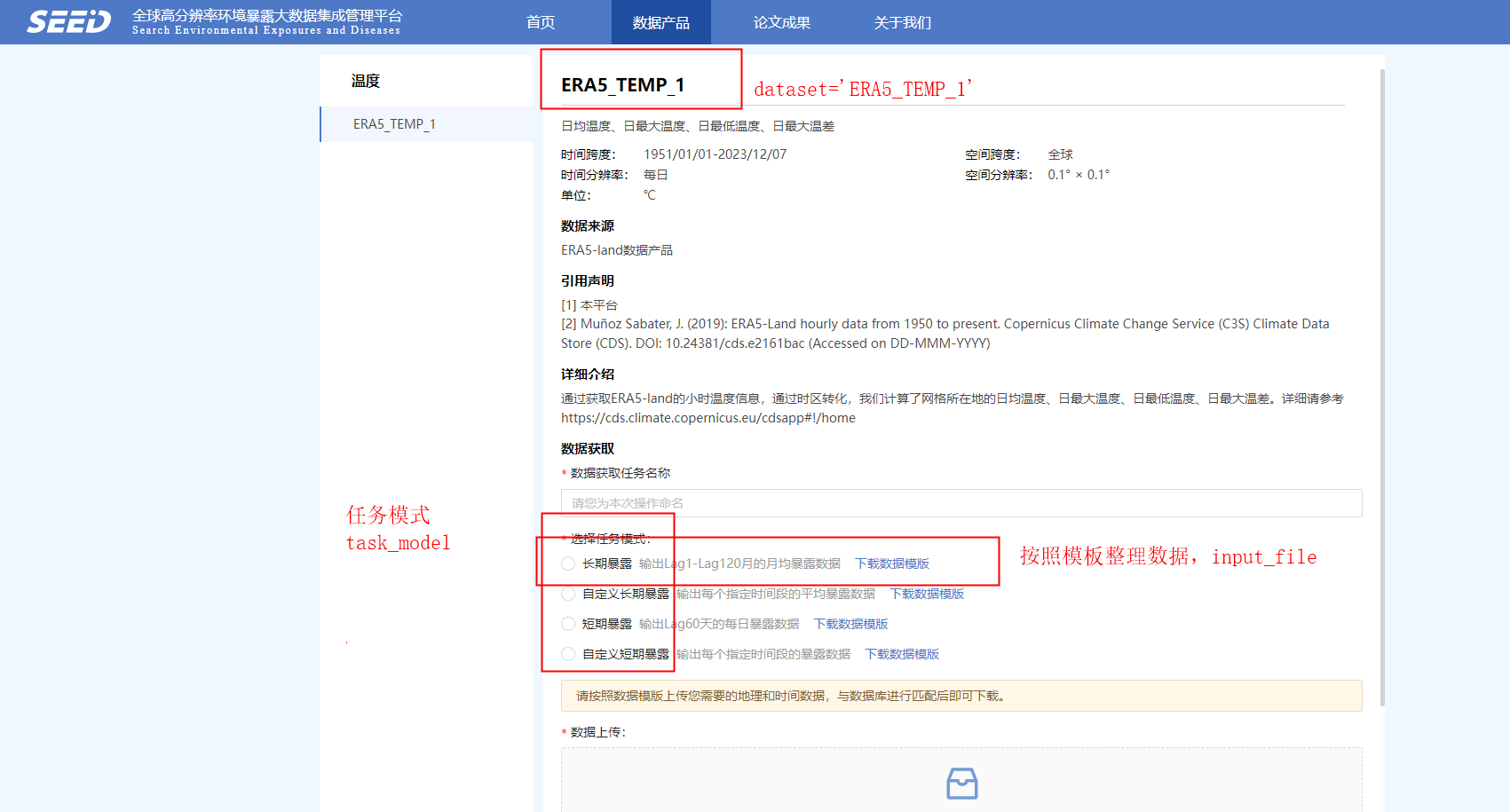
dataset = 'ERA5_TEMP_1' #数据产品名称
input_file = r'数据模板.csv' #模板数据地址
task_model = seedapi.TASK_MODEL_LONG_TERM_EXPOSURE #任务模式
output_file = r'result.csv' #暴露数据下载保存地址

# match
client = seedapi.SeedClient(client_id, secret).login()
task = seedapi.Task().with_dataset(dataset).with_task_model(task_model).with_input_file(input_file)
download_id = client.match(task)
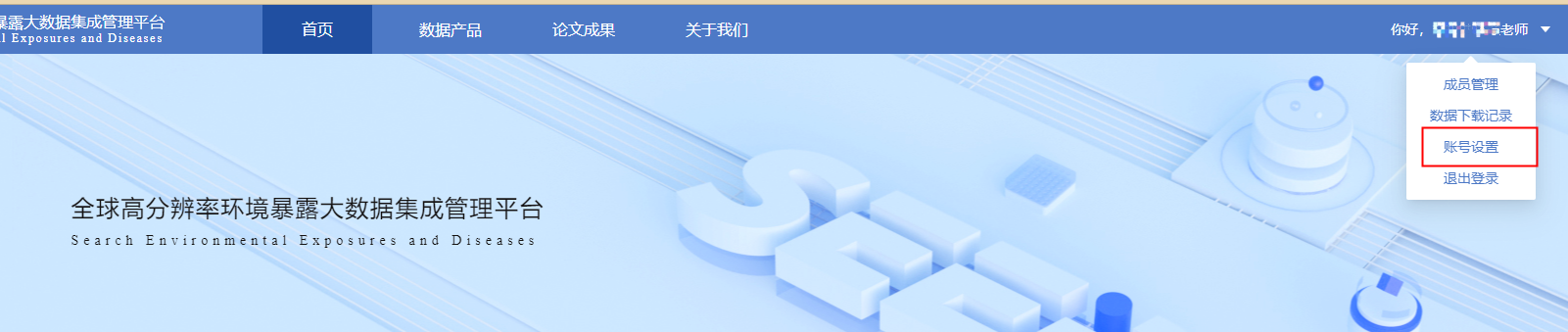
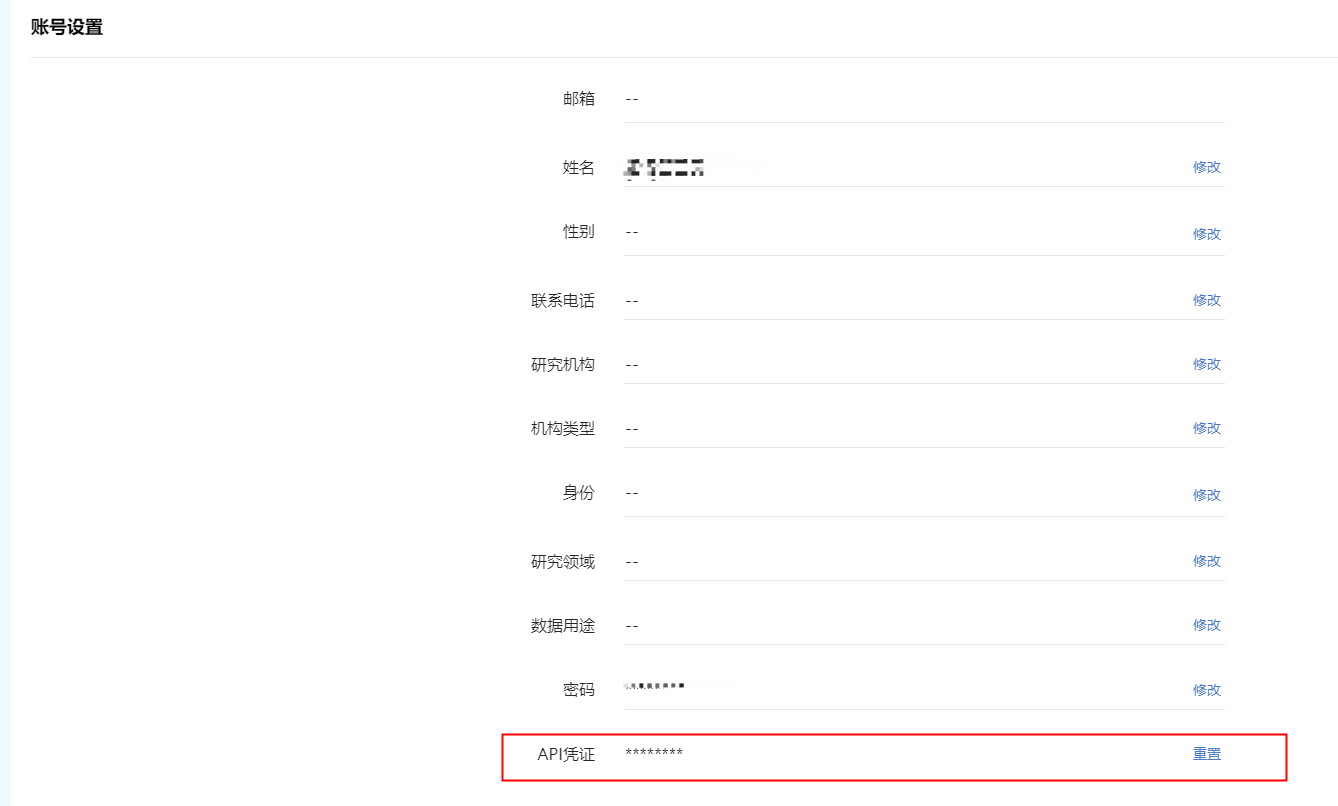
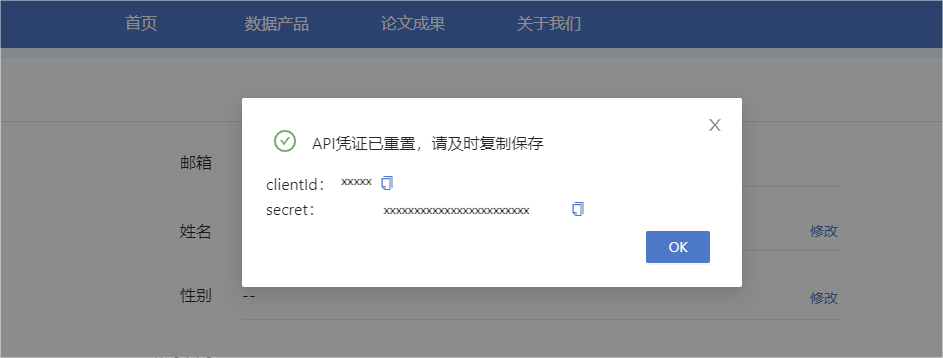
其中,client_id和secret为用户的API凭证,获取路径:用户-账号设置-API凭证-重置,复制保存即可。
TASK_MODEL_LONG_TERM_EXPOSURE
TASK_MODEL_LONG_TERM_EXPOSURE_CUSTOM
TASK_MODEL_SHORT_TERM
TASK_MODEL_SHORT_TERM_CUSTOM
3. 下载暴露匹配完成数据
等待一段时间后,下载匹配完成的暴露数据,output_file参数为数据下载保存地址,自行设置,如output_file = r'result.csv'
# download, wait for a while
client.download(download_id, output_file)
注意: 如果出现网络连接相关错误请检查本地系统代理,使用国外IP可能导致无法访问平台
Release history Release notifications | RSS feed


Download files
Download the file for your platform. If you're not sure which to choose, learn more about installing packages.
Source Distribution
seedapi-0.0.5.tar.gz
(6.1 kB
view details)
File details
Details for the file seedapi-0.0.5.tar.gz.
File metadata
- Download URL: seedapi-0.0.5.tar.gz
- Upload date:
- Size: 6.1 kB
- Tags: Source
- Uploaded using Trusted Publishing? No
- Uploaded via: twine/5.0.0 CPython/3.8.10
File hashes
| Algorithm | Hash digest | |
|---|---|---|
| SHA256 |
349b41620d4d3cddbd3cfe1191714e869300d68fa2ad8e982e675b3de90520ad
|
|
| MD5 |
713c30953dd25ed0788cf3fc8b7f07cc
|
|
| BLAKE2b-256 |
8fd665bb50f57bba819a0274fa2408477f5d911830db5927aa3b4c1823be4462
|






