
A Python MCP server for Selenium WebDriver — 74 tools for browser automation, alerts, frames, shadow DOM, cookies, mobile emulation, self-healing locators, and codegen for Java/C#/Python/Playwright

Project description
seleniumboot-mcp
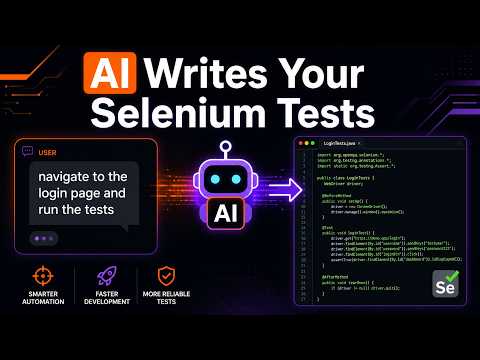
A Python Model Context Protocol (MCP) server for Selenium WebDriver automation. Let Claude or GitHub Copilot control a real browser — navigate pages, interact with elements, run assertions, and generate ready-to-run Java TestNG / JUnit 5 / Cucumber / pytest test code from recorded sessions. 82 tools. No ChromeDriver setup. Browser auto-starts on first use.



Demo
Installation
pip install seleniumboot-mcp
Requires Python 3.10+ and Chrome. No separate ChromeDriver needed — Selenium Manager handles it automatically.
Setup
VS Code (Claude / Copilot)
Add .vscode/mcp.json to your project root:
{
  "servers": {
    "selenium": {
      "type": "stdio",
      "command": "seleniumboot-mcp"
    }
  }
}
Open the project in VS Code → click the Start button that appears above the config → done.
Claude Desktop
Edit your Claude Desktop config:
- Windows:
%APPDATA%\claude-desktop\config.json - macOS:
~/.config/claude-desktop/config.json
{
  "mcpServers": {
    "selenium": {
      "command": "seleniumboot-mcp"
    }
  }
}
Restart Claude Desktop.
How to use
Once the server is running, talk to Claude naturally — no start_browser call needed, Chrome launches automatically on first use:
Go to https://myapp.com and fill the login form with admin/password, then click Login
Assert the dashboard heading is visible
Generate a Java TestNG test class for everything we just did
Generate a Gherkin feature file and step definitions for the login flow
Claude controls the real browser, records every action, and on request generates complete test code ready to paste into your Maven or Gradle project.
Tools (82 total)
Browser
| Tool | Description |
|---|---|
start_browser |
Optional — Chrome auto-starts on first use. Use this to pick Firefox, enable headless, or set window size |
navigate |
Go to a URL |
take_screenshot |
Capture page as an inline image |
get_page_title |
Return page title |
get_current_url |
Return current URL |
get_page_source |
Return full HTML source |
execute_script |
Run JavaScript |
go_back / go_forward |
Browser history |
refresh |
Reload page |
switch_to_window |
Switch between tabs by index |
open_new_tab |
Open a new browser tab, optionally at a URL |
close_current_tab |
Close the active tab and switch to the previous |
list_windows |
List all open tabs with index, title, and URL |
close_browser |
Quit the browser |
scroll_to_top |
Scroll page to the top |
scroll_to_bottom |
Scroll page to the bottom |
scroll_by |
Scroll page by x/y pixels |
emulate_device |
Emulate a mobile device (iPhone, iPad, Pixel, Galaxy) via CDP |
get_console_logs |
Get browser console errors/warnings/info (Chrome) |
get_cookies / set_cookie |
Read or write a cookie |
delete_cookie / delete_all_cookies |
Remove cookies |
get_local_storage / set_local_storage |
Read or write localStorage |
get_session_storage / set_session_storage |
Read or write sessionStorage |
wait_for_network_idle |
Wait until XHR/fetch traffic is quiet — essential for SPAs |
inspect_page |
Discover all inputs, buttons, selects, links with best-fit CSS selectors |
get_network_logs |
Captured XHR/fetch requests — method, URL, status, timing |
mock_response |
Stub fetch/XHR by URL pattern with a canned response |
clear_mock_responses |
Remove all active mock rules |
compare_screenshot |
Pixel diff against a saved baseline — visual regression |
check_accessibility |
Built-in WCAG audit — alt text, labels, headings, keyboard access |
Elements
| Tool | Description |
|---|---|
find_element |
Find element, return tag/text/state |
find_elements |
Find all matching elements |
click |
Click with explicit wait |
type_text |
Clear + type into input |
get_text |
Get visible text |
get_attribute |
Get any attribute value |
select_option |
Select from <select> by text, value, or index |
hover |
Mouse hover |
double_click |
Double click |
right_click |
Context menu click |
drag_and_drop |
Drag source → target |
is_displayed |
Check visibility |
is_enabled |
Check enabled state |
wait_for_element |
Wait: visible / clickable / present / invisible |
scroll_to_element |
Scroll element into view |
clear_field |
Clear input field |
send_keys |
Send special keys (Tab, Enter, Escape, Ctrl+A, F5, …) |
upload_file |
Upload a file via <input type="file"> |
accept_alert / dismiss_alert |
Handle JS alert/confirm dialogs |
get_alert_text |
Read the message from an alert |
type_in_alert |
Type into a JS prompt and accept |
switch_to_frame |
Focus into an iframe by index, name, or selector |
switch_to_default_content |
Return to the main page from a frame |
find_shadow_element |
Find element inside a shadow DOM |
get_table_data |
Extract an HTML table as a formatted text grid |
fill_form |
Fill multiple fields at once — auto-detects input/select/checkbox/radio |
get_healed_locators |
View all self-healed selector mappings for the session |
clear_healed_locators |
Reset the self-healing cache |
Assertions
| Tool | Description |
|---|---|
assert_title |
Page title equals/contains |
assert_url |
URL equals/contains |
assert_text |
Element text equals/contains |
assert_element_visible |
Element is visible |
assert_element_not_visible |
Element is hidden or absent |
assert_attribute |
Element attribute has expected value |
assert_page_contains |
Page body contains a string |
assert_element_count |
Count of matching elements equals expected |
Codegen
| Tool | Description |
|---|---|
generate_java_testng |
Java TestNG test class from session |
generate_java_junit5 |
Java JUnit 5 test class from session |
generate_java_page_object |
Java Page Object class + test class from session |
generate_gherkin |
Gherkin .feature file + Java step definitions from session |
generate_python_test |
pytest class from session |
generate_csharp_nunit |
C# NUnit + Selenium test class from session |
generate_github_actions |
GitHub Actions CI workflow YAML (Maven / Gradle / pytest) |
generate_playwright_hints |
Equivalent Playwright TypeScript code from session |
get_session_log |
View recorded actions |
clear_session_log |
Reset the session recording |
Codegen Examples
Java TestNG
Go to https://myapp.com/login, enter admin/password, click Login
→ Generate a Java TestNG test
public class LoginTest {
    @BeforeMethod public void setUp() { driver = new ChromeDriver(); ... }
    @AfterMethod  public void tearDown() { driver.quit(); }

    @Test
    public void recordedFlowTest() {
        driver.get("https://myapp.com/login");
        WebElement f = wait.until(visibilityOf(By.cssSelector("#username")));
        f.clear(); f.sendKeys("admin");
        wait.until(elementToBeClickable(By.cssSelector("button[type='submit']"))).click();
    }
}
Page Object Model
Generate a Java Page Object for the login page
// LoginPage.java
public class LoginPage {
    private final By usernameField = By.cssSelector("#username");
    private final By submitButton  = By.cssSelector("button[type='submit']");

    public LoginPage enterUsernameField(String text) { ... return this; }
    public LoginPage clickSubmitButton()              { ... return this; }
}

// LoginTest.java
public class LoginTest {
    @Test public void recordedFlowTest() {
        driver.get("https://myapp.com/login");
        page.enterUsernameField("admin").clickSubmitButton();
    }
}
Cucumber / Gherkin
Generate a Gherkin feature file and step definitions for the login flow
Feature: Login

  Scenario: User logs in with valid credentials
    Given I navigate to "https://myapp.com/login"
    And I enter "admin" in the username field
    And I enter "password" in the password field
    And I click the submit button
// LoginSteps.java
public class LoginSteps {
    @Given("I navigate to {string}")
    public void iNavigateTo(String url) { driver.get(url); }

    @And("I enter {string} in the username field")
    public void iEnterInUsernameField(String text) { ... el.sendKeys(text); }

    @And("I click the submit button")
    public void iClickTheSubmitButton() { wait.until(...).click(); }
}
Self-Healing Locators
When a selector fails to find an element, seleniumboot-mcp automatically tries alternative strategies before giving up:
| Primary selector | Alternatives tried |
|---|---|
#my-id (CSS) |
by=id "my-id", [id='my-id'] |
.my-class (CSS) |
by=class "my-class", [class*='my-class'] |
input[type='email'] (CSS) |
//input[@type='email'] (XPath) |
//button[@id='ok'] (XPath) |
button[id='ok'] (CSS), by=id "ok" |
"A, B" comma list |
tries A first, then B |
Successful fallbacks are cached so the healed selector is reused automatically. Use get_healed_locators to inspect the cache and update your test code, and clear_healed_locators to start fresh.
Links
Roadmap
- Java TestNG / JUnit 5 / Python pytest code generation
- Screenshot returned as
ImageContent(renders inline in Claude) - Full session recording — hover, double_click, right_click, scroll, select_option
- Codegen for hover, drag-and-drop, select, scroll in Java and Python templates
- Auto-start browser on first use (no explicit
start_browserneeded) - Page Object Model generation (
generate_java_page_object) - Cucumber / Gherkin step generation (
generate_gherkin) - Self-healing locators — automatic fallback when a selector breaks
- Alert/dialog handling, iframe switching, shadow DOM, table extraction
- Cookie, localStorage, sessionStorage management
- Mobile device emulation via Chrome DevTools Protocol
- Special key sending (Tab, Enter, F-keys, Ctrl+A, …)
- File upload via
<input type="file"> - Browser console log capture
- Multi-tab management (open, close, list)
- Page scroll (top, bottom, by pixels)
- C# NUnit + Selenium codegen
- GitHub Actions CI workflow generator (Maven / Gradle / pytest)
- Playwright TypeScript migration hints
- CI/CD config for Jenkins / GitLab CI
License
MIT
Release history Release notifications | RSS feed


Download files
Download the file for your platform. If you're not sure which to choose, learn more about installing packages.
Source Distribution
Built Distribution
Filter files by name, interpreter, ABI, and platform.
If you're not sure about the file name format, learn more about wheel file names.
Copy a direct link to the current filters
File details
Details for the file seleniumboot_mcp-0.3.4.tar.gz.
File metadata
- Download URL: seleniumboot_mcp-0.3.4.tar.gz
- Upload date:
- Size: 41.6 kB
- Tags: Source
- Uploaded using Trusted Publishing? No
- Uploaded via: twine/6.2.0 CPython/3.13.3
File hashes
| Algorithm | Hash digest | |
|---|---|---|
| SHA256 |
1e68922f4ae1907023b10ca3b2d29b772d7fc2829c7c5a4d4001eeb3840f7c7a
|
|
| MD5 |
a97ff27deff55bc90fb75b314cd6d0b1
|
|
| BLAKE2b-256 |
4756ec38b646a6f39483a1aad72c9816f43585bbd1aa92346d75c75f0df88755
|
File details
Details for the file seleniumboot_mcp-0.3.4-py3-none-any.whl.
File metadata
- Download URL: seleniumboot_mcp-0.3.4-py3-none-any.whl
- Upload date:
- Size: 38.5 kB
- Tags: Python 3
- Uploaded using Trusted Publishing? No
- Uploaded via: twine/6.2.0 CPython/3.13.3
File hashes
| Algorithm | Hash digest | |
|---|---|---|
| SHA256 |
b4f50d19b0416b14c46b470fc6a44306be3847b81a82c2ab66ddc254979febc7
|
|
| MD5 |
3d38b508b280e2900c7f75b881387d1f
|
|
| BLAKE2b-256 |
827bb81a03d3a6420db06fce48466e4279dd26fd49c8db9aa10c2f3a636ffcf2
|






