


sendly
Official Python SDK for the Sendly messaging API. Current version: 4.2.0.
Installation
# pip
pip install sendly

# poetry
poetry add sendly

# pipenv
pipenv install sendly
import sendly

print(sendly.__version__)  # 4.2.0
Requirements
- Python 3.8+
- A Sendly API key (get one here)
Runtime dependencies: httpx>=0.25.0 and pydantic>=2.0.0.
Quick Start
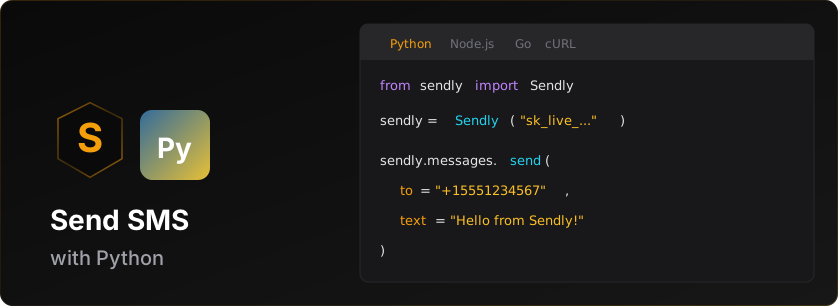
from sendly import Sendly

# Initialize with your API key
client = Sendly('sk_live_v1_your_api_key')

# Send an SMS
message = client.messages.send(
    to='+15551234567',
    text='Hello from Sendly!'
)

print(f'Message sent: {message.id}')
print(f'Status: {message.status.value}')  # 'queued' on a live send
Prerequisites for Live Messaging
Before sending live SMS messages, you need:
-
Business Verification - Complete verification in the Sendly dashboard
- International: Instant approval (just provide Sender ID)
- US/Canada: Requires carrier approval
-
Credits - Add credits to your account
- Test keys (
sk_test_*) work without credits (sandbox mode) - Live keys (
sk_live_*) require credits for each message
- Test keys (
-
Live API Key - Generate after verification + credits
- Dashboard → API Keys → Create Live Key, or
client.account.create_api_key('Production', type='live')(see Account & Credits)
- Dashboard → API Keys → Create Live Key, or
Test vs Live Keys
| Key Type | Prefix | Credits Required | Verification Required | Use Case |
|---|---|---|---|---|
| Test | sk_test_v1_* |
No | No | Development, testing |
| Live | sk_live_v1_* |
Yes | Yes | Production messaging |
The client validates the key shape before any network call: anything that is not
sk_test_v1_… or sk_live_v1_… raises ValueError("Invalid API key format...")
from the constructor.
Note: You can start development immediately with a test key. Messages to sandbox test numbers are free and don't require verification.
Features
- Full type hints (PEP 484),
py.typedincluded - Sync and async clients
- Automatic retries with exponential backoff
- Automatic idempotency keys on POSTs
- Rate limit handling
- Pydantic v2 models for data validation
- Python 3.8+ support
Usage
Sending Messages
from sendly import Sendly

client = Sendly('sk_live_v1_xxx')

# Basic usage (marketing message - default)
message = client.messages.send(
    to='+15551234567',
    text='Check out our new features!'
)

# Transactional message (bypasses quiet hours)
message = client.messages.send(
    to='+15551234567',
    text='Your verification code is: 123456',
    message_type='transactional'
)

# With custom sender ID (international)
message = client.messages.send(
    to='+447700900123',
    text='Hello from MyApp!',
    from_='MYAPP'
)

# MMS: attach media by URL
message = client.messages.send(
    to='+15551234567',
    text='Here is your receipt',
    media_urls=['https://acme.example/receipt.jpg']
)

# With custom metadata (max 4KB)
message = client.messages.send(
    to='+15551234567',
    text='Your order #12345 has shipped!',
    metadata={
        'order_id': '12345',
        'customer_id': 'cust_abc'
    }
)
send() returns a Message for SMS/MMS, a WhatsAppMessage when
channel='whatsapp', and an RcsMessage when channel='rcs' - see the
WhatsApp and RCS sections.
On a live send, message.sender_type says what it was sent from: explicit (a
number of yours: the from_ you passed, your verified toll-free number or the
sender your workspace is authorized to use), number_pool or alphanumeric.
A simulated send leaves it None. A sender type this version does not know is
kept rather than raising: its value is the string the API sent and its name
is 'UNKNOWN'.
Client-side validation runs before the request: to must be E.164
(+ then 1-15 digits), text must be non-empty, and from_ must be either an
E.164 number or 2-11 alphanumeric characters. A bad value raises
ValidationError without a network call.
Reading a Message: reported vs. defaulted fields
Some fields are absent from certain responses, and the model fills a default
rather than inventing a value. Each has a reported_* twin that is None when
the response carried nothing, so you can tell a real 0 from an unreported one:
| Field (defaulted) | Default | Tells you nothing was reported |
|---|---|---|
segments |
1 |
reported_segments |
credits_used |
0 |
reported_credits_used |
retry_count |
0 |
reported_retry_count |
is_sandbox |
False |
reported_is_sandbox |
direction |
'outbound' |
reported_direction |
Every send response, simulated or live, reports segments, credits_used and
direction; a simulated send (test key or sandbox destination) reports
credits_used 0 because nothing was charged. No send response carries
is_sandbox or retry_count, so a test-key send reads is_sandbox=False.
messages.get(), messages.list() and the conversation thread report all
five. To tell whether a send was simulated, read the stored message back:
message = client.messages.send(to='+15125550123', text='Hello!')
print(message.segments, message.credits_used)  # reported on every send
print(message.reported_is_sandbox)              # None: sends never report it
print(client.messages.get(message.id).is_sandbox)
Listing Messages
# Get recent messages, newest first (default limit: 50)
result = client.messages.list()
print(f'{result.count} on this page, {result.pagination.total} in all')

# Get last 10 messages (limit must be 1-100)
result = client.messages.list(limit=10)

# Iterate through messages
for msg in result.data:
    print(f'{msg.to}: {msg.status.value}')

# Filter, search and page
failed = client.messages.list(status='failed', direction='outbound', limit=20)
if failed.pagination.has_more:
    failed = client.messages.list(status='failed', direction='outbound', limit=20, page=2)
found = client.messages.list(q='order', to='+15125550123')

# Or page automatically through everything (takes the same filters, minus page)
for msg in client.messages.list_all(batch_size=100, status='delivered'):
    print(msg.id, msg.status.value)
messages.list() returns inbound rows too; their status is received. Filter
with direction='inbound' or 'outbound'. status takes a MessageStatus or
its value, page counts from 1 and takes precedence over offset, and to
matches with or without the leading +. result.count is the size of this
page; result.pagination carries total, limit, offset, page,
total_pages and has_more. A test key only ever lists sandbox messages; a
live key lists live ones unless you pass sandbox=True. Any status a future API
version adds parses as MessageStatus.UNKNOWN rather than raising.
Getting a Message
message = client.messages.get('msg_xxx')

print(f'Status: {message.status.value}')
print(f'Delivered: {message.delivered_at}')
Message ids are validated client-side: a UUID, or a msg_ / schd_ prefixed id.
Scheduling Messages
from datetime import datetime, timedelta, timezone

# Schedule a message for future delivery (5 minutes to 5 days ahead)
scheduled = client.messages.schedule(
    to='+15551234567',
    text='Your appointment is tomorrow!',
    scheduled_at=(datetime.now(timezone.utc) + timedelta(hours=1)).isoformat()
)

print(f'Scheduled: {scheduled.id}')
print(f'Will send at: {scheduled.scheduled_at}')
print(f'Credits reserved: {scheduled.credits_reserved}')

# List scheduled messages (status takes a ScheduledMessageStatus or its value)
result = client.messages.list_scheduled(status='scheduled')
for msg in result.data:
    print(f'{msg.id}: {msg.scheduled_at} ({msg.status.value})')

# Get a specific scheduled message (ids are 'schd_...')
msg = client.messages.get_scheduled('schd_xxx')

# Cancel a scheduled message (refunds credits)
result = client.messages.cancel_scheduled('schd_xxx')
print(f'Refunded: {result.credits_refunded} credits')
scheduled_at must be ISO 8601, at least 5 minutes and at most 5 days in the future; anything else is refused with invalid_scheduled_time (HTTP 400).
A scheduled message is scheduled until it goes out as sent, then becomes
delivered or bounced as delivery receipts arrive; it can also end
cancelled or failed.
CancelledMessageResponse.cancelled_at is always None - the cancel endpoint
does not return it.
Batch Messages
# Send multiple messages in one API call (up to 10,000, exported as MAX_BATCH_MESSAGES)
batch = client.messages.send_batch(
    messages=[
        {'to': '+15551234567', 'text': 'Hello User 1!'},
        {'to': '+15559876543', 'text': 'Hello User 2!'},
        {'to': '+15551112222', 'text': 'Hello User 3!'}
    ]
)

print(f'Batch ID: {batch.batch_id}')
print(f'Status: {batch.status.value}')
print(f'Failed: {batch.failed}')
print(f'Credits used: {batch.credits_used}')

# A large batch is accepted as 'processing' with an empty messages list, so
# poll the batch for per-message results. The send response carries no queued,
# delivered, credits_reserved or created_at; get_batch and list_batches do.
status = client.messages.get_batch(batch.batch_id)
print(f'Queued: {status.queued}, delivered: {status.delivered}')
for result in status.messages:
    print(f'{result.to}: {result.status}')

# List all batches - same fields as get_batch, minus the per-message results
result = client.messages.list_batches()
for summary in result.data:
    print(f'{summary.batch_id}: {summary.queued} queued, {summary.delivered} delivered')

# Preview batch (dry run) - validates without sending. Returns the raw JSON
# payload as a dict, not a model.
preview = client.messages.preview_batch(
    messages=[
        {'to': '+15551234567', 'text': 'Hello User 1!'},
        {'to': '+447700900123', 'text': 'Hello UK!'}
    ]
)
print(f"Credits needed: {preview['creditsNeeded']} (balance {preview['creditBalance']})")
print(f"Sendable: {preview['sendable']} of {preview['total']}, blocked: {preview['blocked']}")
print(preview['hasSufficientCredits'], preview['warnings'])
for blocked in preview['blockedMessages']:
    print(blocked['to'], blocked['reason'])
Each entry in messages may carry its own metadata; a batch-level metadata
is merged in, with the per-message value winning. get_batch() requires a
batch_ prefixed id. send_batch() and preview_batch() raise SendlyError
with code invalid_request before the request for an empty list or more than
MAX_BATCH_MESSAGES (10,000) entries.
Group MMS
Send one message to 2-8 US/Canada recipients who share a single thread; replies
fan out to everyone. Provide text, media_urls, or both. Requires the
group_mms feature (and enable_mms when sending media).
group = client.messages.send_group(
    to=['+14155550101', '+14155550102'],
    text='Dinner at 7?'
)
print(f'{group.id}: {group.status}')  # 'sent' (or 'delivered' on a test key)
print(group.to)                       # the recipients, as E.164 strings
print(group.group_message_id)         # stable group thread id (grp_xxx), when available

# A live send also reports each recipient's delivery status (None when simulated)
for r in group.recipients or []:
    print(r.phone_number, r.status)

# With media
client.messages.send_group(
    to=['+14155550101', '+14155550102'],
    text='Here is the menu',
    media_urls=['https://acme.example/menu.jpg'],
)
Fewer than 2 or more than 8 recipients raises before any request is made.
Without the group_mms feature the API answers 403 feature_disabled.
AI Enhance
Polish message copy before sending. Pass text and/or a message_type to steer
the tone. Requires the ai_classification feature; when AI is unavailable the
original text comes back with an empty explanation.
result = client.messages.enhance(text='ur order shipped', message_type='transactional')
print(result.enhanced)     # cleaned-up copy (<= 160 chars)
print(result.explanation)  # why it changed
Rate Limit Information
Requests are counted per API key in a fixed 60-second window that opens on the first request after the previous window ends:
| Key | Requests per minute |
|---|---|
Test (sk_test_v1_*) |
60 |
Live (sk_live_v1_*) |
600 |
| Enterprise master key | 3000 |
# After any API call, check rate limit status
client.messages.send(to='+15551234567', text='Hello!')

rate_limit = client.get_rate_limit_info()
if rate_limit:
    print(f'{rate_limit.remaining}/{rate_limit.limit} requests remaining')
    print(f'Resets in {rate_limit.reset} seconds')
The values come from the X-RateLimit-Limit, X-RateLimit-Remaining and
X-RateLimit-Reset response headers. get_rate_limit_info() returns None
until a request has been made, or if the response carried no such headers.
Retries and Timeouts
The client retries up to max_retries times (default 3, so 4 attempts total),
and only when the answer can change. Every retry carries the same idempotency
key as the first attempt (see Idempotency):
- Timeouts, network errors,
408,425and5xxare retried with exponential backoff plus jitter, capped at 30 seconds per wait. 429 rate_limit_exceededand429 provision_rate_limit(the enterprise provisioning limit) sleep for the error'sretry_afterseconds, then retry, when that is 60 seconds or less. A longer wait is raised at once asRateLimitErrorwith itsretry_after, so the client never blocks for minutes on its own.429 too_many_concurrent_verifications(too many first-time key checks at once from one address; the request never ran) is retried after itsretry_after, usually 1 second.429 too_many_failed_key_attemptsis raised at once and never retried: repeated wrong API keys from your address locked the account out for up to 5 minutes. See Error Handling.- Every other status is the API's final answer and is raised on the first
attempt:
400,401,402,403,404, a307, a409conflict, a422, and a429 max_attempts_exceededfromverify.check().
File uploads (media.upload(), business_upgrade.start() and resubmit(),
enterprise.upload_verification_document() and
whatsapp.senders.upload_profile_photo()) are sent once; the only retry they
make is the too_many_concurrent_verifications wait. whatsapp.signup.verify()
and whatsapp.signup.create() with a business_account_id also raise a
timeout, a network error or a 5xx at once, because repeating them can use up
a verification attempt or start a new signup; they still wait out a
429 the API never ran.
After the last attempt the SDK raises the error it last saw (TimeoutError,
NetworkError, or the API's SendlyError).
Async Client
For async/await support, use AsyncSendly. Every resource mirrors the sync
client, method for method, with the same arguments:
import asyncio
from sendly import AsyncSendly

async def main():
    async with AsyncSendly('sk_live_v1_xxx') as client:
        # Send a message
        message = await client.messages.send(
            to='+15551234567',
            text='Hello from async!'
        )
        print(message.id)

        # List messages
        result = await client.messages.list(limit=10)
        for msg in result.data:
            print(f'{msg.to}: {msg.status.value}')

        # list_all is an async generator
        async for msg in client.messages.list_all():
            print(msg.id)

asyncio.run(main())
Configuration
from sendly import Sendly, SendlyConfig

# Using keyword arguments (everything after api_key is keyword-only)
client = Sendly(
    'sk_live_v1_xxx',
    base_url='https://sendly.live/api/v1',  # Optional
    timeout=60.0,      # Optional: seconds (default: 30)
    max_retries=5,     # Optional: (default: 3)
    organization_id='org_xxx',  # Optional: multi-workspace support
)

# Using config object
config = SendlyConfig(
    api_key='sk_live_v1_xxx',
    timeout=60.0,
    max_retries=5,
)
client = Sendly(config=config)

# Switch workspace later
client.set_organization_id('org_yyy')
When organization_id is set (directly, via SendlyConfig, or through the
SENDLY_ORG_ID environment variable) every request carries an
X-Organization-Id header.
Idempotency
POSTs carry an automatically generated Idempotency-Key, reused on every retry
the SDK makes (timeouts, network errors, 408, 425, 5xx and the 429s it
waits out), so a retry of a request that already reached the API returns the
original result instead of sending and charging again. You do not have to do
anything to get this.
The API records the answer under the key for a 2xx or 4xx response, and
replays it to a later request with the same key. It never records a 5xx or a
429, so a retry after one of those runs the request again. When the API had
finished and recorded its answer but a gateway in front of it returned the
5xx, the retry gets the recorded answer back instead of a second send.
Pass your own key when the guarantee needs to outlive the process: a job queue that re-runs after a crash, or your own retry loop:
client.messages.send(
    to="+15551234567",
    text="Your order has shipped!",
    idempotency_key="order-4821-shipped",
)
A key must be 1-255 printable ASCII characters; anything else raises
ValidationError before the request goes out, and an empty or whitespace-only
key is treated as absent (auto-generation still applies). A key you pass is
sent unchanged on every retry, the same as a generated one.
Reusing a key within 24 hours returns the original response. Reusing it with a
different body raises 422 idempotency_key_mismatch, so derive keys from
something stable in your domain, like an order id. send_batch sends no
automatic key, because the API already deduplicates identical batches by their
contents.
Write methods that accept idempotency_key include messages.send,
messages.schedule, messages.send_batch, messages.send_group,
calls.create, calls.hangup, every voice.* write, and every
rcs.brands / rcs.agents write.
Full details: https://sendly.live/docs/idempotency
Webhooks
Manage webhook endpoints to receive real-time delivery status updates.
from sendly import ValidationError

# Create a webhook endpoint (url must be https; events must be non-empty;
# either mistake raises ValueError before the request)
webhook = client.webhooks.create(
    url='https://acme.example/webhooks/sendly',
    events=['message.delivered', 'message.failed'],
    description='Delivery receipts',
    mode='live',  # 'all' (default), 'test' or 'live'
)

print(f'Webhook ID: {webhook.id}')      # whk_xxx
print(f'Secret: {webhook.secret}')      # whsec_... - only shown once, store it!

# List all webhooks
webhooks = client.webhooks.list()

# Get a specific webhook (ids are validated client-side: they must start whk_)
wh = client.webhooks.get('whk_xxx')
print(wh.is_active, wh.circuit_state, wh.success_rate)

# Update a webhook
client.webhooks.update('whk_xxx',
    url='https://hooks.acme.example/webhook',
    events=['message.delivered', 'message.failed', 'message.sent'],
    is_active=True,
)

# Test a webhook (sends a test event). It returns only when your endpoint
# accepted the event; an error status, a timeout or no answer raises
# ValidationError (HTTP 400) with the reason in e.message
try:
    result = client.webhooks.test('whk_xxx')
    print(f'Endpoint answered {result.status_code} in {result.response_time_ms} ms')
except ValidationError as e:
    print(f'Test failed: {e.message}')

# Rotate the signing secret (returned once: store it). Deliveries are signed
# with the new secret as soon as this returns, so have your endpoint accept
# both the old and the new secret while you deploy the new one.
rotation = client.webhooks.rotate_secret('whk_xxx')
print(f'New secret: {rotation.new_secret}')  # rotation.secret is the same value
print(f'Rotated at: {rotation.rotated_at}')

# View delivery history, newest first; filter by status and page with offset
deliveries = client.webhooks.get_deliveries('whk_xxx', status='failed', limit=20)
for d in deliveries:
    print(d.id, d.event_type, d.status.value, d.attempt_number, d.max_attempts)

# Retry a failed delivery (delivery ids start del_)
client.webhooks.retry_delivery('whk_xxx', 'del_yyy')

# The event types the API will accept on subscribe
print(client.webhooks.list_event_types())

# Delete a webhook
client.webhooks.delete('whk_xxx')
Recovering from an outage
# Repeated failures open the circuit breaker. Reset it to resume deliveries
# immediately instead of waiting for the automatic recovery.
client.webhooks.reset_circuit('whk_xxx')

from datetime import datetime, timedelta, timezone

# Replay deliveries we recorded but could not deliver. Defaults to the last
# 24 hours and to statuses ['failed', 'cancelled']; max limit 10000. The
# window from since to until can be at most 7 days.
since = (datetime.now(timezone.utc) - timedelta(days=3)).isoformat()
client.webhooks.redeliver(
    'whk_xxx',
    since=since,
    event_types=['message.delivered'],
    limit=500,
)

# Backfill events that never got an audit row at all (the case redeliver
# cannot recover). Synthesized events carry the same event id the original
# dispatch would have used, so dedupe on event.id. The same 7-day window
# limit applies.
client.webhooks.backfill('whk_xxx', since=since)
Both refuse with HTTP 409 while the circuit is open - call reset_circuit()
first. Both return the raw JSON payload as a dict.
Verifying Webhook Signatures
Signature verification is a static helper on Webhooks, not a method on
client.webhooks. The argument order is payload, signature, secret, with
timestamp as an optional keyword argument.
from sendly import Webhooks, WebhookSignatureError

WEBHOOK_SECRET = 'whsec_...'

# In your webhook handler (Flask example)
@app.route('/webhooks/sendly', methods=['POST'])
def handle_webhook():
    signature = request.headers.get('X-Sendly-Signature')
    timestamp = request.headers.get('X-Sendly-Timestamp')
    payload = request.get_data(as_text=True)

    try:
        event = Webhooks.parse_event(payload, signature, WEBHOOK_SECRET, timestamp=timestamp)
    except WebhookSignatureError as e:
        print(f'Invalid signature: {e}')
        return 'Invalid signature', 400

    if event.type == 'message.delivered':
        print(f'Message {event.data.id} delivered')
    elif event.type == 'message.failed':
        print(f'Message {event.data.id} failed: {event.data.error_code}')
    elif event.type == 'rcs_agent.live':
        # A lifecycle event: event.data is None, the payload is on event.object
        print(f"Agent {event.object['agent_id']} is live")

    return 'OK', 200
parse_event verifies first and raises WebhookSignatureError on a bad
signature or a malformed payload. If you only want the boolean:
from sendly.webhooks import SIGNATURE_TOLERANCE_SECONDS

ok = Webhooks.verify_signature(payload, signature, WEBHOOK_SECRET, timestamp=timestamp)
Signatures are sha256=<hex> HMAC-SHA256. When a timestamp is supplied the
signed payload is f"{timestamp}.{payload}" and anything more than
SIGNATURE_TOLERANCE_SECONDS (300) out of date is rejected — pass the header
whenever you have it. Webhooks.generate_signature(payload, secret, timestamp=None)
produces the same value, for use in your own tests.
Reading the Event Payload
event.object is data.object exactly as it arrived, for every event type.
Keys are verbatim (camelCase stays camelCase), JSON null stays None, and
nothing the payload did not carry is added. A message id is therefore
event.object['id'] — never event.object['messageId'].
event.data is the message view. It is None for every event that is not a
message.* event, because RCS, WhatsApp, voice (call.*), 10DLC
(brand.* / campaign.* / assignment.*), number.*, port*, contact*,
conversation.*, draft.*, short_code.* and verification.* payloads are
not message-shaped. message.opt_in and message.opt_out are None too — they
share the prefix but carry an opt-out record (phone_number, keyword,
from_number, timestamp), not a message.
from dataclasses import dataclass
from typing import Optional

from sendly import Webhooks, is_message_event

event = Webhooks.parse_event(payload, signature, WEBHOOK_SECRET, timestamp=timestamp)

if event.data is not None:
    # message.* event
    print(event.data.id, event.data.to, event.data.credits_used)
else:
    # lifecycle event: read the raw object
    print(event.object)

# is_message_event() answers the same question from an event type alone, before
# you have an event in hand - filtering a subscription, routing a queue
is_message_event('message.delivered')  # True
is_message_event('rcs_agent.live')     # False
is_message_event('message.opt_out')    # False - an opt-out record, not a message

# A contact flagged by a send failure: `id` is the contact, `message_id` is
# the message that failed. They are never swapped.
if event.type == 'contact.auto_flagged':
    contact_id = event.object['id']
    failed_message_id = event.object['message_id']

# In-app calls legitimately have no numbers; null stays None, never ''
if event.type == 'call.started':
    # from/to are null for in-app (browser) calls and carry E.164 numbers
    # for PSTN legs, so treat them as optional rather than assuming either.
    caller = event.object.get('from')

# Or decode into a shape of your own (dataclass, pydantic model, or dict).
# Only keys the payload actually carried are passed through, so a field it did
# not send keeps its default instead of being invented. A trailing underscore
# maps a reserved word: `from_` reads `from`.
@dataclass
class AgentLive:
    agent_id: Optional[str] = None
    name: Optional[str] = None
    stage: Optional[str] = None

if event.type == 'rcs_agent.live':
    agent = event.object_as(AgentLive)
    print(agent.agent_id, agent.stage)

raw = event.object_as()      # plain dict copy
same = event.raw_object      # alias for event.object
Other fields on the event: event.id, event.created (aliased as
event.created_at), event.api_version (default '2024-01') and
event.livemode.
verification.* payloads have a ready-made shape — pass WebhookVerificationData to
event.object_as() rather than writing your own.
Event types live in one place, sendly.types.WebhookEventType; sendly.WebhookEventType
re-exports that enum, and sendly.webhooks.WEBHOOK_EVENT_TYPES is the tuple of its values.
An event type this SDK version has not heard of is still delivered rather than rejected:
event.type keeps the raw string and event.object still carries the payload.
message.queued and message.undelivered are not in that enum. The API has never emitted
either one and rejects both with a 400 on subscribe, so 4.0.0 removed them. 'queued' and
'undelivered' remain valid message statuses on event.data.status.
Conversations
Inbound and outbound messages with one number are threaded into a conversation.
result = client.conversations.list(limit=20, status='active')
print(result.pagination.total, result.pagination.has_more)
for convo in result.data:
    print(convo.id, convo.phone_number, convo.unread_count)

# Fetch one, optionally with its messages
convo = client.conversations.get('conv_xxx', include_messages=True, message_limit=50)
for msg in convo.messages.data:
    print(msg.direction, msg.text)

# Reply in the thread
client.conversations.reply('conv_xxx', 'On our way!', media_urls=['https://acme.example/map.png'])

# Housekeeping
client.conversations.mark_read('conv_xxx')
client.conversations.update('conv_xxx', metadata={'crm_id': '88'}, tags=['vip'])
client.conversations.close('conv_xxx')
client.conversations.reopen('conv_xxx')

# Labels on a conversation: add_labels returns every label it now carries
labels = client.conversations.add_labels('conv_xxx', ['lbl_a', 'lbl_b'])
print([lbl.name for lbl in labels.data])
client.conversations.remove_label('conv_xxx', 'lbl_a')   # returns None

# A ready-made prompt context for an LLM
ctx = client.conversations.get_context('conv_xxx', max_messages=20)
print(ctx.context, ctx.token_estimate)
Messages in the thread carry their real direction (inbound or outbound),
as messages.get() and messages.list() do - see
reported vs. defaulted fields.
Contacts and Lists
contact = client.contacts.create(
    phone_number='+15551234567',
    name='Jordan Lee',
    email='jordan@acme.example',
    metadata={'plan': 'pro'},
)

result = client.contacts.list(limit=50, search='jordan', list_id='lst_xxx')
print(result.total)

# update() returns an UpdatedContact: the saved fields, without opted_out,
# lists or created_at, which the update response does not carry
updated = client.contacts.update(contact.id, name='Jordan L.')
print(updated.name, updated.updated_at)
full = client.contacts.get(contact.id)   # a Contact, with opted_out and lists
client.contacts.delete(contact.id)

# Bulk import
from sendly.types import ImportContactItem

report = client.contacts.import_contacts(
    [ImportContactItem(phone='+15551234567', name='Sam')],
    list_id='lst_xxx',
    opted_in_at='2026-01-01T00:00:00Z',
)
print(report.imported, report.skipped_duplicates, report.total_errors)

# Lists
lst = client.contacts.lists.create('Newsletter', 'Monthly digest')
client.contacts.lists.add_contacts(lst.id, [contact.id])   # {'added_count': 1}
client.contacts.lists.get(lst.id, limit=100)
client.contacts.lists.update(lst.id, name='Newsletter 2026')
client.contacts.lists.remove_contact(lst.id, contact.id)
client.contacts.lists.delete(lst.id)                        # keeps the contacts
List health
A send that fails with a terminal bad-number error, or a carrier lookup that
reports a non-SMS-capable line, auto-flags the contact: invalid_reason becomes
landline, invalid_number or non_sms_capable, and future campaigns skip it.
# Ask for a background carrier lookup (runs 1-5 minutes; idempotent)
client.contacts.check_numbers(list_id='lst_xxx', force=False)

# Disagree with a flag
client.contacts.mark_valid(contact.id)

# Or clear many at once - pass ids OR list_id, never both
cleared = client.contacts.bulk_mark_valid(list_id='lst_xxx')
print(cleared.cleared)
Afterwards a contact carries line_type, carrier_name,
line_type_checked_at, invalid_reason, invalidated_at and
user_marked_valid_at; carrier re-checks respect a manual override.
Labels
label = client.labels.create('Urgent', color='#D64545', description='Needs a reply today')
for lbl in client.labels.list().data:
    print(lbl.id, lbl.name, lbl.color)
client.labels.delete(label.id)
Drafts
Queue a reply for a human to approve before it is sent.
draft = client.drafts.create(
    conversation_id='conv_xxx',
    text='Thanks! Your table is booked for 7pm.',
    source='ai_suggestion',
)

pending = client.drafts.list(conversation_id='conv_xxx', status='pending', limit=20)
print(pending.pagination.total)

client.drafts.update(draft.id, text='Thanks! You are booked for 7pm.')
client.drafts.get(draft.id)

sent = client.drafts.approve(draft.id)   # status -> 'sent', message_id set

# Only a pending draft can be rejected, so reject a different one
other = client.drafts.create(conversation_id='conv_xxx', text='See you at 8?')
client.drafts.reject(other.id, reason='Wrong time')
Draft status is one of pending, approved, rejected, sent, failed.
Templates
tpl = client.templates.create('Booking confirmed', 'Hi {{name}}, you are booked for {{time}}.')
client.templates.update(tpl.id, text='Hi {{name}}, see you at {{time}}.')
client.templates.publish(tpl.id)

preview = client.templates.preview(tpl.id, {'name': 'Sam', 'time': '7pm'})
print(preview.preview_text, preview.character_count, preview.segment_count)

client.templates.list()      # presets + custom
client.templates.presets()   # presets only
client.templates.clone(tpl.id, 'Booking confirmed (v2)')
client.templates.delete(tpl.id)

# Draft one with AI
generated = client.templates.generate('Remind customers about an appointment tomorrow')
print(generated.name, generated.text, generated.variables, generated.category)
Rules
Auto-label rules that run on inbound messages after the AI classifier (the ai_classification feature) has tagged them with an intent and a sentiment.
label = client.labels.create('Complaint', color='#D64545')
rule = client.rules.create(
    name='Label complaints',
    conditions={'intent': 'complaint', 'intentConfidenceMin': 0.8},
    actions={'addLabels': [label.id]},
    priority=10,
)
client.rules.update(rule.id, priority=1)
client.rules.update(rule.id, enabled=False)   # stop applying it, keep it
for r in client.rules.list().data:
    print(r.name, r.priority, r.enabled)
client.rules.delete(rule.id)
conditions matches intent (question, appointment, complaint, order_status, feedback, opt_out, greeting, confirmation, other), sentiment (positive, neutral, negative), intentConfidenceMin and sentimentConfidenceMin; actions takes addLabels (label ids) and closeConversation. The SDK passes both dicts through unchecked and the API stores keys it does not act on, so an unknown condition matches every message and an unknown action does nothing.
Campaigns
Bulk sends to contact lists, with a cost preview before you commit.
campaign = client.campaigns.create(
    name='Spring sale',
    text='Hi {{name}}, 20% off this week!',
    contact_list_ids=['lst_xxx'],   # one list: a campaign targets one list
)

preview = client.campaigns.preview(campaign.id)
print(preview.recipient_count, preview.estimated_credits, preview.has_enough_credits)
print(preview.opted_out_count, preview.invalid_count)   # left out of the send
print(preview.sample_recipients)                         # up to five {phone, name}

# send() returns the batch the messages went out in, not the campaign
result = client.campaigns.send(campaign.id, from_='+15125550123')
print(result.batch_id, result.status, result.total, result.opted_out_skipped)
status = client.messages.get_batch(result.batch_id)      # follow the batch
campaign = client.campaigns.get(campaign.id)             # the campaign itself

# or later, in a timezone
from datetime import datetime, timedelta, timezone
send_at = (datetime.now(timezone.utc) + timedelta(days=1)).isoformat()
client.campaigns.schedule(campaign.id, send_at, timezone='America/New_York')
client.campaigns.cancel(campaign.id)

client.campaigns.list(limit=20, status='completed')
client.campaigns.update(campaign.id, name='Spring sale (EU)')
client.campaigns.clone(campaign.id)
client.campaigns.delete(campaign.id)
contact_list_ids takes one contact list ID in a one-element list; the API
answers 400 invalid_request to more than one. from_ on send() is optional
and must be a number of yours (invalid_from_number otherwise).
Campaign status moves through draft, scheduled, sending and completed,
and can be cancelled or failed. The API never returns sent or paused;
list(status='sent') still lists completed campaigns.
Verify (OTP)
# Send a code
verification = client.verify.send(
    '+15551234567',
    app_name='Acme',
    code_length=6,
    timeout_secs=300,
)
print(verification.id, verification.status, verification.expires_at)
if verification.sandbox:
    print('Sandbox code:', verification.sandbox_code)

# Check it. A wrong code raises ValidationError (code 'invalid_code', HTTP 400)
# with the attempts left in e.response.model_extra['remaining_attempts']; once
# none are left it is SendlyError 'max_attempts_exceeded' (HTTP 429), not retried
result = client.verify.check(verification.id, '123456')
print(result.status)  # 'verified'

# Resend, read, list (newest first; status is pending, verified, expired or failed)
client.verify.resend(verification.id)
client.verify.get(verification.id)
listing = client.verify.list(limit=20, status='verified')
print(len(listing.verifications), listing.pagination)
verify.send() and verify.resend() are limited to 5 codes per number every
10 minutes and 20 a day. Like any rate_limit_exceeded, the SDK waits one of
those out only when 60 seconds or less remain; otherwise it raises
RateLimitError at once, with retry_after saying when the window ends.
Hosted verification sessions
Let Sendly host the phone-entry and code-entry pages, then validate the token your success URL receives.
session = client.verify.sessions.create(
    'https://acme.example/verified',
    cancel_url='https://acme.example/cancelled',
    brand_name='Acme',
    brand_color='#5B3A29',
    metadata={'user_id': 'u_42'},
)
print(session.url)   # send the user here

# ...after the redirect back
check = client.verify.sessions.validate(token)
if check.valid:
    print(check.phone, check.verified_at, check.metadata)
Media
Upload a file once and reuse its URL in media_urls.
with open('receipt.jpg', 'rb') as f:
    media = client.media.upload(f, content_type='image/jpeg')

print(media.id, media.url, media.content_type, media.size_bytes)

client.messages.send(
    to='+15551234567',
    text='Your receipt',
    media_urls=[media.url],
)
Uploads accept JPEG, PNG and GIF up to 600 KB. When content_type is one of
those types but the content is not, the upload raises SendlyError with code
invalid_file; any other content_type raises unsupported_media_type
(HTTP 415) with the reason in the message, and a file over 600 KB raises
file_too_large (HTTP 413). Without MMS enabled for your account it is
feature_disabled.
Account & Credits
# Get account information
account = client.account.get()
print(f'Email: {account.email} (user {account.id}, since {account.created_at})')

# The workspace, balance, verification, key and limits behind the API key, as
# dicts with the API's camelCase keys (organization and verification can be None)
print(account.organization)   # {'id': ..., 'name': ..., 'isPersonal': ...}
print(account.credits)        # {'balance': ..., 'reservedBalance': ...}
print(account.verification)   # {'status': ..., 'type': ..., 'region': ..., ...}
print(account.api_key['type'], account.api_key['scopes'])
print(account.limits)         # {'messagesPerMinute': ..., 'messagesPerDay': ...}

# Check credit balance
credits = client.account.get_credits()
print(f'Available: {credits.available_balance} credits')
print(f'Reserved (scheduled): {credits.reserved_balance} credits')
print(f'Total: {credits.balance} credits')

# View credit transaction history, newest first; filter by type
transactions = client.account.get_credit_transactions(limit=50)
for tx in transactions:
    print(f'{tx.type.value}: {tx.amount} credits - {tx.description or ""}')
refunds = client.account.get_credit_transactions(type='refund')

# Move credits to another workspace you own
client.account.transfer_credits('org_yyy', 500)

# List API keys. `last_four` is always None - identify a key by `prefix`.
keys = client.account.list_api_keys()
for key in keys:
    print(f'{key.name}: {key.prefix}*** ({key.type}) revoked={key.is_revoked}')

key = client.account.get_api_key('key_xxx')
print(key.permissions, key.is_active, key.revoked_at)

# Get API key usage stats (raw JSON payload as a dict)
usage = client.account.get_api_key_usage('key_xxx')
print(usage)

# Create a new API key. Without type the API creates a test key.
result = client.account.create_api_key('Staging Key', expires_at='2027-01-01T00:00:00Z')
print(f"New key: {result['key']}")  # Only shown once!

# A live key, limited to the scopes it needs
result = client.account.create_api_key(
    'Production Key', type='live', scopes=['sms:send', 'sms:read']
)

# Rotate an API key (old key keeps working for a 24h grace period by default)
rotation = client.account.rotate_api_key('key_xxx')
print(f"New key: {rotation['newKey']['key']}")  # Only shown once!

# Rotate with a wider overlap window (24-168 hours)
rotation = client.account.rotate_api_key('key_xxx', grace_period_hours=72)

# Revoke an API key
client.account.revoke_api_key('key_xxx')
create_api_key, get_api_key_usage, rotate_api_key and transfer_credits
return the raw JSON payload as a dict; revoke_api_key returns None, and the
others return typed models. A grace_period_hours
outside 24-168 raises ValueError before the request.
create_api_key takes type ('test' or 'live') and scopes as keyword
arguments; a type other than those raises ValueError. A live key needs a
verified business and a credit balance: the API answers 403
verification_required or 402 credits_required otherwise. Without scopes
the new key gets the calling key's scopes. Asking for a scope the calling key
does not have is refused with 403 insufficient_permissions, and a scope name
the API does not know raises ValidationError (400 validation_error).
A transaction's type is a TransactionType: purchase (auto-recharges
included), usage, refund, bonus, transfer, admin_grant or
admin_seed; adjustment is never recorded. A type this version does not know
is kept rather than raising: its value is the string the API sent and its
name is 'UNKNOWN'.
Phone Numbers
Search for and buy phone numbers. Prices on available numbers are already
customer-priced. Requires an API key with the numbers:read / numbers:write
scopes.
# List the countries where numbers are available
countries = client.numbers.list_countries()
for country in countries.countries:
    print(f'{country.code} {country.name}: {country.number_types}')

# Search for available numbers (already customer-priced)
available = client.numbers.list_available(country='GB', type='mobile')
for num in available.numbers:
    print(f'{num.phone_number} — {num.monthly_cost} {num.currency}')

# Optionally filter by a digit pattern
available = client.numbers.list_available(country='GB', type='mobile', contains='777')

# List the numbers you already own
owned = client.numbers.list()
for num in owned.numbers:
    # None when the number has no recorded price, such as the toll-free number
    # provisioned with your verification; monthly_cost_cents reads 0 for it
    print(num.phone_number, num.status, num.reported_monthly_cost_cents)

# Get one owned number (includes whether it's your default sender)
number = client.numbers.get('num_xxx')
print(f'{number.phone_number} default={number.is_default}')

# Make a number your default sender
client.numbers.update('num_xxx', is_default=True)

# Cancel a scheduled release and keep the number
client.numbers.update('num_xxx', pending_cancellation=False)

# Release a number (a paid number is kept until the end of the billed period)
result = client.numbers.release('num_xxx')
if result.scheduled:
    print(f'Releases at {result.scheduled_release_at}')
else:
    print('Released')

# Buy a number
chosen = available.numbers[0]
result = client.numbers.buy(
    phone_number=chosen.phone_number,
    country_code='GB',
    phone_number_type='mobile',
    monthly_cost=chosen.monthly_cost,
)

if result.status == 'provisioning':
    print(f'Provisioning {result.number.phone_number}')
elif result.status in ('documents_required', 'payment_required'):
    # Hand the user the hosted Sendly page + the short code they read out, wait
    # for them to finish, then call buy() again with the same arguments plus
    # action_code set to action.action_code (the 32-hex identifier), NOT
    # action.code, which is display-only.
    print(f'Open {result.action.url} and enter code {result.action.code}')
    # ...later, after the user completes the page...
    result = client.numbers.buy(
        phone_number=chosen.phone_number,
        country_code='GB',
        phone_number_type='mobile',
        monthly_cost=chosen.monthly_cost,
        action_code=result.action.action_code,
    )
result.action.expires_at is epoch milliseconds. numbers.update() needs
at least one field or it raises before the request; both its arguments are
keyword-only. A number with no recorded country or type reads an empty
country_code or phone_number_type.
10DLC (Local Number Texting)
Register your business for carrier review so you can text from local
(10-digit) US numbers. Requires an API key with the tendlc:read /
tendlc:write scopes; writes need a live key. The flow has three steps:
brand → campaign → assign a number.
# 1. Register a brand and poll until it's verified
brand = client.ten_dlc.create_brand(
    legal_name='Acme Holdings LLC',
    ein='12-3456789',
    website='https://acme.example',
    email='ops@acme.example',
).data
# ...poll client.ten_dlc.get_brand(brand.id) until brand.status == 'verified'
# (or 'failed', with brand.failure_reasons explaining why)

# 2. Pre-check the use case, then create a campaign
check = client.ten_dlc.qualify(brand.id, 'MIXED').data
if check.qualified:
    campaign = client.ten_dlc.create_campaign(
        brand_id=brand.id,
        use_case='MIXED',
        description='Order updates and support replies for Acme customers',
        message_flow='Customers opt in at checkout on acme.example',
        sample_messages=['Your order #123 has shipped!'],
        opt_out_keywords='STOP',
    ).data
    # ...poll client.ten_dlc.get_campaign(campaign.id) until status == 'active'

    # 3. Assign a number you own; it can send once the assignment is 'Active'
    assignment = client.ten_dlc.assign_number(campaign.id, '+15551234567').data
    print(assignment.status)

# List what you have registered
brands = client.ten_dlc.list_brands()
campaigns = client.ten_dlc.list_campaigns()
assignments = client.ten_dlc.list_assignments()
Brand status is pending → verified / failed; campaign status is pending
→ active, and can be failed, suspended or expired; assignment status is
Active, Under review or Action needed. get_brand() and get_campaign()
refresh the carrier-review status as a side effect, so polling them shows
progress. Once a campaign is approved, campaign.throughput carries the granted
tier and carriers_ready.
Business Entity Upgrade
When a customer forms a new legal entity, reserve a toll-free number under it, submit it for carrier review, and swap over on approval without interrupting sending.
# Advisory validation, no writes
issues = client.business_upgrade.preflight(
    business_name='Acme Holdings LLC',
    brn='12-3456789',
    brn_type='EIN',
    brn_country='US',
    entity_type='PRIVATE_PROFIT',
)

# Pre-populate from the caller's other verified workspaces
prefill = client.business_upgrade.best_prefill()

with open('CP-575.pdf', 'rb') as f:
    client.business_upgrade.start(
        'ws_abc',
        business_name='Acme Holdings LLC',
        brn='12-3456789',
        brn_type='EIN',
        brn_country='US',
        entity_type='PRIVATE_PROFIT',
        ein_doc=(f.name, f.read()),
    )

client.business_upgrade.status('ws_abc')     # {'pending': None} when nothing is in flight
client.business_upgrade.resubmit('ws_abc', contact_email='new@acme.example')
client.business_upgrade.cancel('ws_abc')     # idempotent

# After approval, decide what happens to the old number
client.business_upgrade.set_disposition(
    'ws_abc', disposition='moved', target_workspace_id='ws_def'
)
Every method returns the raw JSON payload as a dict. disposition is 'moved'
(needs target_workspace_id) or 'released'.
Branded Links (URL Shortener)
Mint branded short links for a destination URL, list them with click analytics,
and flip a per-link kill switch. Branded, owned-domain links improve
deliverability and give you click data. Gated behind the url_shortener flag;
while the flag is off the calls read as not_found (404).
# Shorten a URL (http:// or https:// only, checked client-side)
link = client.links.create('https://acme.example/spring-sale?utm_source=sms')
print(link.short_url)        # https://sendly.live/l/Ab3xY7
print(link.code)             # Ab3xY7

# List your links with click counts and a 14-day daily histogram
listing = client.links.list(limit=20)   # default 50, max 200
print(f'{listing.total} links')
for lk in listing.links:
    print(f'{lk.short_url} -> {lk.destination_url} ({lk.click_count} clicks)')
    print(lk.spark, lk.last_country, lk.last_clicked_at)

# Kill a link (its redirect stops working until re-enabled)
client.links.disable(link.code)
client.links.enable(link.code)

# Or set the flag directly
client.links.update(link.code, True)
Connect a number you own to WhatsApp (free to connect, no monthly fee), create
Meta-reviewed message templates, and send on the whatsapp channel. Connecting
the first number always ends with a human step: hand the connect_url to your
user - they open it in a browser and log in with Facebook to link their
WhatsApp Business Account. Further numbers can join that account by code,
without Facebook. Free-form text and media only deliver inside an open 24-hour window
(the recipient messaged you in the last 24h); an approved template works
anytime.
Sends go through messages.send(channel='whatsapp') and need sms:send, not
whatsapp:write. Reads (signup.get, templates, the window, senders, sender
profiles and conversational components) need whatsapp:read and accept test
keys. Signup (with verify and resend), template create/edit/delete and
sender edits (profile, photo, conversational components, calling) need
whatsapp:write and a live key (otherwise 403 whatsapp_requires_live_key).
Sends need a live key too. In a team workspace, connecting and sender edits
need an owner or admin (settings:write), and template writes need an owner,
admin or member (templates:write). A missing role returns 403
insufficient_permissions.
WhatsApp is enabled per person: the user who owns the API key, not the
workspace. While it is off, sends return 403 whatsapp_not_enabled and the
/api/v1/whatsapp/* management routes return 404 not_found.
# 1. Connect a number (a person must finish the connect URL in a browser)
signup = client.whatsapp.signup.create('+15551234567')
print(f'Open {signup.connect_url} and log in with Facebook')
# ...poll client.whatsapp.signup.get(signup.id) until signup.status == 'active'.
# After the Facebook step it stays 'registering' while WhatsApp activates the
# number. Activation usually takes a few minutes but can take hours. If it
# hasn't finished about 6 hours after the session began, the session fails
# with registration_timeout ('failed', with signup.failure_reasons explaining
# why).

# 2. Create a template (Meta reviews it, usually 24-48h). category is required
# (UTILITY, AUTHENTICATION or MARKETING) with no default, and an update can't
# change it. A header is fixed text: one containing {{1}} is refused with
# template_header_variable_unsupported
template = client.whatsapp.templates.create(
    sender='+15551234567',
    name='order_shipped',
    language='en_US',
    category='UTILITY',
    body='Hi {{1}}, your order {{2}} has shipped!',
    examples={'1': 'Sam', '2': '#4821'},
)
# ...poll client.whatsapp.templates.list() until its status == 'APPROVED'
# (a rejected template should be edited with templates.update() and resubmitted -
# templates.delete() locks its name for ~30 days, and re-creating it inside
# that window fails with template_name_locked)

# 3. Send - free-form inside an open 24h window, template anytime. A closed
# window reads open False with its past expires_at; None means no window on record
window = client.whatsapp.window(from_='+15551234567', to='+15555550100')
if window.open:
    message = client.messages.send(
        channel='whatsapp',
        to='+15555550100',
        from_='+15551234567',
        text='Your table is ready!',
    )
else:
    message = client.messages.send(
        channel='whatsapp',
        to='+15555550100',
        from_='+15551234567',
        template={'name': 'order_shipped', 'language': 'en_US',
                  'variables': {'1': 'Sam', '2': '#4821'}},
    )
print(message.whatsapp.kind)  # 'text', 'media' or 'template'

# Media with a caption (window-bound, one attachment per message); the
# response returns the caption as message.text
client.messages.send(
    channel='whatsapp',
    to='+15555550100',
    from_='+15551234567',
    text='Here is the menu',
    media_urls=['https://acme.example/menu.jpg'],
)

# List your connected senders
for sender in client.whatsapp.senders.list().senders:
    print(f'{sender.phone_number} ({sender.display_name}) - {sender.status}')

# Read and update a sender's business profile (what recipients see)
profile = client.whatsapp.senders.get_profile('+15551234567')
print(profile.display_name, profile.about)

client.whatsapp.senders.update_profile(
    '+15551234567',
    about='Fresh roasts daily',                                   # max 139 chars
    description='Small-batch coffee, roasted in-house every morning.',  # max 512
    website='https://acme.example',
)

# Profile photo: a JPEG or PNG up to 5 MB, square, at least 192 px wide
with open('logo.png', 'rb') as f:
    client.whatsapp.senders.upload_profile_photo('+15555550123', f, content_type='image/png')
client.whatsapp.senders.delete_profile_photo('+15555550123')

# Ice breakers (up to 4) and "/" commands (up to 30). Each list you pass
# replaces the stored one; [] clears it
client.whatsapp.senders.update_conversational_components(
    '+15555550123',
    ice_breakers=['What are your hours?', 'Book a table'],
    commands=[{'command': 'menu', 'description': "See today's menu"}],
)
components = client.whatsapp.senders.get_conversational_components('+15555550123')

# Let WhatsApp users call the number. Calls must be on for the number first
# (voice_not_enabled otherwise); they ring like phone calls. There is no API
# for placing WhatsApp calls
client.whatsapp.senders.set_calling('+15555550123', enabled=True)

# Add another number to an account you already connected: no Facebook step.
# Free, like a Facebook connection. WhatsApp sends the number a 6-digit code
senders = client.whatsapp.senders.list().senders
account_id = next(
    s.business_account_id for s in senders if s.status == 'active' and s.business_account_id
)
added = client.whatsapp.signup.create(
    '+15555550101',
    business_account_id=account_id,
    verification_method='sms',  # or 'voice'
)
# added.status == 'verifying'. signup.get() returns verification_code once the
# text reaches the number; or enter the code yourself
pending = client.whatsapp.signup.get(added.id)
if pending.verification_code:
    client.whatsapp.signup.verify(added.id, pending.verification_code)
# No code? Ask again (30 seconds apart; leaving out the method sends a text)
client.whatsapp.signup.resend(added.id, verification_method='voice')
Senders also carry business_account_id (None while pending),
business_name (None while pending, or when the account has no business
name on file), calling_enabled, and outbound_calling_allowed, which is
False for +1, +20, +84 and +234 numbers. A signup that is verifying carries
verification_method and verification_attempts_remaining; after 5 wrong
codes it fails with verification_failed. Calls carry
channel (phone, whatsapp or browser; see CallChannel).
verification_code comes only from signup.get(). Until a code has been
submitted, it is the newest code that has arrived since the signup started, so
after a resend it still shows the earlier code until the new one arrives. Once
WhatsApp has checked a code, only a code that arrived after the last
submission or resend is returned. A submission answered with 503
whatsapp_verification_unavailable is not counted, so the same unchecked code
can come back, and submitting it again is safe.
Template status is PENDING, APPROVED, REJECTED, PAUSED or DISABLED;
sender status is pending, active or suspended; signup status is
initiated, registering, verifying, active or failed (the API never
sends expired).
Pricing: free-form text or media inside the 24-hour window costs 1 credit each
for the first 1,000 per sending number per calendar month (UTC), then the
destination's utility template price; countries without a listed price use
the default utility price of 12 credits. Templates are priced by category
(AUTHENTICATION / UTILITY / MARKETING) and destination country, and Meta
may reclassify a template; countries without a listed price use 33
(marketing), 12 (utility) and 12 (authentication) credits. A failed send gives
its slot back. Note that Meta has paused marketing template delivery to US
(+1) numbers.
Errors specific to WhatsApp:
whatsapp_unavailable(HTTP 503) only onsignup.create(), while WhatsApp connections are unavailable; no send returns it. Nothing is charged. The body carriesretryAfter: 3600and the response aRetry-After: 3600header. The SDK retries it like any5xxbefore raising;e.response.retry_aftersays how many seconds to wait before trying again.whatsapp_signup_limit_reached(HTTP 429) after 5 failed signups in 24 hours. It is final and not retried; try again the next day.whatsapp_send_failedon a send: HTTP 422 when WhatsApp refused the message, which is final (cached under the idempotency key and replayed for 24 hours), or HTTP 503 when the message provably never reached WhatsApp, so it was not sent and is safe to resend under the same idempotency key. A 503 is never cached, and the SDK retries it automatically, up to 3 times under the same key, before raising. Either way the message was not charged.whatsapp_send_unconfirmed(HTTP 409) on a send: the outcome is unknown. The message was marked failed and refunded but may still be delivered, so check before sending it again (it could arrive twice). It is not retried automatically.whatsapp_not_enabled(HTTP 403) on a send while WhatsApp is off for the key's owner, andwhatsapp_requires_live_key(HTTP 403) for a test key on a send or a write.whatsapp_sender_not_connected(HTTP 404) fromtemplates.create(), checked before anything else.- Template pre-flight refusals (HTTP 400) from
templates.create()andtemplates.update():template_category_invalid(category missing or not one of the three),template_authentication_otp_button_required,template_authentication_no_links(a link in the body or a URL button on an authentication template) andtemplate_header_variable_unsupported. A marketing template without an opt-out button only gets a warning. - Profile photo:
file_requiredandwhatsapp_profile_photo_invalid(HTTP 400),whatsapp_profile_photo_too_large(HTTP 413),whatsapp_profile_update_failed(HTTP 503). Conversational components:invalid_request(HTTP 400) with the reason,whatsapp_conversational_components_fetch_failedandwhatsapp_conversational_components_update_failed(HTTP 503). Calling:voice_not_enabled(HTTP 409),whatsapp_calling_unavailable(HTTP 422; WhatsApp only allows calling once the account may message 2,000 people a day and the display name is approved),whatsapp_calling_update_failed(HTTP 503). - Adding a number by code:
whatsapp_business_account_not_found(HTTP 404),display_name_required(HTTP 400),whatsapp_signup_in_progressandwhatsapp_already_enabled(HTTP 409), andwhatsapp_verification_start_failed(HTTP 422 refused, 503 unreachable). A Facebooksignup.create()for a number being added by code getswhatsapp_verification_in_progress(HTTP 409).verify():invalid_verification_code(HTTP 400, not 6 digits),whatsapp_verification_code_invalid(HTTP 422, withe.response.attempts_remaining),whatsapp_verification_failed(HTTP 409, too many wrong codes),whatsapp_verification_busy(HTTP 409, retry),whatsapp_verification_unavailableandwhatsapp_activation_pending(HTTP 503).resend():whatsapp_verification_resend_too_soon(HTTP 429, waite.response.retry_afterseconds) andwhatsapp_verification_resend_failed(HTTP 422 or 503). Both raisesignup_not_active(HTTP 409) once the signup stops waiting for a code, andsignup_not_found(HTTP 404). The SDK never retries a5xx, a timeout or a network error fromsignup.create()with abusiness_account_idor fromverify(); it retriesresend()like any other call.
message.whatsapp.message_id is None until the first delivery report lands.
SMS fallback
Pass fallback_to_sms=True and a WhatsApp message that can't be delivered
goes as an SMS from the same number instead.
from sendly import Sendly, SendlyError, WhatsAppSmsFallback

client = Sendly('sk_live_v1_YOUR_API_KEY')

try:
    message = client.messages.send(
        channel='whatsapp',
        to='+15555550100',
        from_='+15555550123',
        text='Your table is ready!',
        fallback_to_sms=True,
    )
    print(message.fallback.status)  # 'pending', 'sent', 'failed', 'unavailable' or 'skipped'
    print(message.fallback.reason)  # 'window_closed', 'whatsapp_refused' or 'whatsapp_failed'
    if message.fell_back and message.fallback.message_id:
        # The SMS went instead (message.status is 'failed')
        sms = client.messages.get(message.fallback.message_id)
        print(sms.fallback_of)  # the WhatsApp message's id
except SendlyError as e:
    extra = (e.response.model_extra or {}) if e.response else {}
    if e.code == 'sms_fallback_unavailable':
        pass  # 403: this number can't send SMS to the recipient; nothing was sent
    elif e.code == 'sms_fallback_not_supported':
        print(extra.get('reason'))  # marketing_template, authentication_template or media_without_caption
    elif extra.get('fallback'):
        # 422 whatsapp_window_closed or whatsapp_send_failed: the SMS couldn't go
        # either. A closed window also carries the WhatsApp message's id.
        fallback = WhatsAppSmsFallback.model_validate(extra['fallback'])
        print(e.code, extra.get('id'), fallback.status, fallback.error)
    else:
        raise
- It falls back when the 24-hour window is closed (the SMS goes at once: free-form text and media go only within 24 hours of the customer's last message, templates any time), when WhatsApp refuses the message, or when WhatsApp reports it undeliverable later. Never after WhatsApp reports it delivered or read, and at most once per message.
- The number must already be able to send SMS to the recipient (a verified
toll-free number, or a local number on a 10DLC campaign, to a US or Canada
number), or the send is refused with HTTP 403
sms_fallback_unavailablebefore anything is sent. - Marketing and authentication templates, and media without a caption, can't
fall back: HTTP 422
sms_fallback_not_supported. A utility template falls back as its text header, body and footer with the variables filled in, and its URL and phone buttons aslabel: target; quick replies are dropped and listed infallback.content_dropped. - Billing: the WhatsApp charge is refunded (a closed window is never charged)
and the SMS is billed as an SMS. A message that fell back at once comes
back with
status == 'failed',credits_used == 0andfallback.status == 'sent'(message.fell_backisTrue);fallback.credits_usedis what the SMS cost. - No SMS goes on an HTTP 409
whatsapp_send_unconfirmedor an HTTP 503whatsapp_send_failed.fallback.statusis'unavailable'when SMS rules stop it (the contact opted out, a promotional-looking text in the recipient's quiet hours, restricted content), with the reason infallback.error, and'skipped'for a WhatsApp error an SMS can't fix. - There is no time-based fallback: a message WhatsApp accepted but hasn't
delivered, for example to a phone that is off, stays
'pending', and no SMS goes unless WhatsApp later reports a failure. messages.get()andmessages.list()return the samefallbackon the WhatsApp message, so check a pending one later. The SMS carriesfallback_of, the WhatsApp message's id.
Guide: Send WhatsApp with an SMS Fallback.
RCS
Send branded, verified-sender messages on Android: rich cards, suggestion chips, and read receipts. Sending as your brand requires an RCS agent (the verified identity recipients see). Registration is self-serve, from the dashboard or from this SDK: you draft a brand and an agent, Sendly reviews them, then they go to the carrier network for verification (see Registering an agent below). Text messages automatically fall back to SMS when the recipient's device or network doesn't support RCS (billed as SMS; suggestion chips are dropped); rich cards have no SMS form and respond 422 instead. Sending requires a live API key.
# Your registered agents ('testing' or 'approved' agents are sendable)
for agent in client.rcs.agents.list().agents:
    print(agent.name, agent.status, agent.sendable, agent.stage)

# Optionally pre-flight a recipient (live carrier-backed probe)
check = client.rcs.capability(to='+15551234567')
print(check.capable, check.features)

# Text with suggestion chips - falls back to SMS for non-RCS recipients
message = client.messages.send(
    channel='rcs',
    to='+15551234567',
    text='Your table is ready!',
    suggestions=[
        {'reply': {'text': 'On my way', 'postbackData': 'omw'}},
        {'action': {'text': 'View menu', 'postbackData': 'menu',
                    'url': 'https://acme.example/menu'}},
    ],
)

# The response tells you which leg delivered
if message.channel == 'rcs':
    print(message.rcs.agent_name)          # delivered over RCS
else:
    print(message.fell_back_to)            # 'sms'
    print(message.rcs.fallback_reason)     # 'not_rcs_capable' or 'capability_check_failed'
    print(message.rcs.suggestions_dropped)  # True - chips have no SMS form

# Rich card (RCS-capable recipients only - no SMS form)
client.messages.send(
    channel='rcs',
    to='+15551234567',
    card={
        'title': 'Your order has shipped',
        'description': 'Arriving Thursday',
        'mediaUrl': 'https://acme.example/package.jpg',  # public JPEG/PNG/GIF
        'orientation': 'vertical',
        'suggestions': [
            {'action': {'text': 'Track it', 'postbackData': 'track',
                        'url': 'https://acme.example/track'}},
        ],
    },
)

# Opt out of the SMS fallback to get a 422 for non-RCS recipients instead
client.messages.send(
    channel='rcs',
    to='+15551234567',
    text='Your table is ready!',
    fallback_to_sms=False,
)
Provide exactly one of text or card - passing both, or neither, raises
before the request. agent_id is optional when the workspace has one agent and
required when it has several. Card keys are camelCase (mediaUrl), and both
title and description are required.
Registering an agent
Registration needs an API key with the rcs:read / rcs:write scopes and is
open to US businesses. It is rolling out gradually: until it is enabled for
your account, every registration call raises SendlyError with code
rcs_not_enabled (HTTP 404). Logo, hero image and call-to-action media must
already be public https:// URLs; uploading assets is a dashboard-only step.
from sendly import RcsCustomerStage

# 1. Prefill from what Sendly already knows (your 10DLC brand or toll-free verification)
dossier = client.rcs.dossier.get()
print(dossier.source, dossier.us_eligible)   # 'tendlc' | 'verification' | 'none'

# 2. Draft the brand (nested address/contact accept dicts or RcsBrandAddress/RcsBrandContact)
brand = client.rcs.brands.create(
    display_name='Acme Coffee',
    legal_name='Acme Holdings LLC',
    legal_entity_type='LIMITED_LIABILITY_COMPANY',
    organization_type='PRIVATE_PROFIT',
    website_url='https://acme.example',
    ein='12-3456789',
    address={'line1': '1 Main St', 'city': 'Austin', 'state': 'TX',
             'postal_code': '78701', 'country_code': 'US'},
    contact={'first_name': 'Sam', 'last_name': 'Lee',
             'email': 'sam@acme.example', 'phone_number': '+15551234567'},
)

# 3. Draft the agent under it
agent = client.rcs.agents.create(
    brand.id,
    display_name='Acme Coffee',
    use_case='MULTI_USE',
    basics={
        'description': 'Order updates and support for Acme customers',
        'logo_url': 'https://acme.example/logo.png',
        'hero_url': 'https://acme.example/hero.png',
        'brand_color': '#5B3A29',
        'privacy_policy_url': 'https://acme.example/privacy',
        'terms_and_conditions_url': 'https://acme.example/terms',
        'website': {'url': 'https://acme.example', 'label': 'Acme'},
    },
)

# 4. Submit for review; poll the stage (SendlyError 'rcs_invalid_content'
#    lists anything missing in e.field_errors)
client.rcs.agents.submit(agent.id)
registration = client.rcs.registration.get()
print(registration.stage)  # 'in_review' -> 'brand_verification' -> 'agent_review' -> 'testing'

# 5. Once in testing: invite devices, describe the campaign, then request launch
if registration.stage == RcsCustomerStage.TESTING:
    client.rcs.agents.set_test_devices(agent.id, [
        '+15125550142',
        {'phone_number': '+15125550177', 'label': 'Sam'},
    ])
    client.rcs.agents.update(
        agent.id,
        campaign={
            'company_overview': 'Acme Coffee runs 12 cafes and an online store.',
            'agent_overview': 'Order updates and support replies',
            'interactions': [{'interaction_type': 'TRANSACTIONAL_UPDATES',
                              'description': 'Shipping and delivery updates'}],
            'message_examples': ['Acme Coffee: order #123 has shipped. Reply STOP to opt out.',
                                 'Acme Coffee: your table is ready!',
                                 'Acme Coffee: reply HELP for help.'],
            'consent_settings': {
                'opt_in_methods': [{'method_type': 'WEBSITE',
                                    'description': 'Checkout checkbox'}],
                'call_to_action': 'Get order updates by message',
                'call_to_action_url': 'https://acme.example/checkout',
                'call_to_action_media_url': 'https://acme.example/rcs/opt-in.png',
                'double_opt_in': False,
                'opt_in_message': 'Acme Coffee: you are subscribed. Reply HELP for help, STOP to opt out.',
                'help_response': 'Acme Coffee: email help@acme.example for help.',
                'opt_out_response': 'You are unsubscribed.',
            },
        },
    )
    client.rcs.agents.request_launch(
        agent.id, test_url='https://acme.example/rcs-test-recording'
    )
    # stage moves through 'launch_review' and 'launching' to 'live'
Test devices are replaced wholesale (the list is authoritative, up to 20
entries): each entry is an E.164 string, a dict, or an RcsTestDeviceInput.
agents.get(id) returns the full record, and brands.update(id, ...) edits a
draft brand; both lock while under review (rcs_field_locked).
Writes accept an idempotency_key like the other write methods; submit() and
request_launch() replays return the original response without notifying the
reviewers again.
Registration status values
Three different status fields track a registration, and each is a plain string on the model so a value added later still parses — compare against the enums:
RcsCustomerStage(registration.stage,brand.customer_stage,agent.customer_stage, andstageon each agentagents.list()returns):draft,in_review,changes_requested,rejected,brand_verification,agent_review,testing,launch_review,launching,launch_rejected,live,suspended,failed.RcsReviewStatus(brand.review_status,agent.review_status):draft,awaiting_review,changes_requested,approved_for_carrier,rejected,launch_requested,launch_submitted,launch_rejected,failed.- Send status (
agent.statuson bothRcsAgentandRcsAgentDetail):draft,submitted,testing,approved,suspended. Onlytestingandapprovedagents can send;RcsAgent.sendableis the single flag to branch on.
When a review asks for changes, review_note says what; when the carrier
network rejects, rejection_reason does.
Short Codes
This SDK has no short-code helpers. There is no client.short_codes
resource — provisioning, the carrier application and the lifecycle are handled
in the dashboard, or over plain REST against the Sendly API with the same
bearer token this client uses. Nothing in this package wraps those endpoints:
| Method | Path | Scope |
|---|---|---|
GET |
/api/v1/short_codes |
short_codes:read |
POST |
/api/v1/short_codes/requests |
short_codes:write |
GET |
/api/v1/short_codes/application |
short_codes:read |
PUT |
/api/v1/short_codes/application |
short_codes:write |
POST |
/api/v1/short_codes/application/preflight |
short_codes:read |
POST |
/api/v1/short_codes/application/submit |
short_codes:write |
What the SDK does give you is the webhook side: WebhookEventType carries
short_code.action_required, short_code.rejected, short_code.filed and
short_code.live. They are lifecycle events, so event.data is None and the
payload is on event.object:
if event.type.startswith('short_code.'):
    print(event.object)
Voice Calls
Place phone calls that one of your AI agents handles, follow them while they
ring and after they end, end them early, and download recordings. Requires an
API key with the calls:read / calls:write scopes; placing and ending calls
needs a live key. Voice is enabled workspace by workspace: until it is enabled
for yours, every call method raises SendlyError with code voice_not_enabled
(HTTP 404).
Calls are prepaid from your balance per started minute: 2 credits a minute
outbound plus 8 a minute while an AI agent is on the line (10 credits a minute
for an agent-handled outbound call); unanswered calls cost nothing. The number
you call from must be voice-enabled, with an emergency address registered (see
Configure voice); client.voice.numbers.list() shows each
number's voice_enabled, voice_mode and emergency_address. Destinations
are US and Canada.
# Pick a voice-enabled number (optional when exactly one is voice-enabled)
voice_numbers = [n for n in client.voice.numbers.list().data if n.voice_enabled]

# Place a call; the agent speaks first, using the context you pass
call = client.calls.create(
    to='+15551234567',
    agent_id='3c4d5e6f-7081-4293-a4b5-c6d7e8f90a1b',
    from_=voice_numbers[0].phone_number,
    context='You are calling Jordan to confirm the 3pm appointment on Tuesday.',
    metadata={'crmId': 'lead_8812'},
)
print(call.id, call.status)  # ... 'ringing'

# Follow it: status moves ringing -> active -> completed (or no_answer, busy, ...)
call = client.calls.get(call.id)
print(call.status, call.duration_secs, call.credits_charged, call.hangup_class)
for line in call.transcript or []:   # agent calls only; None on other calls
    print(f'[{line.at_ms} ms] {line.speaker}: {line.text}')

# List calls, newest first, with filters and paging
page = client.calls.list(status='completed', direction='outbound', limit=20)
for c in page.data:
    print(c.id, c.to, c.duration_secs, c.credits_charged)
if page.pagination.has_more:
    page = client.calls.list(status='completed', direction='outbound', limit=20, offset=20)

# End a call early (idempotent: an ended call is returned unchanged)
client.calls.hangup(call.id)

# Fetch the recording; the signed URL is valid for 5 minutes
recording = client.calls.recording(call.id)
if recording.status == 'ready':
    print(recording.url, recording.expires_at, recording.content_type)  # audio/ogg
Every argument to calls.create() after to and agent_id is keyword-only, and
so is every argument to calls.list(). Call status is one of ringing,
active, completed, no_answer, busy, cancelled, declined, failed
or suspended; billing is metered, settled or unbilled; recording
status is none, recording, ready or failed. Recordings are Ogg/Opus,
dual-channel on agent calls (agent left, other party right).
Refusals come back as SendlyError with a code that says what to do:
insufficient_credits (raised as InsufficientCreditsError; top up),
e911_required (register an emergency address for the number), lines_busy
(retry with backoff), daily_call_limit (try again tomorrow),
agent_not_found / agent_disabled, from_number_required / no_voice_number,
from_number_not_supported (calls are placed from US and Canadian numbers only),
number_not_found, destination_not_supported, outbound_calls_not_enabled,
live_key_required. Webhooks call.started, call.completed
and call.recording.ready carry the same call object in snake_case, including
billing and your metadata.
Configure voice
Everything a call depends on can be set up from code: switch voice on for a
number and choose how it answers, register its emergency address, and create
the AI agents that talk. Reads need calls:read; writes need calls:write and
a live key. In a team workspace, changing numbers and managing agents needs an
owner or admin role (forbidden otherwise). These settings change how real
phone calls to your numbers are answered.
from sendly import SendlyError

# The voices an agent can speak with
for v in client.voice.voices.list().data:
    print(v.id, v.label, v.language)

# Create an agent (up to 20 per workspace); it gets its own key for texting
agent = client.voice.agents.create(
    name='Front desk',
    voice='ashley',
    greeting='Thanks for calling Acme, how can I help?',
    instructions='Answer questions about opening hours and take a message for anything else.',
    tools={'send_sms': True},
)
print(agent.id, agent.voice_label, agent.can_send_sms)

# Edit it later; only the fields you pass change
client.voice.agents.update(agent.id, greeting='Hi, you have reached Acme.')

# Read one back
client.voice.agents.get(agent.id)
for a in client.voice.agents.list().data:
    print(a.name, a.enabled, a.calls_handled, a.avg_duration_secs)

# Numbers with their voice settings; pass either the id or the E.164 number
for n in client.voice.numbers.list().data:
    e911 = n.emergency_address.status if n.emergency_address else 'none'
    print(n.phone_number, n.voice_mode, n.agent_id, e911)

client.voice.numbers.get('+15551234567')

# Register the emergency address a number needs before it can place calls
# (US and Canadian numbers; the first registration adds 1.50 USD a month)
number = client.voice.numbers.register_emergency_address(
    '+15551234567',
    street='500 Example Ave',
    unit='Suite 2',
    city='Austin',
    state='TX',
    zip='78701',
)

# Let the agent answer the number (voice_mode='ring_dashboard' rings your team)
number = client.voice.numbers.update(
    '+15551234567', voice_enabled=True, voice_mode='agent', agent_id=agent.id
)
print(number.voice_mode, number.rate_per_minute.agent)  # credits a minute

# Switch voice off (the same as voice_mode='none')
client.voice.numbers.update('+15551234567', voice_enabled=False)

# Deleting an agent revokes its key; refused while a number still points at it
try:
    client.voice.agents.delete(agent.id)
except SendlyError as e:
    if e.code == 'agent_in_use':
        print(e.response.model_extra['numbers'])
Without voice_enabled, voice_mode='ring_dashboard' or 'agent' switches
voice on and voice_mode='none' switches it off; voice_enabled=False always
switches voice off. register_emergency_address takes street, city,
state and zip as keyword-only and required; unit and country (US
default, or CA) are optional.
Refusals: agent_required (agent mode with no agent), agent_not_found,
agent_disabled (turn the agent on first), agent_limit, agent_in_use,
number_not_found, invalid_voice_mode, voice_attach_failed (HTTP 503,
retry shortly), carrier_refused (HTTP 503, retry shortly unless the message
says the number couldn't be found for emergency registration: contact
support), voice_unavailable (HTTP 503),
e911_not_applicable (only US and Canadian numbers take an emergency
address) and invalid_address; on HTTP 422 the closest valid address is in
e.response.model_extra['suggested']. An agent's tools.transfer_to is
stored, but agents do not transfer calls yet: when a caller asks for a person,
the agent offers to pass a message on and takes their name and number.
Error Handling
The SDK provides typed exception classes, all subclasses of SendlyError:
| Class | Raised when |
|---|---|
AuthenticationError |
unauthorized, invalid_api_key, key_revoked, key_expired, insufficient_permissions, … |
RateLimitError |
rate_limit_exceeded, provision_rate_limit, too_many_concurrent_verifications and too_many_failed_key_attempts (all HTTP 429); carries retry_after and the code |
InsufficientCreditsError |
insufficient_credits; carries credits_needed and current_balance |
ValidationError |
invalid_request, validation_error, invalid_code or unsupported_destination from the API, and many client-side argument checks (phone number, message text, sender ID, limit, message ID, idempotency key, an id that is empty, . or .., and RCS, voice, call and WhatsApp arguments). Some client-side checks raise a plain SendlyError with code invalid_request instead (for example batch size and group recipients), and others raise ValueError (for example the API key format, webhook URL and ID, API key name, ID and type, credit-transfer arguments and grace_period_hours) |
NotFoundError |
not_found |
NetworkError |
the request never completed; carries cause |
TimeoutError |
the request exceeded timeout on every attempt |
from sendly import (
    Sendly,
    SendlyError,
    AuthenticationError,
    RateLimitError,
    InsufficientCreditsError,
    ValidationError,
    NotFoundError,
    NetworkError,
    TimeoutError,
)

client = Sendly('sk_live_v1_xxx')

try:
    message = client.messages.send(
        to='+15551234567',
        text='Hello!'
    )
except AuthenticationError as e:
    print(f'Invalid API key: {e.message}')
except RateLimitError as e:
    if e.code == 'too_many_failed_key_attempts':
        # Repeated wrong API keys locked this address out. Retrying will not
        # help: fix the key, then wait e.retry_after seconds
        print(f'Locked out for {e.retry_after} seconds: check your API key')
    else:
        print(f'Rate limited. Retry after {e.retry_after} seconds')
except InsufficientCreditsError as e:
    print(f'Need {e.credits_needed} credits, have {e.current_balance}')
except ValidationError as e:
    print(f'Invalid request: {e.message}')
except NotFoundError as e:
    print(f'Resource not found: {e.message}')
except (TimeoutError, NetworkError) as e:
    print(f'Could not reach Sendly: {e.message}')
except SendlyError as e:
    print(f'API error [{e.code}] (HTTP {e.status_code}): {e.message}')
Every SendlyError carries message, code, status_code and response.
When the API attaches per-field problems (for example rcs_invalid_content),
read them off e.field_errors, a list of {"path": ..., "message": ...}
dicts that is empty when there are none. Anything else the API returned is on
e.response.model_extra.
Many endpoints answer with only a sentence ({"error": "name is required"})
or no error at all. The SDK keeps a code-shaped error as e.code;
otherwise the code comes from the HTTP status (invalid_request for 400 and
422, unauthorized, insufficient_credits, forbidden, not_found,
conflict, rate_limit_exceeded, else internal_error), with the matching
subclass where there is one, and e.message is the body's message, then the
sentence, then HTTP <status>.
A RateLimitError that reaches your code is one the client did not wait out:
an ordinary rate limit with more than 60 seconds left, a rate limit or busy key
check whose retries ran out, or too_many_failed_key_attempts. The last one is never
retried. It means repeated wrong API keys from your address locked the account
out for up to 5 minutes, and until retry_after passes, requests from that
address can be refused even with the right key. See
Retries and Timeouts for what the client retries
itself.
An id that is empty, . or .. raises ValidationError before anything is
sent, because it would send the request to a different endpoint (.. would
turn contacts.lists.remove_contact(list_id, '..') into a delete of the list).
Ids that merely contain dots, such as tpl.v2, are sent as usual.
Testing (Sandbox Mode)
Use a test API key (sk_test_v1_xxx) for testing:
from sendly import Sendly, SANDBOX_TEST_NUMBERS

client = Sendly('sk_test_v1_xxx')

# Check if in test mode
print(client.is_test_mode())  # True

# Use sandbox test numbers
message = client.messages.send(
    to=SANDBOX_TEST_NUMBERS.SUCCESS,  # +15005550000
    text='Test message'
)

# Test error scenarios
message = client.messages.send(
    to=SANDBOX_TEST_NUMBERS.INVALID,  # +15005550001
    text='This will fail'
)
Available Test Numbers
| Constant | Number | Behavior |
|---|---|---|
SUCCESS |
+15005550000 |
Success (instant) |
INVALID |
+15005550001 |
Fails: invalid_number |
UNROUTABLE |
+15005550002 |
Fails: unroutable_destination |
QUEUE_FULL |
+15005550003 |
Fails: queue_full |
RATE_LIMITED |
+15005550004 |
Fails: rate_limit_exceeded |
CARRIER_VIOLATION |
+15005550006 |
Fails: carrier_violation |
Any number not in the error list succeeds. A simulated send reports its
segment count and credits_used 0, but no sandbox flag; see
reported vs. defaulted fields.
Message Status
MessageStatus is the vocabulary:
| Status | Description |
|---|---|
queued |
Message is queued for delivery |
sent |
Message was sent to carrier |
delivered |
Message was delivered |
read |
Recipient read it (RCS and WhatsApp only; SMS never reports one) |
failed |
Message delivery failed |
bounced |
Carrier rejected the message |
retrying |
A failed send is being retried |
received |
An inbound message on one of your numbers |
undelivered |
The carrier gave up on it |
unknown |
A status this SDK build does not know |
There is no sending status.
Pricing Tiers
1 credit is $0.01, so the credit count is the per-segment price in cents.
| Tier | Example countries | Credits per SMS |
|---|---|---|
| Domestic | US, CA | 2 |
| Tier 1 | GB, AU, PL, SE, BR | 8 |
| Tier 2 | FR, JP, IT, IN, ES | 12 |
| Tier 3 | DE, NL, MX, BE | 16 |
| Tier 4 | UA, VN, PA, GE | 24 |
| Tier 5 | IL, MY, PH, ID | 48 |
A multi-segment message costs its tier's rate per segment, and enterprise
accounts can hold per-country or per-tier overrides, so the authoritative figure
for a specific send is the one preview_batch() returns.
The constants bundled with this package are a stale snapshot of that table: they
carry three tiers and 50 countries, and some countries sit in the wrong one
(India is listed under TIER1 but the API prices it at tier 2). Use them for a
rough domestic/international split, not to price a send.
from sendly import CREDITS_PER_SMS, SUPPORTED_COUNTRIES, ALL_SUPPORTED_COUNTRIES, PricingTier

print(CREDITS_PER_SMS[PricingTier.DOMESTIC])  # 2 (US/Canada)
print(CREDITS_PER_SMS[PricingTier.TIER1])     # 8
print(CREDITS_PER_SMS[PricingTier.TIER2])     # 12
print(CREDITS_PER_SMS[PricingTier.TIER3])     # 16

print(SUPPORTED_COUNTRIES[PricingTier.DOMESTIC])  # ['US', 'CA']
print(SUPPORTED_COUNTRIES[PricingTier.TIER1])     # ['GB', 'PL', ...]
print(len(ALL_SUPPORTED_COUNTRIES))               # 50, the bundled snapshot
Utilities
The SDK exports validation utilities:
from sendly import (
    validate_phone_number,
    validate_message_text,
    validate_sender_id,
    get_country_from_phone,
    is_country_supported,
    calculate_segments,
)

# Validate phone number format (raises ValidationError, returns None)
validate_phone_number('+15551234567')  # OK
validate_phone_number('555-1234')      # Raises ValidationError

# Validate message text (empty raises; over 1600 chars warns)
validate_message_text('Hello!')

# Validate a sender ID: E.164, or 2-11 alphanumeric characters
validate_sender_id('MYAPP')

# Get country from phone number
get_country_from_phone('+447700900123')  # 'GB'
get_country_from_phone('+15551234567')   # 'US'

# Check if country is supported
is_country_supported('GB')  # True
is_country_supported('XX')  # False

# Calculate SMS segments (GSM 160/153, unicode 70/67)
calculate_segments('Hello!')   # 1
calculate_segments('A' * 200)  # 2
get_country_from_phone treats every +1 number as 'US' and returns None
for a country it does not map.
Type Hints
The SDK is fully typed and ships py.typed. Import types for your IDE:
from sendly import (
    SendlyConfig,
    SendMessageRequest,
    Message,
    MessageStatus,
    ListMessagesOptions,
    MessageListResponse,
    RateLimitInfo,
    PricingTier,
)
Types that are not re-exported at the top level (for example Contact,
UpdatedContact, Campaign, CampaignSendResult, Template, Rule,
Verification, ImportContactItem, BatchMessageResponse, ScheduledMessage,
ScheduledMessageStatus) live in sendly.types.
Context Manager
Both sync and async clients support context managers:
# Sync
with Sendly('sk_live_v1_xxx') as client:
    message = client.messages.send(to='+15551234567', text='Hello!')

# Async
async with AsyncSendly('sk_live_v1_xxx') as client:
    message = await client.messages.send(to='+15551234567', text='Hello!')
Without a context manager, call client.close() (await client.close() on the
async client) when you are done.
API Reference
Sendly / AsyncSendly
Constructor
Sendly(
    api_key: Optional[str] = None,
    *,
    base_url: str = 'https://sendly.live/api/v1',
    timeout: float = 30.0,
    max_retries: int = 3,
    organization_id: Optional[str] = None,
    config: Optional[SendlyConfig] = None,
)
Everything after api_key is keyword-only. Pass api_key or config;
omitting both raises ValueError('api_key is required'). When config is
given it supplies base_url, timeout and max_retries.
Resources
account, business_upgrade, calls, campaigns, contacts (with
contacts.lists), conversations, drafts, enterprise, labels, links,
media, messages, numbers, rcs, rules, templates, ten_dlc,
verify (with verify.sessions), voice, webhooks, whatsapp.
Properties and methods
base_url- the configured base URLis_test_mode()-Trueif using a test API keyget_rate_limit_info()-RateLimitInfofrom the last response, orNoneset_organization_id(org_id)- switch workspace for later requestsclose()- close the HTTP client (awaitit onAsyncSendly)
client.messages
send(to, text=None, from_=None, message_type=None, metadata=None, media_urls=None, channel=None, template=None, agent_id=None, card=None, suggestions=None, fallback_to_sms=None, idempotency_key=None) -> Message | WhatsAppMessage | RcsMessage
Send an SMS/MMS, WhatsApp, or RCS message. The return type follows channel.
list(limit=None, offset=None, status=None, direction=None, to=None, page=None, q=None, sandbox=None) -> MessageListResponse
List sent and received messages, newest first (by relevance when q is
given). limit must be 1-100; page
counts from 1 and takes precedence over offset. pagination carries the
total and has_more.
list_all(batch_size=100, offset=None, status=None, direction=None, to=None, q=None, sandbox=None)
Generator over every matching message, paging automatically.
get(id) -> Message
Get a specific message by ID (UUID, msg_… or schd_…).
schedule(to, text, scheduled_at, from_=None, message_type=None, metadata=None, idempotency_key=None) -> ScheduledMessage
list_scheduled(limit=None, offset=None, status=None) -> ScheduledMessageListResponse
get_scheduled(id) -> ScheduledMessage / cancel_scheduled(id) -> CancelledMessageResponse
send_batch(messages, from_=None, message_type=None, metadata=None, idempotency_key=None) -> BatchMessageResponse
Up to 10,000 messages (MAX_BATCH_MESSAGES). Sends no automatic idempotency key.
get_batch(batch_id) -> BatchMessageResponse / list_batches(limit=None, offset=None, status=None) -> BatchListResponse
preview_batch(messages, from_=None, message_type=None) -> dict
Dry run of up to 10,000 messages; returns the API's preview as a dict.
send_group(to, text=None, from_=None, media_urls=None, message_type=None, idempotency_key=None) -> GroupMessageResponse
2-8 US/CA recipients on one thread. A live send lists each recipient's status in recipients.
enhance(text=None, message_type=None) -> EnhanceMessageResponse
client.numbers
list_countries() -> NumberCountriesResponse
List the countries where numbers can be searched and purchased.
list_available(country, type, contains=None) -> AvailableNumbersResponse
Search for available numbers, already customer-priced.
list() -> OwnedNumbersResponse
List the numbers the account already owns.
get(id) -> OwnedNumber / update(id, *, is_default=None, pending_cancellation=None) -> OwnedNumber
release(id) -> ReleaseNumberResponse
Release a number, or schedule its release at the end of the billed period.
buy(phone_number, country_code, phone_number_type, monthly_cost, action_code=None) -> BuyNumberResponse
Buy a number. Returns status of provisioning, documents_required, or payment_required; when documents/payment are required, action carries a hosted page URL plus a display code. Re-call with action_code=action.action_code.
client.ten_dlc
list_brands() -> TenDlcBrandListResponse
List the brands registered for carrier review.
create_brand(legal_name, *, dba=None, ein=None, entity_type=None, vertical=None, website=None, email=None, phone=None, mobile_phone=None, street=None, city=None, state=None, postal_code=None, country=None, verification_id=None) -> TenDlcBrandResponse
Register a brand for carrier review — step 1 of enabling local-number texting. The brand starts pending; poll get_brand() until it becomes verified.
get_brand(id) -> TenDlcBrandResponse
Fetch one brand; also refreshes its carrier-review status, so polling shows progress (pending → verified/failed).
qualify(brand_id, use_case) -> TenDlcQualifyResponse
Pre-check whether a use case qualifies for a brand on the carrier network before creating a campaign.
list_campaigns() -> TenDlcCampaignListResponse
List your messaging campaigns.
create_campaign(brand_id, use_case, description, message_flow, sample_messages, *, sub_use_cases=None, opt_in_keywords=None, opt_out_keywords=None, help_keywords=None, opt_in_message=None, opt_out_message=None, help_message=None, embedded_link=None, embedded_phone=None) -> TenDlcCampaignResponse
Create a campaign under a verified brand and submit it for carrier review. Starts pending; poll get_campaign() until it becomes active.
get_campaign(id) -> TenDlcCampaignResponse
Fetch one campaign; also refreshes its carrier-review status, including throughput once carriers approve.
assign_number(campaign_id, phone_number) -> TenDlcAssignmentResponse
Assign a number you own to an active campaign, making the number sendable. Idempotent — re-assigning the same number to the same campaign returns the existing assignment.
list_assignments() -> TenDlcAssignmentListResponse
List your number-to-campaign assignments.
client.rcs
agents.list() -> RcsAgentListResponse
List your RCS agents, newest first, with sendable telling you which can send now.
capability(to, agent_id=None) -> RcsCapability
Check whether a recipient can receive RCS (live key).
registration.get() -> RcsRegistration
The registration at a glance: newest brand, newest agent, its test devices, and the overall stage (RcsCustomerStage).
dossier.get() -> RcsDossier
Business details Sendly already holds for the workspace, to prefill brands.create().
brands.create(*, display_name=None, legal_name=None, legal_entity_type=None, organization_type=None, website_url=None, ein=None, stock_symbol=None, address=None, contact=None, idempotency_key=None) -> RcsBrand
Draft a brand (US businesses only). Required fields are checked at submit, not here. All arguments are keyword-only.
brands.update(id, *, ..., idempotency_key=None) -> RcsBrand
Edit a draft brand; only the fields you pass change. Locked while under review (rcs_field_locked).
agents.create(brand_id, *, display_name=None, use_case=None, basics=None, campaign=None, testing=None, idempotency_key=None) -> RcsAgentDetail
Draft an agent under a brand. Media must be public https:// URLs.
agents.get(id) -> RcsAgentDetail
Fetch one agent with its review_status, customer_stage, review_note and test_devices.
agents.update(id, *, display_name=None, use_case=None, basics=None, campaign=None, testing=None, idempotency_key=None) -> RcsAgentDetail
Edit an agent; campaign and testing merge section-wise.
agents.set_test_devices(id, devices, *, idempotency_key=None) -> RcsTestDeviceListResponse
Replace the invited test devices (up to 20); entries are E.164 strings, dicts, or RcsTestDeviceInput.
agents.submit(id, *, idempotency_key=None) -> RcsAgentDetail
Submit the agent and its brand for review by Sendly, then the carrier network. rcs_invalid_content lists what is missing.
agents.request_launch(id, *, test_url=None, testing_additional_information=None, idempotency_key=None) -> RcsAgentDetail
Ask for the launch review once the agent is in testing and has been tried on an invited device.
client.calls
create(to, agent_id, *, from_=None, context=None, metadata=None, idempotency_key=None) -> Call
Place a phone call handled by an AI agent (live key, calls:write). Returns the call while it is ringing; from_ is required when more than one number is voice-enabled.
list(*, limit=None, offset=None, status=None, direction=None, kind=None, agent_id=None, to=None, from_=None) -> CallListResponse
List calls newest first; pagination.has_more says whether another page exists. All arguments are keyword-only.
get(id) -> Call
Fetch one call. Agent-handled calls carry transcript; on other calls it is None.
hangup(id, *, idempotency_key=None) -> Call
End a call (live key, calls:write). ringing becomes cancelled, active becomes completed; an ended call is returned unchanged.
recording(id) -> CallRecording
Where to download the recording. url and expires_at are set only while status is ready; the link is valid for 5 minutes.
client.voice
numbers.list() -> VoiceNumberListResponse
Active numbers in the workspace with voice_enabled, voice_mode, agent_id, emergency_address and rate_per_minute.
numbers.get(number) -> VoiceNumber
One number's voice settings. number is the number's id or its E.164 phone number.
numbers.update(number, *, voice_enabled=None, voice_mode=None, agent_id=None, idempotency_key=None) -> VoiceNumber
Change how a number answers calls (live key, calls:write). Without voice_enabled, ring_dashboard or agent switches voice on and none switches it off; voice_enabled=False always switches it off. agent needs an enabled agent.
numbers.register_emergency_address(number, *, street, city, state, zip, unit=None, country=None, idempotency_key=None) -> VoiceNumber
Register the emergency address a number needs before it can place calls (live key, calls:write). US and Canadian numbers only.
agents.list() -> VoiceAgentListResponse
The workspace's AI agents.
agents.create(name, *, enabled=None, voice=None, language=None, greeting=None, instructions=None, tools=None, idempotency_key=None) -> VoiceAgent
Create an AI agent (live key, calls:write). Up to 20 per workspace.
agents.get(id) -> VoiceAgent
Fetch one agent.
agents.update(id, *, name=None, enabled=None, voice=None, language=None, greeting=None, instructions=None, tools=None, idempotency_key=None) -> VoiceAgent
Edit an agent; only the fields you pass change, and tools may be partial.
agents.delete(id, *, idempotency_key=None) -> DeletedVoiceAgent
Delete an agent and revoke its sending key. Raises agent_in_use (HTTP 409) while a number still points at it.
voices.list() -> VoiceListResponse
The voices an agent can speak with; pass a voice's id as voice.
Enterprise
The Enterprise API lets you programmatically manage workspaces, verification, credits, and API keys for multi-tenant platforms. It requires an enterprise master key — an ordinary live key (sk_live_v1_…) that has been marked as your organization's master key in the dashboard; what distinguishes it is the flag on the key, not the prefix. A non-master key is refused with 403 enterprise_required, and a master key whose enterprise account is inactive with 403 enterprise_inactive. Master keys also get the higher rate limit of 3,000 requests a minute.
Quick Provision
Create a fully configured workspace in a single call. provision() takes a
single dict of camelCase options and returns the raw JSON payload as a dict:
from sendly import Sendly

client = Sendly('sk_live_v1_your_master_key')

# Inherit verification from an existing workspace (fastest)
result = client.enterprise.provision({
    "name": "Acme Insurance - Austin",
    "sourceWorkspaceId": "ws_verified",
    "creditAmount": 5000,
    "creditSourceWorkspaceId": "ws_verified",
    "keyName": "Production",
    "keyType": "live",
    "generateOptInPage": True,
})

print(result["workspace"]["id"])
print(result["key"]["key"])
print(result["optInPage"]["url"])
Recognised keys: name (required), sourceWorkspaceId, inheritWithNewNumber,
verification, creditAmount, creditSourceWorkspaceId, keyName, keyType,
webhookUrl, generateOptInPage, generateBusinessPage. Anything else is
dropped before the request. That includes verificationOverrides (contact and
business-name changes applied to the copied verification), which the API
accepts but this SDK cannot send through provision() yet.
Three provisioning modes:
| Mode | Params | Description |
|---|---|---|
| Inherit | sourceWorkspaceId |
Shares toll-free number from verified workspace |
| Inherit + New Number | sourceWorkspaceId + inheritWithNewNumber: True |
Copies business info, purchases new number |
| Fresh | verification: { ... } |
Full business details, new number + carrier approval |
client.enterprise.workspaces.provision_bulk([...]) runs the same flow for up
to 100 workspaces a call and returns a BulkProvisionResult with per-workspace
outcomes. Provisioning is limited to 120 provisioning calls a minute and 1,000
an hour (a provision_bulk call counts as one; provision_rate_limit); the client waits out the per-minute limit and raises
the hourly one as RateLimitError unless a minute or less is left.
Workspace Management
ws = client.enterprise.workspaces.create(name="Acme Insurance")

result = client.enterprise.workspaces.list()
print(result.max_workspaces, result.workspaces_used)
for ws in result.workspaces:
    print(f"{ws.name}: {ws.verification_status}")

detail = client.enterprise.workspaces.get("ws_xxx")
print(detail.verification_status, detail.verification_type, detail.toll_free_number)
print(detail.business_name, detail.credit_balance, detail.key_count, detail.created_at)

client.enterprise.workspaces.suspend("ws_xxx", reason="Non-payment")
client.enterprise.workspaces.resume("ws_xxx")
client.enterprise.workspaces.delete("ws_xxx")

# The enterprise account itself
account = client.enterprise.get_account()
print(account.workspace_count, account.max_workspaces)
Verification
# Partial-update friendly: send only what changed on a resubmit
client.enterprise.workspaces.submit_verification(
    "ws_xxx",
    businessName="Acme LLC",
    website="https://acme.example",
    useCase="Insurance Services",
    entityType="SOLE_PROPRIETOR",
)
client.enterprise.workspaces.resubmit_verification("ws_xxx", contact={"email": "new@acme.example"})

# Share the source workspace's verification and number...
client.enterprise.workspaces.inherit_verification("ws_xxx", "ws_verified")
# ...or copy its business details and order the workspace its own toll-free
# number, submitted for verification when the copied details are complete
client.enterprise.workspaces.inherit_verification(
    "ws_other", "ws_verified", purchase_new_number=True
)
client.enterprise.workspaces.get_verification("ws_xxx")
client.enterprise.upload_verification_document("CP-575.pdf", workspace_id="ws_xxx")
submit_verification() takes a dict or the API's camelCase keyword arguments,
and resubmit_verification() takes the keyword arguments only; both drop
None values, on the sync and the async client alike. Each returns the raw JSON payload as a dict, and so does
inherit_verification() (with newNumber when a number was ordered).
Credits & API Keys
client.enterprise.workspaces.transfer_credits(
    "ws_dest",
    source_workspace_id="ws_source",
    amount=5000,
)
print(client.enterprise.workspaces.get_credits("ws_dest").balance)

key = client.enterprise.workspaces.create_key(
    "ws_xxx",
    name="Production",
    type="live",
)
print(key.key)

client.enterprise.workspaces.list_keys("ws_xxx")
client.enterprise.workspaces.revoke_key("ws_xxx", "key_abc")

# Pooled credits and auto top-up
client.enterprise.credits.get()
client.enterprise.settings.update_auto_top_up(
    enabled=True, threshold=1000, amount=5000, source_workspace_id="ws_source"
)
Webhooks & Analytics
# Account-level webhook for events across your workspaces. Leave events or
# workspaces out to keep what is set (at first, every event and workspace)
webhook = client.enterprise.webhooks.set(
    url="https://acme.example/webhooks",
    events=["message.delivered", "message.failed"],
    workspaces=["ws_xxx", "ws_yyy"],
)
print(webhook.signing_secret)  # returned once, by the first set(): store it
current = client.enterprise.webhooks.get()  # NotFoundError when none is set
print(current.url, current.events, current.workspaces)
client.enterprise.webhooks.test()
client.enterprise.webhooks.rotate_secret()
client.enterprise.webhooks.delete()

# Per-workspace webhooks
client.enterprise.workspaces.set_webhook("ws_xxx", "https://acme.example/hooks/ws")
client.enterprise.workspaces.list_webhooks("ws_xxx")

overview = client.enterprise.analytics.overview()
messages = client.enterprise.analytics.messages(period="30d")
delivery = client.enterprise.analytics.delivery()
credits = client.enterprise.analytics.credits(period="30d")
print(credits.total_balance, credits.total_lifetime, credits.total_used, credits.workspace_count)

billing = client.enterprise.billing.get_breakdown(period="30d")  # 7d, 30d or 90d
print(billing.summary.total_cost)
Opt-in pages, invitations and quotas
page = client.enterprise.workspaces.create_opt_in_page("ws_xxx", "Acme Insurance")
client.enterprise.workspaces.update_opt_in_page("ws_xxx", page.id, header_color="#5B3A29")
client.enterprise.workspaces.set_custom_domain("ws_xxx", page.id, "sms.acme.example")
client.enterprise.workspaces.list_opt_in_pages("ws_xxx")
client.enterprise.generate_business_page("Acme Insurance", use_case="Insurance Services")

client.enterprise.workspaces.send_invitation("ws_xxx", "teammate@acme.example", "admin")
client.enterprise.workspaces.list_invitations("ws_xxx")

client.enterprise.workspaces.set_quota("ws_xxx", 100000)
print(client.enterprise.workspaces.get_quota("ws_xxx").messages_this_month)
Full enterprise docs: sendly.live/docs/enterprise
Support
License
MIT
1 maintainer

Metadata
1 maintainer
Release files for sendly 4.5.0
For a detailed explanation of source distributions (sdists) and built distributions (wheels), please see the package formats documentation.
Source distribution (sdist)
| File | Size | Uploaded | Provenance | |
|---|---|---|---|---|
| sendly-4.5.0.tar.gz | 278.6 kB | Without provenance | Details |
Built distribution (wheel)
| File | Interpreter | ABI | Platform | Reset |
|---|---|---|---|---|
| sendly-4.5.0-py3-none-any.whl | Python 3 | none | any | Details |
Total release size: 445.6 kB
Release files / sendly-4.5.0.tar.gz
| Download URL | sendly-4.5.0.tar.gz |
|---|---|
| Size | 278.6 kB |
| Tags | Source |
|
SHA-256 checksum How to use checksums |
030d94bd4745032bdfa4ebf075a4a4233a25ac6dc086e0338b07860e03fed207
|
|
BLAKE2b-256 checksum How to use checksums |
429cc1cadeb09acbbee3f5d451cd41911b96e6a81c1b9f5ec7b7d27a42545e4a
|
| Upload date | |
|
Uploaded using Trusted Publishing? What is trusted publishing? |
No |
| Uploaded via |
twine/7.0.0 CPython/3.11.16
|
Release files / sendly-4.5.0-py3-none-any.whl
| Download URL | sendly-4.5.0-py3-none-any.whl |
|---|---|
| Size | 167.0 kB |
| Tags | Python 3 |
|
SHA-256 checksum How to use checksums |
c5da34b6c7581e57a5956e7576573de1a9e0b582fac26fd7cafa02ef76a7681f
|
|
BLAKE2b-256 checksum How to use checksums |
2e2370c050c39d90deb971f10c2cdd54ba16e2b8d6e09c49d533d70f948f97d3
|
| Upload date | |
|
Uploaded using Trusted Publishing? What is trusted publishing? |
No |
| Uploaded via |
twine/7.0.0 CPython/3.11.16
|
Security for sendly 4.5.0
Provenance
Provenance describes where a file came from. On PyPI, provenance is shared via attestations, which provide a verifiable record of the build or publishing details. View details, limitations and caveats.
No provenance found
None of the files in this release were uploaded with provenance metadata.
A note on package security
PyPI is a repository for distributing packages, not a service for auditing them. While third-party security researchers and our staff do their best to detect and remove malicious packages, PyPI cannot guarantee the quality, security or suitability of any given package.














