
ShadowLM Trainer — fine-tune any open model, with any method, on any hardware, for any harness.
Verified details
These details have been verified by PyPIProject links
GitHub Statistics
Maintainers

Project description




ShadowLM Trainer
A fine-tuning SDK. Any open model — with any method, on any hardware, for any harness.
Open source · built by Lyzr Research Labs · maintained by Khush Patel · slm♥
pip install shadowlm # batteries included — the full training stack
import shadowlm as slm

ds    = slm.Dataset.from_jsonl("data.jsonl").as_chat()       # datasets
model = slm.load("mlx-community/Qwen2.5-0.5B-Instruct-4bit",  # load
                 accelerator="shadow")
run   = model.finetune(ds, method="lora", max_steps=60)      # finetune
print(run.loss, run.sparkline())                             # live metrics
print(model.generate("What is the capital of France?"))      # inference
model.save("out/", fmt="adapter")                            # ship it
Change method="lora" to qlora, dora, full, dpo, grpo, more, bitfit,
prompt, ptuning, adapter, cpt — and nothing else changes. That's the idea.
What ShadowLM is for
Your agent runs on a rented frontier model — general, costly, someone else's. ShadowLM moves one task to a small model you own, without touching the agent: it keeps calling the same endpoint; only the model behind it changes.
What you end up with is a shadowLM — a small fine-tuned model that shadows the frontier model, runs in its shadow on real traffic until it does the job as well, then takes over. Lower cost, data stays inside, the weights are yours.
- Baseline — your agent runs on the frontier model.
- Capture & fine-tune —
slm.capture()records the real traffic; train a small open model on it. - Shadow mode — the shadowLM runs behind the same agent, answering in parallel so you can compare.
- Gradual switch — once it holds up, route traffic to the shadowLM. You own it.
This repo is the engine for that loop. The orchestration that wraps it into a one-click migration is ShadowLM Studio.
Agent tuning in three steps
with slm.capture(model) as proxy:            # 1. record your agent, unchanged
    run_my_agent(base_url=proxy.base_url)     #    any OpenAI-client harness
group = slm.judge_group(                      # 2. score whole episodes (LLM judge)
    slm.TrajectoryGroup(proxy.trajectories()), judge=judge)
run = model.finetune([group], method="grpo") # 3. train the shadowLM on them
No reward math, no rewriting the agent into an RL framework — the model API is the one boundary every agent already has, so ShadowLM trains from it.
What you get today
The whole capture → judge → train → own a shadowLM loop runs on these:
| Block | What it does | API |
|---|---|---|
| Capture proxy | drop-in OpenAI endpoint that records your agent's traffic into trajectories — agent unchanged | slm.capture() |
| 12 methods | LoRA · QLoRA · DoRA · full · CPT · DPO · GRPO · MoRE · BitFit · prompt · p-tuning · adapter | method= |
| Judge → train | score episodes with an LLM judge, train with trajectory-GRPO or DPO | judge_group |
| APO | optimize the prompt instead of weights — same capture/judge front end, no GPU | slm.optimize_prompt() |
| VERL RL | production multi-GPU GRPO (vLLM rollouts + FSDP) for cluster-scale RL | backend="verl" |
| MoRE | facts fused into attention — near-zero-hallucination recall | method="more" |
| Any hardware | CUDA · TPU · Trainium · Intel · Apple · CPU (whatever HF accelerate targets) | device= |
| Shadow accelerator | 4-bit, grad checkpointing, flash-attn, fused optimizer, optional Liger kernels — logged, never silent | accelerator="shadow" |
| Checkpoints | save every N steps, then load or A/B any version — step 200 vs final — in the playground |
save_steps= · run.checkpoint_at(step) |
| Remote + server | train on a GPU box or fleet over one JSON protocol; metrics stream back | backend="remote" · shadowlm serve |
| Studio | datasets → models → guided train → live runs (charts + console) → playground compare | shadowlm serve → / |
| CLI | finetune / runs / plot / chat / export / methods from the shell | shadowlm … |
| Own the weights | adapter/merged export, run records that survive restarts, nothing leaves your box | model.save() |
Training methods
Each technique is a declarative spec under shadowlm/methods/; backends read the
spec (adapter kind, base requirements, data rendering), never the method name.
| method | what it does | base | default LR |
|---|---|---|---|
lora |
LoRA adapters | either | 2e-4 |
qlora |
LoRA on a 4-bit base, lowest memory | 4-bit | 2e-4 |
dora |
weight-decomposed LoRA, better at low rank | either | 2e-4 |
full |
update every transformer weight | unquantized | 2e-5 |
cpt |
continued pretraining on raw domain text | either | 5e-5 |
dpo |
preference optimization on {prompt, chosen, rejected} |
either | 5e-6 |
grpo |
RL from reward functions or scored TrajectoryGroups |
either | 5e-6 |
more |
mixture of retrieval experts — facts fused into attention | either | 1e-4 |
bitfit |
train only the bias terms (~0.1% of params) | unquantized | 5e-4 |
prompt/ptuning |
soft prompts / p-tuning — learned virtual tokens | either | 5e-3 |
adapter |
bottleneck adapter modules after each layer | either | 1e-4 |
Base requirements are enforced with clear errors (e.g. qlora on a 16-bit model
tells you to load a 4-bit one). Adding your own method is one file —
methods.register(TrainingMethod(...)).
Backends & hardware
torch (CUDA) is the production backend; mlx is the local-dev loop on Apple
Silicon; remote runs the same API against any ShadowLM server; verl is the
production, multi-GPU RL engine (vLLM rollouts + FSDP) for cluster-scale GRPO —
pip install shadowlm[verl], then model.finetune(ds, method="grpo", reward_fns=[…], backend="verl"). auto picks the right one for SFT/local work.
The torch path rides HuggingFace Trainer + accelerate, so it trains on any
accelerator HuggingFace supports — pick it with device=:
| ecosystem | how |
|---|---|
| NVIDIA CUDA | device="cuda" (+ 4-bit, flash-attn, fused optim) |
| AWS Trainium · Google TPU | device="xla" (Neuron / torch-xla) |
| Intel GPU | device="xpu" · Apple backend="mlx" · CPU device="cpu" |
On Microsoft Azure / any cloud you run on NVIDIA GPUs — the cuda path, nothing
to configure.
Install
One command — installs the right backend for your machine and opens the studio:
curl -fsSL https://install.shadowlm.sh | sh
It detects your hardware and installs the matching stack — Apple Silicon → mlx,
NVIDIA → torch + Liger fused kernels, otherwise torch CPU — into an isolated env
in ~/.shadowlm/venv, then launches shadowlm serve at http://127.0.0.1:8329.
Re-run any time to upgrade. Override with SHADOWLM_EXTRAS=cli (UI only),
SHADOWLM_PORT=…, or SHADOWLM_NO_SERVE=1 (install without launching).
Or with pip — pip install shadowlm ships the full training stack (torch +
HuggingFace, retrieval, CLI). On Apple Silicon the mlx dev backend is pulled in
automatically. Two extras stay opt-in for specialized hardware:
| extra | adds |
|---|---|
[kernels] |
fused Triton kernels on NVIDIA (Liger, Apache-2.0) |
[verl] |
the VERL distributed-RL backend (backend="verl") |
git clone https://github.com/open-gitagent/shadowLM && cd shadowLM
python3 -m venv .venv && source .venv/bin/activate && pip install -e .
python examples/quickstart.py    # datasets → finetune → inference, end to end
No hardware handy? Test-drive the whole thing — checkpoints, faiss MoRE, APO —
on a free Colab GPU:

Run output (mlx, a 0.5B model, ~3.5s):
[shadow] enabled: gradient checkpointing
[mlx:gpu] finetuning Qwen2.5-0.5B-Instruct-4bit · lora · 40 iters · lora r=16
  [████████████████████████] step 40/40  loss 0.0718  lr 5.00e-05  1,048 tok/s
  loss  ▇▆█▇▆▇▇█▅▅▄▅▃▂▃▃▁▂▂▂▁▁▁▁▁▁▁▁▁▁▁▁▁▁▁▁▁▁▁▁  4.2120 → 0.0718
  ♥ succeeded · 40 steps · 3.5s
CLI & studio
shadowlm finetune data.jsonl --model Qwen/Qwen2.5-0.5B-Instruct --method lora
shadowlm finetune --config run.yaml --dry-run   # reproducible runs, preview first
shadowlm chat out/adapter/                       # talk to what you trained
shadowlm serve                                   # studio UI + API on one port
Headline hyperparameters are typed flags; every other TrainConfig field is
reachable via --set field=value or a --config file (flags override config
override defaults). shadowlm serve opens the studio at http://127.0.0.1:8329
— Datasets (upload + HuggingFace) → Models → guided Train → live Runs (loss
charts + training console) → Playground (compare base ↔ finetuned). It's the
built React app, shipped in the wheel; the same JSON protocol powers
backend="remote".
The shadow accelerator
accelerator="shadow" turns on the optimizations that are safe for your model
and hardware — gradient checkpointing, flash-attention-2, a fused 8-bit
optimizer, 4-bit QLoRA, and optional Liger
fused Triton kernels ([kernels] extra, NVIDIA). Modes: auto / shadow /
none. It logs exactly what it enabled and no-ops when something isn't
available — ShadowLM integrates proven optimizations rather than shipping its own
GPU kernels, so no magic multipliers, just the standard wins turned on safely.
The road ahead
The engine ships first; ShadowLM Studio (the hosted tier) wraps this exact API — nothing reimplemented — to turn the blocks into a one-click migration:
- Decision inbox — captured traces surfaced for human approve/correct into chosen-vs-rejected pairs (today: auto-scored by an LLM judge).
- Eval gates — advance only when quality holds and savings beat cost: task-level evals + cost-per-task on the run records.
- Shadow router — the capture proxy evolved: run the shadowLM in parallel behind the live agent, then shift traffic % frontier → owned.
- Fleet + teams — GPU job queue, shared run history, dataset/adapter registry.
[x] SDK — datasets → finetune → inference on mlx / torch / remote
[x] 12 methods incl. MoRE, trajectory GRPO, judge rewards
[x] Capture proxy · shadow accelerator · any-hardware
[x] Remote backend + reference server + the studio dashboard + CLI
[ ] Studio orchestration — decision inbox · eval gates · shadow router · switch
Contributing
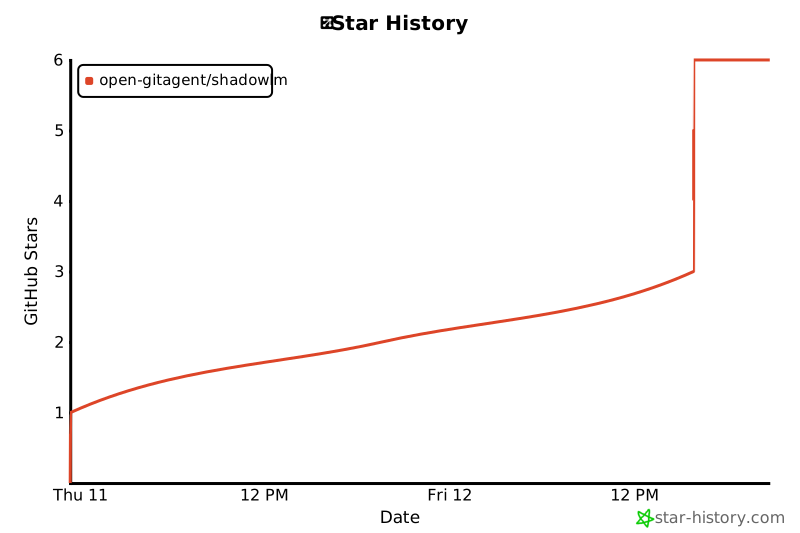
Adding a training method is one file; bug reports with a failing snippet are gold. Fork → branch → PR. ⭐ the repo if it trains something for you — it helps others find it.
License
MIT · slm♥
Project details
Verified details
These details have been verified by PyPIProject links
GitHub Statistics
Maintainers
Release history Release notifications | RSS feed


Download files
Download the file for your platform. If you're not sure which to choose, learn more about installing packages.
Source Distribution
Built Distribution
Filter files by name, interpreter, ABI, and platform.
If you're not sure about the file name format, learn more about wheel file names.
Copy a direct link to the current filters
File details
Details for the file shadowlm-0.4.0.tar.gz.
File metadata
- Download URL: shadowlm-0.4.0.tar.gz
- Upload date:
- Size: 255.6 kB
- Tags: Source
- Uploaded using Trusted Publishing? Yes
- Uploaded via: twine/6.1.0 CPython/3.13.12
File hashes
| Algorithm | Hash digest | |
|---|---|---|
| SHA256 |
ee4d493134b8128e8104e7132dd5e33d1a565ab3c3cbe3d13dbf14778b2e6d8f
|
|
| MD5 |
de26103895dba76a79bdbf82774b61a0
|
|
| BLAKE2b-256 |
5918ce5c1b316cfc55b6f70b8c0c2bbd6f4dfef6c58e8b192dc1dc8ac74c4195
|
Provenance
The following attestation bundles were made for shadowlm-0.4.0.tar.gz:
Publisher:
publish.yml on open-gitagent/shadowLM
-
Statement:
-
Statement type:
https://in-toto.io/Statement/v1 -
Predicate type:
https://docs.pypi.org/attestations/publish/v1 -
Subject name:
shadowlm-0.4.0.tar.gz -
Subject digest:
ee4d493134b8128e8104e7132dd5e33d1a565ab3c3cbe3d13dbf14778b2e6d8f - Sigstore transparency entry: 1828798161
- Sigstore integration time:
-
Permalink:
open-gitagent/shadowLM@0cbc01b789e2245a0fa187bab1be59cac8638292 -
Branch / Tag:
refs/tags/v0.4.0 - Owner: https://github.com/open-gitagent
-
Access:
public
-
Token Issuer:
https://token.actions.githubusercontent.com -
Runner Environment:
github-hosted -
Publication workflow:
publish.yml@0cbc01b789e2245a0fa187bab1be59cac8638292 -
Trigger Event:
push
-
Statement type:
File details
Details for the file shadowlm-0.4.0-py3-none-any.whl.
File metadata
- Download URL: shadowlm-0.4.0-py3-none-any.whl
- Upload date:
- Size: 268.0 kB
- Tags: Python 3
- Uploaded using Trusted Publishing? Yes
- Uploaded via: twine/6.1.0 CPython/3.13.12
File hashes
| Algorithm | Hash digest | |
|---|---|---|
| SHA256 |
73579eaee3d9eb3fe26d74545f6c518013c66e14f3e6a193d82547efd4a54941
|
|
| MD5 |
ee4f81e1f1fda92d6af758d5dec860a7
|
|
| BLAKE2b-256 |
ca331d7d77905539e549b9b58bddc6fa02df830a8d38197e2a1de3fea3bcee97
|
Provenance
The following attestation bundles were made for shadowlm-0.4.0-py3-none-any.whl:
Publisher:
publish.yml on open-gitagent/shadowLM
-
Statement:
-
Statement type:
https://in-toto.io/Statement/v1 -
Predicate type:
https://docs.pypi.org/attestations/publish/v1 -
Subject name:
shadowlm-0.4.0-py3-none-any.whl -
Subject digest:
73579eaee3d9eb3fe26d74545f6c518013c66e14f3e6a193d82547efd4a54941 - Sigstore transparency entry: 1828798434
- Sigstore integration time:
-
Permalink:
open-gitagent/shadowLM@0cbc01b789e2245a0fa187bab1be59cac8638292 -
Branch / Tag:
refs/tags/v0.4.0 - Owner: https://github.com/open-gitagent
-
Access:
public
-
Token Issuer:
https://token.actions.githubusercontent.com -
Runner Environment:
github-hosted -
Publication workflow:
publish.yml@0cbc01b789e2245a0fa187bab1be59cac8638292 -
Trigger Event:
push
-
Statement type:






