
GTFS Editor frontend app for Django

Project description
GTFS Shape Editor Django-App
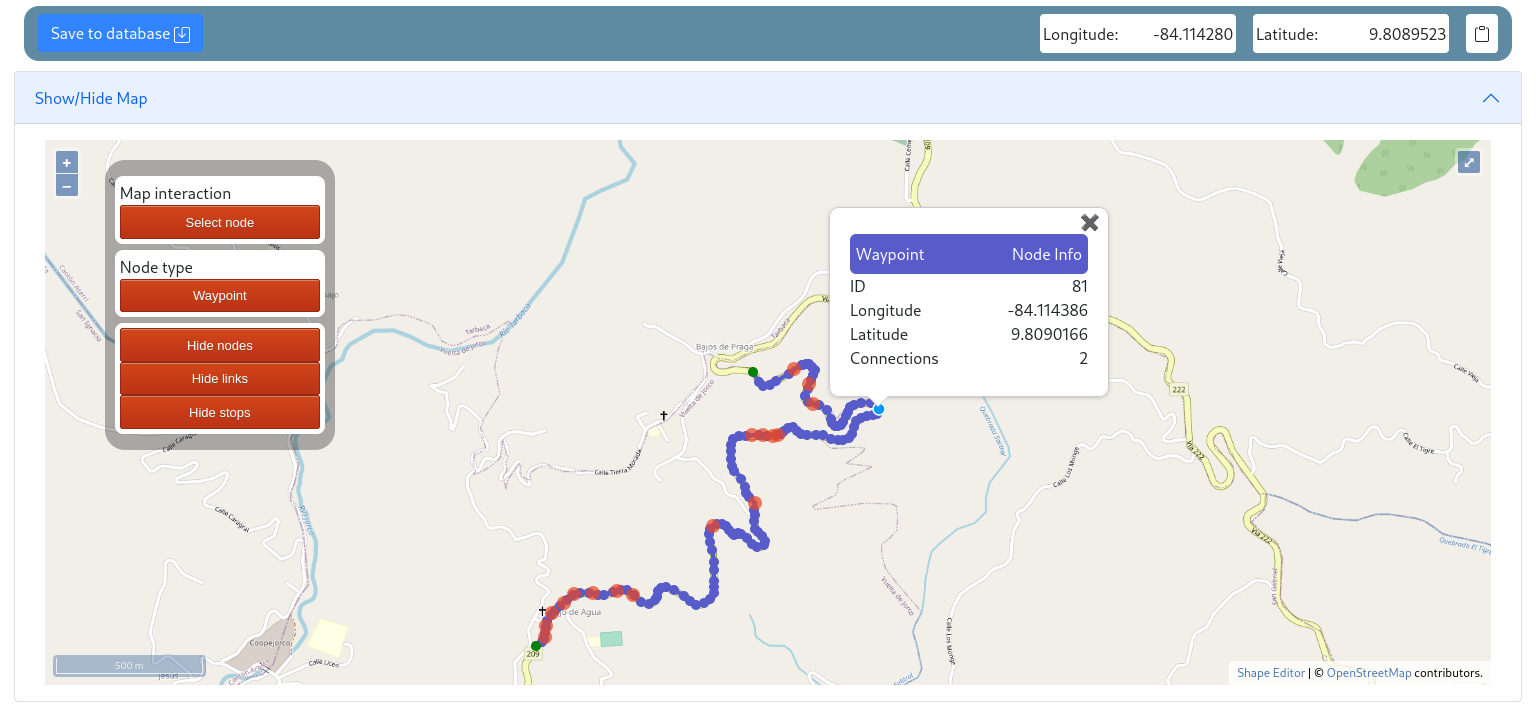
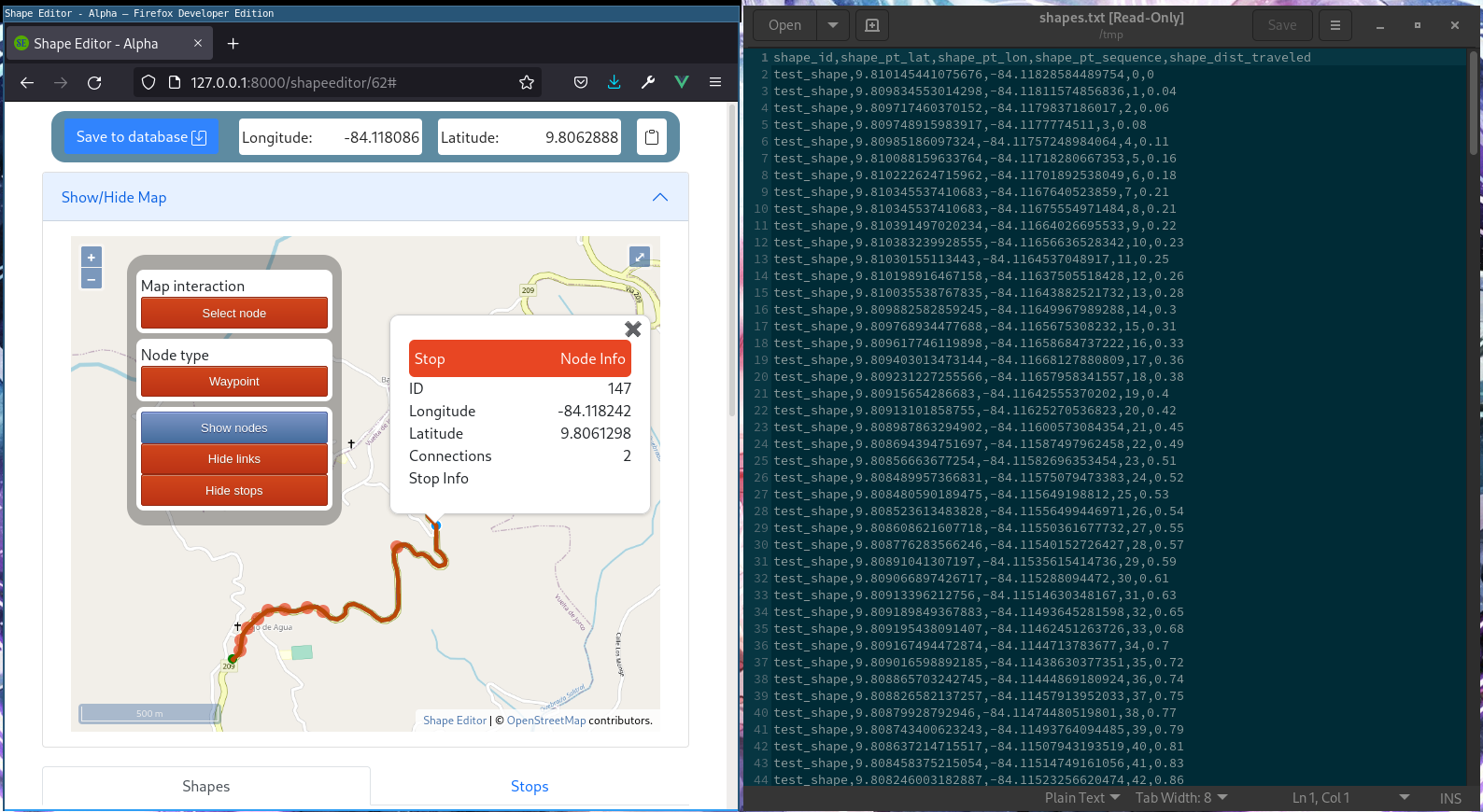
Webapp which uses Vue, OpenLayers/OpenStreetMap, sweetalert2 and Bootstrap. Editor shows a map where you can draw and route shapes, place stops and edit the properties in the tables just below.
Install
pip install shapeeditor
Add the app 'shapeeditor' in your Django project settings file
INSTALLED_APPS = [
    ...
    'shapeeditor',
    ...
]
Shapeeditor needs authentication to push data in database, define the LOGIN_URL variable to know where redirect visitor when they are not logged.
LOGIN_URL='/admin/login/'

# First point map extent area [longitude, latitude]
#       +++++++++
#       +       +
#       +  Map  +
#       +       +
# --->  @++++++++

# Second point map extent area [longitude, latitude]
# ++++++++@ <---
# +       +
# +  Map  +
# +       +
# +++++++++

SHAPEEDITOR_MAP_EXTENT_AREA = [
    [-84.43669241118701, 9.726525930153954],
    [-83.72894500499169, 9.99625455768836]]

# Center by default on load [longitude, latitude]
SHAPEEDITOR_MAP_CENTER = [-84.1027104, 9.865107]

# Router service for shape generation request (This one is a free demo)
SHAPEEDITOR_ROUTING_MACHINE_URL = "http://router.project-osrm.org/route/v1/driving/"
Include Shapeeditor urls in urls.py, then we can open the editor from the site, draw the shape and download as a shapes.txt or import it to the database.
urlpatterns = [
    path('shapeeditor/', include('shapeeditor.urls')),
]
Just to be sure database is ok run the next commands.
./manage.py makemigrations
./manage.py migrate
Usage
Map interface allows the user to draw a shape, cut links and delete links and nodes, to create a shape you need to define two endpoints then put waypoints between the begin and end, more waypoints means better aproximation.
Most of the features are already implemented in JS but there is not a GUI equivalent to call for methods yet.
Shapes are made with nodes, nodes have a type, it could be endpoint for start or end of shapes, stops, these can be part of the shape too, fork are the nodes where are more than two links, waypoint are the common nodes. To create a Shape first draw paths clicking on map with the interaction add_node, when you already have a connection between two endpoints through multiple nodes and links add a Shape in the section below, once added the shape pick the waypoints with select_node + Shift, when you pick a waypoint and it is in a shape segment, the whole segment is selected, pick only waypoints their segments are in the shape.
Pick waypoints from the start node to the final node, keep the waypoints in order to avoid backward motion, when you pick a waypoint the section>accordion for the shape we are adding the waypoints will show the waypoints list, when the the waypoints are enough click on save button to write the shape, then push it to database.
Hide and show elements on map
Add and delete nodes
Remove and split links
Uninstall
Just delete all the mentions in settings.py and remove the package from your Python libs
pip uninstall shapeeditor
How to contribute
PR are welcome.
Here some screenshots:
Sponsor
bc1qaw6urpy8t38fq3psp3p0xst4chq0yu4gamtu3v

Release history Release notifications | RSS feed


Download files
Download the file for your platform. If you're not sure which to choose, learn more about installing packages.
Source Distribution
Built Distribution
Filter files by name, interpreter, ABI, and platform.
If you're not sure about the file name format, learn more about wheel file names.
Copy a direct link to the current filters
File details
Details for the file shapeeditor-0.1.12.tar.gz.
File metadata
- Download URL: shapeeditor-0.1.12.tar.gz
- Upload date:
- Size: 979.2 kB
- Tags: Source
- Uploaded using Trusted Publishing? No
- Uploaded via: twine/3.4.1 importlib_metadata/4.0.1 pkginfo/1.7.0 requests/2.25.1 requests-toolbelt/0.9.1 tqdm/4.60.0 CPython/3.9.7
File hashes
| Algorithm | Hash digest | |
|---|---|---|
| SHA256 |
9348b8b6cdf930ab5136980263e08422392a2bed48e7b393120263f397508a19
|
|
| MD5 |
e991381a848bbc854feaddca32c95cc9
|
|
| BLAKE2b-256 |
ce2a2902999a4c893268c1a16a8d9bdbe16ca828422cce029f1730ab62e2a166
|
File details
Details for the file shapeeditor-0.1.12-py2.py3-none-any.whl.
File metadata
- Download URL: shapeeditor-0.1.12-py2.py3-none-any.whl
- Upload date:
- Size: 989.6 kB
- Tags: Python 2, Python 3
- Uploaded using Trusted Publishing? No
- Uploaded via: twine/3.4.1 importlib_metadata/4.0.1 pkginfo/1.7.0 requests/2.25.1 requests-toolbelt/0.9.1 tqdm/4.60.0 CPython/3.9.7
File hashes
| Algorithm | Hash digest | |
|---|---|---|
| SHA256 |
9ed40f2d13710aa5d8142a2acf24aac5639ba65b5e2073ef39a488475b742ac8
|
|
| MD5 |
2c84e2534c2dcdde9f72f1030abc329a
|
|
| BLAKE2b-256 |
07a3b20757106086ebeffc5a74131361b77ac4dccea76971c1000972c6cc812d
|






