
⚡ ShortsFlow AI Studio
The self-hosted Opus Clip alternative.
Paste a podcast or YouTube link, get captioned 9:16 Shorts that cut to whoever is talking. Free, local, no watermark, no credit caps.
Clip long videos with local Whisper, an LLM that scores the hooks, face-tracked 9:16 crops, a stacked two-speaker split or active-speaker switching, and Remotion spring captions.
Local by default. Nothing is sent anywhere unless you add an API key or use a cloud feature: Gemini/Groq for AI text, Gemini for picture descriptions (--visual_context), Google Drive upload. The one lookup that is on by default is the trip recap's place naming (rounded GPS to the free OpenStreetMap service); --recap_no_geocode turns it off.
Or generate from an idea with 30+ formats (facts quizzes, explainers, top-5 lists, stories) and drive everything from a browser UI, the CLI, Docker, Colab or an MCP agent.


🎬 Running in production: the YouTube channel @spottheliee is generated and posted entirely by ShortsFlow - 6 "spot the lie" Shorts a day from one GitHub Actions workflow.









⭐ If ShortsFlow saves you an Opus Clip subscription, please star the repo - it helps more creators find it.
✂️ Clipping demo: the crop follows whoever is talking
The first GIF above is a real run of py main.py --source_video interview.mp4 --layout active --use_remotion on a 4:3, 480p two-person
interview: the shot cuts to the speaker, found by voice pitch plus face detection, and Whisper word captions are burned in.
Source footage: Aida Thomas Interviews Nancy Many - Part 1
by Aida Thomas, CC BY-SA 3.0; the demo GIF is a derivative and is shared under the same licence.
🧳 Recap demo: six clips become one video

This is a real run of py main.py --mode TRIP --trip_videos <6 clips> --recap_length 30 --recap_aspect 9:16 --auto_edit hype --transitions mix
(the first 12 seconds). It is not a best case: the source is six free, widescreen (16:9) stock clips filmed by someone else, with no GPS and no
music, so there are no place names, and every shot sits small in the middle of the vertical frame with a blurred copy of itself above and below.
Vertical phone videos with GPS fill the frame instead and get named places.
Source footage: six videos by Poiana11 on Wikimedia Commons (HoiAnMarket, HoiAn Market, Vietnam-HUE, VietnamBridge, TecnoVietnam,
TecnoWork&danceVietnam), all marked CC0.
🎮 Game footage demo: story moments and action moments

py main.py --source_video gameplay.mp4 --content game --clip_count 6 --use_remotion
The normal picker only sees stretches where someone speaks, so a silent fight could never be chosen. Game mode measures every 30-second stretch
(words, sound peaks, picture motion), labels it story (cutscene, dialogue) or action (fights, driving, shooting), and picks about half of each
(--game_mix 0.5; 0 = all action, 1 = all story). The whole picture stays in frame over a blurred copy, so the minimap, the HUD and the game's own
subtitles are not cut off (--game_crop keeps a centre crop instead). Captions can be moved and resized: --caption_position top|middle|bottom,
--caption_size small|large|xlarge. In the web app: Start here, "Game footage and caption position".
Not a best case: the picture is small in the middle of the vertical frame with blurred bars above and below, and the action picking has been tuned
on one cutscene-and-driving video only; the first run used a small local model, so titles are plain.
Source footage: a 10-minute stretch of Rockstar Games' official "Grand Theft Auto VI: An Extended Look" video (in-game footage, PlayStation 5),
used as fan content; Grand Theft Auto VI footage © Rockstar Games.
🎛️ Review, restyle and brand your shorts
After Make my shorts, the browser app (shortsflow webui) shows every short as a card instead of a bare file list:

- Review: a preview player, a strong / good / okay / weak label with the reason, and a title, description and hashtags ready to copy. Remove what you do not want, then Download all as .zip. Earlier runs can be reopened.
- Edit one short: pick another caption style or change its start and end, and only that short is re-rendered (about a minute). Undo puts the previous version back.
- Caption styles come with a preview, and your brand (logo, @handle, end card, accent colour) is saved once and added to every short.


Screenshots use sample clips made from the demo GIFs above.
⚡ Quick Start - pick one
🪟 Windows: one-click install
⬇ Download ShortsFlow-Setup.exe (or see all releases), run it, then open ShortsFlow from your Desktop. A browser page opens where you paste a video link or upload a file and press one button. No Python, Node or API key to install first.
- The installer downloads roughly 2 GB the first time (about 5 GB with an NVIDIA card, because of the GPU libraries; it fetches its own private Python, the speech-recognition components and Node), so it needs an internet connection and a few minutes. It does not need admin rights.
- It is not code-signed yet, so Windows may show a blue "Windows protected your PC" box: click More info, then Run anyway.
- With an NVIDIA graphics card it uses the GPU (fast). Without one it still works on the CPU, but transcribing a long video takes much longer, and the first run also downloads the speech model.
- Uninstall from Windows Settings > Apps. Your videos and settings in
%LOCALAPPDATA%\ShortsFlow\workspaceare kept.
🚀 Your first shorts in 3 steps (no API key needed)
Clipping a long video into vertical shorts works without any account or API key. A key (or a free local Ollama) only adds AI titles and descriptions, and is needed for the idea-to-video modes.
- Install (needs Python 3.12):
pip install "shortsflow[clip]" - Check your setup:
shortsflow doctorlists what is ready and what to fix, in plain words. - Make shorts from a file or a link:
shortsflow clip my_video.mp4(orshortsflow clip "https://youtube.com/watch?v=..."). Add--count 5for more clips,--captionsfor animated captions (needs Node.js, then runshortsflow initonce).
Your shorts are saved in a shortsflow folder in your home directory (the command prints the exact path). Stuck? shortsflow doctor tells you the next step, and error messages say how to fix a bad key or a rate limit.
| Option | Command | Best for |
|---|---|---|
| ☁️ Google Colab (free GPU, zero install) | |
Trying it in 5 minutes |
| 🐳 Docker (browser WebUI) | docker run -p 7860:7860 -e GEMINI_API_KEY=your_key ghcr.io/ghost1412/shorts-generator → open http://localhost:7860 |
Servers, Linux, no Python setup |
| 📦 pip | pip install shortsflow then shortsflow init and shortsflow doctor (clipping: pip install "shortsflow[clip]") |
Using it as a command from anywhere |
| 🌐 Browser WebUI | pip install -r requirements-full.txt && python webui.py |
Local use with a GPU |
| 🖥️ Desktop Studio GUI (Windows) | setup.bat && launch.bat |
Windows desktop |
| 🤖 AI agents | python mcp_server.py or point your agent at SKILL.md |
Claude Code, Cursor, n8n |
git clone --depth 1 https://github.com/ghost1412/shorts-generator.git
cd shorts-generator
🐧 Linux / macOS:
chmod +x setup.sh && ./setup.sh && python3 webui.py
🖼️ Demo gallery
All GIFs are real renders from this repository.
| GIF | What it shows |
|---|---|
demo_clipping_active.gif |
Long interview clipped with --layout active: the shot cuts to whoever is speaking, with word captions |
demo_recap.gif |
Trip recap from six widescreen CC0 stock clips (not a best case: letterboxed, no GPS or music): hook, title cards, fast cuts |
demo_game.gif |
--content game: a cutscene clip with captions, then a car chase, whole picture kept in frame (not a best case: small picture, blurred bars) |
demo_spot_the_lie.gif |
The "Spot the Lie" quiz format that runs the daily YouTube channel |
demo_short.gif |
Idea-to-video short with spring captions |
demo_facts.gif |
--mode FACTS trivia short |
demo_explainer.gif |
--mode EXPLAINER Manim animation |
⚡ ShortsFlow vs Opus Clip, Klap & Vizard
| ⚡ ShortsFlow | Paid clippers | |
|---|---|---|
| Price | Free (MIT). You pay only for the LLM key you choose, or $0 with Ollama | ~$19-49 / month with minute or credit caps |
| Where your video goes | Stays on your machine; Whisper runs locally | Uploaded to their cloud |
| Watermark / export limits | None | Watermark and caps on lower tiers |
| Face-tracked 9:16 reframing | ✅ | ✅ |
| Podcast layouts | ✅ single, stacked split, active-speaker switching | ✅ varies by tool |
| Word-level animated captions | ✅ Remotion (Hormozi, Glow Box, Bounce, Minimal) | ✅ |
| Virality / hook score per clip | ✅ strong / good / okay / weak label with the reason on the review screen, raw score in --output_json |
✅ |
| Review screen, copy-ready title / description / hashtags | ✅ browser app | ✅ |
| Edit one short (caption style, start / end, undo) | ✅ browser app; not a frame-accurate timeline | ✅ fuller editors |
| Brand kit (logo, @handle, end card, accent colour) | ✅ | Usually on paid tiers |
| Prompt-based clipping ("only where they discuss pricing") | ✅ --find (LLM search, keyword fallback offline) |
Varies by tool |
| Edit by transcript (cut phrases, remove ums / uhs) | ✅ --cut, --edit_transcript, --remove_fillers |
Varies by tool |
| Caption languages | ✅ Latin, Cyrillic, Greek, Devanagari, Arabic and Chinese / Japanese / Korean (CJK fonts download once on first use), optional translation (--caption_lang) |
Many languages |
| Dubbing / translated voice-over | ✅ basic (--mode DUB: one synthetic voice per language, no voice cloning, no lip-sync) |
Often a paid add-on, with voice cloning |
| Idea-to-video (facts, explainers, stories) | ✅ 30+ modes | ❌ clipping only |
| Automation | ✅ CLI, REST API, MCP server, Docker, GitHub Actions | API usually on higher tiers |
| Polished timeline editor | ❌ | ✅ |
| Multi-platform scheduling | ⚠️ TikTok / Instagram / YouTube via Upload-Post (python -m engine.publish); only tested against mocks, not a live account |
✅ |
| Setup | One-click Windows installer or pip install shortsflow; CPU works but is slow, an NVIDIA GPU is much faster |
Open a browser tab |
Honest take: the paid tools have a nicer editor, hosted convenience and tested scheduling. ShortsFlow wins on cost, privacy, and being scriptable. Competitor columns describe typical offerings and change often; check their current pricing and features.
🖥️ Desktop Studio GUI (gui_app.py)

- 3-Column Single-Window Studio Layout: Live 9:16 vertical canvas preview, mode picker, preset cards, and 1-click render launcher.
- Interactive Remotion Presets: 1-click selection between
HORMOZI,GLOW_BOX,BOUNCE, andMINIMALspring captions.
🎬 Video Generator Modes
| Mode | Visual Format | Quick Command |
|---|---|---|
| ✂️ AI Clipping | Slices long YouTube/local videos into high-scoring vertical shorts | py main.py --source_video "URL" --smart_crop |
| 🔢 Top 5 Countdown | Numbered listicle countdown shorts (#5 ➔ #1) with rank badges | py main.py --mode TOP_5 --category "inventions" |
| 💬 Chat Story | Animated text message conversation shorts (iMessage format) | py main.py --mode CHAT_STORY --category "mystery" |
| 👥 Podcast (planned, not implemented yet) | 2-speaker debate shorts with alternating multi-voice synthesis | - |
| 🌐 Video Dubbing (basic) | Transcribes, translates per sentence, re-voices with edge-tts (needs internet; Kokoro for English), ducks the original audio, writes translated .srt (--dub_captions burns it in, with a font that has the glyphs for Hindi, Arabic, Cyrillic and CJK). One voice for everyone (`--dub_voice male |
female |
| 📸 Photo reels | Give 3+ photos and pick a type (memories, travel recap, product showcase, then vs now, top-N countdown, tribute): it skips blurry and duplicate photos, orders them (by photo date for memories/travel), times them, writes the captions, title and closing line, and renders a 9:16 reel with music. Works with no key. Browser app: the Photo reel tab | py main.py --mode PHOTO_REEL --photos_dir photos --reel_type travel --prompt "Lisbon" |
| 🧮 Manim Explainer | Programmatic 2D/3D math, CS, and science animations | py main.py --mode EXPLAINER --prompt "Gravity" |
| 💡 AI Facts | High-energy trivia & mystery facts with scene stock loops | py main.py --mode FACTS --category "space" |
| 📖 AI Story | Narrative story voiceover with visual scene stitching | py main.py --mode STORY --category "sci-fi" |
| 🤔 This or That (WYR) | Split-screen dilemma challenge with VS central badge | py main.py --mode WYR --category "superpowers" |
| 🧩 Emoji Guess | Interactive emoji puzzle game with animated reveal | py main.py --mode EMOJI_GUESS --category "movies" |
| 📰 News Breakdown | RSS news headline summary with cartoon personas | py main.py --mode NEWS --cartoon --persona mafia_cat |
🎛️ Engine Power Capabilities
| Capability | Supported Technologies & Flags |
|---|---|
| 🎙️ Voice Synthesis & Cloning | Local Kokoro TTS (--tts_provider kokoro, no key), Zero-Shot Voice Cloning (--clone_voice "sample.wav"), VoiceStudio Local REST (--tts_provider voicestudio), ElevenLabs, EdgeTTS |
| 📐 Aspect Ratios | 9:16 vertical shorts (the default), 16:9 for the highlights video. --aspect_ratio values other than 9:16 are not implemented yet and print a warning |
| 🔊 Audio & sound effects | --clean_audio (noise reduction + loudness to about -14 LUFS; --enhance_audio is the same), soft whooshes / pops / hits under zooms, cutaways and the teaser cut with --auto_edit. --auto_ducking and --sfx_preset are not implemented yet |
| 🎥 Motion & Visual Filters | Punch-in zooms on emphasised words (--auto_zoom, also --enable_zoom), stock cutaways (--broll), 12 colour grade presets (--video_filter cyberpunk, kurosawa, teal_orange) |
| 📦 Batch Automation | Automated queue execution from CSV / text lists (--batch_file "topics.txt") |
| 🌍 Caption Languages | Latin, Cyrillic (ru, uk, bg), Greek and Devanagari captions; --caption_lang es translates captions with your AI provider and keeps them timed |
| 🧭 Layouts | --layout auto picks per clip: cut-to-speaker for two-person shots, tracked single crop otherwise; also active, stacked; fit shows the whole landscape picture centred over a blurred copy (nothing cropped off the sides) |
| 🎞️ Highlights Video | One landscape video of the best moments, any length, from the browser app |
| 🎬 Auto-edit director | `--auto_edit podcast |
| 🪝 Cold open | --cold_open starts each short with its strongest line as a 1.5-6 s teaser, then plays the clip from the beginning (captions and subtitles stay in sync) |
| 👁️ Story-aware picking | --visual_context lets a vision model look at a few frames of each candidate, so the story on screen counts and not only what the speaker says (great for gameplay, cutscenes, film recaps). With GEMINI_API_KEY set it uses Gemini (small frames are sent to Google; best descriptions, no GPU load); otherwise a local Ollama model (ollama pull gemma3:12b, nothing leaves your PC). SHORTSFLOW_VISION=ollama forces local. --user_context "God of War 3 story playthrough" tells the AI what the video is about. Skipped with a note if neither is available |
| 🧳 Trip recap | Several travel videos in order become one recap: a hook over the most beautiful shots, then the whole trip day by day or stop by stop with title cards, a closing card, plus a written itinerary (--mode TRIP, or the Trip recap tab). It reads the GPS your phone stored in each video to tell the places apart and name them as tourist attractions (lakes, canyons, viewpoints; the coordinates go to the free OpenStreetMap service, --recap_no_geocode keeps them on your PC). The same scene is never shown twice, and with --visual_context clips stored sideways are turned upright. --recap_versions both makes a portrait and a landscape version |
| 🎨 Auto-enhance | --enhance auto (shorts and the trip recap; tick-boxes in the browser app) corrects each video like an editor before styling it: lifts dark clips, tones down very bright ones, reduces a clear colour cast, adds a little colour and sharpness to dull clips, light denoise on dark noisy ones. Each video is measured and only corrected where needed; vivid sunsets and lakes are left alone. Local, FFmpeg only; it cannot add detail that is not in the footage |
| ♻️ Reuse an earlier run | In the browser app, pick an earlier run (Start here or Trip recap), change any setting and start: the transcript, chosen moments, picture descriptions and cut pieces are reused, so only the final rendering is done again. Choose "Skip transcription only" to pick the moments again (needed when you change the clip count, length or layout) |
| ☁️ Upload to Google Drive | --upload_drive <folder link> with --mode TRIP, python -m engine.drive_upload FILE --folder <link>, or the optional Drive box in the browser app. One-time Google sign-in set-up is described at the top of engine/drive_upload.py |
| 🎯 Smarter clip picking | Clips start and end on sentence boundaries (--no_snap to disable), repeated moments are skipped (--no_diversity), one LLM request ranks all candidates with context (--no_rerank), pace changes and laughter count a little (--no_signals) |
| 📸 Photo reels | `--mode PHOTO_REEL --reel_type memories |
| 🤖 Multi-LLM Matrix | Google Gemini, Local Ollama (qwen2.5:7b), DeepSeek, Groq, Anthropic, OpenRouter (--llm_provider) |
🎨 Visual Color Grading Presets (--video_filter)
| Preset Name | Visual Atmosphere | Preset Name | Visual Atmosphere |
|---|---|---|---|
dynamic |
AI auto-switches color grade per scene beat | kurosawa |
Black & White high-contrast samurai |
cyberpunk |
Neon boosted purples/blues for night sci-fi | teal_orange |
Blockbuster movie cinematic color balance |
cinematic_warm |
Golden hour warmth for scenery & drama | vibrant_action |
Sharp contrast & saturation for sports/action |
vintage_vhs |
Analog retro tape scanlines & color shift | moody_dark |
Dark fantasy / horror shadow contrast |
🤖 Model Context Protocol (MCP) & AI Agent Server
ShortsFlow AI Studio provides a native MCP Server (mcp_server.py) allowing AI assistants (Claude Desktop, Cursor, Antigravity, n8n, AutoGPT) to create shorts autonomously:
Listed in the Glama MCP directory (its quality score is the Glama badge at the top of this page).
# Launch MCP Server over standard I/O for AI IDEs & Workflow Engines
python mcp_server.py
Add it to your AI tool
The MCP server runs from a checkout of this repo (it starts main.py next to it):
git clone --depth 1 https://github.com/ghost1412/shorts-generator.git
cd shorts-generator && pip install -r requirements.txt
claude mcp add shortsflow -- python /full/path/to/shorts-generator/mcp_server.py      # Claude Code
Claude Desktop / Cursor: add this under mcpServers in the tool's config JSON (use the full path):
{ "mcpServers": { "shortsflow": { "command": "python", "args": ["/full/path/to/shorts-generator/mcp_server.py"] } } }
Available MCP Tools:
generate_short: Create AI shorts from topics or prompts.extract_clips: Slice long YouTube videos into vertical shorts with face tracking, a stacked two-speaker split (layout: split) or active-speaker switching (layout: active).generate_social_package: Generate platform metadata (.meta.json) for YouTube Shorts, TikTok, and Reels.get_render_status: Query live rendering job progress.list_supported_modes: List the content modes, caption styles and options the server accepts.
Defaults differ by surface (on purpose)
The same clipping job starts from different defaults depending on where you launch it, so pass the flag you want explicitly when it matters:
| face-tracking crop | cut silences | animated captions | clips | length | |
|---|---|---|---|---|---|
python main.py |
off | off | off | 5 | 30 s |
shortsflow clip |
on | on | off (--captions) |
3 | 30 s |
| Browser app, Clip tab | on | on | on | 3 | 30 s |
REST API (/v1/clips) |
on | off | on | 3 | 45 s |
MCP extract_clips |
on | on | on | 3 | 30 s |
Shorts are never longer than 60 s; the API now rejects a longer target_duration instead of silently capping it.
🔌 REST API & Webhooks
pip install -r requirements-full.txt
SHORTSFLOW_API_KEY=change-me python -m shortsflow.api        # http://127.0.0.1:8080/docs
curl -X POST localhost:8080/v1/clips -H "Authorization: Bearer change-me" -H "Content-Type: application/json"   -d '{"source_video": "https://youtu.be/VIDEO_ID", "layout": "active", "clip_count": 3, "webhook_url": "https://example.com/hook"}'
# -> {"id": "a1b2c3", "status": "queued", "url": "/v1/jobs/a1b2c3"}
curl localhost:8080/v1/jobs/a1b2c3 -H "Authorization: Bearer change-me"   # status + files[] download links
Set SHORTSFLOW_API_KEY before exposing the API beyond localhost; webhook URLs pointing at private addresses are rejected unless SHORTSFLOW_ALLOW_PRIVATE_WEBHOOKS=1.
POST /v1/shorts generates from an idea (mode, category, prompt...). Webhooks are signed with
X-ShortsFlow-Signature: sha256=<HMAC of body> when SHORTSFLOW_WEBHOOK_SECRET is set. Jobs run one at a time by default
(SHORTSFLOW_MAX_CONCURRENT). With Docker: SHORTSFLOW_API_KEY=change-me docker compose --profile api up api (refuses to start without a key). A ready-made n8n flow lives in examples/n8n/.
📤 Publish & Schedule (TikTok, Instagram Reels, YouTube Shorts)
Clip extraction writes metadata.json (title, description, tags) and a badge thumbnail next to every clip. Post them with
Upload-Post, which holds the platform logins (set UPLOAD_POST_API_KEY and UPLOAD_POST_USER):
# preview what would be posted, then post now or stagger one clip every 3 hours
python -m engine.publish sessions/extraction_123/metadata.json --platforms tiktok,instagram,youtube --dry-run
python -m engine.publish sessions/extraction_123/metadata.json --platforms tiktok,instagram --start 2026-11-02T10:00 --every 180 --timezone Europe/Madrid
🏷️ Brand Kit
Burn your logo, @handle and a closing end card into every clip (placed clear of the Shorts/Reels UI):
py main.py --source_video "URL" --logo logo.png --handle @mychannel --end_card "Follow for more"
py main.py --source_video "URL" --brand examples/brand.json      # same thing as a preset file
python -m engine.branding existing_clip.mp4 --logo logo.png --handle @mychannel   # any finished video
💡 Top Command Recipes
# 1. Podcast Shorts that cut to whoever is talking (stacked split when unsure) + silence removal
py main.py --source_video "https://www.youtube.com/watch?v=VIDEO_ID" --extract_mode shorts --layout active --tighten --use_remotion

# 1b. Prompt-based clipping: only the moments that match your request (LLM search, keyword fallback offline)
py main.py --source_video "https://www.youtube.com/watch?v=VIDEO_ID" --find "where they discuss pricing" --clip_count 3 --use_remotion

# 1a. Cut the ums and uhs (and silences) out of clips
py main.py --source_video "URL" --tighten --remove_fillers --use_remotion

# 1e. Edit by transcript: cut phrases, or delete words from the transcript text file and re-run
py main.py --source_video "URL" --session_dir sessions/talk --cut "you know" --cut "so basically"
#   -> writes sessions/talk/transcript.txt; delete words/lines in a copy, then:
py main.py --source_video "URL" --session_dir sessions/talk --edit_transcript my_edit.txt

# 1c. Emoji pop on keywords in HORMOZI/BOUNCE captions (needs an emoji font; included in the Docker image)
py main.py --source_video "URL" --use_remotion --caption_style HORMOZI --caption_emoji

# 1d. Fully local, zero-cost voice: Kokoro TTS (no API key; ~120 MB model downloads once)
py main.py --mode FACTS --category "space" --tts_provider kokoro --voice af_heart --use_remotion

# 2. High-Retention Short with Voice Cloning, Zoom Motion & Audio Ducking
py main.py --mode FACTS --category "cyberpunk AI" --tts_provider voicestudio --clone_voice "my_voice.wav" --enable_zoom --auto_ducking --use_remotion

# 3. Render Landscape 16:9 YouTube Video with SFX
py main.py --mode EXPLAINER --prompt "Quantum physics" --aspect_ratio 16:9 --sfx_preset whoosh

# 4. Translate and dub a video (basic: one synthetic voice, no cloning; --language auto if the source is not English)
py main.py --mode DUB --source_video talk.mp4 --target_lang es --dub_captions

# 5. Process Batch Content Calendar Queue
py main.py --batch_file "topics.txt" --mode FACTS --aspect_ratio 9:16 --use_remotion
⚙️ Environment Configuration (.env)
Rename env.example to .env:
GEMINI_API_KEY=your_gemini_key_here
HF_API_KEY=your_huggingface_key_here
PEXELS_API_KEY=your_pexels_key_here

# Local Voice Studio & Production Defaults
VOICE_PROVIDER=auto
VOICE_STUDIO_URL=http://localhost:8000/v1/audio/speech
DEFAULT_ASPECT_RATIO=9:16
AUTO_DUCKING=true
🤖 AI Agent Onboarding
If you are an AI Coding Agent (Cursor, Antigravity, Claude Code, Copilot, AutoGPT) onboarding into this codebase, see AGENTS.md for structured architectural context, module maps, CLI skills, and execution rules, and ROADMAP.md for the open task board.
🐞 Report a problem
Something broke? Open an issue and paste the output of shortsflow doctor (it prints no keys). For installer problems also attach install.log from the install folder.
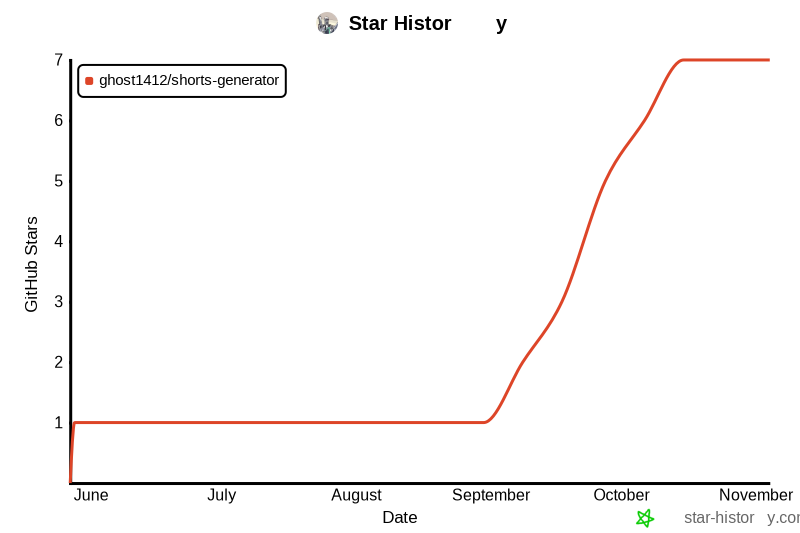
⭐ Star History
📄 License
ShortsFlow AI Studio is open-source software licensed under the MIT License.
The optional animated-caption renderer uses Remotion, which has its own source-available licence (free for individuals and small teams; see remotion.dev/license if you are a larger company). Without Node.js/Remotion you still get clips, just without the animated captions.
1 maintainer

Metadata
1 maintainer
Release files for shortsflow 0.7.0
For a detailed explanation of source distributions (sdists) and built distributions (wheels), please see the package formats documentation.
Source distribution (sdist)
| File | Size | Uploaded | Provenance | Actions |
|---|---|---|---|---|
| shortsflow-0.7.0.tar.gz | 11.5 MB | With provenance | Details for shortsflow-0.7.0.tar.gz |
Built distribution (wheel)
| File | Interpreter | ABI | Platform | Actions Reset |
|---|---|---|---|---|
| shortsflow-0.7.0-py3-none-any.whl | Python 3 | none | any | Details for shortsflow-0.7.0-py3-none-any.whl |
Total release size: 23.1 MB
Release files / shortsflow-0.7.0.tar.gz
| Download URL | shortsflow-0.7.0.tar.gz |
|---|---|
| Size | 11.5 MB |
| Tags | Source |
|
SHA-256 checksum How to use checksums |
22a353153b675f44ccb2c322296fad67774fd0d1cb7759f75333550e5e4d2b0f
|
|
BLAKE2b-256 checksum How to use checksums |
6dd6ec1e2b4958cd3be8ba22f08b8c2225cbb55cf8c2b15f665a6a6b11bfd320
|
| Upload date | |
|
Uploaded using Trusted Publishing? What is trusted publishing? |
Yes |
| Uploaded via |
twine/7.0.0 CPython/3.13.16
|
Provenance
Provenance describes where a file came from. On PyPI, provenance is shared via attestations, which provide a verifiable record of the build or publishing details. View details, limitations and caveats.


PyPI Publish Attestation
PyPI verified that this artifact, at this checksum, originated from the publisher listed below.
Signed by GitHub Actions, verified by PyPI on Nov 10, 2026.
Transparency logRelease files / shortsflow-0.7.0-py3-none-any.whl
| Download URL | shortsflow-0.7.0-py3-none-any.whl |
|---|---|
| Size | 11.6 MB |
| Tags | Python 3 |
|
SHA-256 checksum How to use checksums |
adb987e84bdcb1aced432cddb8b0de63cf7babe17a9fd7cc634cebe807fb5b12
|
|
BLAKE2b-256 checksum How to use checksums |
ec90a497e7908ea4445e641c6fb9b84478f84d14850fcffacb326c8fcd16a289
|
| Upload date | |
|
Uploaded using Trusted Publishing? What is trusted publishing? |
Yes |
| Uploaded via |
twine/7.0.0 CPython/3.13.16
|
Provenance
Provenance describes where a file came from. On PyPI, provenance is shared via attestations, which provide a verifiable record of the build or publishing details. View details, limitations and caveats.
PyPI Publish Attestation
PyPI verified that this artifact, at this checksum, originated from the publisher listed below.
Signed by GitHub Actions, verified by PyPI on Nov 10, 2026.
Transparency logSecurity for shortsflow 0.7.0
Provenance
Provenance describes where a file came from. On PyPI, provenance is shared via attestations, which provide a verifiable record of the build or publishing details. View details, limitations and caveats.
Full provenance
Both files in this release have been uploaded with provenance metadata.
Attestation for shortsflow-0.7.0.tar.gz
PyPI Publish Attestation
PyPI verified that this artifact, at this checksum, originated from the publisher listed below.
Signed by GitHub Actions, verified by PyPI on Nov 10, 2026.
Transparency logA note on package security
PyPI is a repository for distributing packages, not a service for auditing them. While third-party security researchers and our staff do their best to detect and remove malicious packages, PyPI cannot guarantee the quality, security or suitability of any given package.
To learn more about protecting yourself from malicious actors, visit our package security documentation.














