
A pipeline which allows for the ingestion, storage, and processing of a large body of textual information with LLMs.

Project description
#!/Simon
Hello! Welcome to Simon. Simon is an open-source pipeline which allows for the ingestion, storage, and processing of a large body of textual information with LLMs and a Postgres Database.
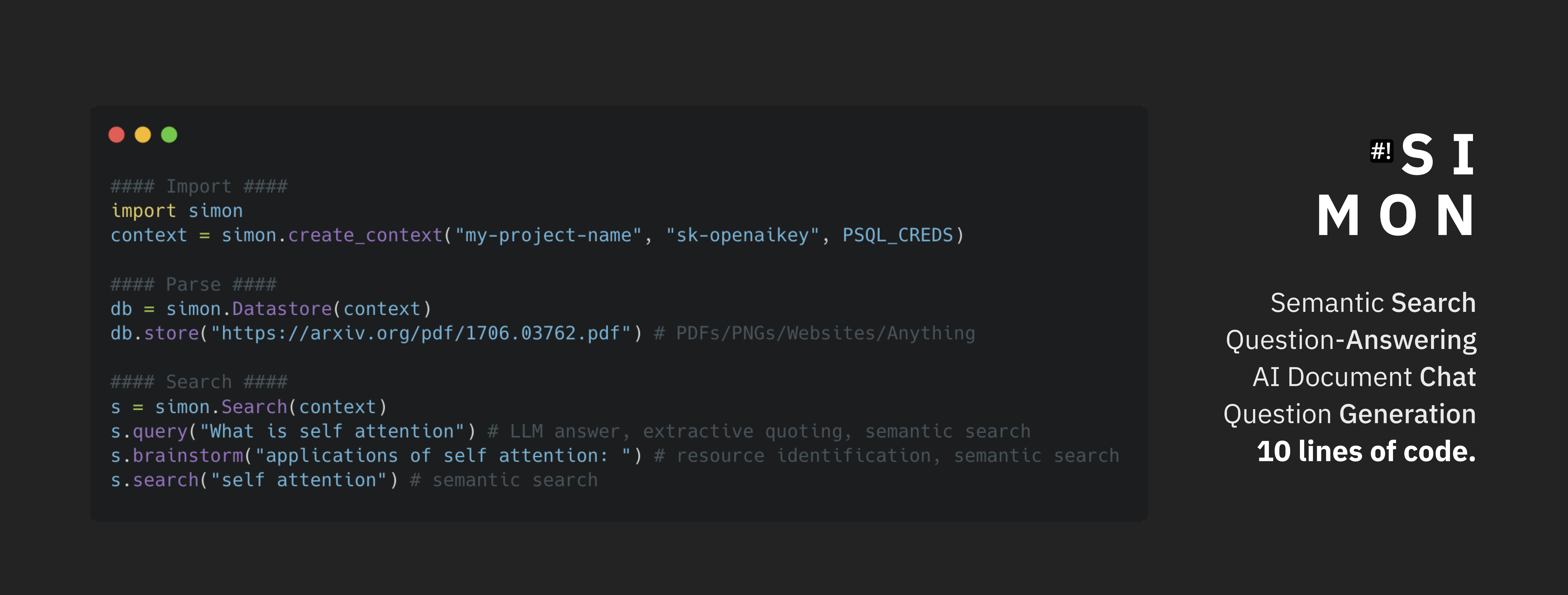
Check out this online demo of the tool!
This document serves as a very-minimal quickstart as we work to build this tool. Needless to say, this tool is alpha, at best. Proceed for your own risk and fun!
Getting Started
Database and Credentials
You need an psql instance running somewhere with the vector plugin available here (and installed on most major cloud providers) to support Simon.
You will also need OpenAI credentials. This will be available be either with the OpenAI public API, or Azure OpenAI Services.
Get the postgres connection credentials and OpenAI credentials, and keep it for use in the steps below.
Install Simon!
You can install Simon from pypi.
pip install simon-search
all versions are figured with Python 3.11; all versions >3.9 should be supported.
Set Environment Variables
There are a few secret credentials (database, OpenAI) that we mentioned above, and it is more convenient when these credentials are stored in an .env file.
Collect your credentials from the steps before, and create an .env file (copy the .env.example available at this link and set values after the = sign) or through simple export directive in your bash shell.
An example of all the environment variables needed is in the .env.example file available at this link.
Values set in your shell will override those in the .env file.
Provision your Database
You need to manually seed the database schema when you're first setting up. To do this, fill out the environment variables found in .env.example available at this link into the .env file in your local directory, then run:
simon-setup
To setup your database. If the program exits without error, you are good to go.
Run the code!
You are now ready to rock Simon! Follow the usage examples in tutorial.py available here get a full overview of the Python API.
REST API
We also offer a fairly minimal API through api.py. To be able to do this, you need to first install the API server requirements:
pip install 'simon-search[web]'
then, run:
gunicorn simon.api:rest -w [num_workers] --timeout 1000
No documentation quite yet, but we hope to get that up shortly.
Misc notes
You'll need java installed/available to run Tika which is used for fetching/manipulating external data.
Check that it's available:
java -version
If not, install is system dependent.
(Quick fix for Ubuntu + Debian-based distros: sudo apt install default-jre)
Friends!
We are always looking for more friends to build together. If you are interested, please reach out by... CONTRIBUTING! Simply open a PR/Issue/Discussion, and we will be in touch.

(C) 2023 Shabang Systems, LLC. Built with ❤️ and 🥗 in the SF Bay Area
Release history Release notifications | RSS feed


Download files
Download the file for your platform. If you're not sure which to choose, learn more about installing packages.
Source Distribution
File details
Details for the file simon-search-0.0.1.post2.tar.gz.
File metadata
- Download URL: simon-search-0.0.1.post2.tar.gz
- Upload date:
- Size: 15.1 MB
- Tags: Source
- Uploaded using Trusted Publishing? No
- Uploaded via: twine/0.0.0 pkginfo/1.9.6 readme-renderer/40.0 requests/2.31.0 requests-toolbelt/1.0.0 urllib3/2.0.3 tqdm/4.65.0 importlib-metadata/6.7.0 keyring/24.2.0 rfc3986/2.0.0 colorama/0.4.6 CPython/3.10.9
File hashes
| Algorithm | Hash digest | |
|---|---|---|
| SHA256 |
20ab68a7a534e96ccfee83f97e654f765ff06b47bbfd97dc71e36928ac5fa2c9
|
|
| MD5 |
41572236a99f7be58aa455b316409766
|
|
| BLAKE2b-256 |
e755742a92661f808418743d3baf9600312b58e1d8ddc760aa454ffaa1467dc9
|






