

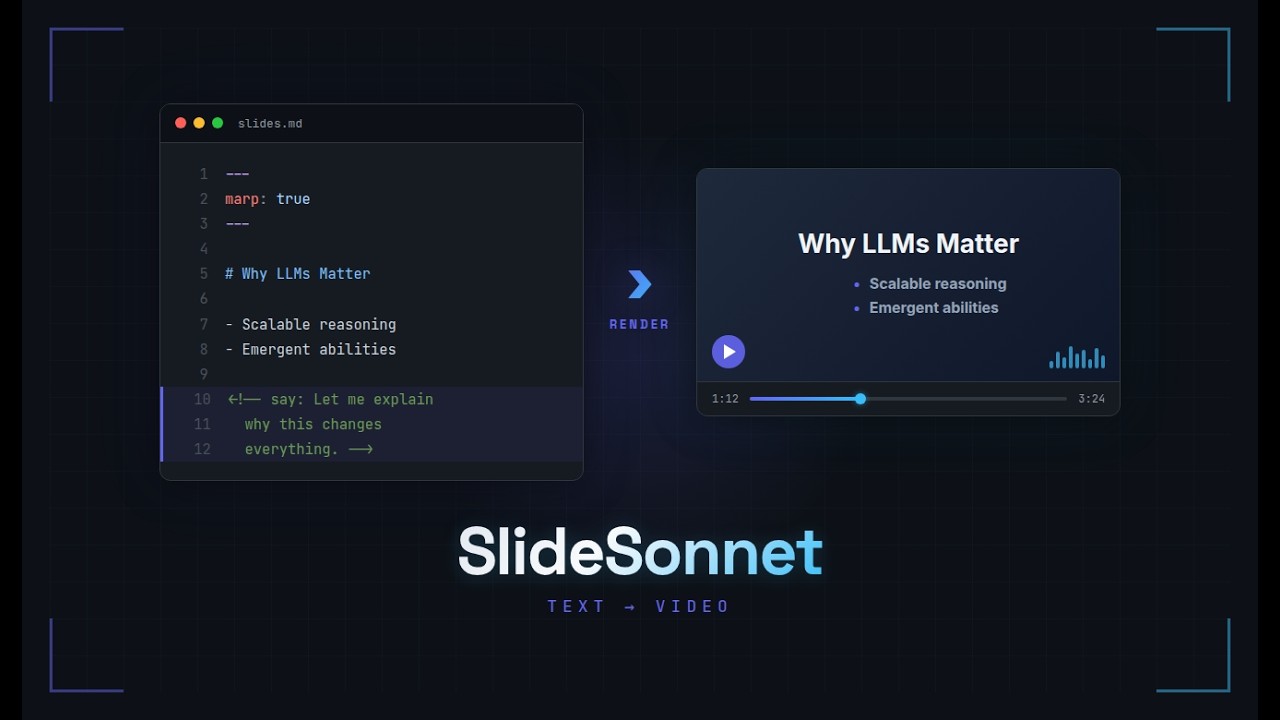
Compile text-based slide presentations into narrated MP4 videos.
Write your slides in MARP Markdown or LaTeX Beamer, add narration with <!-- say: --> comments, and slideSonnet handles TTS synthesis, video composition, and assembly — with incremental builds that only re-synthesize changed slides.
How it works
slidesonnet.yaml (playlist)
    |
    ├── 01-intro/slides.md   → [parse → TTS → compose] → module_01.mp4
    ├── animations/euler.mp4  → [passthrough]            → module_02.mp4
    ├── 02-proofs/slides.tex  → [parse → TTS → compose] → module_03.mp4
    └── [assemble] ─────────────────────────────────────→ my-course.mp4
A playlist file chains modules together — MARP slides, Beamer slides, and pre-existing video files. Each module is built independently, then concatenated into the final video. pydoit manages the build graph with content-hash caching, so only changed slides trigger TTS.
Installation
External dependencies
Install these system packages first:
| Tool | Required? | What it does | Install |
|---|---|---|---|
| ffmpeg | Yes | Video composition and concatenation | sudo apt install ffmpeg |
| marp-cli | Yes (for MARP slides) | Converts Markdown slides to PNG images | npm install -g @marp-team/marp-cli |
| latexmk + pdflatex + pdftoppm | Only for Beamer | Compiles LaTeX (latexmk drives pdflatex to convergence) and extracts slide images | sudo apt install latexmk texlive-latex-base poppler-utils |
After installing, run slidesonnet doctor to verify everything is set up correctly.
Install slideSonnet
With uv (recommended):
uv tool install slidesonnet[piper]
With pipx:
pipx install slidesonnet[piper]
The [piper] extra includes Piper TTS for free local speech synthesis. Omit it if you plan to use ElevenLabs instead.
Quick start
# Create an example project (MARP Markdown)
slidesonnet init md myproject

# Build the video
cd myproject
slidesonnet build
Example: The Basel Problem
A 10-minute narrated lecture on the Basel Problem, built entirely from a single slides.md file:

Source: examples/basel-problem/
Showcase example
The examples/showcase/ directory is a single-file MARP presentation introducing slideSonnet through a dialog between two voices. It demonstrates narration, fragment animation, voice switching, silent/skipped slides, math, code, and images — all in one slides.md file.
Source: examples/showcase/ — includes pronunciation dictionaries and a playlist with ElevenLabs and Piper voice configuration.
Writing slides
MARP Markdown
Add narration with <!-- say: --> HTML comments:
---
marp: true
---

# Introduction

<!-- say: Welcome to the lecture. Today we cover graph theory basics. -->

---

# Euler's Theorem

<!-- say(voice=alice): Let me explain this theorem carefully. -->

---

# Diagram

<!-- nonarration -->

---

# Hidden Notes

<!-- skip -->
| Annotation | Effect |
|---|---|
<!-- say: text --> |
Narrate with default voice |
<!-- say(voice=alice): text --> |
Narrate with a named voice preset |
<!-- nonarration --> |
Show slide with silence (uses global silence_duration) |
<!-- nonarration(5) --> |
Show slide with silence for 5 seconds (per-slide override) |
<!-- skip --> |
Omit slide from video entirely |
| (none) | Treated as silent, emits a warning |
Multi-line narration is supported. Slides with multiple <!-- say: --> directives are expanded into animated sub-slides with progressive fragment reveal — see MARP documentation for details.
Beamer LaTeX
Use the \say command (defined as a no-op by slidesonnet.sty so LaTeX compiles normally). The <N> mirrors beamer's own overlay specs — it picks which built-up step of the frame the narration plays on:
\usepackage{slidesonnet}

\begin{frame}
  \frametitle{Euler's Theorem}
  \say<1>{The sum of all vertex degrees equals twice the number of edges.}
  \onslide<2->{\say<2>[voice=alice]{Now watch what happens as the graph grows.}}
\end{frame}
Beamer forms: \say<N>{}, \say<N>[voice=alice]{}, \nonarration, \nonarration[5] (per-slide duration override), \slidesonnetskip. Every \say must carry a step number — <N> (recommended) or the legacy [N] / [slide=N] bracket form; a bare \say{} is rejected. Each frame is split into one video segment per beamer overlay step (counted from the compiled .nav, so \pause, \onslide<>, \item<> all work); steps without a \say are held silently — see Beamer documentation for details.
Playlist format
A single .yaml file per presentation. Configuration and module list in pure YAML:
title: Graph Theory Lecture 1
tts:
  backend: piper
  piper:
    model: en_US-lessac-medium
  elevenlabs:
    api_key_env: ELEVENLABS_API_KEY
    voice_id: pNInz6obpgDQGcFmaJgB
voices:
  alice:
    piper: en_US-amy-medium
    elevenlabs: 21m00Tcm4TlvDq8ikWAM
pronunciation:
  shared:
    - pronunciation/cs-terms.md
    - pronunciation/math-terms.md
  # piper:
  #   - pronunciation/piper-hacks.md
  # elevenlabs:
  #   - pronunciation/elevenlabs-hacks.md
video:
  resolution: 1920x1080
  fps: 24
  crf: 23
  pad_seconds: 1.5
  pre_silence: 1.0
  silence_duration: 3.0
  crossfade: 0.5
modules:
  - 01-intro/slides.md
  - animations/euler.mp4
  - 02-proofs/slides.tex
  - 03-summary/slides.md
- Module type is auto-detected from extension (
.md→ MARP,.tex→ Beamer,.mp4/.mkv/.webm/.mov→ video passthrough) - Lines starting with
//are comments (filtered before YAML parsing) - Video files are used as-is
Pronunciation files
Reusable .md files with **word**: replacement pairs:
# CS Pronunciation Guide

## People
**Dijkstra**: DYKE-struh
**Euler**: OY-ler

## Terms
**adjacency**: uh-JAY-suhn-see
Replacements are word-boundary aware (won't change "Eulerian") and case-insensitive. Reference them in the playlist under pronunciation:.
Per-backend pronunciation
Pronunciation workarounds that fix one TTS engine often break another. You can specify separate files per backend:
pronunciation:
  shared:
    - pronunciation/names.md
  piper:
    - pronunciation/piper-hacks.md
  elevenlabs:
    - pronunciation/elevenlabs-hacks.md
When building with --tts piper, the effective dictionary is shared + piper. With --tts elevenlabs, it's shared + elevenlabs. Backend-specific entries override shared entries for the same word.
The flat list format still works and is treated as shared:
pronunciation:
  - pronunciation/names.md
Voice presets
Define named voices in the playlist. Each preset can map to different voice IDs per TTS backend, so --tts piper and --tts elevenlabs both resolve correctly:
voices:
  alice:
    piper: en_US-amy-medium
    elevenlabs: 21m00Tcm4TlvDq8ikWAM
  bob:
    piper: en_US-joe-medium
    elevenlabs: pNInz6obpgDQGcFmaJgB
A simple string value is also supported — it is used as-is regardless of backend:
voices:
  alice: en_US-amy-medium
Then use presets per-slide: <!-- say(voice=alice): ... -->. If a preset has no mapping for the active backend, the slide falls back to the default voice with a warning.
API keys
For ElevenLabs, store keys in a .env file at the project root (auto-loaded at build time):
ELEVENLABS_API_KEY=sk-xxx-your-key
The playlist references env var names, never values: api_key_env: ELEVENLABS_API_KEY.
CLI reference
slidesonnet build                          # build video + SRT subtitles
slidesonnet build --tts piper              # override TTS backend
slidesonnet build --no-srt                 # build without generating subtitles
slidesonnet build --dry-run                # show what would be built (no TTS/FFmpeg)
slidesonnet preview                        # quick build with local Piper TTS
slidesonnet subtitles                      # regenerate SRT from cached audio
slidesonnet preview-slide slides.md 3       # play one slide's audio
slidesonnet preview-slide slides.md 3 -p slidesonnet.yaml  # with playlist config
slidesonnet init md myproject               # MARP Markdown project
slidesonnet init tex myproject              # Beamer LaTeX project
slidesonnet list                           # list slides with cache status per slide
slidesonnet utterances                     # export narration text for proofreading
slidesonnet clean                          # clean cache (keeps API audio by default)
slidesonnet doctor                         # check installed dependencies
Incremental builds
TTS audio is cached by content hash of the narration text, not by slide number. This means:
- No changes → entire build is skipped
- Edit one slide → only that slide's audio is re-synthesized
- Insert a slide → existing slides hit the cache, only the new slide triggers TTS
- Change voice preset → affected slides rebuild (voice is part of the hash)
Use --dry-run (or -n) to see what a build would do without making any API calls:
$ slidesonnet build --dry-run
8 narrated slides: 5 cached, 3 need TTS (~1,200 characters via elevenlabs)
This is especially useful before ElevenLabs builds to estimate API usage and cost.
Build artifacts live in cache/ next to the playlist file. Add it to .gitignore.
Subtitles
Every build automatically generates an SRT subtitle file alongside the video (e.g., my-course.srt next to my-course.mp4). The subtitles use the original narration text (before pronunciation substitutions) and are timed to match the audio.
Long narrations are split into subtitle-sized chunks at sentence boundaries, then clause boundaries, then word boundaries — each chunk timed proportionally by character count.
Use the SRT file as a starting point for translation or editing with any subtitle tool. To skip generation, pass --no-srt. To regenerate from cache without rebuilding:
slidesonnet subtitles
Project layout
my-course/
├── slidesonnet.yaml           # playlist + config
├── pronunciation/
│   └── cs-terms.md
├── 01-intro/slides.md        # MARP module
├── 02-proofs/slides.tex      # Beamer module
├── animations/euler.mp4      # video module
├── .env                      # API keys (gitignored)
├── my-course.mp4             # final output video
├── my-course.srt             # auto-generated subtitles
├── cache/                    # build artifacts (gitignored)
│   ├── audio/                # TTS cache (content-addressed)
│   ├── 01-intro/
│   │   ├── slides/           # extracted PNGs + manifest
│   │   ├── utterances/       # text sent to TTS (for debugging)
│   │   └── segments/         # per-slide video segments
│   └── .doit.db
└── .gitignore
Development
git clone https://github.com/avivz/slideSonnet.git
cd slideSonnet
python3 -m venv .venv
source .venv/bin/activate
pip install -e ".[piper,dev]"

make test-unit     # unit tests only (fast, no external tools)
make test          # all tests (requires ffmpeg, marp, latexmk, piper)
make lint          # ruff check + format
make typecheck     # mypy --strict
License
MIT
1 maintainer

Metadata
1 maintainer
Release files for slidesonnet 0.2.0
For a detailed explanation of source distributions (sdists) and built distributions (wheels), please see the package formats documentation.
Source distribution (sdist)
| File | Size | Uploaded | |
|---|---|---|---|
| slidesonnet-0.2.0.tar.gz | 138.7 kB | Details |
Built distribution (wheel)
| File | Interpreter | ABI | Platform | Reset |
|---|---|---|---|---|
| slidesonnet-0.2.0-py3-none-any.whl | Python 3 | none | any | Details |
Total release size: 215.5 kB
Release files / slidesonnet-0.2.0.tar.gz
| Download URL | slidesonnet-0.2.0.tar.gz |
|---|---|
| Size | 138.7 kB |
| Tags | Source |
|
SHA-256 checksum How to use checksums |
8078bc2a60d4751b7162df4fc33b36586fbaad2940710bdda5e96cef079ebccd
|
|
BLAKE2b-256 checksum How to use checksums |
c2059013c45bf240f4eda03dc270a0ee6d4c5d6eb6054f7f08023af9278ed0c5
|
| Upload date | |
|
Uploaded using Trusted Publishing? What is trusted publishing? |
No |
| Uploaded via |
twine/6.2.0 CPython/3.13.13
|
Release files / slidesonnet-0.2.0-py3-none-any.whl
| Download URL | slidesonnet-0.2.0-py3-none-any.whl |
|---|---|
| Size | 76.8 kB |
| Tags | Python 3 |
|
SHA-256 checksum How to use checksums |
384df1d76ae2acfd437267971741a27ea0c07048045067af32a4c6d745909b19
|
|
BLAKE2b-256 checksum How to use checksums |
641122dd39821388fcac5c0d22a4b974f8772c1c13ca6cdff05f62ca8da0e497
|
| Upload date | |
|
Uploaded using Trusted Publishing? What is trusted publishing? |
No |
| Uploaded via |
twine/6.2.0 CPython/3.13.13
|














