
Compile text-based presentations into narrated videos

Project description

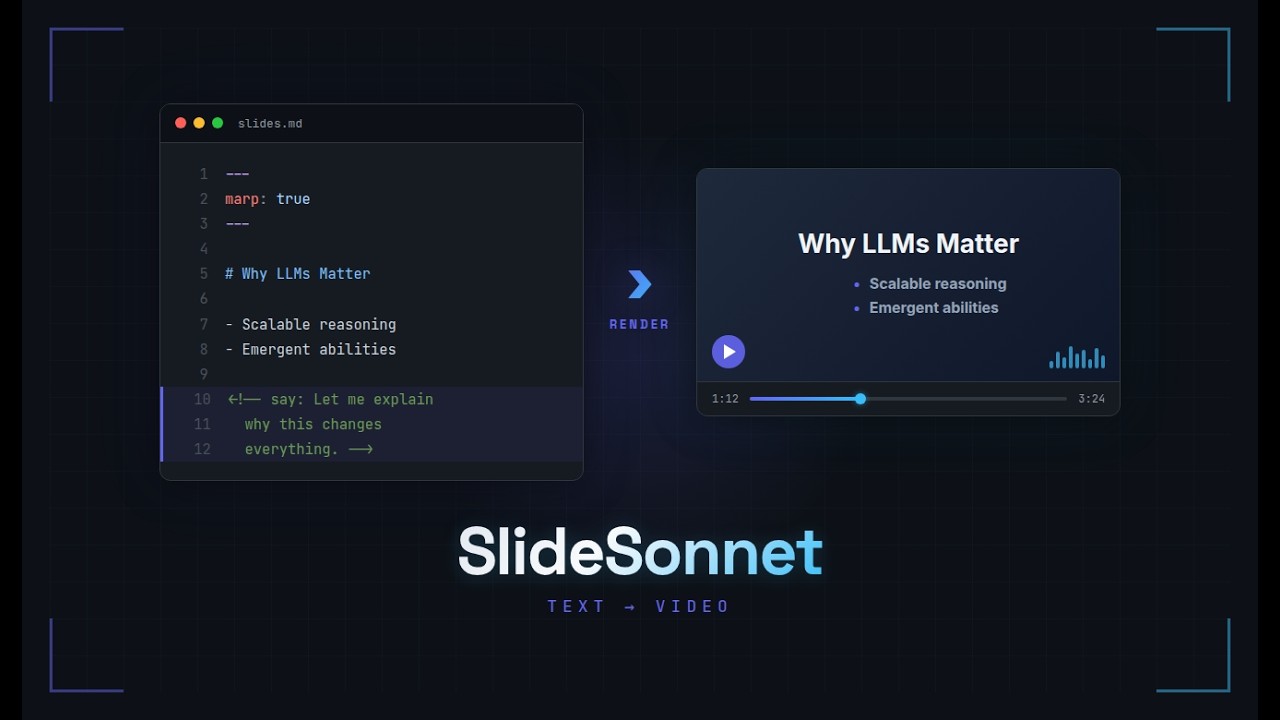
Compile text-based slide presentations into narrated MP4 videos.
Write your slides in MARP Markdown or LaTeX Beamer, add narration with <!-- say: --> comments, and slideSonnet handles TTS synthesis, video composition, and assembly — with incremental builds that only re-synthesize changed slides.
How it works
slidesonnet.yaml (playlist)
    |
    ├── 01-intro/slides.md   → [parse → TTS → compose] → module_01.mp4
    ├── animations/euler.mp4  → [passthrough]            → module_02.mp4
    ├── 02-proofs/slides.tex  → [parse → TTS → compose] → module_03.mp4
    └── [assemble] ─────────────────────────────────────→ my-course.mp4
A playlist file chains modules together — MARP slides, Beamer slides, and pre-existing video files. Each module is built independently, then concatenated into the final video. pydoit manages the build graph with content-hash caching, so only changed slides trigger TTS.
Installation
External dependencies
Install these system packages first:
| Tool | Required? | What it does | Install |
|---|---|---|---|
| ffmpeg | Yes | Video composition and concatenation | sudo apt install ffmpeg |
| marp-cli | Yes (for MARP slides) | Converts Markdown slides to PNG images | npm install -g @marp-team/marp-cli |
| pdflatex + pdftoppm | Only for Beamer | Compiles LaTeX and extracts slide images | sudo apt install texlive-latex-base poppler-utils |
After installing, run slidesonnet doctor to verify everything is set up correctly.
Install slideSonnet
With uv (recommended):
uv tool install slidesonnet[piper]
With pipx:
pipx install slidesonnet[piper]
The [piper] extra includes Piper TTS for free local speech synthesis. Omit it if you plan to use ElevenLabs instead.
Quick start
# Create an example project (MARP Markdown)
slidesonnet init md myproject

# Build the video
cd myproject
slidesonnet build
Example: The Basel Problem
A 10-minute narrated lecture on the Basel Problem, built entirely from a single slides.md file:

Source: examples/basel-problem/
Showcase example
The examples/showcase/ directory is a single-file MARP presentation introducing slideSonnet through a dialog between two voices. It demonstrates narration, fragment animation, voice switching, silent/skipped slides, math, code, and images — all in one slides.md file.
Source: examples/showcase/ — includes pronunciation dictionaries and a playlist with ElevenLabs and Piper voice configuration.
Writing slides
MARP Markdown
Add narration with <!-- say: --> HTML comments:
---
marp: true
---

# Introduction

<!-- say: Welcome to the lecture. Today we cover graph theory basics. -->

---

# Euler's Theorem

<!-- say(voice=alice): Let me explain this theorem carefully. -->

---

# Diagram

<!-- nonarration -->

---

# Hidden Notes

<!-- skip -->
| Annotation | Effect |
|---|---|
<!-- say: text --> |
Narrate with default voice |
<!-- say(voice=alice): text --> |
Narrate with a named voice preset |
<!-- nonarration --> |
Show slide with silence (uses global silence_duration) |
<!-- nonarration(5) --> |
Show slide with silence for 5 seconds (per-slide override) |
<!-- skip --> |
Omit slide from video entirely |
| (none) | Treated as silent, emits a warning |
Multi-line narration is supported. Slides with multiple <!-- say: --> directives are expanded into animated sub-slides with progressive fragment reveal — see MARP documentation for details.
Beamer LaTeX
Use the \say command (defined as a no-op by slidesonnet.sty so LaTeX compiles normally):
\usepackage{slidesonnet}

\begin{frame}
  \frametitle{Euler's Theorem}
  \say{The sum of all vertex degrees equals twice the number of edges.}
  \say[voice=alice]{Let me explain more carefully.}
\end{frame}
Beamer equivalents: \say{}, \say[voice=alice]{}, \nonarration, \nonarration[5] (per-slide duration override), \slidesonnetskip. Frames with \pause produce multiple sub-slides that can be narrated independently — see Beamer documentation for details.
Playlist format
A single .yaml file per presentation. Configuration and module list in pure YAML:
title: Graph Theory Lecture 1
tts:
  backend: piper
  piper:
    model: en_US-lessac-medium
  elevenlabs:
    api_key_env: ELEVENLABS_API_KEY
    voice_id: pNInz6obpgDQGcFmaJgB
voices:
  alice:
    piper: en_US-amy-medium
    elevenlabs: 21m00Tcm4TlvDq8ikWAM
pronunciation:
  shared:
    - pronunciation/cs-terms.md
    - pronunciation/math-terms.md
  # piper:
  #   - pronunciation/piper-hacks.md
  # elevenlabs:
  #   - pronunciation/elevenlabs-hacks.md
video:
  resolution: 1920x1080
  fps: 24
  crf: 23
  pad_seconds: 1.5
  pre_silence: 1.0
  silence_duration: 3.0
  crossfade: 0.5
modules:
  - 01-intro/slides.md
  - animations/euler.mp4
  - 02-proofs/slides.tex
  - 03-summary/slides.md
- Module type is auto-detected from extension (
.md→ MARP,.tex→ Beamer,.mp4/.mkv/.webm/.mov→ video passthrough) - Lines starting with
//are comments (filtered before YAML parsing) - Video files are used as-is
Pronunciation files
Reusable .md files with **word**: replacement pairs:
# CS Pronunciation Guide

## People
**Dijkstra**: DYKE-struh
**Euler**: OY-ler

## Terms
**adjacency**: uh-JAY-suhn-see
Replacements are word-boundary aware (won't change "Eulerian") and case-insensitive. Reference them in the playlist under pronunciation:.
Per-backend pronunciation
Pronunciation workarounds that fix one TTS engine often break another. You can specify separate files per backend:
pronunciation:
  shared:
    - pronunciation/names.md
  piper:
    - pronunciation/piper-hacks.md
  elevenlabs:
    - pronunciation/elevenlabs-hacks.md
When building with --tts piper, the effective dictionary is shared + piper. With --tts elevenlabs, it's shared + elevenlabs. Backend-specific entries override shared entries for the same word.
The flat list format still works and is treated as shared:
pronunciation:
  - pronunciation/names.md
Voice presets
Define named voices in the playlist. Each preset can map to different voice IDs per TTS backend, so --tts piper and --tts elevenlabs both resolve correctly:
voices:
  alice:
    piper: en_US-amy-medium
    elevenlabs: 21m00Tcm4TlvDq8ikWAM
  bob:
    piper: en_US-joe-medium
    elevenlabs: pNInz6obpgDQGcFmaJgB
A simple string value is also supported — it is used as-is regardless of backend:
voices:
  alice: en_US-amy-medium
Then use presets per-slide: <!-- say(voice=alice): ... -->. If a preset has no mapping for the active backend, the slide falls back to the default voice with a warning.
API keys
For ElevenLabs, store keys in a .env file at the project root (auto-loaded at build time):
ELEVENLABS_API_KEY=sk-xxx-your-key
The playlist references env var names, never values: api_key_env: ELEVENLABS_API_KEY.
CLI reference
slidesonnet build                          # build video + SRT subtitles
slidesonnet build --tts piper              # override TTS backend
slidesonnet build --no-srt                 # build without generating subtitles
slidesonnet build --dry-run                # show what would be built (no TTS/FFmpeg)
slidesonnet preview                        # quick build with local Piper TTS
slidesonnet subtitles                      # regenerate SRT from cached audio
slidesonnet preview-slide slides.md 3       # play one slide's audio
slidesonnet preview-slide slides.md 3 -p slidesonnet.yaml  # with playlist config
slidesonnet init md myproject               # MARP Markdown project
slidesonnet init tex myproject              # Beamer LaTeX project
slidesonnet list                           # list slides with cache status per slide
slidesonnet utterances                     # export narration text for proofreading
slidesonnet clean                          # clean cache (keeps API audio by default)
slidesonnet doctor                         # check installed dependencies
Incremental builds
TTS audio is cached by content hash of the narration text, not by slide number. This means:
- No changes → entire build is skipped
- Edit one slide → only that slide's audio is re-synthesized
- Insert a slide → existing slides hit the cache, only the new slide triggers TTS
- Change voice preset → affected slides rebuild (voice is part of the hash)
Use --dry-run (or -n) to see what a build would do without making any API calls:
$ slidesonnet build --dry-run
8 narrated slides: 5 cached, 3 need TTS (~1,200 characters via elevenlabs)
This is especially useful before ElevenLabs builds to estimate API usage and cost.
Build artifacts live in cache/ next to the playlist file. Add it to .gitignore.
Subtitles
Every build automatically generates an SRT subtitle file alongside the video (e.g., my-course.srt next to my-course.mp4). The subtitles use the original narration text (before pronunciation substitutions) and are timed to match the audio.
Long narrations are split into subtitle-sized chunks at sentence boundaries, then clause boundaries, then word boundaries — each chunk timed proportionally by character count.
Use the SRT file as a starting point for translation or editing with any subtitle tool. To skip generation, pass --no-srt. To regenerate from cache without rebuilding:
slidesonnet subtitles
Project layout
my-course/
├── slidesonnet.yaml           # playlist + config
├── pronunciation/
│   └── cs-terms.md
├── 01-intro/slides.md        # MARP module
├── 02-proofs/slides.tex      # Beamer module
├── animations/euler.mp4      # video module
├── .env                      # API keys (gitignored)
├── my-course.mp4             # final output video
├── my-course.srt             # auto-generated subtitles
├── cache/                    # build artifacts (gitignored)
│   ├── audio/                # TTS cache (content-addressed)
│   ├── 01-intro/
│   │   ├── slides/           # extracted PNGs + manifest
│   │   ├── utterances/       # text sent to TTS (for debugging)
│   │   └── segments/         # per-slide video segments
│   └── .doit.db
└── .gitignore
Development
git clone https://github.com/avivz/slideSonnet.git
cd slideSonnet
python3 -m venv .venv
source .venv/bin/activate
pip install -e ".[piper,dev]"

make test-unit     # unit tests only (fast, no external tools)
make test          # all tests (requires ffmpeg, marp, pdflatex, piper)
make lint          # ruff check + format
make typecheck     # mypy --strict
License
MIT
Release history Release notifications | RSS feed


Download files
Download the file for your platform. If you're not sure which to choose, learn more about installing packages.
Source Distribution
Built Distribution
Filter files by name, interpreter, ABI, and platform.
If you're not sure about the file name format, learn more about wheel file names.
Copy a direct link to the current filters
File details
Details for the file slidesonnet-0.1.0a1.tar.gz.
File metadata
- Download URL: slidesonnet-0.1.0a1.tar.gz
- Upload date:
- Size: 134.9 kB
- Tags: Source
- Uploaded using Trusted Publishing? No
- Uploaded via: twine/6.2.0 CPython/3.13.13
File hashes
| Algorithm | Hash digest | |
|---|---|---|
| SHA256 |
4914abd6be83c6c88ceb5afc9b4539d9f19f6086df6ad1493cdabcfb17ac882e
|
|
| MD5 |
f0460bf3f5c9947573366d4fcb5c52c8
|
|
| BLAKE2b-256 |
f0a0503f25204769f7328ee700effbdf3480448151279afc3aa8a273af7d2c7e
|
File details
Details for the file slidesonnet-0.1.0a1-py3-none-any.whl.
File metadata
- Download URL: slidesonnet-0.1.0a1-py3-none-any.whl
- Upload date:
- Size: 74.7 kB
- Tags: Python 3
- Uploaded using Trusted Publishing? No
- Uploaded via: twine/6.2.0 CPython/3.13.13
File hashes
| Algorithm | Hash digest | |
|---|---|---|
| SHA256 |
c37215af65a05a00af7076ef069c1f062e9dbee9015dd93ae6c7bd9ad066e192
|
|
| MD5 |
de3e22cd358cf7040fcabf0b794c2bea
|
|
| BLAKE2b-256 |
55bb73bf76f4c89b0857387fbf8a0fd762dd9da562f45cfa8e7af57430d935bc
|






