
SMRITI Memcore
Enterprise-grade, privacy-first Long-Term Memory (LTM) engine for LLM agents, multi-agent frameworks, and MCP clients.



💡 What is SMRITI?
SMRITI is a high-performance, neuro-inspired long-term memory layer designed to give AI agents persistent, adaptive recall without blocking their real-time execution loop.
Inspired by human Dual-Process cognitive theory, SMRITI splits memory operations into:
- System 1 (Immediate Heuristics): Decoupled, millisecond-level ingestion of raw interactions into an append-only Episode Buffer.
- System 2 (Async Consolidation): Background LLM-driven consolidation that extracts knowledge graphs, resolves contradictions, identifies skills, and decays weak memories.
⚔️ SMRITI vs. Naive RAG & Vector Databases
| Feature | Naive RAG / Vector DBs | SMRITI Memory Engine |
|---|---|---|
| Latency | Scales linearly with context size; blocks agent loops | Sub-5ms ingestion (System 1); System 2 is asynchronous |
| Context Window | Stuffs raw logs, leading to prompt bloat and distraction | Miller's Law (7 ± 2 slots) capacity-bounded Working Memory |
| Data Evolution | Static embeddings; struggles with contradictions/corrections | Automatic conflict resolution, abstraction, and temporal decay |
| Relationships | Flat vector search; no concept of entity links | Semantic Palace Graph showing structured Room/Topic associations |
| Privacy & Sync | All-or-nothing storage; complex namespace routing | Private Rooms and private=True tags natively isolating user syncs |
🚀 Key Capabilities
- 🧠 Dual-Process Performance: Zero-blocking real-time loops. Write immediately, analyze when idle.
- 🎭 Persona Palaces & On-Demand Hub: Download pre-curated cognitive memory palaces for historical figures (e.g., Albert Einstein, Isaac Newton) and converse with them with authentic mental models.
- 🔒 Privacy-First (Private Rooms): Create local semantic rooms whose memories are automatically excluded from shared/team-wide sync.
- 🔌 Model Context Protocol (MCP): Native MCP server integration with Claude Code, Claude Desktop, Gemini Antigravity, and Codex.
- 📦 AMP v1.0 Spec Compliant: Drop-in compatibility with any agent framework conforming to the Agent Memory Protocol.
- 📊 Visual Graph Explorer: Clean D3.js-based visualization interface with Prometheus metrics monitoring.
- 📂 Obsidian Vault Integration: Automatically syncs your agent's memory graph into an Obsidian vault for human curation.
- 🧩 Framework Agnostic: Integrates natively with LangChain, LlamaIndex, CrewAI, and AutoGen.
🧠 Core Architecture
                           ┌─────────────────────────────────┐
                           │    Asynchronous Consolidation   │
                           │      (8 Background Processes)   │
                           │  • Chunking      • Cross-Ref.   │
                           │  • Conflict Res. • Skill Ext.   │
                           │  • Forgetting    • Spaced Rep.  │
                           │  • Reflection    • Defragment.  │
                           └────────────────┬────────────────┘
                                            │ background
  ┌──────────┐   ┌──────────┐   ┌───────────▼─────────┐   ┌──────────┐
  │  Input   │──▶│ Attention │──▶│   Episode Buffer    │──▶│ Semantic │
  │  Text    │   │   Gate    │   │  (append-only log)  │   │  Palace  │
  │  └───────┘   │ (salience │   └─────────────────────┘   │  Graph   │
  │              │  filter)  │                              │ G=(V,E)  │
  └──────────┘   └──────────┘                              └────┬─────┘
                                                                │
  ┌──────────┐   ┌──────────┐   ┌───────────────────┐           │
  │  Query   │──▶│ Retrieval│──▶│  Working Memory   │◀──────────┘
  │          │   │  Engine  │   │   (7 ± 2 slots)   │
  └──────────┘   │ Q(v) =   │   └───────────────────┘
                 │ β₁cos +  │
                 │ β₂decay+ │   ┌───────────────────┐
                 │ β₃freq + │──▶│    Meta-Memory    │
                 │ β₄sal    │   │ (confidence map)  │
                 └──────────┘   └───────────────────┘
🏁 Quick Start
1. Unified SMRITI CLI & Persona Hub
The fastest way to experience SMRITI is through the unified smriti command-line tool:
# Recommended for standalone CLI (isolated environment + automatic PATH setup):
pipx install smriti-memcore
# or inside a virtualenv:
pip install smriti-memcore

# List official registry and installed memory personas
smriti list

# Pull a pre-curated cognitive memory palace on-demand (e.g. Albert Einstein)
smriti pull einstein

# Start an interactive conversation with the persona
smriti chat einstein

# Launch the visual D3.js memory graph in your browser
smriti ui
2. Unified MCP Server (Claude Code, Gemini, Codex)
SMRITI can be used as a global, persistent memory layer across all your MCP-enabled developer clients.
Method A: One-Line Installer (Recommended)
Run the setup script directly in your terminal:
bash <(curl -s https://raw.githubusercontent.com/smriti-memcore/smriti-memcore/main/install_smriti_mcp.sh)
Method B: Via CLI
pip3 install smriti-memcore
smriti install
3. Python SDK
For application developers building custom agent loops.
pip install smriti-memcore[faiss] # FAISS is recommended for accelerated vector search
from smriti import SMRITI, SmritiConfig

# Initialize memory engine with OpenAI
config = SmritiConfig(
    storage_path="./my_agent_memory",
    llm_model="gpt-4o",
    openai_api_key="your-api-key-here"
)
memory = SMRITI(config=config)

# Ingest observations
memory.encode("User prefers using PyTorch for neural networks.")
memory.encode("User is allergic to shellfish.", context="medical")

# Recall relevant context using multi-factor retrieval
results = memory.recall("What framework does the user prefer?")
for mem in results:
    print(f"[{mem.strength:.2f}] {mem.content}")

# Manually trigger System 2 background consolidation
memory.consolidate()
memory.save()

# --- Or Load a Pre-Curated Persona (e.g. Albert Einstein) ---
einstein, manifest = SMRITI.from_persona("albert-einstein")
memories = einstein.recall("What thought experiment led to Special Relativity?")
for mem in memories:
    print(f"[{mem.strength:.2f}] {mem.content}")
🛠️ MCP Tool Reference
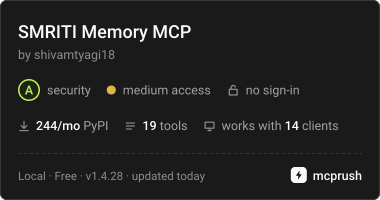
SMRITI exposes 19 tools (13 native + 6 AMP aliases) for clients:
Core Tools
| Tool Name | Description |
|---|---|
smriti_encode |
Ingests a new memory. Accept private=True to exclude from team syncs. |
smriti_recall |
Retrieves memories using semantic and graph-based retrieval. |
smriti_get_context |
Helper to inject the current active working memory slots into the context window. |
smriti_how_well_do_i_know |
Performs a meta-memory confidence check on a given topic. |
smriti_knowledge_gaps |
Identifies topics the agent has identified it needs more information on. |
smriti_pin |
Marks a memory as permanent (protects it from strength decay). |
smriti_forget |
Soft-deletes/archives a memory, leaving a cryptographic tombstone. |
smriti_consolidate |
Triggers a background System 2 consolidation run. |
smriti_stats |
Returns system-wide statistics (total memories, rooms, private counts). |
smriti_create_private_room |
Spawns a private room. All memories inside this room are visibility-isolated. |
smriti_open_ui |
Launches the interactive visual D3.js memory graph in your default browser. |
smriti_sync_obsidian |
Exports the Semantic Palace graph structures to markdown files in an Obsidian Vault. |
AMP v1.0 Alias Tools
These endpoints ensure complete conformance with the standard Agent Memory Protocol specification:
| AMP Tool | Native Mapping | Return Format |
|---|---|---|
amp.encode |
smriti_encode |
AMP standard JSON response |
amp.recall |
smriti_recall |
Array of {id, content, score, timestamp, status} |
amp.forget |
smriti_forget |
{status: "forgotten" | "not_found"} |
amp.stats |
smriti_stats |
{memory_count, ...} |
amp.pin |
smriti_pin |
{status: "pinned" | "not_found"} |
amp.consolidate |
smriti_consolidate |
{status: "ok", memories_processed: int} |
🔌 Framework Integrations
LangChain Integration
Use SmritiLangChainMemory as a drop-in replacement for default chat buffers. It limits active context using Working Memory and offloads the conversational history to the Semantic Palace graph in the background.
from langchain.chains import ConversationChain
from smriti.integrations.langchain_memory import SmritiLangChainMemory
from smriti import SMRITI

smriti_engine = SMRITI(storage_path="./langchain_smriti_db")
smriti_memory = SmritiLangChainMemory(smriti_client=smriti_engine, top_k=3)

conversation = ConversationChain(
    llm=my_llm,
    memory=smriti_memory,
)
conversation.predict(input="I prefer backend APIs in Python.")
📊 Benchmarks & Performance
1. LoCoMo (Multi-System Context Retrieval)
Tested against four architectures on the LoCoMo long-context dialogue dataset (28 turns, 15 evaluation questions):
| System | F1 Score | Latency | Tokens/Query | Consolidation |
|---|---|---|---|---|
| FullContext | 0.345 | 1147ms | 550 | — |
| MemGPT-style | 0.334 | 1397ms | 478 | — |
| NaiveRAG | 0.312 | 1387ms | 145 | — |
| SMRITI | 0.279 | 1317ms | 146 | 41.2s (async) |
| Mem0-style | 0.235 | 1088ms | 106 | — |
SMRITI retains high recall while drastically reducing query context size. Consolidation runs in the background and does not block client interactions.
2. LongMemEval (Long-Term Chat Sessions)
Evaluated over 50+ chat sessions using the LongMemEval harness:
| System Configuration | Exact Match Accuracy | Average Query Latency |
|---|---|---|
| Baseline (Full Context) | 100.0% | 11.98s |
| SMRITI Dual-Process | 80.0% | 0.98s (12× latency reduction) |
⚙️ Configuration Parameters
Initialize SmritiConfig with custom parameters to tune the cognitive weights:
from smriti import SmritiConfig

config = SmritiConfig(
    working_memory_slots=7,          # Capacity limit (Miller's Law)

    # Retrieval scoring weights (sum to 1.0)
    recency_weight=0.2,
    relevance_weight=0.4,
    strength_weight=0.2,
    salience_weight=0.2,

    # Forgetting & Temporal Decay
    decay_rate=0.99,                 # Strength multiplier per day
    strength_hard_threshold=0.05,    # Memories dropping below this are forgotten

    # Palace Graph
    room_merge_threshold=0.85,       # Cosine similarity for auto-merging semantic rooms
)
📄 Citation
If you use SMRITI in your research, please cite our technical paper:
@article{tyagi2025smriti,
  title={SMRITI: A Scalable, Neuro-Inspired Architecture for Long-Term Event Memory in LLM Agents},
  author={Tyagi, Shivam},
  year={2025},
  doi={10.13140/RG.2.2.25477.82407}
}
📄 License
SMRITI is licensed under the MIT License. See LICENSE for details.
1 maintainer

Metadata
1 maintainer
Release files for smriti-memcore 1.4.26
For a detailed explanation of source distributions (sdists) and built distributions (wheels), please see the package formats documentation.
Source distribution (sdist)
| File | Size | Uploaded | Provenance | |
|---|---|---|---|---|
| smriti_memcore-1.4.26.tar.gz | 105.6 kB | With provenance | Details |
Built distribution (wheel)
| File | Interpreter | ABI | Platform | Reset |
|---|---|---|---|---|
| smriti_memcore-1.4.26-py3-none-any.whl | Python 3 | none | any | Details |
Total release size: 198.4 kB
Release files / smriti_memcore-1.4.26.tar.gz
| Download URL | smriti_memcore-1.4.26.tar.gz |
|---|---|
| Size | 105.6 kB |
| Tags | Source |
|
SHA-256 checksum How to use checksums |
f52d2ecc75f4017a8403bf7882893d6c24735f4d1360f14c74fc9cd2c934caaa
|
|
BLAKE2b-256 checksum How to use checksums |
31bdb5cbd159ca7bf0be43c707f50d265e89f89493a80c051fbf3397ad5d5526
|
| Upload date | |
|
Uploaded using Trusted Publishing? What is trusted publishing? |
Yes |
| Uploaded via |
twine/7.0.0 CPython/3.13.16
|
Provenance
Provenance describes where a file came from. On PyPI, provenance is shared via attestations, which provide a verifiable record of the build or publishing details. View details, limitations and caveats.


PyPI Publish Attestation
PyPI verified that this artifact, at this checksum, originated from the publisher listed below.
Signed by GitHub Actions, verified by PyPI on Oct 22, 2026.
Transparency logRelease files / smriti_memcore-1.4.26-py3-none-any.whl
| Download URL | smriti_memcore-1.4.26-py3-none-any.whl |
|---|---|
| Size | 92.8 kB |
| Tags | Python 3 |
|
SHA-256 checksum How to use checksums |
734022a1c680a73fd91441b8da9f108e1665757d105e2d5c9592a3770196e0bb
|
|
BLAKE2b-256 checksum How to use checksums |
8f5d07e69076e1dfd054709bb861cf5549cfb656f94ea3ffd1b1647474bb06b0
|
| Upload date | |
|
Uploaded using Trusted Publishing? What is trusted publishing? |
Yes |
| Uploaded via |
twine/7.0.0 CPython/3.13.16
|
Provenance
Provenance describes where a file came from. On PyPI, provenance is shared via attestations, which provide a verifiable record of the build or publishing details. View details, limitations and caveats.
PyPI Publish Attestation
PyPI verified that this artifact, at this checksum, originated from the publisher listed below.
Signed by GitHub Actions, verified by PyPI on Oct 22, 2026.
Transparency logSecurity for smriti-memcore 1.4.26
Provenance
Provenance describes where a file came from. On PyPI, provenance is shared via attestations, which provide a verifiable record of the build or publishing details. View details, limitations and caveats.
Full provenance
All 2 files in this release have been uploaded with provenance metadata.
Attestation for smriti_memcore-1.4.26.tar.gz
PyPI Publish Attestation
PyPI verified that this artifact, at this checksum, originated from the publisher listed below.
Signed by GitHub Actions, verified by PyPI on Oct 22, 2026.
Transparency logA note on package security
PyPI is a repository for distributing packages, not a service for auditing them. While third-party security researchers and our staff do their best to detect and remove malicious packages, PyPI cannot guarantee the quality, security or suitability of any given package.














