
so101-calibrator
Calibrate your SO-101 arms step by step, with a check at every step.
For LeRobot. In the terminal. English and Turkish.




Start
uv tool install so101-calibrator     # or: pipx install so101-calibrator / pip install so101-calibrator
so101-cal --mock                     # try it on a simulated arm
so101-cal                            # then with your arms plugged in
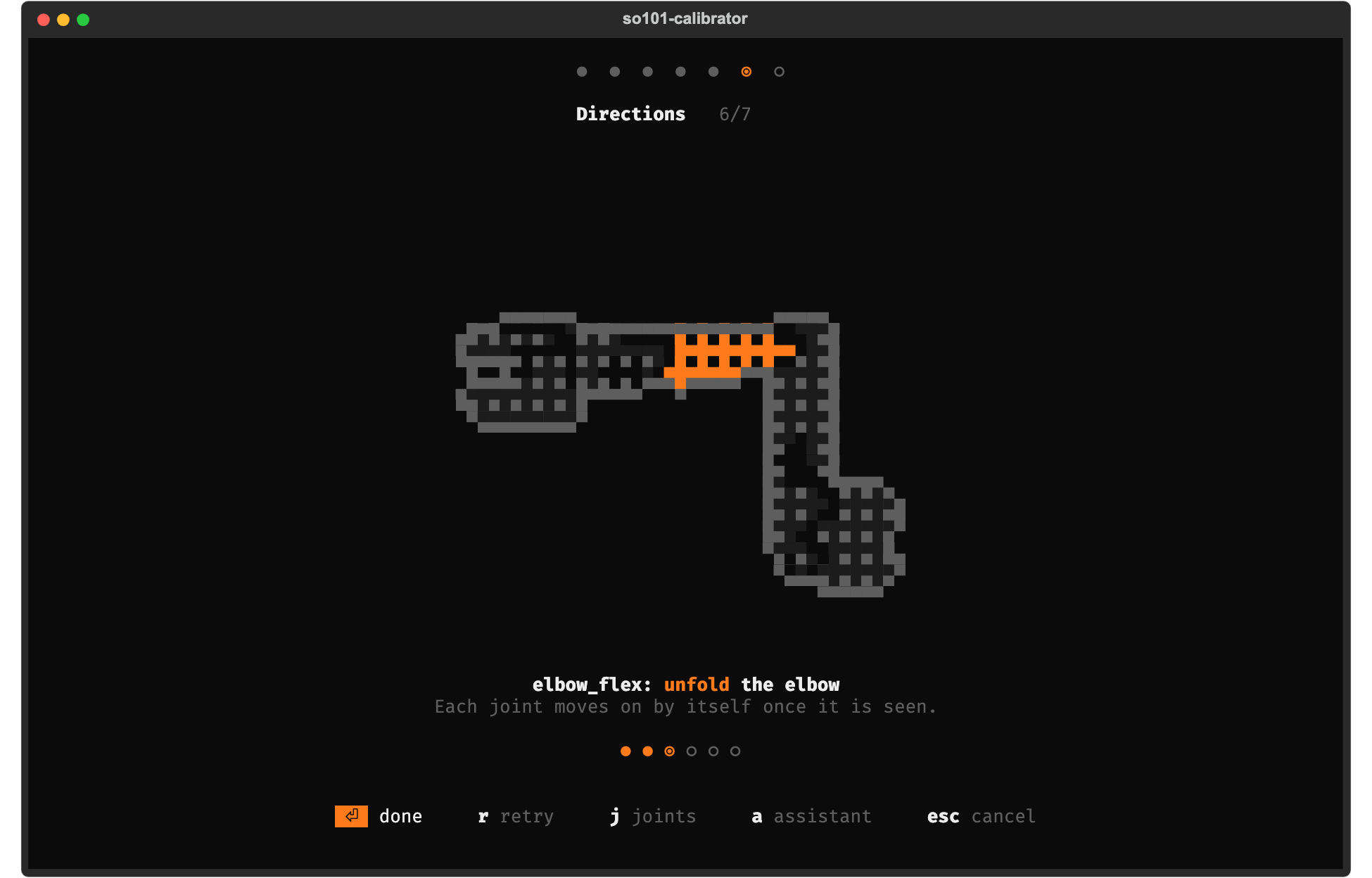
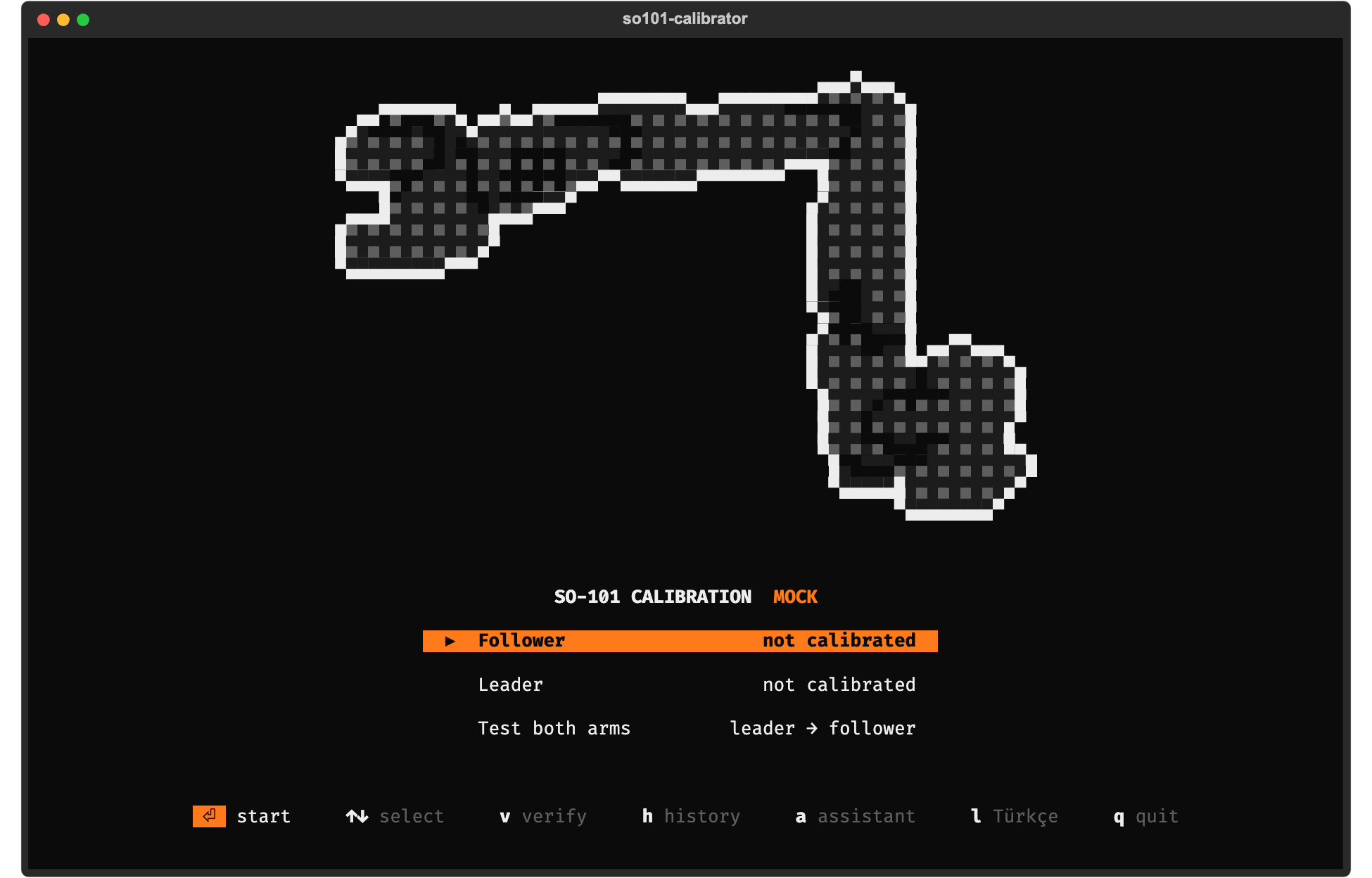
Pick Follower, then Leader, then Test both arms. Every screen shows one thing to do; the joint to move is orange; Enter goes on. LeRobot then finds the calibration with no extra flags.
Why
lerobot-calibrate does the math right but leaves you blind: a motor on the wrong id, a follower on USB
power, a joint swept halfway or a motor mounted backwards only shows up later as a jerky robot. Here every
step is checked, every failure says what to fix, and every calibration is kept as a version.
| ✅ Checked steps | USB port, motors 1–6, supply voltage, middle pose, ranges, joint directions, save |
| 🕘 Versions | history, diff, one-key rollback, export to LeRobot |
| 🦾 Teleop test | leader → follower, refuses to start if the poses differ |
| 💬 Assistant | optional, local (Strands + Ollama) or Claude |
| 🧪 Mock arm | try everything without hardware |
More
Keys
| Key | |
|---|---|
⏎ |
start · done · continue · retry |
r / f |
retry / accept a failed step anyway |
j |
live joint bars |
? |
the long explanation of a step |
a |
ask the assistant |
l |
English ↔ Türkçe |
h |
history (⏎ make active, d compare, e export) |
esc |
cancel (press twice) |
Commands (scripts, other ids, rollback)
so101-cal calibrate follower --id follower --note "new elbow motor"
so101-cal calibrate leader --id leader
so101-cal teleop-test
so101-cal verify follower             # EEPROM still matches, middle pose reads ~2047

so101-cal history                     # all arms and versions
so101-cal diff follower 2 3           # what changed, in encoder ticks
so101-cal activate follower 2         # roll back and export
so101-cal write follower              # push the active version into the motors
so101-cal export follower --calibration-dir hardware/calibration
so101-cal import path/to/follower.json --role follower --id follower
Then, as usual:
lerobot-teleoperate --robot.type=so101_follower --robot.port=... --robot.id=follower \
  --teleop.type=so101_leader --teleop.port=... --teleop.id=leader
Assistant
uv tool install "so101-calibrator[ai]"
so101-cal ai use ollama               # local model (or ollama:qwen2.5, ...)
so101-cal ai use openai:my-model      # LM Studio / llama.cpp / vLLM: URL in $SO101CAL_AI_URL
so101-cal ai use claude               # ANTHROPIC_API_KEY
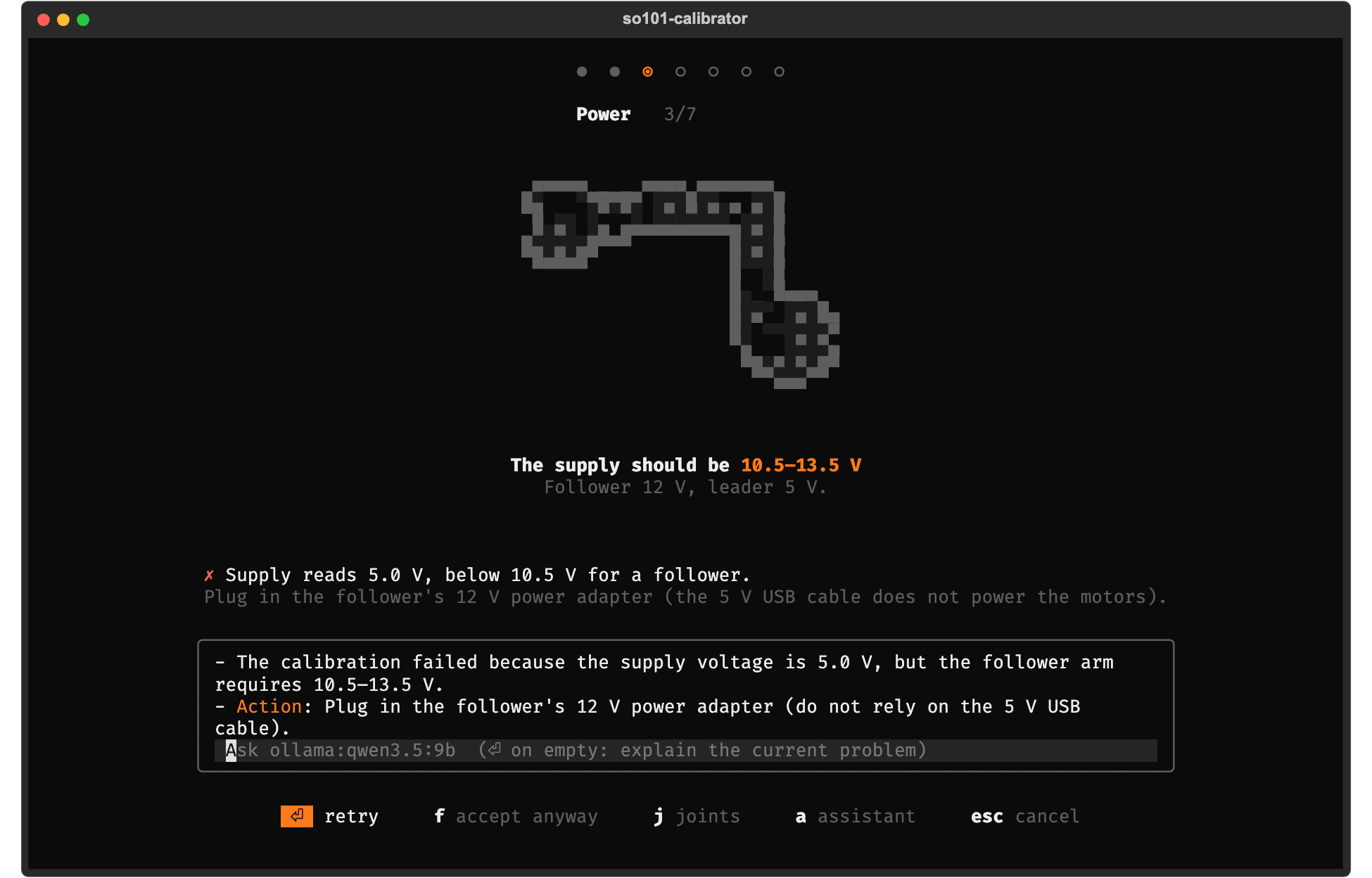
Press a in the app and ask, or press Enter on an empty line to have the current problem explained. Local
models run as a Strands agent that can also read the calibration history and compare versions. It only
explains: none of its tools can move the arm.
Try it without hardware
so101-cal --mock --mock-faults voltage:5         # see a failing check
so101-cal --mock dashboard                       # the web version, http://127.0.0.1:8101
Faults: missing:<id>, voltage:<V>, reversed:<joint>, stuck:<joint>, hot:<joint> (prefix leader. for the leader).
Where things are stored
History: ~/.so101-calibrator/<arm>/v0001.json … (plain JSON; --store or $SO101CAL_HOME to move it).
Exports: the LeRobot cache, ~/.cache/huggingface/lerobot/calibration/robots/so_follower/<id>.json and
teleoperators/so_leader/<id>.json (or $HF_LEROBOT_CALIBRATION). A different existing file is kept as a
.bak.
Troubleshooting
| Symptom | Likely cause |
|---|---|
| No port disappears when unplugging | Charge-only USB cable, or the CH343 driver is missing (Windows) |
| No motor answers | Power adapter off, or the cable to the first motor |
| Motors answer at another baud rate | Run lerobot-setup-motors once |
| Missing motor id 4 | Loose cable going into motor 4 |
| Direction mismatch on one joint | A motor or horn is mounted the other way round |
| EEPROM differs | Motor replaced or another tool wrote it: recalibrate or so101-cal write |
How it relates to LeRobot
Same math and file format as lerobot-calibrate for the SO-101 (homing offset = position − 2047, recorded
min/max, wrist_roll 0..4095), through Feetech's scservo_sdk, so neither LeRobot nor PyTorch is needed.
Built against LeRobot 0.6.1. The command line is the stable interface; the Python API may change before 1.0.
Contributing
Reports from real arms are very welcome. See CONTRIBUTING.md.
MIT. The SO-101 pixel art is rendered from the SO-ARM100 model (Apache-2.0).
1 maintainer

Metadata
1 maintainer
Release files for so101-calibrator 0.1.1
For a detailed explanation of source distributions (sdists) and built distributions (wheels), please see the package formats documentation.
Source distribution (sdist)
| File | Size | Uploaded | Provenance | Actions |
|---|---|---|---|---|
| so101_calibrator-0.1.1.tar.gz | 292.1 kB | With provenance | Details for so101_calibrator-0.1.1.tar.gz |
Built distribution (wheel)
| File | Interpreter | ABI | Platform | Actions Reset |
|---|---|---|---|---|
| so101_calibrator-0.1.1-py3-none-any.whl | Python 3 | none | any | Details for so101_calibrator-0.1.1-py3-none-any.whl |
Total release size: 585.5 kB
Release files / so101_calibrator-0.1.1.tar.gz
| Download URL | so101_calibrator-0.1.1.tar.gz |
|---|---|
| Size | 292.1 kB |
| Tags | Source |
|
SHA-256 checksum How to use checksums |
2ac21c2fb75dbe6132edf862bd02a1b90c6df667a34faecdf791ea84b7a15a61
|
|
BLAKE2b-256 checksum How to use checksums |
ee0b1e01566844deaae56af2db08b5eee2b6bd8e271ae866ac0f619d9eabd3aa
|
| Upload date | |
|
Uploaded using Trusted Publishing? What is trusted publishing? |
Yes |
| Uploaded via |
twine/7.0.0 CPython/3.13.16
|
Provenance
Provenance describes where a file came from. On PyPI, provenance is shared via attestations, which provide a verifiable record of the build or publishing details. View details, limitations and caveats.


PyPI Publish Attestation
PyPI verified that this artifact, at this checksum, originated from the publisher listed below.
Signed by GitHub Actions, verified by PyPI on Oct 28, 2026.
Transparency logRelease files / so101_calibrator-0.1.1-py3-none-any.whl
| Download URL | so101_calibrator-0.1.1-py3-none-any.whl |
|---|---|
| Size | 293.5 kB |
| Tags | Python 3 |
|
SHA-256 checksum How to use checksums |
bb68a6c17e25564419120802f656fa63e232c855e09eba2b9d6626da23d834c4
|
|
BLAKE2b-256 checksum How to use checksums |
77b97878e224df8a2a8c3551d8f79d4e324ae1edcda434218ab29f057673074a
|
| Upload date | |
|
Uploaded using Trusted Publishing? What is trusted publishing? |
Yes |
| Uploaded via |
twine/7.0.0 CPython/3.13.16
|
Provenance
Provenance describes where a file came from. On PyPI, provenance is shared via attestations, which provide a verifiable record of the build or publishing details. View details, limitations and caveats.
PyPI Publish Attestation
PyPI verified that this artifact, at this checksum, originated from the publisher listed below.
Signed by GitHub Actions, verified by PyPI on Oct 28, 2026.
Transparency logSecurity for so101-calibrator 0.1.1
Provenance
Provenance describes where a file came from. On PyPI, provenance is shared via attestations, which provide a verifiable record of the build or publishing details. View details, limitations and caveats.
Full provenance
Both files in this release have been uploaded with provenance metadata.
Attestation for so101_calibrator-0.1.1.tar.gz
PyPI Publish Attestation
PyPI verified that this artifact, at this checksum, originated from the publisher listed below.
Signed by GitHub Actions, verified by PyPI on Oct 28, 2026.
Transparency logA note on package security
PyPI is a repository for distributing packages, not a service for auditing them. While third-party security researchers and our staff do their best to detect and remove malicious packages, PyPI cannot guarantee the quality, security or suitability of any given package.
To learn more about protecting yourself from malicious actors, visit our package security documentation.














