
A lightweight tracing library for Python

Project description

Spantom is a Python package for simple, local application tracing and performance monitoring.
Context Manager Usage
Spantom spans can be used as context managers. Tags created within a span are automatically associated with that span.
from spantom import SP

for x in range(10):
    with SP.span("foo"):
        SP.tag({"index": x})
        print("foo")

print(SP.summary())
Function Decorator Usage
Alternatively, spans can be attached to functions using decorators:
from spantom import SP

@SP.span()
def foo(x):
    SP.tag({"foo_input": x})
    return "foo"

for x in range(10):
    foo(x)

print(SP.summary())
Clearing the db
To reset the database and clear all spans, you can use the SP.clear() method:
from spantom import SP

SP.clear()
Real-World Example
A typical use case is capturing performance metrics and data from loops and function calls:
@SP.span()
def slow_function(x):
    # Calculate something
    # ...

    SP.tag({"intermediate_result": y})

    # Finish processing
    # ...

for i in range(1000):
    with SP.span("outer_loop"):
        SP.tag({"index": i})

        # Perform slow operation
        # ...

        SP.tag({"value": value})

        slow_function(value)

        SP.tag({"threshold_exceeded": value > threshold})

        # Complete iteration
        # ...
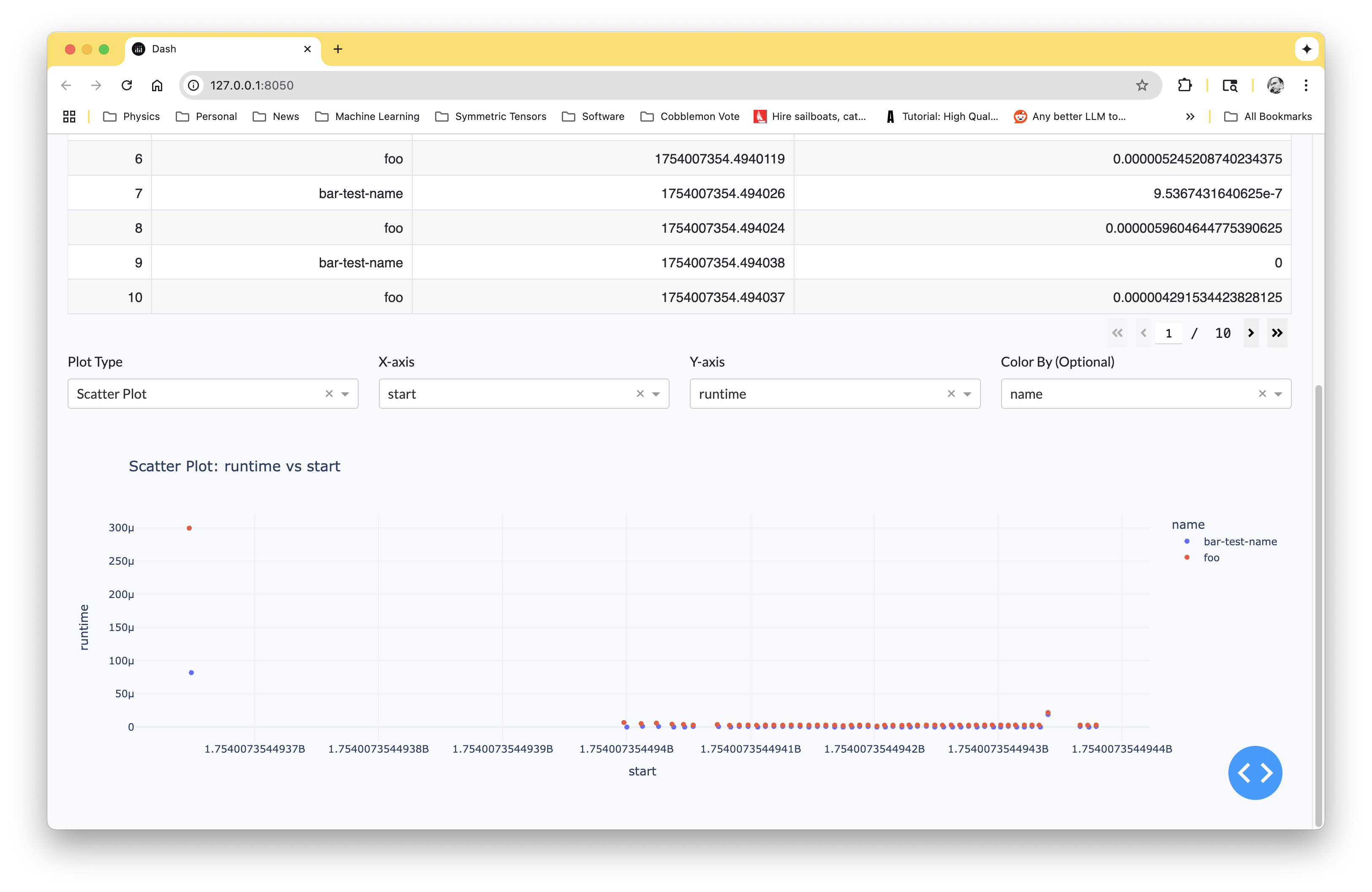
Spantom automatically records the start and end time of each loop iteration and function call. It captures the dictionary values you tag with SP.tag() and associates them with the corresponding span. All data is stored in a SQLite database for later analysis of runtimes and correlations between tags.
Dashboard
Spantom includes a web dashboard for visualizing and analyzing your spans. Install it with the dashboard option:
pip install spantom[dashboard]
Launch the dashboard:
spantom
Database Storage
Spans are automatically saved to a SQLite database. The default location is /tmp/spantom.db.
You can configure the database path by setting the SPANTOM_DB environment variable.
To use a non-default database with the dashboard:
spantom --db-path /path/to/my_spans.db
Direct Database Access
For advanced analysis beyond the dashboard, you can query the SQLite database directly. This works particularly well with pandas:
import pandas as pd
from spantom import SP

query = "SELECT name, duration, key, value FROM span_tags LEFT JOIN spans ON span_tags.span_id = spans.id WHERE key='your_key'"
df = pd.read_sql_query(query, SP.conn)
Database Schema
A Spantom database contains two tables:
spans: Contains span metadata (id, name, start, duration)span_tags: Contains tags associated with spans (id, span_id, key, value)


Download files
Download the file for your platform. If you're not sure which to choose, learn more about installing packages.
Source Distribution
Built Distribution
Filter files by name, interpreter, ABI, and platform.
If you're not sure about the file name format, learn more about wheel file names.
Copy a direct link to the current filters
File details
Details for the file spantom-1.0.0.tar.gz.
File metadata
- Download URL: spantom-1.0.0.tar.gz
- Upload date:
- Size: 10.0 kB
- Tags: Source
- Uploaded using Trusted Publishing? No
- Uploaded via: twine/6.1.0 CPython/3.9.13
File hashes
| Algorithm | Hash digest | |
|---|---|---|
| SHA256 |
d4c33318c4c0a3be95a0ad442c1008b06f4a93e11d16b7333c1b43f04578dfb8
|
|
| MD5 |
e3e8fbb630c4d4789c798deb48a11ec9
|
|
| BLAKE2b-256 |
77f0f36f881b7294a89c4f6f9465e3e9a4ed914e58aa5573d5831bad2dd13f33
|
File details
Details for the file spantom-1.0.0-py3-none-any.whl.
File metadata
- Download URL: spantom-1.0.0-py3-none-any.whl
- Upload date:
- Size: 8.3 kB
- Tags: Python 3
- Uploaded using Trusted Publishing? No
- Uploaded via: twine/6.1.0 CPython/3.9.13
File hashes
| Algorithm | Hash digest | |
|---|---|---|
| SHA256 |
e00b23cc8ece1794268617ec2dd40d4974d41c503f88b87259d652f24217a1a7
|
|
| MD5 |
272e12d5a721b62208d90c5bcc34bbc6
|
|
| BLAKE2b-256 |
27f778303b47846ef3ee588fc510068016da7d6d95520e6d68aa0227405cbe72
|






