
A lightweight tracing library for Python

Project description

Spantom is a python package for simple local tracing.
To get started try this example:
from spantom import SP

SP.init()

@SP.span()
def foo(x):
    SP.tag({"foo_input": x})
    return "foo"

print(SP.summary())
Spans are saved to a sqlite database.
The default database is /tmp/spantom.db,
but you can specify a different path at init:
SP.init("/path/to/my_spans.db")
A typical use case would be to capture metrics from a for loop:
@SP.span()
def my_slow_function(x):
    ...

    @SP.tag({"intermediate_result": y})

    ...

for i in range(1000):
    my_slow_function(i)
When a function is tagged with span Tracelite will record the start and end time of the function call. This allows you to measure function durations and find bottlenecks in your code.
Additionally span tags are a powerful mechanism to record arbitrary metadata about the function call. The tag keys and values can be any strings. This allows you to capture metrics, parameters, or any other relevant information.
Tracelite comes with a simple viewer to query and plot the spans. To use the viewer, install spantom with the dashboard option:
pip install spantom[dashboard]
Then launch the viewer:
spantom --db-path /path/to/my_spans.db
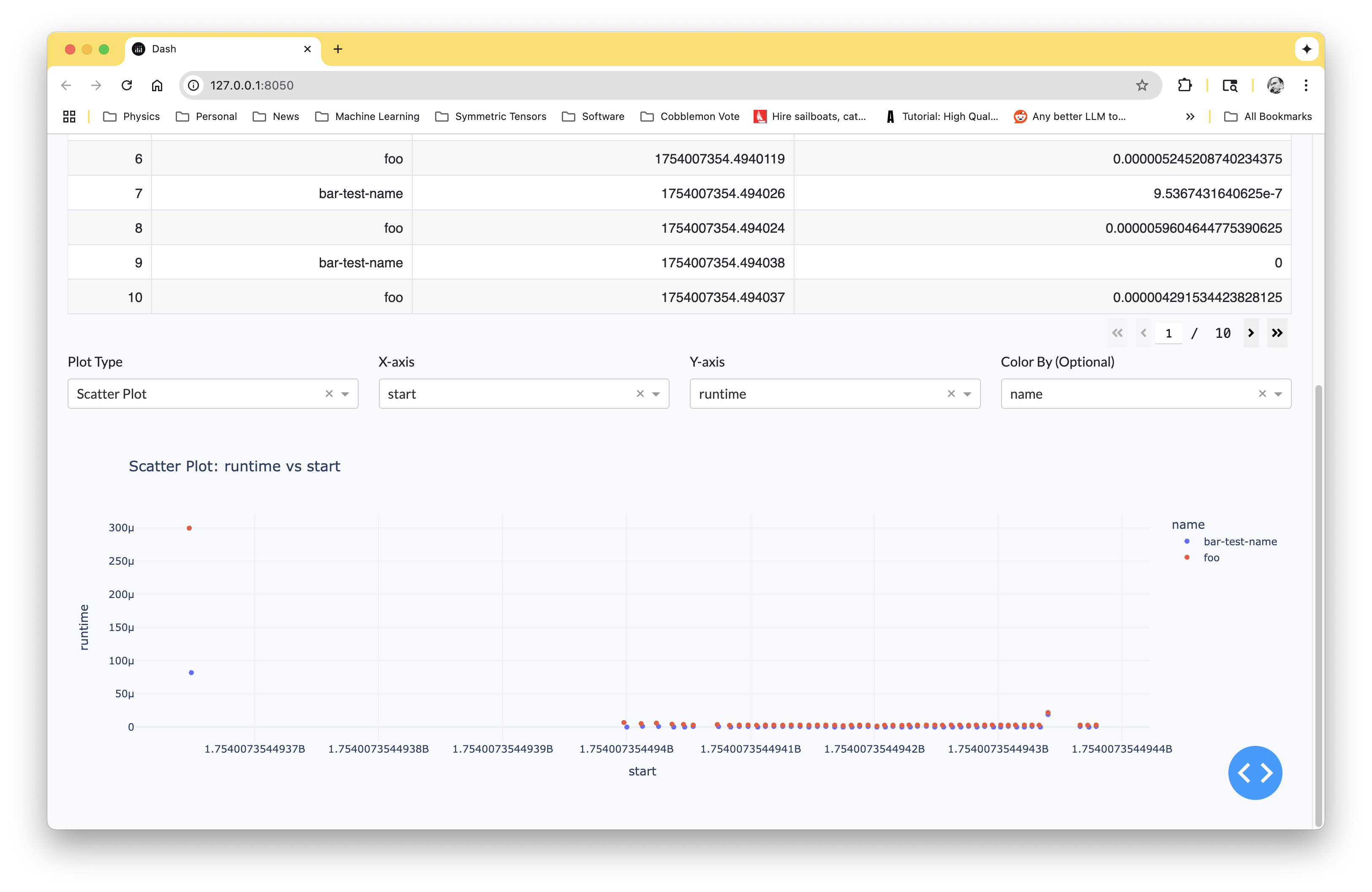
Or you can query the spans manually using sqlite3. This works well in combination with pandas.
import sqlite3

import pandas as pd
from spantom import DEFAULT_DB

self.conn = sqlite3.connect(DEFAULT_DB)
self.curs = self.conn.cursor()
df_spans = pd.read_sql_query("SELECT * FROM spans", self.conn)
df_tags = pd.read_sql_query("SELECT * FROM span_tags", self.conn)
A Tracelite database contains two tables:
spans: Contains the span data: id, name, start, and durationspan_tags: Contains tags associated with spans: id, span_id, key, value


Download files
Download the file for your platform. If you're not sure which to choose, learn more about installing packages.
Source Distribution
Built Distribution
Filter files by name, interpreter, ABI, and platform.
If you're not sure about the file name format, learn more about wheel file names.
Copy a direct link to the current filters
File details
Details for the file spantom-0.0.2.tar.gz.
File metadata
- Download URL: spantom-0.0.2.tar.gz
- Upload date:
- Size: 9.2 kB
- Tags: Source
- Uploaded using Trusted Publishing? No
- Uploaded via: twine/6.1.0 CPython/3.9.13
File hashes
| Algorithm | Hash digest | |
|---|---|---|
| SHA256 |
0e829bfb5bb2dbe514d4673357eb55d5eae71e0d15ecb24eb37cb3f5c72bfb5f
|
|
| MD5 |
60bb47c429a428ede1925251fe17bd21
|
|
| BLAKE2b-256 |
87fad5893342d221998dd68f7174367bf8afa45f59f01ee4b6788e693bf89b47
|
File details
Details for the file spantom-0.0.2-py3-none-any.whl.
File metadata
- Download URL: spantom-0.0.2-py3-none-any.whl
- Upload date:
- Size: 8.0 kB
- Tags: Python 3
- Uploaded using Trusted Publishing? No
- Uploaded via: twine/6.1.0 CPython/3.9.13
File hashes
| Algorithm | Hash digest | |
|---|---|---|
| SHA256 |
ff6766e6dff0b17eb97bf7da034e2c73f7adb280fd9e5b35def21624cc52c227
|
|
| MD5 |
c152782f410e6ff81e382ac6c8f80bc2
|
|
| BLAKE2b-256 |
e6a4c63749980a2f6bac84856e341d8b428aa34149a2042318526be79f010bd8
|






