
No project description provided

Project description
Visual SPaRC: Visual Puzzle Representations for the SPaRC benchmark
Overview
SPaRC (sparc-puzzle) provides a comprehensive framework for evaluating language models on spatial reasoning tasks inspired by "The Witness" puzzle game. This package (sparc-visualization) includes various visual puzzle representations and an improved visual reasoning prompt to complement the functionality of the sparc-puzzle package.
Installation
Install the package from PyPI:
pip install sparc-visualization
Or install from source:
git clone https://github.com/flowun/sparc-visualization.git
cd sparc-visualization
pip install -e .
Example Usage
from sparc_visualization.plot import get_puzzle_image
from sparc_visualization.prompt import generate_prompt
from sparc.validation import extract_solution_path, validate_solution, analyze_path
from datasets import load_dataset

# Load the dataset
dataset = load_dataset("lkaesberg/SPaRC", "all", split="test")
puzzle = dataset[0]

# Generate prompt and image, e.g.
plot_type = "path_cell_annotated"
prompt_type = "prompt_engineering"

b64_image = get_puzzle_image(puzzle, plot_type=plot_type, base_64_image=True)
text_prompt = generate_prompt(puzzle, plot_type, prompt_type)

# create message array and payload for an LLM
puzzle_prompt = [
        {
            "role": "user",
            "content": [
                {
                    "type": "image_url",
                    "image_url": {
                        "url": f"data:image/png;base64,{b64_image}"
                    }
                },
                {
                    "type": "text",
                    "text": text_prompt
                }
            ]
        }
    ]

payload = {
    "model": your_model_name,
    "messages": puzzle_prompt,
    "temperature": temperature,
    "max_tokens": max_tokens,
}

# Your model generates a response
model_response = "... model response with path coordinates ..."

# Analysis using sparc-puzzle package

# Extract the path from model response
extracted_path = extract_solution_path(model_response, puzzle)
# Returns: [{"x": 0, "y": 2}, {"x": 0, "y": 1}, ...]

# Validate against ground truth
is_correct = validate_solution(extracted_path, puzzle)
# Returns: True/False

# Get detailed analysis
analysis = analyze_path(extracted_path, puzzle)
# Returns: {
#   "starts_at_start_ends_at_exit": True,
#   "connected_line": True,
#   "non_intersecting_line": True,
#   "no_rule_crossing": True,
#   "fully_valid_path": True
# }
Core Functions
get_puzzle_image(
    puzzle: Dict,
    plot_type: str = "original",
    base_64_image: bool = False,
    path: List[Tuple[int, int]] | List[Dict[str, int]] | None = None,
    show_plot: bool = False,
    save_to_disk: bool = False,
    save_dir: str = ".",
    save_filename: str = "puzzle_image.png",
) -> PIL.Image.Image | str
- Renders a SPaRC puzzle into one of the supported visual representations (
plot_typevalues). - To get a base64-encoded string of the image suitable for LLM input, set
base_64_image=True. - To overlay a path, specify
patheither as a list of(x, y)tuples or a list of{"x": int, "y": int}cells. The full solution path can be displayed by passing puzzle["solutions"][0]["path"] to this argument. - Besides returning the image object or base64 string, the function has options to display the image (
show_plot=True) or save it to disk (save_to_disk=True).
generate_prompt(
    puzzle: Dict,
    plot_type: str = "original",
    prompt_type: str = "prompt_engineering",
) -> str
Generates the text prompt (based on prompt_type values) that should be paired with the rendered image for an LLM call.
Available prompt_type values are:
- "default_tr": visual prompt from the SPaRC paper (with textual coordinates)
- "default_no_tr": visual prompt from the SPaRC paper (however with textual coordinates removed)
- "prompt_engineering": improved vision-only prompt with prompt engineering (no textual coordinates)
puzzle and plot_type should be provided as in get_puzzle_image to allow small prompt adjustments.
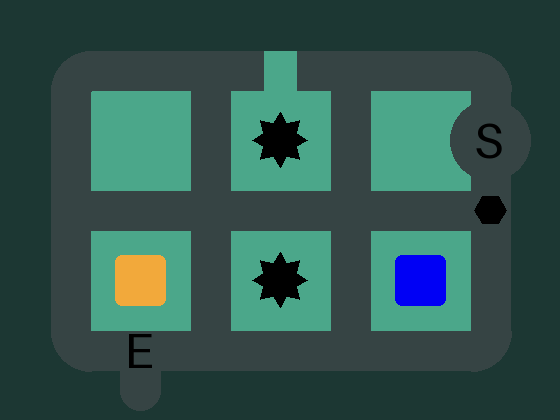
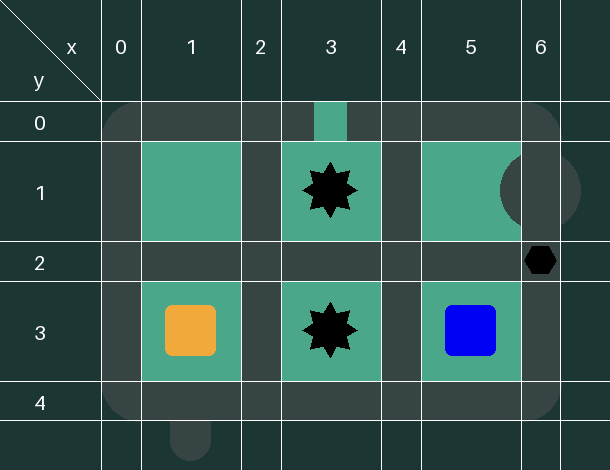
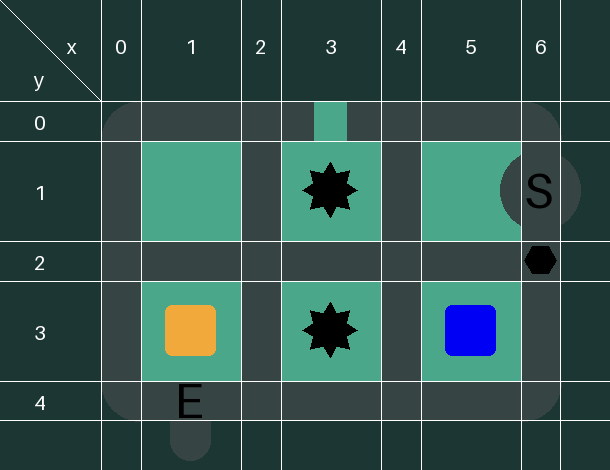
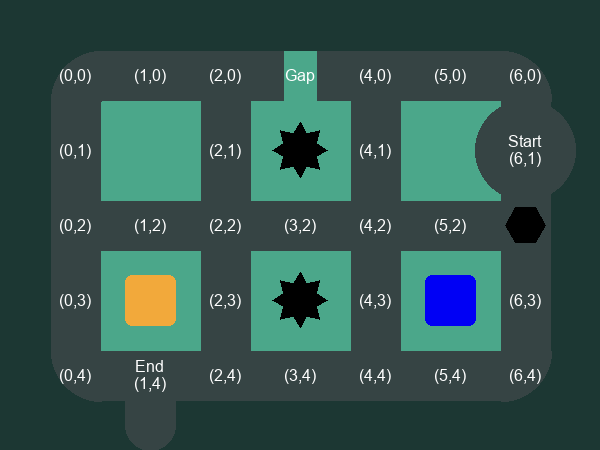
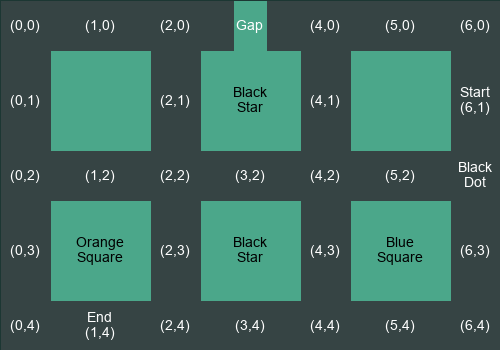
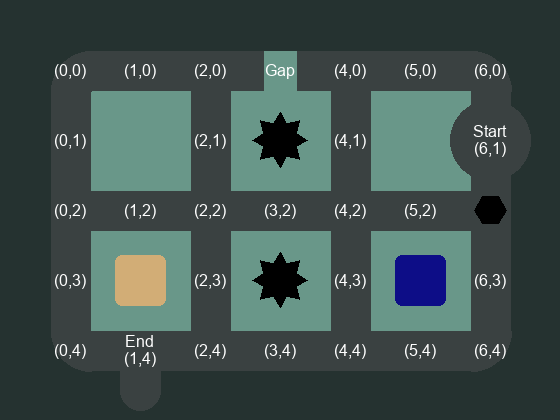
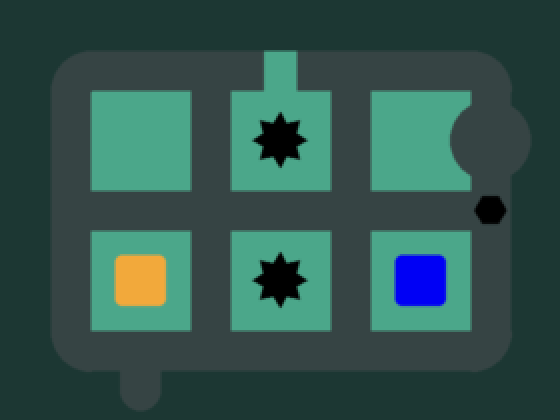
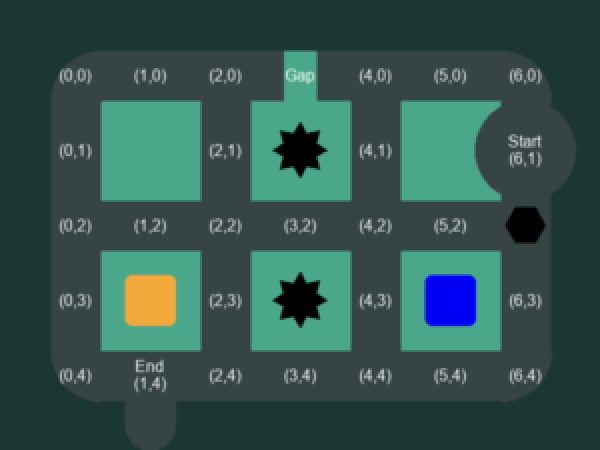
Available Puzzle Representations (plot_type)
|
original

|
start_end_marked
|
coordinate_grid
|
|
coordinate_grid_and_start_end_marked
|
path_cell_annotated
|
text
|
|
low_contrast

|
low_contrast_and_path_cell_annotated
|
low_resolution
|
|
low_resolution_and_path_cell_annotated
|
black_frame
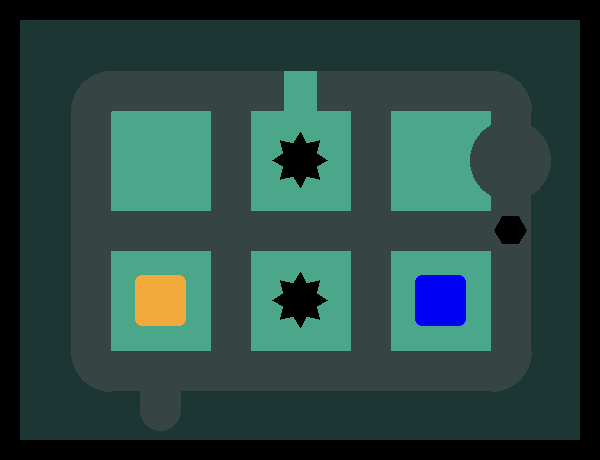
|
black_frame_and_path_cell_annotated
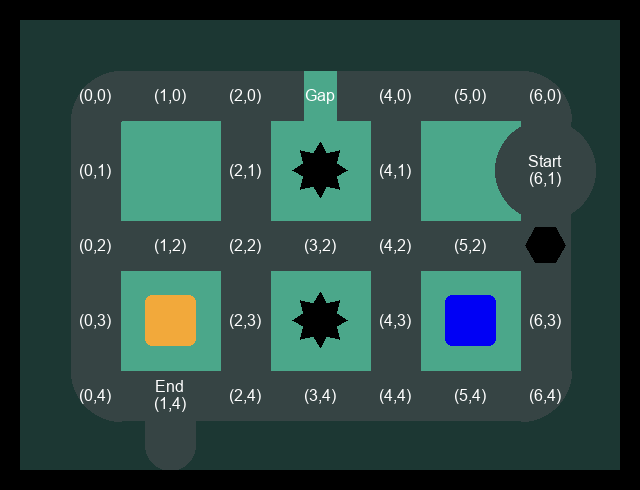
|
|
rotated
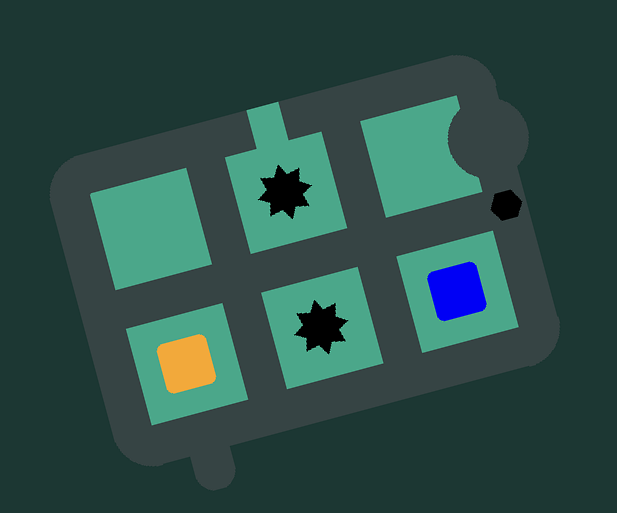
|
rotated_and_path_cell_annotated
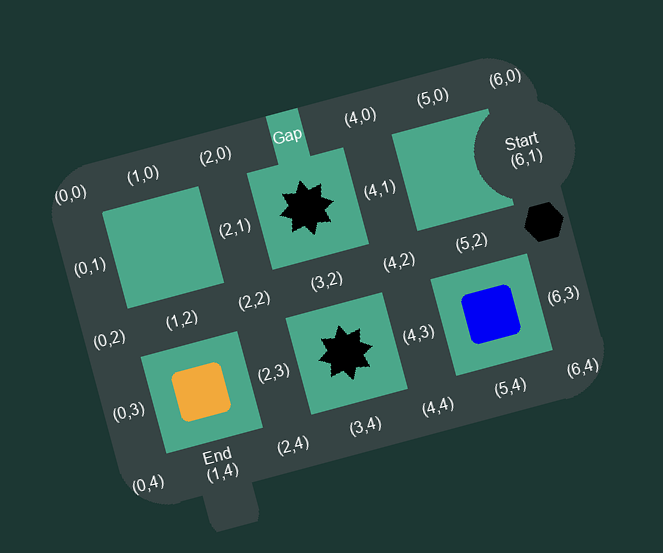
|
Contributing
Contributions are welcome! Please feel free to submit pull requests or open issues.
Citation
If you use SPaRC in your research, please cite:
@inproceedings{kaesberg-etal-2025-sparc,
    title = "{SP}a{RC}: A Spatial Pathfinding Reasoning Challenge",
    author = "Kaesberg, Lars Benedikt and Wahle, Jan Philip and Ruas, Terry and Gipp, Bela",
    booktitle = "Proceedings of the 2025 Conference on Empirical Methods in Natural Language Processing",
    month = nov,
    year = "2025",
    address = "Suzhou, China",
    publisher = "Association for Computational Linguistics",
    url = "https://aclanthology.org/2025.emnlp-main.526/",
    doi = "10.18653/v1/2025.emnlp-main.526",
    pages = "10370--10401"
}
License
This project is licensed under the MIT License - see the LICENSE file for details.
Links
- 🌐 Website: sparc.gipplab.org
- 📚 Dataset: Hugging Face
- 🐛 Issues: GitHub Issues
- 📖 Documentation: GitHub Repository
Release history Release notifications | RSS feed


Download files
Download the file for your platform. If you're not sure which to choose, learn more about installing packages.
Source Distribution
Built Distribution
Filter files by name, interpreter, ABI, and platform.
If you're not sure about the file name format, learn more about wheel file names.
Copy a direct link to the current filters
File details
Details for the file sparc_visualization-0.2.1.tar.gz.
File metadata
- Download URL: sparc_visualization-0.2.1.tar.gz
- Upload date:
- Size: 23.2 kB
- Tags: Source
- Uploaded using Trusted Publishing? No
- Uploaded via: twine/6.1.0 CPython/3.13.12
File hashes
| Algorithm | Hash digest | |
|---|---|---|
| SHA256 |
75f462e8a07ea00aba32fcbae9b2bc8855a36ec8492f98285c318b80545a99d4
|
|
| MD5 |
5dc9d63393f0862c54fa7be7eff8570f
|
|
| BLAKE2b-256 |
0e2695afc70b90beefa23ef80fb38dce4f1c05c1da2acb45e33820fcd6ce1fe2
|
File details
Details for the file sparc_visualization-0.2.1-py3-none-any.whl.
File metadata
- Download URL: sparc_visualization-0.2.1-py3-none-any.whl
- Upload date:
- Size: 32.4 kB
- Tags: Python 3
- Uploaded using Trusted Publishing? No
- Uploaded via: twine/6.1.0 CPython/3.13.12
File hashes
| Algorithm | Hash digest | |
|---|---|---|
| SHA256 |
b2b5d7605ee1472718f0b804952128f84da94aa31e53b6a79686818a6db856a2
|
|
| MD5 |
ce152a496478321cab7f56ca215a4a7a
|
|
| BLAKE2b-256 |
e421d707b758ebcd420d3fa08f48f1330a59103e1f27bf4b5854c84c8fcf4a2c
|






