
AI-assisted software project planning — from idea to executable coding phases

Project description
Spec4 AI
AI-assisted software project planning — from idea to executable coding phases.

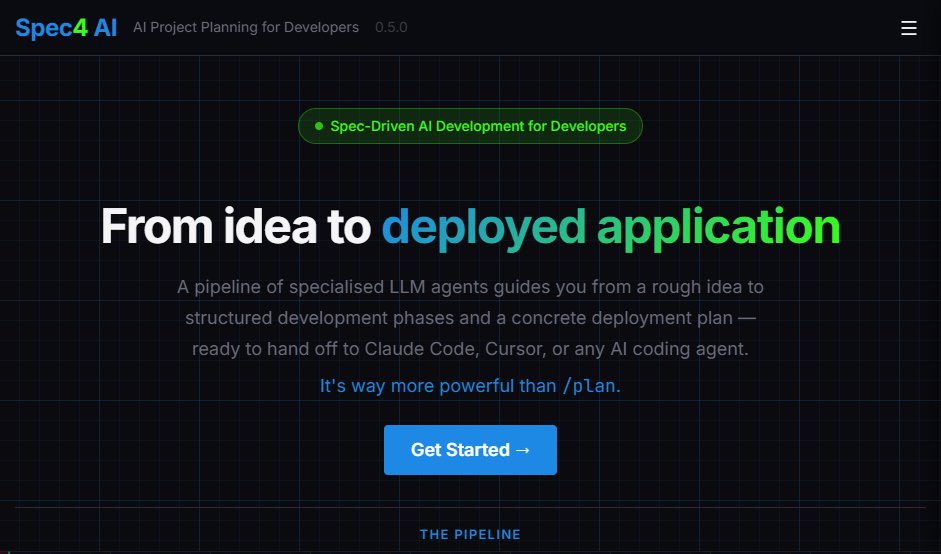
Spec4 is a Dash app (using Dash Mantine Components) that guides you from idea to deployment using a pipeline of specialised LLM agents. Start with a rough idea and finish with a set of structured, ordered development phases — plus an optional UI mock and deployment plan — ready to hand to an AI coding agent like Claude Code.
"You've made something really really really cool. I'm almost done with our driver app. Will be field tested by Friday. I don't think I would have built what this is going to become without it."
Wihan Booyse, Kriterion.ai
How It Works
Requirements
- Python 3.12+
- uv package manager
- An API key for at least one supported LLM provider
- (Optional) A Tavily API key for web search
Installation
Option 1 — Install from PyPI (recommended for most users):
uv tool install spec4 --refresh
spec4
Option 2 — Run from source (for contributors and developers):
git clone https://github.com/robertcrowe/spec4
cd spec4
make spec4
make spec4 runs uv sync (creates a .venv and installs all dependencies) then launches the app. All packages stay inside .venv — nothing is installed into your global Python.
Subsequent runs:
make runreuses the existing.venv.
The app will be available at http://localhost:8050 in both cases.
Features
- Six-stage pipeline — CodeScanner (optional) → Brainstormer → Designer → StackAdvisor → Phaser → Deployer
- Designer — optional parallel stage that generates an HTML mock of your UI from a vision and (optionally) reference screenshots
- Any LLM provider — works with OpenAI, Anthropic, Google Gemini, Cohere, and Mistral via LiteLLM
- Web search grounding — all agents can search the web via Tavily to find canonical documentation
- Saved credentials — optionally remember your provider, model, and API keys in the browser (localStorage via
dcc.Store— never sent to or stored on the server) - Incremental output — each agent produces a downloadable artifact you can reuse in a later session
- Jump-in anywhere — pick up at any stage by selecting a project directory with previously saved artifacts
- Project persistence — artifacts saved to a
.spec4/folder inside your chosen project directory - Deployer — Generates a deployment plan including coding agent instructions and even Terraform scripts
Agents
🔍 CodeScanner (optional)
Analyzes an existing project directory to understand its architecture, technology stack, and coding style. Results inform Brainstormer and StackAdvisor when working on brownfield projects. Produces code_review.json.
🧠 Brainstormer
Develops a clear project vision through focused, one-at-a-time questions. Identifies technical standards via web search and embeds canonical documentation links in the output. Produces vision.json.
🎨 Designer (optional, parallel)
Generates a single-file HTML mock of your UI from your vision and reference screenshots. Supports two modes — create from scratch, or modify an existing UI while preserving its look and feel — with iterative refinement. Skipped automatically for CLI/terminal projects. Produces design/mock.html. Sample Design Mock
⚙️ StackAdvisor
Recommends languages, frameworks, hosting, and infrastructure based on the vision. Compares options, explains trade-offs, and uses web search to ground every recommendation. Produces stack.json.
📋 Phaser
Decomposes the vision and stack into an ordered sequence of development phases:
- Phase 1 is always a steel thread — a minimal end-to-end path that validates the core architecture
- Each phase builds on the previous one
- Stack spec fidelity — confirms before adding any dependency not in the stack spec
- Verification criteria — every phase includes the exact command needed to confirm it succeeded
Saves one JSON file per phase under .spec4/phases/, downloadable as phases.zip.
🚀 Deployer
Plans the path from working code to a running production deployment. Walks through coding-agent workflow, deployment target, containerization, CI/CD, environment config, and monitoring — and can optionally generate complete Terraform scripts grounded in live provider docs via web search. Produces deployment-plan.md. Sample Deployment Plan
Usage
- Select a project directory — new or existing; artifacts are saved to
.spec4/inside it. - Connect — select a provider, enter your API key, and choose a model. Optionally add a Tavily key for web search.
- Choose a starting point — pick an agent to begin with.
- Plan — chat with each agent. When an agent completes, download the result and continue to the next agent.
Picking up where you left off
Each session auto-saves to .spec4/ inside your project directory. On a future visit, select the same directory and previously completed artifacts will be loaded automatically.
Project structure
src/spec4/
├── app.py                  # Dash entry point — app wiring, root layout, page render
├── app_constants.py        # Phase names, URL→phase routing, agent state constants
├── session.py              # Session defaults, agent runner, artifact persistence
├── streaming.py            # Background-thread streaming + provider error formatting
├── providers.py            # Provider/model registry, live model fetching
├── tavily_mcp.py           # Tavily web search integration (async bridge)
├── project_manager.py      # .spec4/ artifact persistence
├── agents/
│   ├── code_scanner.py     # Code review agent
│   ├── brainstormer.py     # Vision development agent
│   ├── stack_advisor.py    # Technology stack recommendation agent
│   ├── phaser.py           # Incremental phase planning agent
│   ├── deployer.py         # Deployment planning agent (terminal pipeline stage)
│   └── designer.py         # UI mock generation agent (parallel, optional)
├── callbacks/              # Dash server-side callbacks (main pipeline + designer)
└── layouts/                # Page layout functions (chat, setup, designer, shared)
tests/                      # pytest test suite
Makefile                    # Common commands
Development
make spec4       # First-time setup: create .venv, install deps, and launch
make install     # Create .venv and install all dependencies (uv sync)
make run         # Start the app (http://localhost:8050)
make dev         # Start with debug/hot-reload enabled
make test        # Run tests
make lint        # Lint check with ruff
make serve       # Production server via gunicorn (requires: uv add gunicorn)

# Add a dependency (always use uv so it stays in .venv)
uv add <package>
uv add --dev <package>
Supported providers
| Provider | Models fetched from |
|---|---|
| OpenAI | api.openai.com/v1/models |
| Anthropic | api.anthropic.com/v1/models |
| Google Gemini | generativelanguage.googleapis.com |
| Cohere | api.cohere.com/v2/models |
| Mistral | api.mistral.ai/v1/models |
Models are fetched live from each provider's API when you connect, with a hardcoded fallback list if the API is unavailable.
License
Apache 2.0 — see LICENSE for details.
Release history Release notifications | RSS feed


Download files
Download the file for your platform. If you're not sure which to choose, learn more about installing packages.
Source Distribution
Built Distribution
Filter files by name, interpreter, ABI, and platform.
If you're not sure about the file name format, learn more about wheel file names.
Copy a direct link to the current filters
File details
Details for the file spec4-0.5.1.tar.gz.
File metadata
- Download URL: spec4-0.5.1.tar.gz
- Upload date:
- Size: 171.8 kB
- Tags: Source
- Uploaded using Trusted Publishing? No
- Uploaded via: uv/0.10.0 {"installer":{"name":"uv","version":"0.10.0","subcommand":["publish"]},"python":null,"implementation":{"name":null,"version":null},"distro":{"name":"Ubuntu","version":"24.04","id":"noble","libc":null},"system":{"name":null,"release":null},"cpu":null,"openssl_version":null,"setuptools_version":null,"rustc_version":null,"ci":null}
File hashes
| Algorithm | Hash digest | |
|---|---|---|
| SHA256 |
eb30e9edf1a866db662c8678faba9ae0cb093bd06cf6c057b39ba673028b5015
|
|
| MD5 |
4177086b86b8746783664a7e3d42db48
|
|
| BLAKE2b-256 |
8a63eff5db258999be2f716b3614c07385b296420455d85657872e847218cf5f
|
File details
Details for the file spec4-0.5.1-py3-none-any.whl.
File metadata
- Download URL: spec4-0.5.1-py3-none-any.whl
- Upload date:
- Size: 185.3 kB
- Tags: Python 3
- Uploaded using Trusted Publishing? No
- Uploaded via: uv/0.10.0 {"installer":{"name":"uv","version":"0.10.0","subcommand":["publish"]},"python":null,"implementation":{"name":null,"version":null},"distro":{"name":"Ubuntu","version":"24.04","id":"noble","libc":null},"system":{"name":null,"release":null},"cpu":null,"openssl_version":null,"setuptools_version":null,"rustc_version":null,"ci":null}
File hashes
| Algorithm | Hash digest | |
|---|---|---|
| SHA256 |
3b068a612d6a124bd025714dfc5098d465194d2541f02eb1081453cbf4576a1b
|
|
| MD5 |
8937055d462380df0b8c7e5f2af4e848
|
|
| BLAKE2b-256 |
86461941f53e53c7f0cfbae90ebaf020a36ec63f92a09227ad5fe00bcba15be3
|






