




Agents can execute.
But they don’t know what to do next.
Spice is a decision-layer runtime — a brain above agents, inspired by the rise of execution agents like Claude Code, Codex, Hermes, and OpenClaw, and by the idea of a world model.
Spice controls agent actions before execution.
It turns messy context into source-backed, comparable, approval-aware decisions — before handing work to executors like Claude Code, Codex, Hermes, or OpenClaw.
It helps you decide what should happen next, why that option is better, and what evidence supports it.
While execution agents are getting better at doing things,
Spice focuses on the missing layer:
👉 What should be done next — and why.
❗️ 30s Dogfooding example
In this demo, Spice is used to decide its own next step: improving state-as-context, strengthening read-only workspace perception, or expanding executor handoff.
The default view stays conversational, while /details expands the full auditable Decision Card.

|

|
⚡ Why it matters
Today, we have powerful agents that can do almost anything:
- write code
- analyze data
- browse tools
- automate workflows
- hand off tasks to other systems
But in most agent systems, decision and execution are tightly coupled.
Most agent benchmarks measure the final task result.
That is useful, but it also means decision quality is usually inferred indirectly from outcomes:
final result = decision quality + tool ability + execution reliability + environment conditions
When a task succeeds or fails, the most important part is often hard to inspect:
Why was this action chosen?
Spice separates the decision layer from the execution layer.
Before an agent acts, Spice turns the next action into a source-backed, comparable, approval-aware decision:
- what options were considered
- what evidence supports them
- why one action was selected
- what trade-offs were rejected
- whether execution should require approval
Execution agents answer: how do we do it?

Spice answers: should we do it, and why?
🧠 What is Spice?
Spice is a decision runtime for agentic AI systems.
It gives AI systems a structured loop:
perception → state model → simulation → decision → execution → reflection
It allows AI systems to:
- understand context (Decision relevant state)
- reason about possible futures (simulation)
- make structured decisions (decision)
- delegate actions to agents (execution)
- learn from outcomes (Decision Evolution)
Spice does not replace agents like Claude Code, Codex, Hermes, or OpenClaw.
It gives them an auditable, traceable, and evolving decision layer before execution.
🎬 Demo of Spice
To gain a more intuitive understanding of Spice,
please visit our carefully prepared demo about conflicts between life and work events: Spice-live-demo
Demo Video
- Bilibili

Click the image to watch the full demo video of using Spice to handle conflicts between the digital and physical worlds.
- YouTube

Click the image to watch the full demo video of using Spice to handle conflicts between the digital and physical worlds.
👨🔧 Spice: Decision Layer Architecture

🧭 Decision Guidance: decision.md
The easiest way to use Spice locally is the interactive decision shell:
spice setup
spice shell
In a workspace initialized by spice setup, local decision guidance lives at:
.spice/decision.md
decision.md tells Spice how to compare candidate decisions within the capabilities supported by the active runtime and policy adapter.
It can guide:
- what Spice optimizes for
- how trade-offs are weighted
- which constraints should matter
- what kinds of decisions should be preferred or avoided
decision.md is decision guidance.
It is not:
- memory
- a prompt dump
- an execution script
- an agent workflow
- a tool permission file
Editing decision.md can change how Spice ranks and explains options, but it does not grant execution capability. Execution still goes through runtime guardrails, approval boundaries, and configured executors.
A typical flow looks like:
spice setup
$EDITOR .spice/decision.md
spice shell
Then ask Spice what to do next:
spice> Read this repo and tell me what we should prioritize next.
Spice will respond conversationally by default, while keeping the full audit trail available through commands like:
/details    expand the full Decision Card
/sources    show evidence used
/why        explain trade-offs
/sim        show simulation
/json       inspect raw artifacts
Advanced profile/demo flows may also use .spice/decision/decision.md, especially in the older quickstart and domain-adapter examples. For the current interactive runtime, .spice/decision.md is the default local decision guidance file.
See docs/decision.md and docs/decision_quickstart.md for the full guidance contract.
⚙ Install
Install from source
git clone https://github.com/Dyalwayshappy/Spice.git
cd Spice

python -m venv .venv
source .venv/bin/activate  # Windows: .venv\Scripts\activate

pip install -U pip
pip install -e .
Then verify:
spice --help
Install from PyPI (stable, recommended)
pip install spice-runtime
Then verify the CLI:
spice --help
Upgrade
pip install -U spice-runtime
🚀 Quick Start
The fastest way to try Spice is the interactive decision shell.
pip install spice-runtime
spice setup
spice shell
spice setup initializes a local Spice workspace:
.spice/
  config.json          # LLM / executor / perception config
  decision.md          # user-editable decision guidance
  state/state.json     # local decision state
  sessions/            # conversation/session records
  runs/                # run artifacts
  decisions/           # Decision Cards
  perceptions/         # workspace / URL / delegated perception artifacts
  investigations/      # read-only investigation consent and records
  approvals/           # approval checkpoints
  outcomes/            # execution outcomes
  conversations/       # shell conversation turns
  memory/              # decision memory and summaries
  cache/               # runtime cache
  executors/           # local executor metadata/config
  skills/              # local skill metadata
  .env                 # optional saved API keys, if configured during setup
Then start a session:
spice shell
Try:
spice> Read this repo and tell me what we should prioritize next.
spice> Why not option B?
spice> Give me a two-week plan for A.
spice> /execute <approval_id>
By default, Spice responds conversationally and keeps the audit card folded.
Useful shell commands:
/details     expand the full Decision Card
/sources     show evidence and sources used
/why         explain why the selected option won
/sim         show simulation metadata
/json        inspect raw artifacts
/context     inspect compiled decision context
/workspace   inspect workspace perception
/refine      adjust the latest decision
/execute     request approval-gated execution
/help        show shell commands
1. Configure A Model
You can configure an LLM during spice setup, or later:
spice config enable-llm \
  --provider openrouter \
  --model minimax/minimax-m2.7
Spice will read the API key from the provider-specific environment variable.
Example:
export OPENROUTER_API_KEY="your-openrouter-api-key"
spice shell
Supported LLM providers:
| Provider | Config value | API key env | Notes |
|---|---|---|---|
| Deterministic | deterministic |
none | No hosted model. Useful for smoke tests and fallback behavior. |
| OpenRouter | openrouter |
OPENROUTER_API_KEY |
Recommended first hosted path. Works with models such as minimax/minimax-m2.7. |
| OpenAI | openai |
OPENAI_API_KEY |
Chat-completions compatible provider. |
| Anthropic | anthropic |
ANTHROPIC_API_KEY |
Claude provider. |
| DeepSeek | deepseek |
DEEPSEEK_API_KEY |
Works for normal responses; some flash models may be less stable for strict JSON simulation output. |
| MiMo / Xiaomi | mimo |
XIAOMI_API_KEY or MIMO_API_KEY |
MiMo provider support. |
| Subprocess | subprocess |
custom | Advanced local/custom provider path. |
Spice uses the LLM for candidate expansion, semantic routing, simulation metadata, response composition, and follow-up understanding. Runtime guardrails still own execution boundaries, evidence checks, and approval rules.
2. Configure An Executor
Execution is optional.
Spice can make decisions without executing anything. If you configure an executor, Spice still requires approval before crossing the execution boundary.
Supported executors:
| Executor | Config value | What it is for | Boundary |
|---|---|---|---|
| Dry run | dry_run |
Local no-op execution preview | Safe default |
| SDEP subprocess | sdep_subprocess |
Any local executor that speaks SDEP over subprocess | Protocol boundary |
| Codex | codex |
Handoff to Codex CLI | Approval-gated |
| Claude Code | claude_code |
Handoff to Claude Code CLI | Approval-gated |
| Hermes | hermes |
Handoff to Hermes CLI | Approval-gated |
| OpenClaw | openclaw |
Handoff to OpenClaw CLI / Gateway | Approval-gated; permissions governed by OpenClaw exec-policy |
For OpenClaw, Spice controls the approval boundary. OpenClaw controls actual tool permissions through exec-policy, approvals, and sandbox config.
Use:
openclaw exec-policy show --json
openclaw sandbox explain --json
to inspect the effective policy.
Check executor status:
spice executor list
spice executor doctor
Execute only after approval:
spice approval list
spice approval approve <approval_id>
spice execute <approval_id>
Spice separates decision from execution:
Spice decides what should happen next.
Executors do the work after approval.
3.Configure Perception
Perception is how Spice gathers decision-relevant evidence.
Supported perception paths:
| Perception path | How it is triggered | What it reads | Notes |
|---|---|---|---|
| Manual input | User message / shell | User-provided context | Always available |
| Workspace perception | User asks about repo/files/current implementation | Local workspace files, git status, repo map, package metadata, tests, symbols | Read-only; does not write or run tests |
| URL perception | User includes a URL | Web page text | Read-only. GitHub repo deep inspection is still being improved. |
| Poll perception | spice perceive --provider poll |
URL or explicit command output | Command polling requires explicit opt-in |
| OpenChronicle | spice perceive --provider open_chronicle |
OpenChronicle MCP context | Optional external perception provider |
| Delegated perception | may trigger investigation consent | Findings/sources reported by an executor such as Hermes | Requires investigation consent; read-only; not execution |
Examples:
spice perceive --provider poll --poll-url "https://example.com/status"
spice perceive --provider open_chronicle
In the shell, Spice can automatically trigger read-only workspace or URL perception when the user asks for evidence:
spice> Read this repo and tell me what is missing.
spice> Based on this URL, what should we do next? https://example.com/spec
Use /sources to inspect what Spice actually read.
4. What Spice Read-only Tools Are For
Spice uses tool calls for perception, not uncontrolled execution.
Read-only perception tools may inspect:
repo_map
search
read_file
git_status
git_diff
git_log
read_package_metadata
read_test_structure
python_symbol_index
read_python_symbol
fetch_url
These tools are used to build source-backed decision context.
They are not allowed to:
write files
patch code
delete or move files
install packages
run tests
run terminal commands
execute side-effect tasks
If a decision needs side effects, Spice creates an approval checkpoint first.
If a task needs deeper external research, Spice can ask for investigation consent and delegate a read-only investigation to an executor. That is separate from execution approval.
local perception -> delegated read-only investigation -> approval-gated execution
5. Edit decision.md
The main user-editable decision guidance file is:
.spice/decision.md
Edit it to change how Spice compares options:
$EDITOR .spice/decision.md
decision.md can influence preferences, constraints, trade-offs, and decision style.
Editing decision.md does not grant execution capability. Execution still goes through runtime guardrails and approval boundaries.
6. Run One-Off CLI Decisions
You can also use Spice without entering the shell.
Advisory decision:
spice decide "What should we prioritize next?" --advise
One-shot run:
spice run --once "Read this repo and suggest the safest next action"
JSON artifact output:
spice run --once "What should we do next?" --json
Refine the latest decision:
spice refine "Assume we only have one developer for two weeks."
Inspect session history:
spice session list
spice session current
spice session timeline session.default
Check workspace health:
spice doctor
7. Legacy Quickstart And Domain Demos
The older framework quickstart is still available for people building custom domains or studying the deterministic core loop:
spice quickstart --force
Core-only mode:
spice quickstart --core-only --force
That flow creates example artifacts under:
.spice/quickstart/
.spice/quickstart_llm/
.spice/decision/decision.md
.spice/decision/support/default_support.json
Use this path if you are building a custom DomainSpec, policy adapter, or SDEP executor demo.
For the current interactive product experience, start with:
spice setup
spice shell
🧵 Sessions
Spice keeps local decision sessions under .spice/sessions/.
A session is not just a chat transcript. It is a local decision-loop window that links:
- conversation turns
- decision runs
- Decision Cards
- perception sources
- pending approvals
- execution outcomes
- memory summaries
This lets Spice continue from the same decision context without blindly sending the full chat history back to the model.
The default session is:
session.default
Start the interactive shell with the active session:
spice shell
Start a new named session:
spice shell --session-id session.project-review
Run one decision inside a specific session:
spice run --once "Read this repo and suggest the next step" --session-id session.project-review
Inspect sessions:
spice session list
spice session current
spice session show session.project-review
spice session timeline session.project-review
Resume a session directly into the shell:
spice session resume session.project-review --start
Switch the workspace active session:
spice session switch session.project-review
Inside the shell:
/session    show current session summary
/timeline   show the current session timeline
/stats      show local session stats
Resuming a session does not replay old runs or automatically execute anything. It reopens the same local decision context for the next user intent.
Sessions are how Spice keeps decision continuity: the next answer can reference previous decisions, selected candidates, sources, approvals, and outcomes while keeping the execution boundary explicit.
✨ Features
Spice turns messy context into a structured, auditable decision loop.
It enables a new way to think, decide, and act:
-
Perception
Read decision-relevant context from user input, local workspace files, URLs, external signals, or delegated read-only investigations. -
State Modeling
Maintain local state, session history, memory summaries, and decision-relevant context. -
Simulation
Compare candidate futures before action: expected outcome, downside, success signal, and confidence. -
Decision
Rank options, explain why one wins, show why others were rejected, and keep the full Decision Card available for audit. -
Execution (optional)
Send approved actions across an explicit execution boundary to external executors such as Codex, Claude Code, Hermes, or SDEP- compatible agents. -
Reflection
Learn from follow-ups, approvals, execution outcomes, and memory writeback over time.
🔁 Reference Integration: Spice + Hermes
This repository includes a reference bridge showing how external signals can flow into Spice and how approved decisions can be handed off to Hermes through SDEP.
External signal -> Spice decision runtime -> SDEP -> Hermes executor -> outcome -> reflection
Start here if you want to study a full integration example:
- spice-hermes-bridge/README.md
- examples/decision_hub_demo/
- examples/sdep_quickstart/
This is a reference integration, not Spice core.
🔗 SDEP (Spice Decision Execution Protocol)
SDEP is the protocol boundary between decision and execution.
Spice remains the decision runtime:
Decision
-> ExecutionIntent
-> SDEP
-> External Agent
-> ExecutionResult
-> Outcome
-> Reflection
SDEP lets external execution-layer agents run behind Spice through a shared wire contract.
It is:
- transport-agnostic — the same payload shape can be carried over stdin/stdout, HTTP, queues, or RPC
- protocol-first — external agents do not need to understand Spice internals
- auditable — execution intent and execution result are structured and traceable
- executor-agnostic — different agents can implement the same wire contract
SDEP is not a reasoning framework and not an agent loop.
It defines a standardized boundary between:
-
Decision (what should be done)
-
Execution (how it is done)
Start Here
If you want to understand or implement SDEP, start from:
- Protocol spec:
docs/sdep_v0_1.md - JSON Schemas:
schemas/sdep/v0.1/ - Example payloads:
examples/sdep_payloads/v0.1/ - Executor quickstart:
examples/sdep_quickstart/ - Wrapper template:
examples/sdep_wrapper_template/ - Reference adapter:
spice/executors/sdep.py - Example agent:
examples/sdep_agent_demo/echo_agent.py
SDEP v0.1 defines:
- one shot
execute.request/execute.response - optional
agent.describe.request/agent.describe.response - sender/responder identity
- deterministic request identity and idempotency key
- explicit success/failure signaling
- canonical execution / outcome payloads
Reserved for future versions:
- streaming partial outputs
- async job polling
- capability negotiation handshake
- online autonomous policy mutation
For the full protocol contract, normative rules, JSON examples, and mapping details, see docs/sdep_v0_1.md.
1. Positioning
Modern agent systems often follow patterns like ReAct or reinforcement learning loops, where:
reasoning and acting are interleaved inside a single loop
execution is implicit, embedded in the agent runtime
SDEP takes a different approach:
It externalizes the “Act” step into a first-class protocol boundary
| Layer | Role |
|---|---|
| Methodology (ReAct, RL) | how agents think & learn |
| Protocol (SDEP) | how decisions cross into execution |
| Execution | how actions are actually performed |
2. SDEP vs Existing Agent Patterns
vs ReAct
- ReAct: reasoning + acting inside one loop
- SDEP: extracts “Act” into a protocol
vs Reinforcement Learning
- RL: optimizes behavior via reward signals
- SDEP: defines how actions are executed and observed
vs Traditional Tool Calling
Tool calling is usually:
- implicit
- model-specific
- hard-coded
SDEP makes it:
- explicit
- model-agnostic
- auditable
- replayable
3. What This Enables
-
Same Brain, Different Agent Switch execution backends without changing decision logic
-
Auditable systems Every action has a traceable intent and result
-
Replay & simulation Re-run decisions against different execution environments
-
Composable execution layer CLI, APIs, agents, humans — all become interchangeable executors
🔌 Wrapper Ecosystem (External Agents)
SDEP is the clean boundary. Wrappers make it practical today.
If an external agent does not natively support SDEP, it can still connect through a wrapper:
Spice -> SDEP -> Wrapper -> External Agent
The wrapper translates between:
- Spice’s structured ExecutionIntent / ExecutionResult
- the agent’s native interface, such as CLI, JSON, HTTP, SDK, or hosted API
This lets Spice work with existing execution agents without requiring them to change their internals. Integration paths:
- Native SDEP agent -> connect directly
- Non-SDEP agent -> connect through a wrapper
- Multiple agents -> select by capability, context, or configured executor
Wrappers are a compatibility layer. The long-term protocol boundary is SDEP.
📁 Project Structure
Spice/
├── spice/                         # Core Spice runtime package
│   ├── runtime/                   # Shell, routing, approval flow, perception wiring, execution runtime
│   │   └── tui/                   # Terminal UI surfaces and conversation rendering
│   ├── decision/                  # Decision policies, profiles, comparison, and general decision models
│   ├── perception/                # Read-only perception providers and workspace/URL context sources
│   ├── executors/                 # Executor interfaces and SDEP adapter
│   ├── llm/                       # LLM clients, providers, composers, routers, simulation helpers
│   ├── memory/                    # Memory, context summaries, and memory writeback helpers
│   ├── core/                      # Core protocol loop primitives and state store
│   ├── protocols/                 # Observation / decision / execution protocol primitives
│   ├── domain/                    # DomainPack abstractions for custom domains
│   ├── domain_starter/            # New-domain scaffold templates
│   ├── replay/                    # Replay utilities
│   ├── shadow/                    # Shadow-run evaluation utilities
│   ├── evaluation/                # Evaluation helpers
│   ├── adapters/                  # External system adapters
│   └── entry/                     # CLI entrypoints, setup, quickstart, shell commands
│
├── tests/                         # Test suite, grouped by subsystem
│   ├── decision/                  # Decision comparison, profiles, general decision tests
│   ├── runtime/                   # Shell/runtime/routing/perception/execution/composer tests
│   ├── llm/                       # LLM provider, router, composer, simulation tests
│   ├── perception/                # Workspace, URL, OpenChronicle, poll perception tests
│   ├── executors/                 # Executor and SDEP integration tests
│   ├── memory/                    # Memory and context tests
│   ├── protocols/                 # Protocol contract tests
│   ├── entry/                     # CLI/setup command tests
│   ├── demos/                     # Demo scenario tests
│   └── replay/                    # Replay tests
│
├── docs/                          # Architecture, decision guidance, SDEP, runtime docs
├── schemas/                       # Machine-readable protocol schemas
│   └── sdep/v0.1/                 # SDEP v0.1 JSON Schemas
├── examples/                      # Demos, SDEP examples, wrapper templates
│   ├── decision_hub_demo/         # Simulation-driven decision demo domain
│   ├── incident_commander_demo/   # Incident response decision demo
│   ├── cli_adapter_demo/          # CLI adapter example
│   ├── sdep_agent_demo/           # Minimal SDEP executor demo
│   ├── sdep_quickstart/           # SDEP quickstart for executor authors
│   ├── sdep_payloads/             # Example SDEP request/response payloads
│   └── sdep_wrapper_template/     # Template for wrapping non-SDEP agents
├── spice-hermes-bridge/           # Reference bridge: external signals -> Spice -> SDEP -> Hermes
├── assets/                        # README/community assets
├── pyproject.toml                 # spice-runtime package metadata
├── README.md                      # Project overview
├── README_zh.md                   # Chinese README
├── LICENSE                        # MIT
└── .gitignore                     # Ignore rules
🗺️ Roadmap
Spice is an evolving decision-layer system.
The current focus is building the decision layer above agents: source-backed reasoning before action, explicit trade-offs before commitment, and approval-gated handoff before execution.
PRs are welcome. The system is designed to be modular, inspectable, and extensible.
Current
-
Interactive decision shell
Agent-like conversation with folded Decision Cards and audit commands. -
Decision runtime
Perception -> state -> simulation -> decision -> optional approval -> execution -> reflection. -
Source-backed perception
Read-only workspace perception, URL perception,/sources, citation checks, and evidence-aware responses. -
LLM-assisted decision flow
Semantic routing, candidate expansion, simulation metadata, response composition, and follow-up handling. -
Approval-gated execution
Execution is separated from decision and only crosses the boundary through explicit approval checkpoints. -
SDEP v0.1
A protocol boundary for connecting Spice decisions to external execution agents.
Next
-
Stronger model compatibility
Better handling for different LLM providers, especially strict JSON simulation and composer fallback behavior. -
Deeper read-only perception
Better GitHub repo inspection, richer URL understanding, improved repo maps, and source-grounded code analysis. -
More executor integrations
Improve Codex, Claude Code, Hermes, and SDEP-compatible executor handoff. -
Better delegated perception
Let external agents perform read-only investigations while Spice keeps source tracking, consent, and decision ownership. -
Decision evolution
Improve how user follow-ups, approvals, outcomes, and memory updates shape future decisions. -
Observability and replay
Make decisions, sources, approvals, execution traces, and state transitions easier to inspect and replay.
Longer-term
-
Native SDEP ecosystem
More agents supporting SDEP directly, with less reliance on wrappers. -
Multi-step decision workflows
Move from single decisions to structured plans, branches, and execution chains. -
Persistent decision systems
Systems that continuously maintain context, learn from outcomes, and improve decision quality over time. -
Domain expansion
Apply Spice to software, operations, research, business strategy, and personal decision systems.
🌌 Vision
We believe the future of AI is not only about better execution.
It is also about better decisions.
Execution agents are becoming faster, cheaper, and more capable.
But before action, there is still a harder question:
What should be done next, and why?
Spice is an attempt to build a new layer in the AI stack:
a decision layer above agents.
Our goal is simple:
Everyone should have a Spice.
A system that:
- understands your world
- maintains your state
- helps you think through decisions
- and hands off action when needed
Not just a tool or a chatbot.
But a decision brain
that evolves with context, outcomes, and goals over time.
We are still early.
But we believe this direction leads to:
- more thoughtful decisions
- more capable systems
- and a new way to interact with AI
Spice is not just an assistant.
It is a step toward a decision brain for everyone.
Finally,Thanks to everyone on LinuxDo for their support! Welcome to join https://linux.do/ for all kinds of technical exchanges, cutting-edge AI information, and AI experience sharing, all on Linuxdo!
⭐ Star History
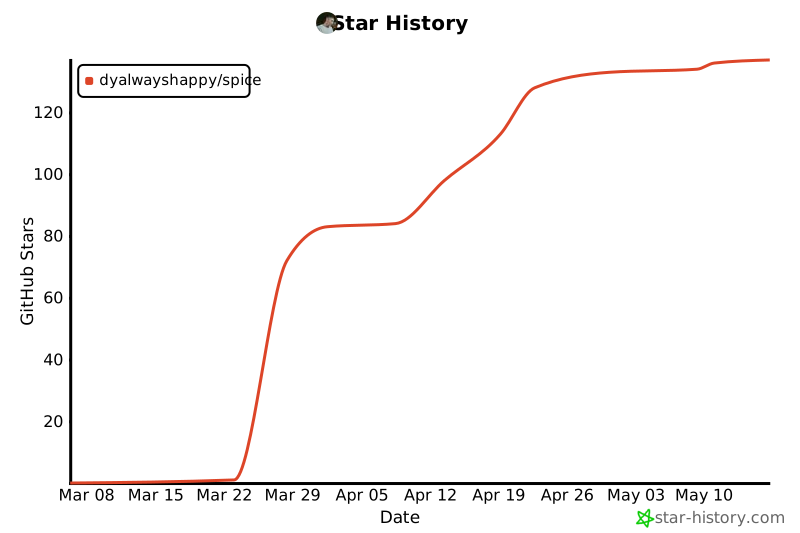
⭐ Star us if you find Spice interesting

Everyone should have a Spice — a decision brain for thinking and action.
1 maintainer

Release files for spice-runtime 0.3.2
For a detailed explanation of source distributions (sdists) and built distributions (wheels), please see the package formats documentation.
Source distribution (sdist)
| File | Size | Uploaded | |
|---|---|---|---|
| spice_runtime-0.3.2.tar.gz | 597.9 kB | Details |
Built distribution (wheel)
| File | Interpreter | ABI | Platform | Reset |
|---|---|---|---|---|
| spice_runtime-0.3.2-py3-none-any.whl | Python 3 | none | any | Details |
Total release size: 1.3 MB
Release files / spice_runtime-0.3.2.tar.gz
| Download URL | spice_runtime-0.3.2.tar.gz |
|---|---|
| Size | 597.9 kB |
| Tags | Source |
|
SHA-256 checksum How to use checksums |
d2dc3d731aed5f36c14cf3ddcf30232e809089d4c4ab901aa7db8d5a9775b428
|
|
BLAKE2b-256 checksum How to use checksums |
8c19a64053d621cbcd4dafcbb2bf46e33ddfa28b85083371b6538b74ce3f05a0
|
| Upload date | |
|
Uploaded using Trusted Publishing? What is trusted publishing? |
No |
| Uploaded via |
twine/6.2.0 CPython/3.13.2
|
Release files / spice_runtime-0.3.2-py3-none-any.whl
| Download URL | spice_runtime-0.3.2-py3-none-any.whl |
|---|---|
| Size | 698.0 kB |
| Tags | Python 3 |
|
SHA-256 checksum How to use checksums |
f2f87005ec25d8de5974337b4fddd3230196e6731ad9573de22fc2a1b3995a26
|
|
BLAKE2b-256 checksum How to use checksums |
e1df84e4095d8c0223ec32dfbf460da9262f64206d0af749cb644478a9c74aad
|
| Upload date | |
|
Uploaded using Trusted Publishing? What is trusted publishing? |
No |
| Uploaded via |
twine/6.2.0 CPython/3.13.2
|














