
Splice
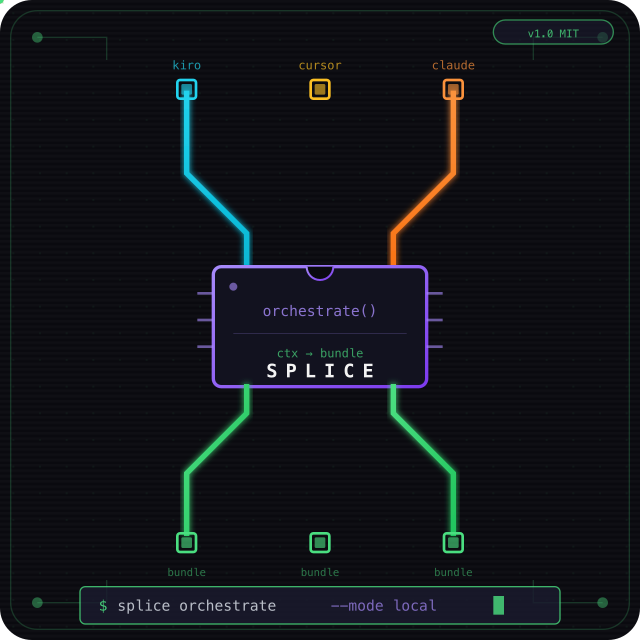
Zero-friction context sync between Kiro, Cursor, and Claude Code.


Splice is an invisible meta-tooling layer for any codebase. Install once, then forget about it. It silently tracks context as you work, syncs it across IDEs and machines via git, and ensures every AI assistant has the full picture — without you ever copy-pasting an error log again.
Three orchestration modes: mock (offline) · Ollama (local, privacy-first) · Bedrock (cloud).
Install (one time)
pip install splice-cli
cd your-project
splice setup
That's it. Splice is now active. No commands to remember, no workflow to learn.
How it works
flowchart TD
    subgraph "You just work normally"
        W[Write code in any IDE]
        W --> P[Every prompt silently tracked]
        P --> C[Commit your code]
    end

    subgraph "Splice handles the rest"
        C -->|pre-commit hook| B[Bundle updated & committed]
        B -->|git push/pull| S[Synced to any machine]
        S -->|SessionStart hook| I[Next IDE auto-loads bundle]
    end
| What happens | When | You do |
|---|---|---|
| Context accumulated silently | Every prompt you send | Nothing |
| Bundle regenerated & committed | Every git commit |
Nothing (pre-commit hook) |
| Bundle synced to other machines | git push / git pull |
What you already do |
| Next IDE loads full context | Open IDE or start session | Nothing (auto-injected) |
Why this exists
If you use Kiro, Cursor, and/or Claude Code on the same project, you probably:
- Paste the same error log in two IDEs
- Lose session continuity when switching tools
- Burn tokens sending irrelevant files to the model
- Context-switch between machines and lose everything
Splice fixes all of this without changing your workflow.
| Metric | Result |
|---|---|
| Context reduction | ~44–67% (mock) · ~96% (Ollama) |
| Orchestration latency | ~0 ms (mock) · ~7s (Ollama) |
| Commands to remember | Zero after setup |
| Privacy | Code stays local with mock + Ollama |
Privacy-first: Ollama (recommended)
Your code and context never leave your machine:
brew install ollama
ollama pull llama3.2
Edit .splice/config.json (created by splice setup):
{ "orchestrator": "ollama", "ollama": { "model": "llama3.2" } }
| Mode | Code leaves machine? | Cost |
|---|---|---|
| mock | No — rule-based routing | Free |
| ollama | No — localhost LLM | Free |
| bedrock | Yes — AWS | Pay per token |
Kiro/Cursor/Claude Code still use their own cloud models for chat. Splice controls only the orchestration (routing + context reduction).
Optional power-user commands
Splice works automatically, but these are available if you want manual control:
splice status                    # show active session
splice doctor                    # verify orchestrator health
splice capture-error             # pipe test output: npm test 2>&1 | splice capture-error
splice upgrade                   # upgrade to latest version + update hooks
splice uninstall                 # remove all Splice hooks from current project
/harness <task>                  # explicitly request bundle in any IDE prompt
What gets committed
Splice adds one file to your repo:
.splice/active-bundle.md    ← committed (synced via git)
.splice/session.json        ← gitignored (local only)
.splice/last-error.log      ← gitignored (local only)
The bundle is a markdown summary of your current context: errors, relevant files, diffs, and the recommended agent/workflow. It's small, human-readable, and useful for code review too.
Configure (optional)
.splice/config.json (created automatically by splice setup):
{
  "orchestrator": "mock",
  "captureGitDiff": true,
  "includePaths": ["src/**/*.ts"],
  "errorSources": [".splice/last-error.log"],
  "ollama": { "model": "llama3.2" },
  "bedrock": { "modelId": "amazon.nova-lite-v1:0" }
}
| Field | What it does |
|---|---|
orchestrator |
mock · ollama · bedrock |
includePaths |
Always include these files in context |
errorSources |
Log files to read as error context |
captureGitDiff |
Include git diff in context |
Supported IDEs
| IDE | Context tracking | Bundle injection | Status |
|---|---|---|---|
| Kiro | UserPromptSubmit hook | SessionStart hook | ✅ |
| Cursor | beforeSubmitPrompt hook | sessionStart hook | ✅ |
| Claude Code | UserPromptSubmit hook | SessionStart hook | ✅ |
| Windsurf | — | — | Planned |
| Zed | — | — | Planned |
How context flows
Machine A (Kiro)          Git repo              Machine B (Cursor)
─────────────────         ────────              ──────────────────
Work normally        →    commit includes       →    Open Cursor
Context tracked           active-bundle.md           Bundle auto-injected
silently                  push to remote              on SessionStart
                                                     Full context ready
Requirements
- Python 3.10+
- Git
- Kiro, Cursor, and/or Claude Code
- Ollama (optional, for local LLM orchestration)
Docs
| Doc | Description |
|---|---|
| ORCHESTRATORS.md | mock / Ollama / Bedrock details |
| INSTALL.md | Manual install (without pip) |
| DEMO_KIRO_CURSOR.md | Live walkthrough |
Contributing
PRs welcome — especially IDE adapters (Windsurf, Zed) and Ollama model presets.
License
MIT — see LICENSE.
Author
Created by Hazel Saenz — LATAM Developer Advocate at AWS | Former AWS Serverless Hero.
1 maintainer

Download files
Download the file for your platform. If you're not sure which to choose, learn more about installing packages.
Source Distribution
Built Distribution
Filter files by name, interpreter, ABI, and platform.
If you're not sure about the file name format, learn more about wheel file names.
Copy a direct link to the current filters
File details
Details for the file splice_cli-0.1.3.tar.gz.
File metadata
- Download URL: splice_cli-0.1.3.tar.gz
- Upload date:
- Size: 25.7 kB
- Tags: Source
- Uploaded using Trusted Publishing? Yes
- Uploaded via: twine/7.0.0 CPython/3.13.14
File hashes
| Algorithm | Hash digest | |
|---|---|---|
| SHA256 |
64a794abdf7a25a9da901678b30b1d69f0ae6916cc7da5675f57300458a789be
|
|
| MD5 |
b3fdfb10f4ddce3b0c375b7ac04218ea
|
|
| BLAKE2b-256 |
2b1f05b8a4d5cc7dda763cd26d8f9703c78d58bee6a8ae82adf84099002bb30d
|
Provenance
The following attestation bundles were made for splice_cli-0.1.3.tar.gz:
Publisher:
publish-pypi.yml on hsaenzG/splice
-
Statement:
-
Statement type:
https://in-toto.io/Statement/v1 -
Predicate type:
https://docs.pypi.org/attestations/publish/v1 -
Subject name:
splice_cli-0.1.3.tar.gz -
Subject digest:
64a794abdf7a25a9da901678b30b1d69f0ae6916cc7da5675f57300458a789be - Sigstore transparency entry: 2372013674
- Sigstore integration time:
-
Permalink:
hsaenzG/splice@f437cb9908afc7270bb4a5602ffcd0ee24e85bb2 -
Branch / Tag:
refs/tags/v0.1.3 - Owner: https://github.com/hsaenzG
-
Access:
private
-
Token Issuer:
https://token.actions.githubusercontent.com -
Runner Environment:
github-hosted -
Publication workflow:
publish-pypi.yml@f437cb9908afc7270bb4a5602ffcd0ee24e85bb2 -
Trigger Event:
release
-
Statement type:
File details
Details for the file splice_cli-0.1.3-py3-none-any.whl.
File metadata
- Download URL: splice_cli-0.1.3-py3-none-any.whl
- Upload date:
- Size: 31.3 kB
- Tags: Python 3
- Uploaded using Trusted Publishing? Yes
- Uploaded via: twine/7.0.0 CPython/3.13.14
File hashes
| Algorithm | Hash digest | |
|---|---|---|
| SHA256 |
bb87e2e79eeec8ac4e3057ed3209dcc4498825ee30407dedcef76ec8c6b67057
|
|
| MD5 |
720a8c2fecb662f3ba9b910769b12696
|
|
| BLAKE2b-256 |
81d29cb63129771398bf96b12538e632e1c0e9062408f343c572fab333fe47fe
|
Provenance
The following attestation bundles were made for splice_cli-0.1.3-py3-none-any.whl:
Publisher:
publish-pypi.yml on hsaenzG/splice
-
Statement:
-
Statement type:
https://in-toto.io/Statement/v1 -
Predicate type:
https://docs.pypi.org/attestations/publish/v1 -
Subject name:
splice_cli-0.1.3-py3-none-any.whl -
Subject digest:
bb87e2e79eeec8ac4e3057ed3209dcc4498825ee30407dedcef76ec8c6b67057 - Sigstore transparency entry: 2372013726
- Sigstore integration time:
-
Permalink:
hsaenzG/splice@f437cb9908afc7270bb4a5602ffcd0ee24e85bb2 -
Branch / Tag:
refs/tags/v0.1.3 - Owner: https://github.com/hsaenzG
-
Access:
private
-
Token Issuer:
https://token.actions.githubusercontent.com -
Runner Environment:
github-hosted -
Publication workflow:
publish-pypi.yml@f437cb9908afc7270bb4a5602ffcd0ee24e85bb2 -
Trigger Event:
release
-
Statement type:







