
Splice
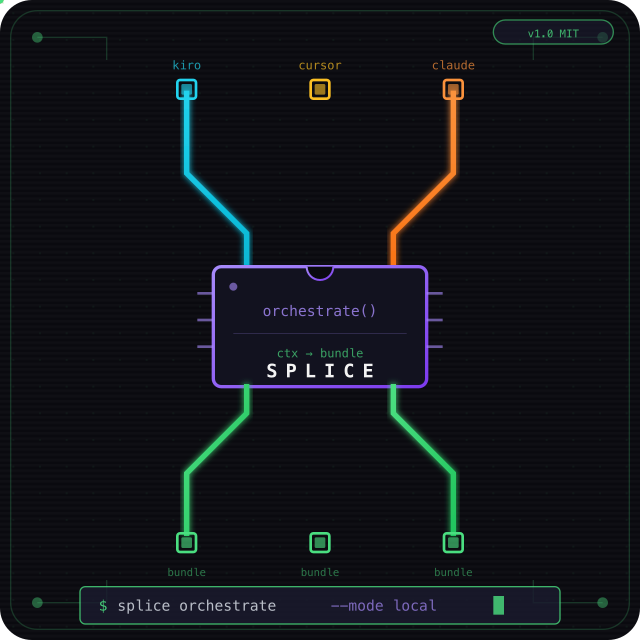
Share orchestrated context between Kiro, Cursor, and Claude Code — one layer above the assistant.


Splice is a thin meta-tooling layer for any codebase. It ingests errors, diffs, and files once, routes to the right agent profile (debugger, architect, implementer), and hands off a reduced context bundle between IDEs via a shared session in your repo.
Three orchestration modes: mock (offline) · Ollama (local, privacy-first) · Bedrock (cloud).
No AWS required for IDE hooks.
Install
pip install splice-cli
Then set up your project:
cd your-project
splice setup        # detects installed IDEs and copies hooks automatically
splice doctor       # verify config
Restart Kiro, Cursor, and/or Claude Code, then:
/harness debug the failing test in src/auth.ts
Why this exists
If you use Kiro, Cursor, and/or Claude Code on the same project, you probably:
- Paste the same error log twice
- Lose session continuity when switching IDEs
- Burn tokens on README noise and unrelated files
- Worry about sending proprietary code to cloud orchestrators
Splice fixes that with a single trigger: /harness
| Metric | Target | Validated |
|---|---|---|
| Context reduction | ≥ 30% | ~44–67% (mock) · ~96% (Ollama + llama3.2) |
| Orchestration latency | p95 < 3s | ~0 ms (mock) · ~7s (Ollama local) |
| Privacy | Code stays local | ✅ mock + Ollama — no cloud orchestration |
Quick start (without pip)
git clone https://github.com/hsaenzG/splice.git /tmp/splice
bash /tmp/splice/scripts/install-splice.sh /path/to/your-repo
Privacy-first: Ollama (recommended for local work)
Your orchestration code and context never leave your machine:
brew install ollama          # or https://ollama.com
brew services start ollama
ollama pull llama3.2
Edit .splice/config.json:
{ "orchestrator": "ollama", "ollama": { "model": "llama3.2" } }
splice doctor
/harness debug my issue        # in Kiro, Cursor, or Claude Code
| Mode | Code leaves machine? | Cost |
|---|---|---|
| mock | No — rules only | Free |
| ollama | No — localhost LLM | Free |
| bedrock | Yes — AWS | Pay per token |
Kiro/Cursor/Claude Code may still use their own cloud models when you chat. Splice controls only the orchestration step.
Daily workflow
# 1. Capture test/build output (optional)
npm test 2>&1 | splice capture-error

# 2. Triage in Kiro or Claude Code
/harness debug the auth failure

# 3. Implement in Cursor or Claude Code (same repo — shared .splice/session.json)
/harness apply the fix using the orchestrated bundle

# 4. Inspect bundle + metrics
splice status
cat .splice/active-bundle.md
How it works
flowchart LR
    subgraph IDEs
        K[Kiro]
        C[Cursor]
        CC[Claude Code]
    end

    subgraph SpliceLayer["Splice"]
        I[Ingest] --> O{Orchestrator}
        O -->|mock| B[Bundle]
        O -->|ollama| B
        O -->|bedrock| B
    end

    S[(.splice/)]

    K -->|/harness| I
    C -->|/harness| I
    CC -->|/harness| I
    O --> S
    B --> K
    B --> C
    B --> CC
| Component | Role |
|---|---|
| Kiro hook | UserPromptSubmit → stdout appended to prompt |
| Cursor hook | Writes active-bundle.md + rule reads it |
| Claude Code hook | UserPromptSubmit + SessionStart → additionalContext |
| CLI | setup, init, orchestrate, handoff, capture-error, doctor, status |
| Config | .splice/config.json — per-project capture rules |
| Orchestrator | mock · ollama · bedrock — ORCHESTRATORS.md |
CLI reference
splice setup                                   # install IDE hooks into current project
splice setup /path/to/project --ide kiro       # specific project / specific IDE
splice init --assistant kiro|cursor|claude     # create or resume a session
splice orchestrate --assistant kiro --prompt "/harness ..."
splice handoff --from kiro --to cursor
splice capture-error                           # pipe stderr/stdout → .splice/last-error.log
splice doctor                                  # verify mock/ollama/bedrock
splice status                                  # show active session
Choose your orchestrator
| Mode | Best for | Setup |
|---|---|---|
| mock | Default — instant, offline | "orchestrator": "mock" |
| ollama | Privacy — code stays local | ollama pull llama3.2 |
| bedrock | Cloud teams / AWS API | "orchestrator": "bedrock" |
Env override: SPLICE_ORCHESTRATOR=ollama
If Ollama is down, Splice falls back to mock automatically.
Configure your project
.splice/config.json (created automatically by splice setup):
{
  "project": "my-app",
  "orchestrator": "ollama",
  "captureGitDiff": true,
  "includePaths": ["src/**/*.ts"],
  "errorSources": [".splice/last-error.log"],
  "ollama": { "model": "llama3.2", "baseUrl": "http://localhost:11434" },
  "bedrock": { "modelId": "amazon.nova-lite-v1:0" },
  "promptPathPatterns": true
}
| Field | Description |
|---|---|
orchestrator |
mock · ollama · bedrock |
includePaths |
Glob patterns on every /harness |
errorSources |
Log files as error context |
promptPathPatterns |
Auto-detect paths in your prompt |
AWS deploy (optional)
chmod +x scripts/deploy.sh && ./scripts/deploy.sh
Stack sets SPLICE_ORCHESTRATOR=bedrock on Lambda. Local hooks don't need AWS.
Project structure
├── splice_cli/              # pip-installable package
│   ├── cli.py               # splice entrypoint
│   ├── shared/              # orchestrator, collect, store, config
│   └── data/                # hooks + templates bundled with the package
├── scripts/
│   ├── install-splice.sh    # legacy bootstrap (pre-pip)
│   ├── splice-cli.py        # legacy CLI script
│   └── demo-dual-ide.py
├── integrations/hooks/      # Kiro + Cursor + Claude Code hook scripts
├── src/shared/              # same modules for AWS Lambda handlers
├── ORCHESTRATORS.md
├── INSTALL.md
└── demo-app/                # Optional workshop sample
Requirements
- Python 3.10+
- Kiro, Cursor, and/or Claude Code
- Ollama (optional, for local LLM orchestration)
- Git (optional, for diff capture)
Docs
| Doc | Description |
|---|---|
| ORCHESTRATORS.md | mock / Ollama / Bedrock |
| INSTALL.md | Manual install (without pip) |
| DEMO_KIRO_CURSOR.md | Live walkthrough (Kiro, Cursor, Claude Code) |
| NEXT_ITERATIONS.md | Roadmap |
Contributing
PRs welcome — especially IDE adapters (Windsurf, Zed) and Ollama model presets.
License
MIT — see LICENSE.
Author
Created by Hazel Saenz — LATAM Developer Advocate at AWS | Former AWS Serverless Hero.
1 maintainer

Download files
Download the file for your platform. If you're not sure which to choose, learn more about installing packages.
Source Distribution
Built Distribution
Filter files by name, interpreter, ABI, and platform.
If you're not sure about the file name format, learn more about wheel file names.
Copy a direct link to the current filters
File details
Details for the file splice_cli-0.1.2.tar.gz.
File metadata
- Download URL: splice_cli-0.1.2.tar.gz
- Upload date:
- Size: 24.7 kB
- Tags: Source
- Uploaded using Trusted Publishing? Yes
- Uploaded via: twine/7.0.0 CPython/3.13.14
File hashes
| Algorithm | Hash digest | |
|---|---|---|
| SHA256 |
ab960e5a21e1567bcbef75b2378c1f3969753087fcfe14a33bd008dc35b18b36
|
|
| MD5 |
91a9cca9c88d77a7e1720dc1b428acd5
|
|
| BLAKE2b-256 |
2637046a1e3ea6492abb0082f90396c747e93e3688c04660a59e11b5160ea9fb
|
Provenance
The following attestation bundles were made for splice_cli-0.1.2.tar.gz:
Publisher:
publish-pypi.yml on hsaenzG/splice
-
Statement:
-
Statement type:
https://in-toto.io/Statement/v1 -
Predicate type:
https://docs.pypi.org/attestations/publish/v1 -
Subject name:
splice_cli-0.1.2.tar.gz -
Subject digest:
ab960e5a21e1567bcbef75b2378c1f3969753087fcfe14a33bd008dc35b18b36 - Sigstore transparency entry: 2363720274
- Sigstore integration time:
-
Permalink:
hsaenzG/splice@28f49a0ddff59ee1a289f80341f1a6d16b060d5c -
Branch / Tag:
refs/tags/v0.1.2 - Owner: https://github.com/hsaenzG
-
Access:
private
-
Token Issuer:
https://token.actions.githubusercontent.com -
Runner Environment:
github-hosted -
Publication workflow:
publish-pypi.yml@28f49a0ddff59ee1a289f80341f1a6d16b060d5c -
Trigger Event:
release
-
Statement type:
File details
Details for the file splice_cli-0.1.2-py3-none-any.whl.
File metadata
- Download URL: splice_cli-0.1.2-py3-none-any.whl
- Upload date:
- Size: 28.7 kB
- Tags: Python 3
- Uploaded using Trusted Publishing? Yes
- Uploaded via: twine/7.0.0 CPython/3.13.14
File hashes
| Algorithm | Hash digest | |
|---|---|---|
| SHA256 |
440e4b61b318ccc872c48bea0a8c821a225e0a7901b11c1b9e7819163509501b
|
|
| MD5 |
ab15686784fbd07f89ef7a8267d3346a
|
|
| BLAKE2b-256 |
09cc53f4896464aa6e1af62b87a5c9cfa725932f99e3c12b41660cea8a485758
|
Provenance
The following attestation bundles were made for splice_cli-0.1.2-py3-none-any.whl:
Publisher:
publish-pypi.yml on hsaenzG/splice
-
Statement:
-
Statement type:
https://in-toto.io/Statement/v1 -
Predicate type:
https://docs.pypi.org/attestations/publish/v1 -
Subject name:
splice_cli-0.1.2-py3-none-any.whl -
Subject digest:
440e4b61b318ccc872c48bea0a8c821a225e0a7901b11c1b9e7819163509501b - Sigstore transparency entry: 2363720442
- Sigstore integration time:
-
Permalink:
hsaenzG/splice@28f49a0ddff59ee1a289f80341f1a6d16b060d5c -
Branch / Tag:
refs/tags/v0.1.2 - Owner: https://github.com/hsaenzG
-
Access:
private
-
Token Issuer:
https://token.actions.githubusercontent.com -
Runner Environment:
github-hosted -
Publication workflow:
publish-pypi.yml@28f49a0ddff59ee1a289f80341f1a6d16b060d5c -
Trigger Event:
release
-
Statement type:







