
Spyder Okvim


Spyder plugin for running Vim commands in the code editor.
Please do not open issues on the Spyder GitHub after installing Okvim.
If you run into problems, uninstall Okvim and try again.
Known Issues
- Okvim does not work when the Spyder editor is undocked from the main window.
Overview
-
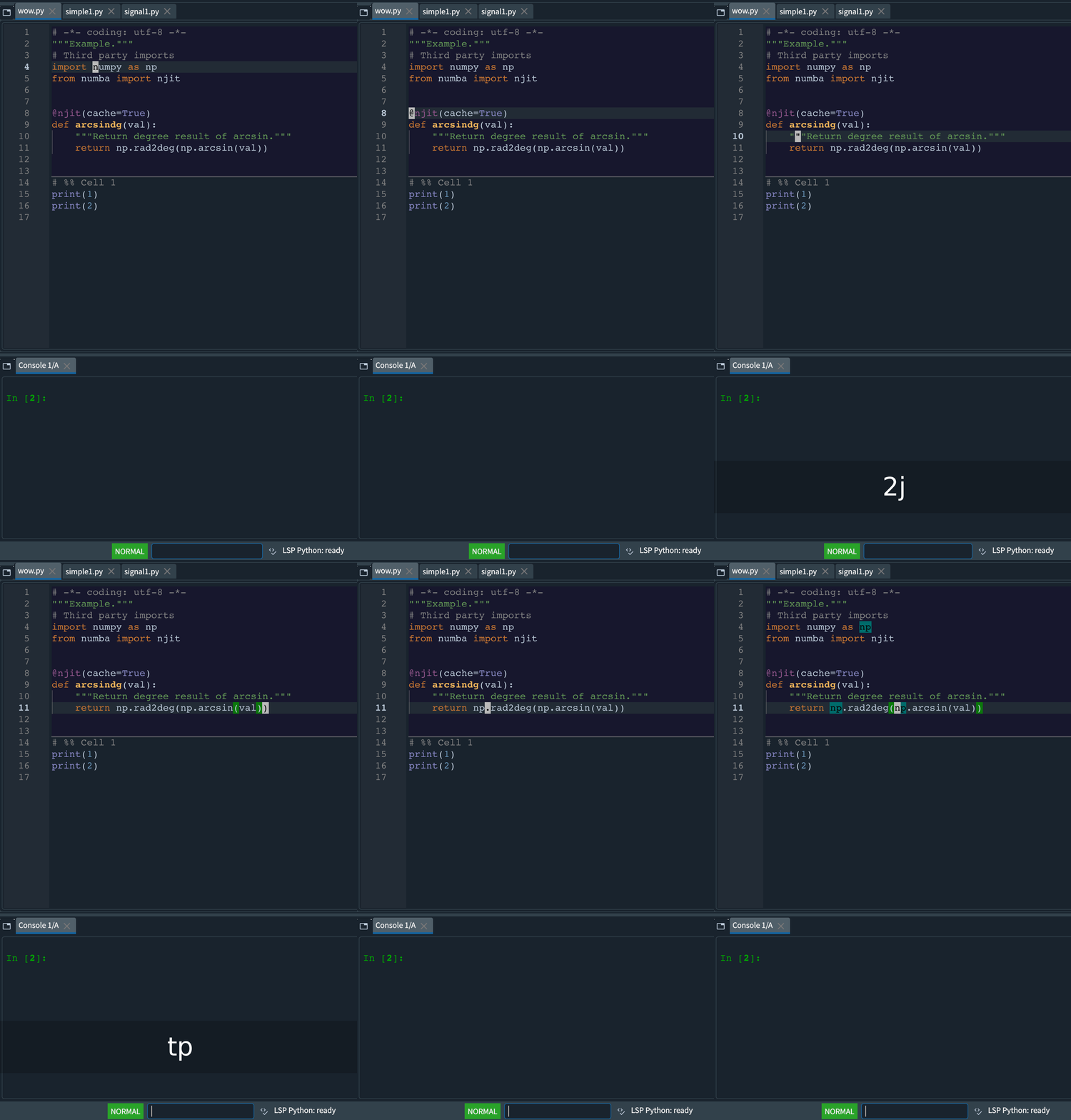
Supported Vim motions include
hjkl,^u,%,iw,i(,/,n,N,;and more. -
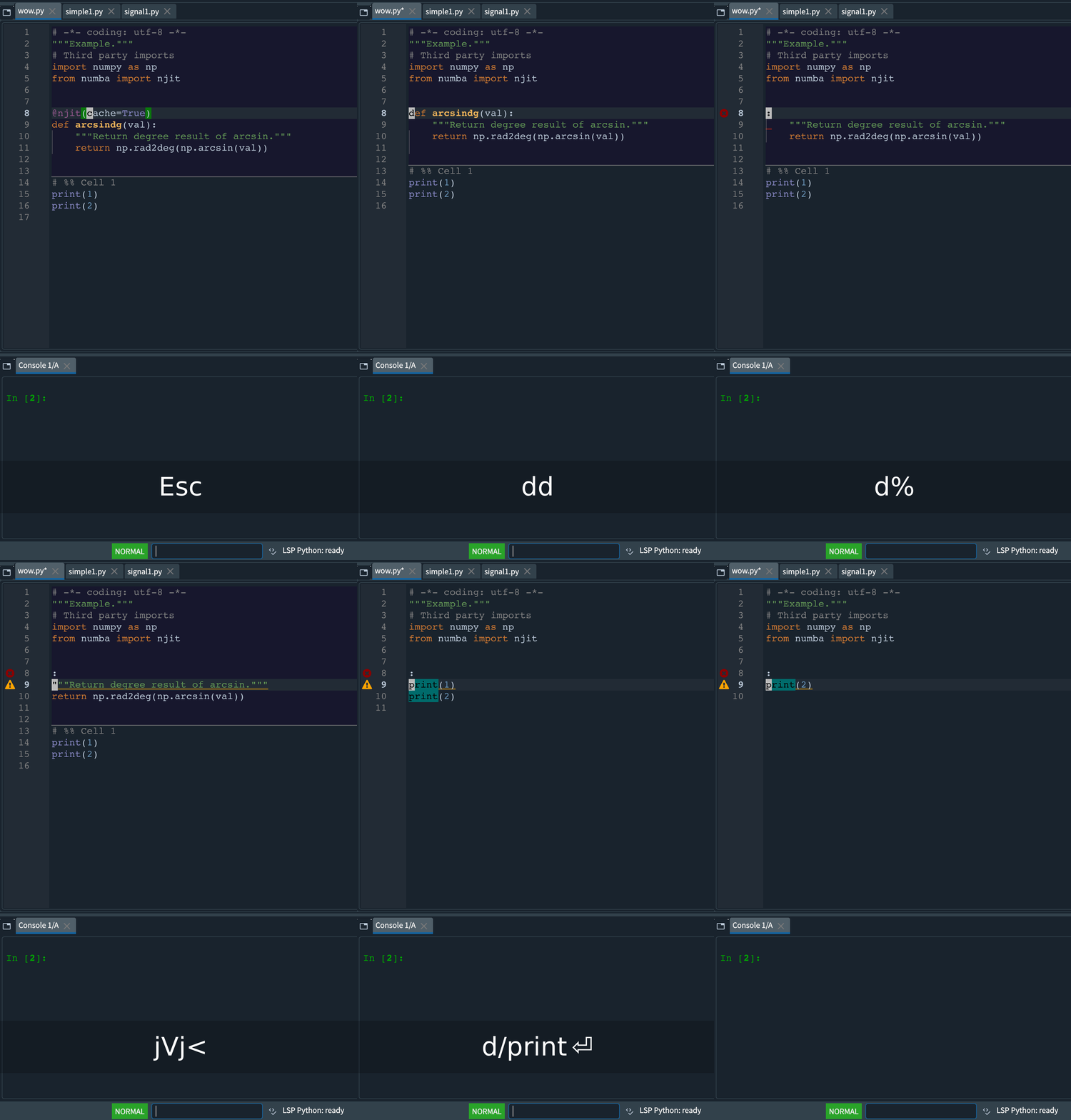
You can combine operators with motions. Examples:
diw,di(,c%,c/foo,cn,ygg,d2w,2d2Wand more. -
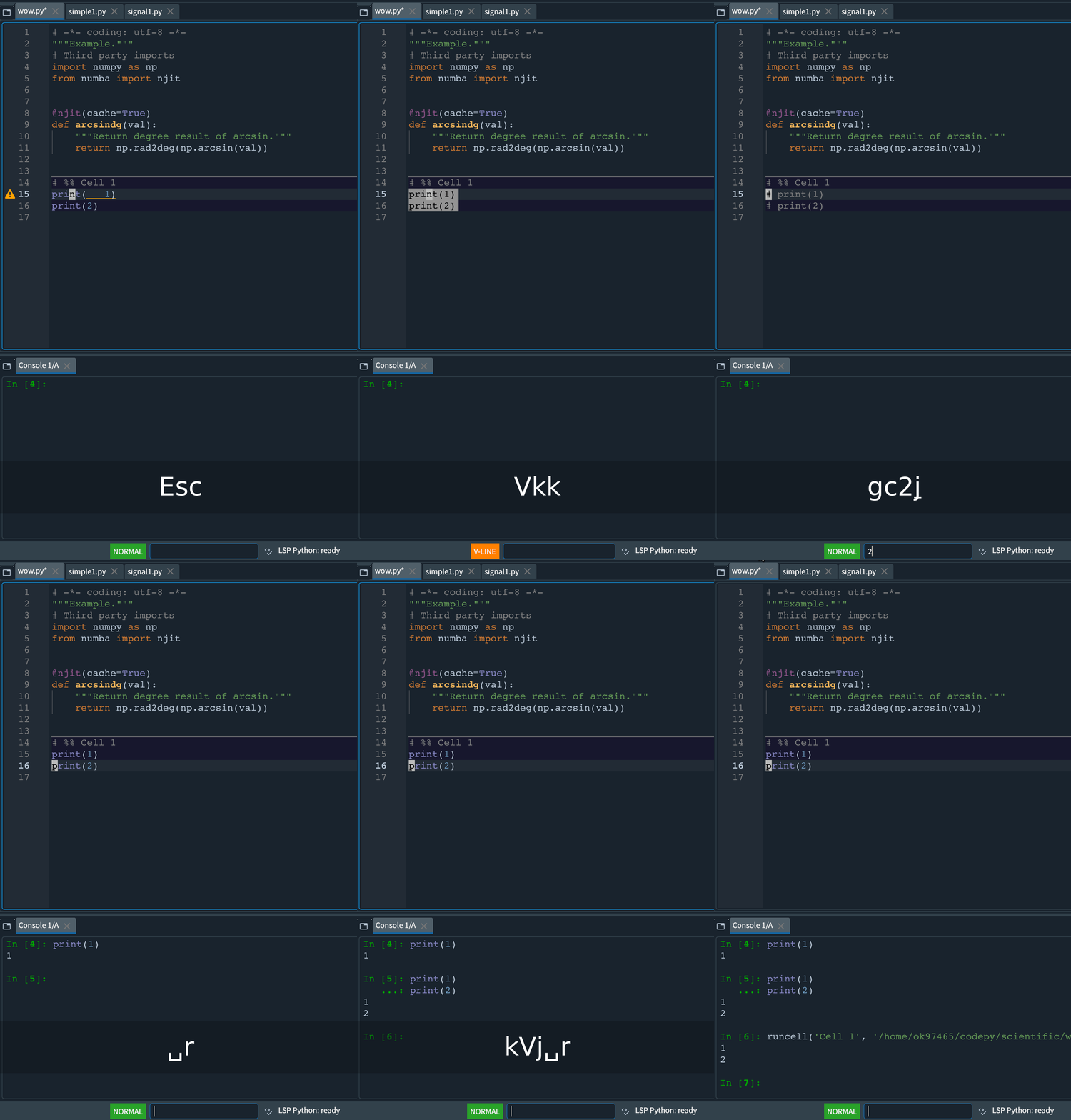
Spyder commands such as running a selection, formatting, and toggling comments are also available.
-
Macro support is experimental.
| Movements | Combination | Spyder command |
|---|---|---|
 |
 |
 |
Installation
You can install this plugin either directly from PyPI or locally.
Install from PyPI
pip install spyder-okvim
Install Locally
To install from a local copy:
pip install -U .
Note
If spyder-vim is installed, uninstall it first to avoid conflicts:
pip uninstall spyder-vim
Modes
The following modes are supported:
- Normal
- Visual
- Visual Line
Actions
The following actions are supported:
- x, s, r
- C, D, S
- dd, cc, yy
- <<, >>
- p, P
- d{motion}, c{motion}
- <{motion}, >{motion}
- gu{motion}, gU{motion} g~{motion}, ~
- u, ^R
- J
- .
Motions
The following motions are supported:
- hjkl
- 0, ^, $
- w, W, b, e
- iwW, i()[]{}bB, i'"
- G, g
- :{number}
- ^D, ^U, ^F, ^B
- HLM
- %
- [[, ]], {{, }}
- f, F, t, T, ;, ,
- /, N, n
- Enter, Space, Backspace
- easymotion
Mark
Use m{mark} to set a mark at the current cursor position and ' or ` to jump back to it. Uppercase marks are saved in Spyder's configuration folder so they persist across sessions.
Vim keys
- ^A : Add [count] to number
- ^X : Subtract [count] to number
- K : Inspect current object
- gd : Go to definition.
- gt, gT : Cycle to next/previous file.
- zz, zt, tb : Cursor line to some locations of screen.
- ZZ : Save and close current file.
- q, @: macro
- :marks: Displays the list of currently set marks.
- :jumps: Displays the list of currently set jumplist.
Jump list
The jump list is a core Vim feature that tracks recently visited
locations. Okvim records each position so you can return with Ctrl+o and
move forward with Ctrl+i. Locations are added when opening files with
Ctrl+p and when running gd. Because Spyder's "go to definition" works
asynchronously, Okvim pushes the current location immediately and adds the
new one once navigation finishes. If the cursor never moves within two
seconds, that temporary entry is discarded.
Special keys
- <leader>f : autoformat the curruent file
- <leader>b : toggle a breakpoint
- <leader>r : run the selection or current line in the console.
- <leader>enter : run cell and advance
- <leader>p : Spyder switcher
- <leader>s : Spyder symbol switcher
- [d : go to previous warning/error
- ]d : go to next warning/error
- gc{motion} : toggle comments (works in visual mode)
- gcc : toggle the comment for the current line
- [c, ]c : go to previousr/next cell
- yic, dic, cid : Operate on the entire current cell (yank, delete, or change respectively)
Vim Surround
- Supported surroundings: '"()[]{}bB
The following actions are supported:
- ys{motion}{surroundings} in normal mode: add surroundings in pairs.
- ds{surroundings} in normal mode: delete surroundings in pairs.
- cs{surroundings}{surroundings} in normal mode: change surroundings in pairs.
- S{surroundings} in visual mode: add surroundings in pairs.
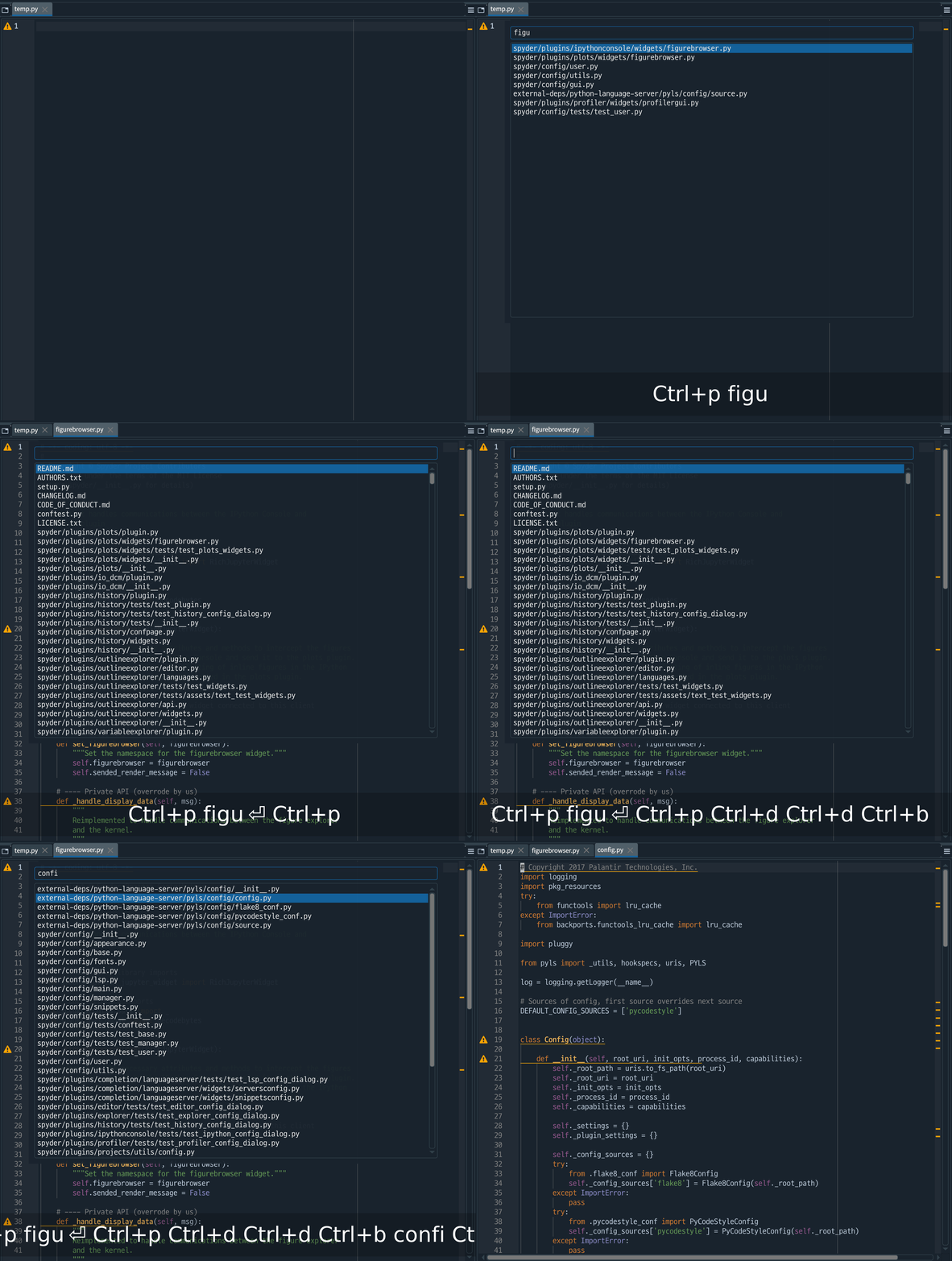
Fuzzy path finder
Press Ctrl+p to open the fuzzy path finder. Spyder uses the same shortcut as a
global command, so you may need to reassign Spyder's default Ctrl+p binding to
use this feature.
Use ^p, ^n, ^f, ^b, ^u, and ^d to navigate the list.
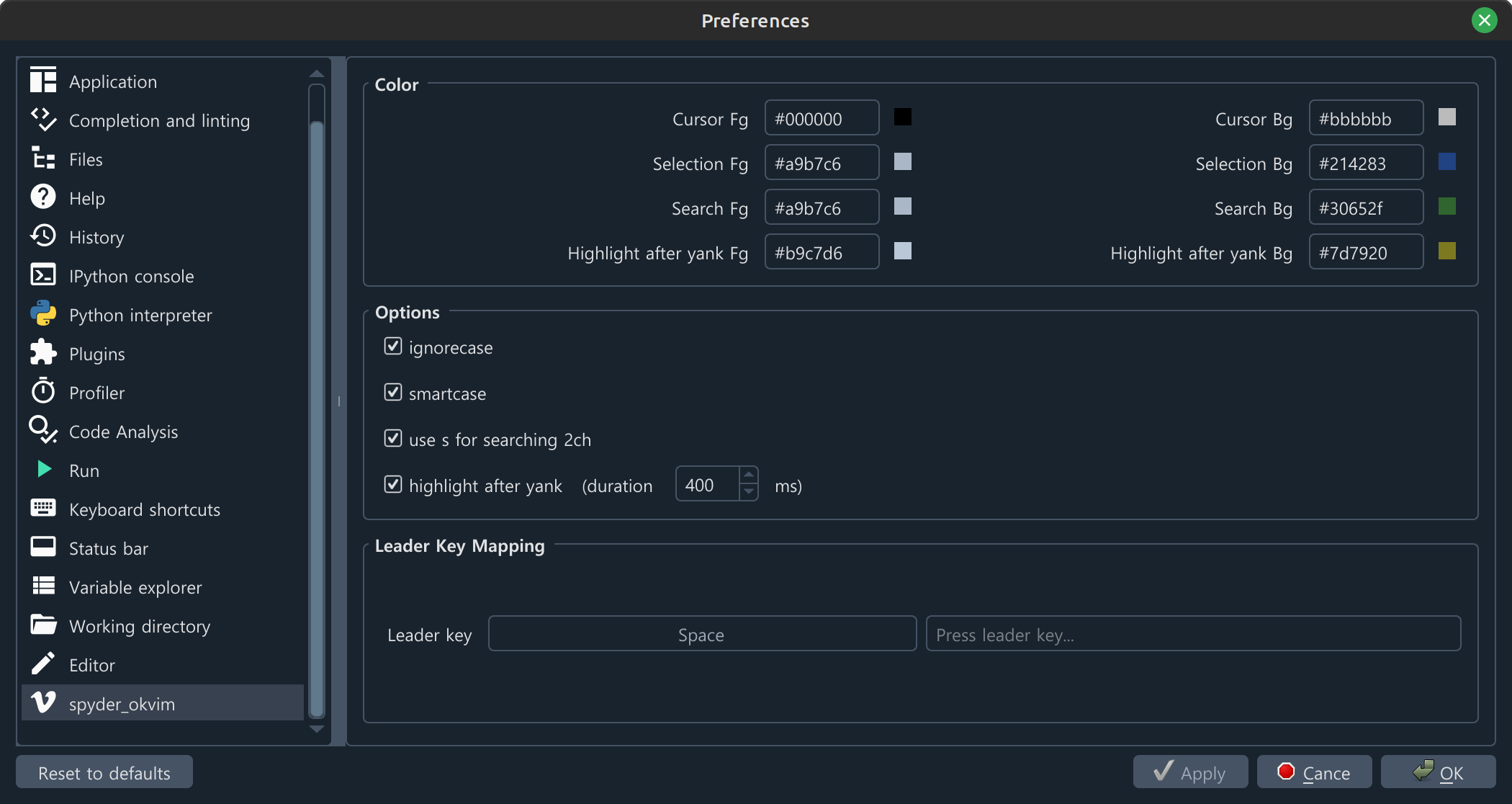
Config page
Easymotion
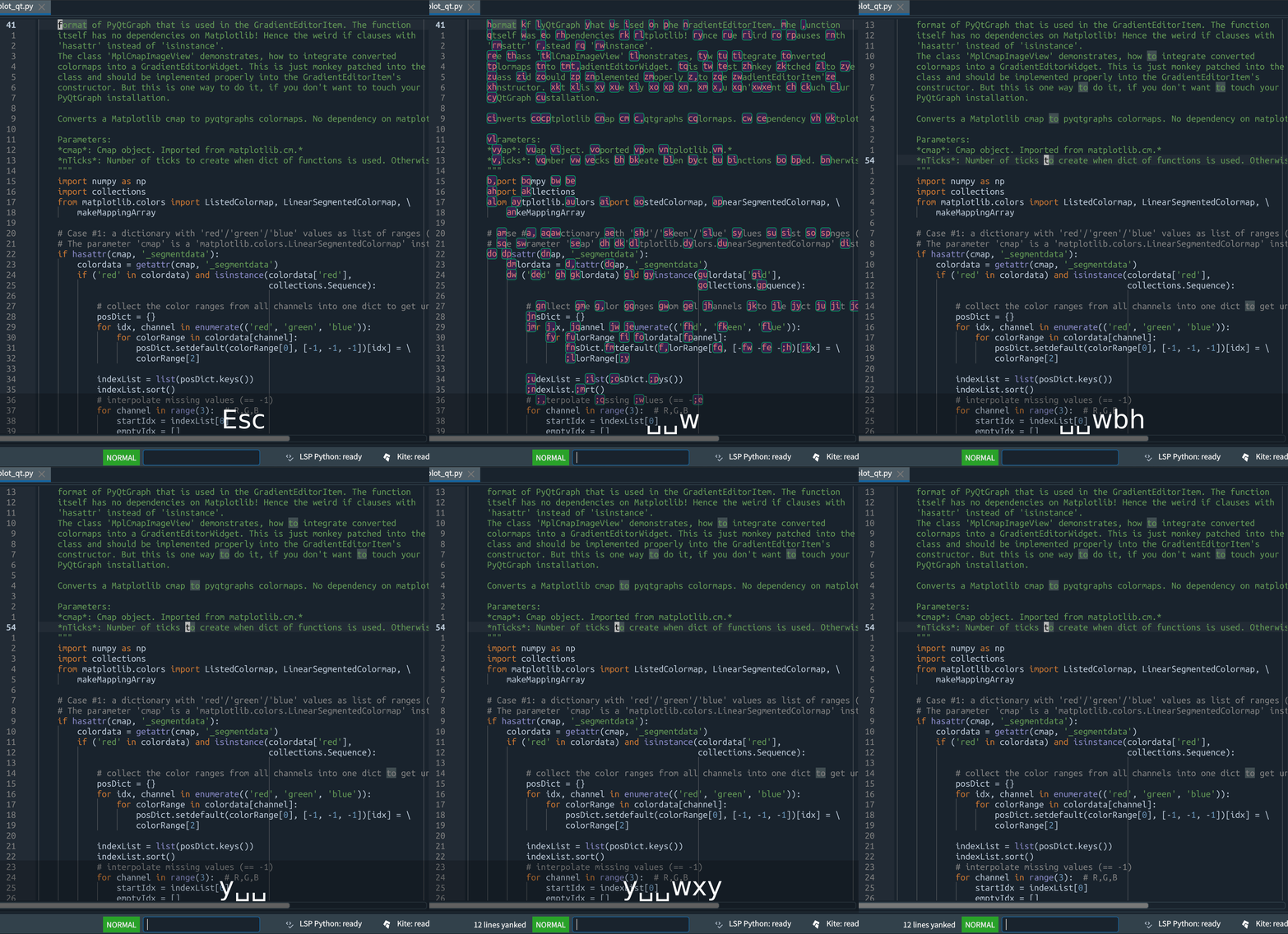
EasyMotion commands work with any operator that accepts a motion.
| Motion Command | Description |
|---|---|
<leader><leader> w |
Start of word forwards |
<leader><leader> b |
Start of word backwards |
<leader><leader> j |
Start of line forwards |
<leader><leader> k |
Start of line backwards |
<leader><leader> f <char> |
Find character forwards |
<leader><leader> F <char> |
Find character backwards |
Search two characters (like vim-sneak)
Jump to any location specified by two characters.
Works across lines, with operators (including repeat .), motion-repeat (; and ,), and visual mode.
Press s followed by two characters.
For operators use z because s belongs to vim-surround.
When there are matches in another group, hints appear around the group.

1 maintainer

Download files
Download the file for your platform. If you're not sure which to choose, learn more about installing packages.
Source Distribution
Built Distribution
Filter files by name, interpreter, ABI, and platform.
If you're not sure about the file name format, learn more about wheel file names.
Copy a direct link to the current filters
File details
Details for the file spyder_okvim-0.10.6.tar.gz.
File metadata
- Download URL: spyder_okvim-0.10.6.tar.gz
- Upload date:
- Size: 94.6 kB
- Tags: Source
- Uploaded using Trusted Publishing? No
- Uploaded via:
twine/6.2.0 CPython/3.11.6
File hashes
| Algorithm | Hash digest | |
|---|---|---|
| SHA256 |
3ea4ce5698aeabd84925b4ae17ba3ed9fe5a561666f290303db92e11f40dda3d
|
|
| MD5 |
2ffeffbafebd94829d6bd2e9dc3f9638
|
|
| BLAKE2b-256 |
09c208636246e92d46667f771469ebcfecc9abe729247a0371384970cb65752c
|
File details
Details for the file spyder_okvim-0.10.6-py3-none-any.whl.
File metadata
- Download URL: spyder_okvim-0.10.6-py3-none-any.whl
- Upload date:
- Size: 115.6 kB
- Tags: Python 3
- Uploaded using Trusted Publishing? No
- Uploaded via:
twine/6.2.0 CPython/3.11.6
File hashes
| Algorithm | Hash digest | |
|---|---|---|
| SHA256 |
d8f66778d29e8da4fad6570f4d85af7b8e5d76e4ada362010b845349f9732bcf
|
|
| MD5 |
a129cc1d968ae49bfc87b4f1622afb84
|
|
| BLAKE2b-256 |
0cac05c58d6704541e96898270a21858f2f59d203ccf5b2275e67f18246b9eb1
|














