
SQLAlchemy admin for FastAPI and Starlette
Verified details
These details have been verified by PyPIProject links
GitHub Statistics
Maintainers

Project description






SQLAlchemy Admin for Starlette/FastAPI
SQLAdmin is a flexible Admin interface for SQLAlchemy models.
Main features include:
- SQLAlchemy sync/async engines
- Starlette integration
- FastAPI integration
- WTForms form building
- SQLModel support
- UI using Tabler
Documentation: https://smithyhq.github.io/sqladmin
Source Code: https://github.com/smithyhq/sqladmin
Installation
Install using pip:
$ pip install sqladmin
This will install the full version of sqladmin with optional dependencies:
$ pip install "sqladmin[full]"
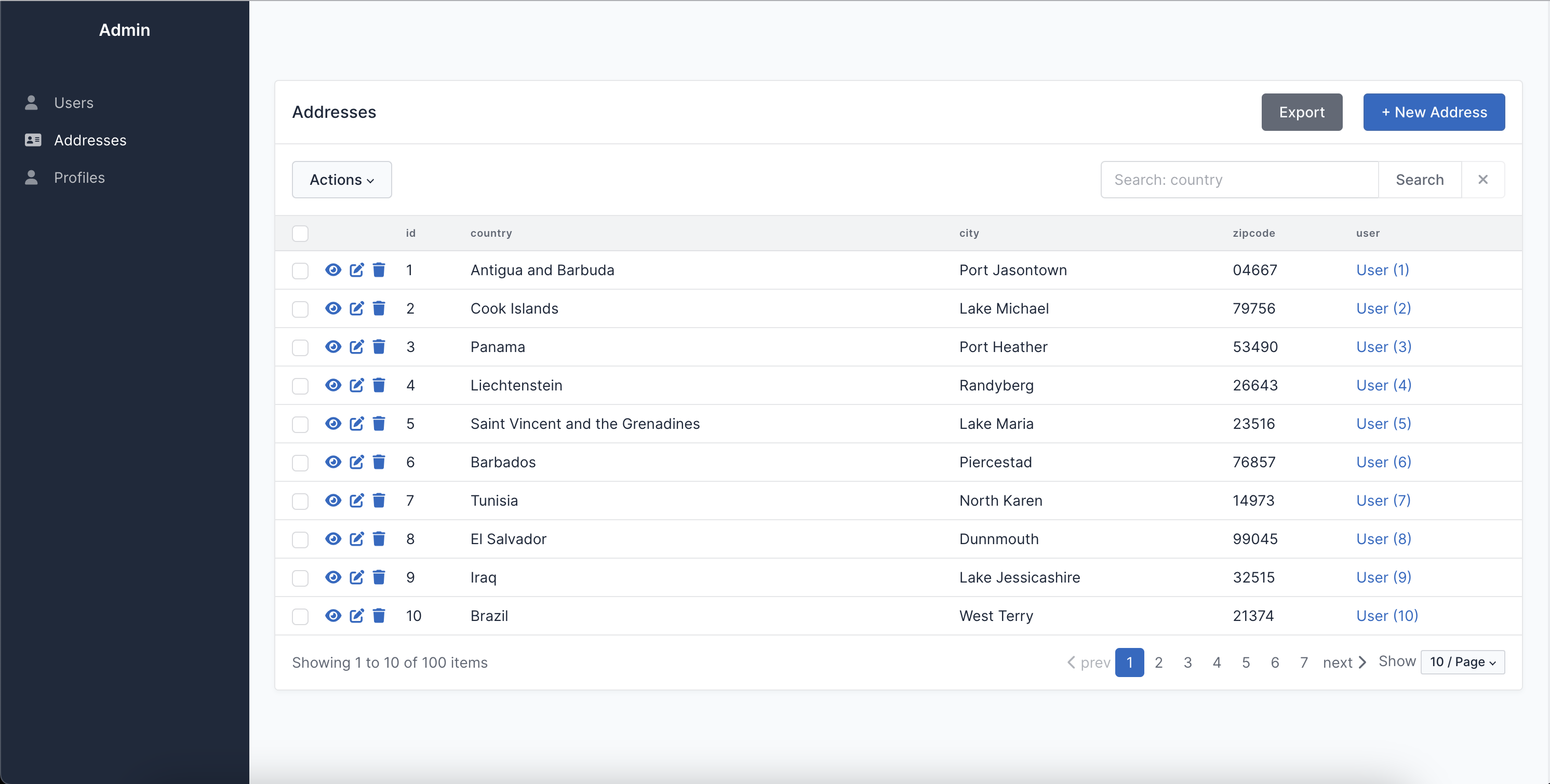
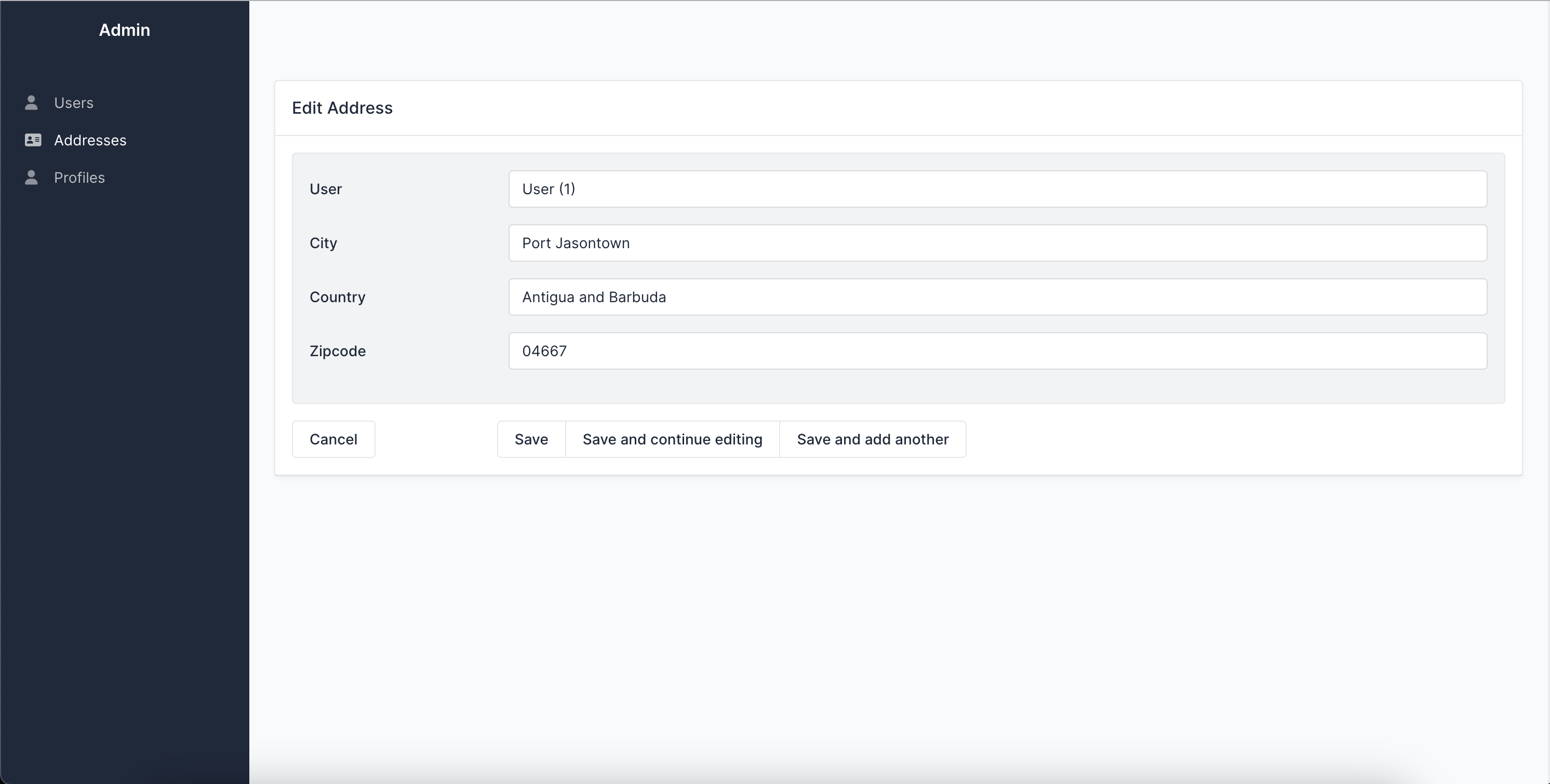
Screenshots
Quickstart
Let's define an example SQLAlchemy model:
from sqlalchemy import Column, Integer, String, create_engine
from sqlalchemy.orm import declarative_base


Base = declarative_base()
engine = create_engine(
    "sqlite:///example.db",
    connect_args={"check_same_thread": False},
)


class User(Base):
    __tablename__ = "users"

    id = Column(Integer, primary_key=True)
    name = Column(String)


Base.metadata.create_all(engine)  # Create tables
If you want to use SQLAdmin with FastAPI:
from fastapi import FastAPI
from sqladmin import Admin, ModelView


app = FastAPI()
admin = Admin(app, engine)


class UserAdmin(ModelView, model=User):
    column_list = [User.id, User.name]


admin.add_view(UserAdmin)
Or if you want to use SQLAdmin with Starlette:
from sqladmin import Admin, ModelView
from starlette.applications import Starlette


app = Starlette()
admin = Admin(app, engine)


class UserAdmin(ModelView, model=User):
    column_list = [User.id, User.name]


admin.add_view(UserAdmin)
Now visiting /admin on your browser you can see the SQLAdmin interface.
Related projects and inspirations
- Flask-Admin Admin interface for Flask supporting different database backends and ORMs. This project has inspired SQLAdmin extensively and most of the features and configurations are implemented the same.
- FastAPI-Admin Admin interface for FastAPI which works with
TortoiseORM. - Dashboard Admin interface for ASGI frameworks which works with the
ormpackage.
Project details
Verified details
These details have been verified by PyPIProject links
GitHub Statistics
Maintainers
Release history Release notifications | RSS feed


Download files
Download the file for your platform. If you're not sure which to choose, learn more about installing packages.
Source Distribution
Built Distribution
Filter files by name, interpreter, ABI, and platform.
If you're not sure about the file name format, learn more about wheel file names.
Copy a direct link to the current filters
File details
Details for the file sqladmin-0.27.0.tar.gz.
File metadata
- Download URL: sqladmin-0.27.0.tar.gz
- Upload date:
- Size: 1.4 MB
- Tags: Source
- Uploaded using Trusted Publishing? Yes
- Uploaded via: uv/0.11.17 {"installer":{"name":"uv","version":"0.11.17","subcommand":["publish"]},"python":null,"implementation":{"name":null,"version":null},"distro":{"name":"Ubuntu","version":"24.04","id":"noble","libc":null},"system":{"name":null,"release":null},"cpu":null,"openssl_version":null,"setuptools_version":null,"rustc_version":null,"ci":true}
File hashes
| Algorithm | Hash digest | |
|---|---|---|
| SHA256 |
35184586cb6567f36cac1f5420080351c90d4fb8363dce990de59f224e43f317
|
|
| MD5 |
3a0ea3fd4117cefae5303a59fe823539
|
|
| BLAKE2b-256 |
bd54b42829cee373c98645f043a8850c5f372bfe1c21c09ffbd548067e389ae6
|
File details
Details for the file sqladmin-0.27.0-py3-none-any.whl.
File metadata
- Download URL: sqladmin-0.27.0-py3-none-any.whl
- Upload date:
- Size: 1.5 MB
- Tags: Python 3
- Uploaded using Trusted Publishing? Yes
- Uploaded via: uv/0.11.17 {"installer":{"name":"uv","version":"0.11.17","subcommand":["publish"]},"python":null,"implementation":{"name":null,"version":null},"distro":{"name":"Ubuntu","version":"24.04","id":"noble","libc":null},"system":{"name":null,"release":null},"cpu":null,"openssl_version":null,"setuptools_version":null,"rustc_version":null,"ci":true}
File hashes
| Algorithm | Hash digest | |
|---|---|---|
| SHA256 |
f6e6f364acc9cd90fa195cc83dd5a9fbf8a5481532f9064ecf4359edae23b8b4
|
|
| MD5 |
0b7300c2f80ad65727300d5d8436abe1
|
|
| BLAKE2b-256 |
544d55e55792f3512f56860278b6518fa8a460f1fece7519d4e982c833f90317
|






