
SQS-Admin

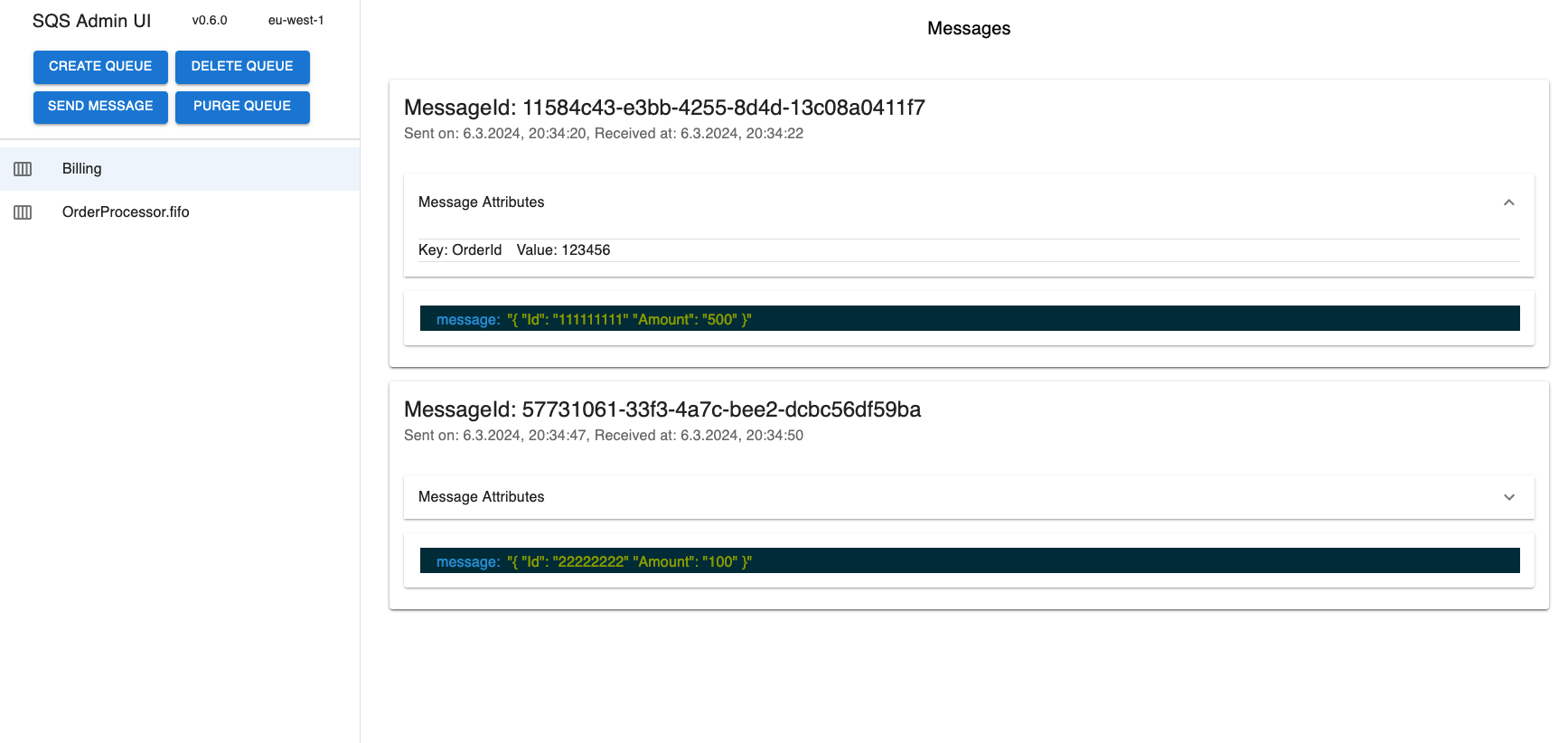
The LocalStack SQS-Admin extension is a simple, yet powerful UI to manage and interact with your SQS queues in LocalStack.
Get started
Install
You can install the extension via the CLI
localstack extensions install sqs-admin
or add sqs-admin to the EXTENSION_AUTO_INSTALL environment variable.
Example:
localstack start -e EXTENSION_AUTO_INSTALL=sqs-admin
or via Docker compose by adding EXTENSION_AUTO_INSTALL=sqs-admin to the environment variables of the localstack service.
Example Docker compose:
services:
  localstack:
    container_name: "localstack-main"
    image: localstack/localstack-pro
    ports:
      - "127.0.0.1:4566:4566"
      - "127.0.0.1:4510-4559:4510-4559"
    environment:
      - LOCALSTACK_AUTH_TOKEN=${LOCALSTACK_AUTH_TOKEN:?}
      - EXTENSION_AUTO_INSTALL=sqs-admin
Configure
You can configure the extension by setting SQS-Admin environment variables:
Example:
localstack start -e SQS_AWS_REGION=us-east-2
Use the extension
Navigate to http://sqs-admin.localhost.localstack.cloud:4566.
Develop
To install the extension into localstack in developer mode, you will need Python 3.10, and create a virtual environment in the extensions project. Please refer to the LocalStack documentation for more information.
In short
In the newly generated project, simply run
make install
Mind that extensions require a pro version of LocalStack to be installed. Ensure to the auth-token at hand or already set up:
localstack auth set-token <redacted-token>
Then, to enable the extension for LocalStack, run
localstack extensions dev enable .
You can then start LocalStack with EXTENSION_DEV_MODE=1 to load all enabled extensions:
EXTENSION_DEV_MODE=1 localstack start
1 maintainer

Metadata
1 maintainer
Release files for sqs-admin 0.9.1
For a detailed explanation of source distributions (sdists) and built distributions (wheels), please see the package formats documentation.
Source distribution (sdist)
| File | Size | Uploaded | |
|---|---|---|---|
| sqs_admin-0.9.1.tar.gz | 28.9 MB | Details |
Built distribution (wheel)
| File | Interpreter | ABI | Platform | Reset |
|---|---|---|---|---|
| sqs_admin-0.9.1-py3-none-any.whl | Python 3 | none | any | Details |
Total release size: 57.8 MB
Release files / sqs_admin-0.9.1.tar.gz
| Download URL | sqs_admin-0.9.1.tar.gz |
|---|---|
| Size | 28.9 MB |
| Tags | Source |
|
SHA-256 checksum How to use checksums |
88728f95b7631e83292c6cca9882637e89ac249f5289340c0829bd6cee46bbe0
|
|
BLAKE2b-256 checksum How to use checksums |
93c99873e592a0402befe78f6f94d58d1cba0bc8a5d1aef375ca003f5c5c424d
|
| Upload date | |
|
Uploaded using Trusted Publishing? What is trusted publishing? |
No |
| Uploaded via |
twine/6.2.0 CPython/3.14.3
|
Release files / sqs_admin-0.9.1-py3-none-any.whl
| Download URL | sqs_admin-0.9.1-py3-none-any.whl |
|---|---|
| Size | 28.9 MB |
| Tags | Python 3 |
|
SHA-256 checksum How to use checksums |
48e9fa68ab11f70816af08811944417df82d54bd470a9e1b4ce56ad420bae688
|
|
BLAKE2b-256 checksum How to use checksums |
7e00ca3e7f98f6500fcc978600d921b74b05ac4443846c19c0b3e350dfd4a8d5
|
| Upload date | |
|
Uploaded using Trusted Publishing? What is trusted publishing? |
No |
| Uploaded via |
twine/6.2.0 CPython/3.14.3
|














