
LocalStack Extension: SQS-Admin

Project description
SQS-Admin

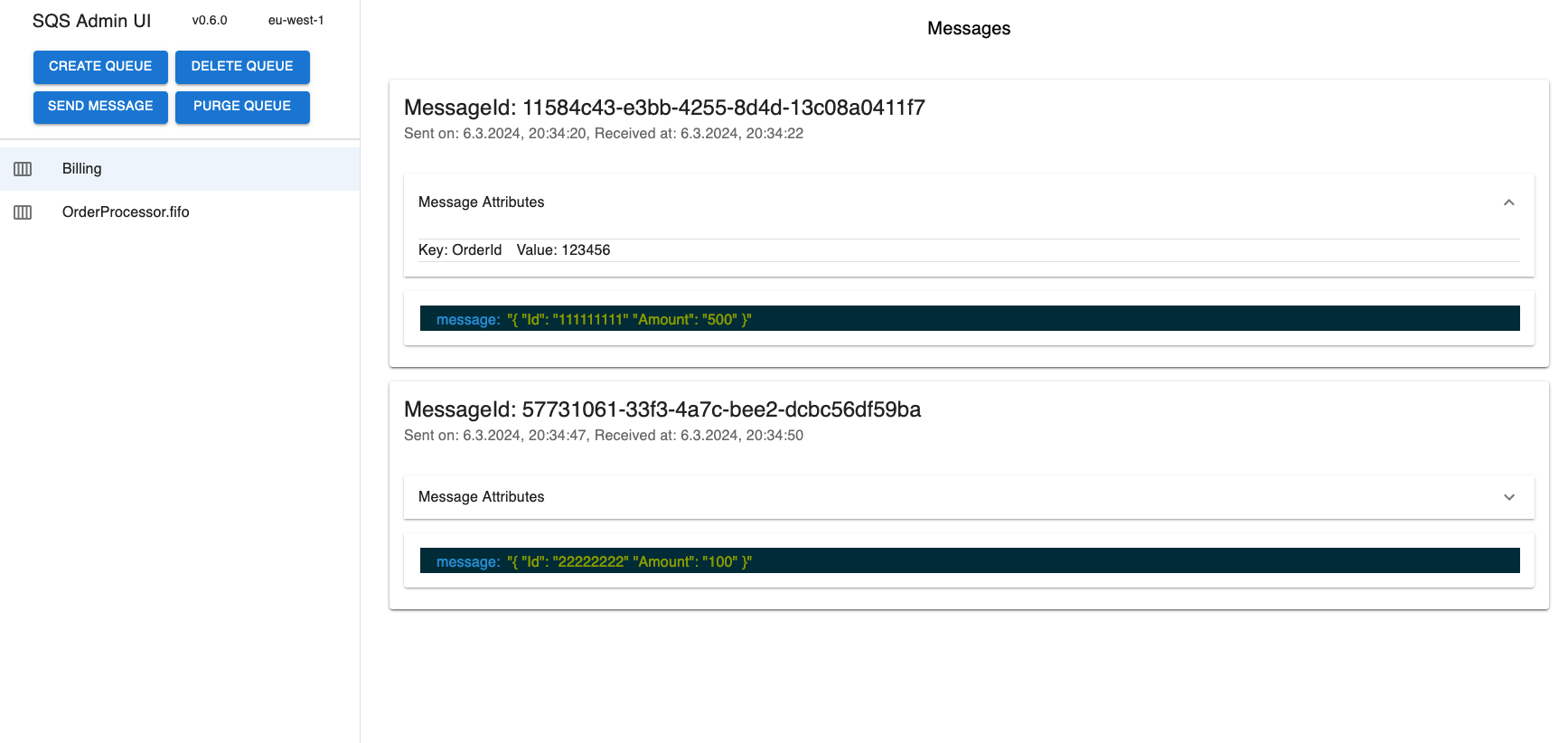
The LocalStack SQS-Admin extension is a simple, yet powerful UI to manage and interact with your SQS queues in LocalStack.
Get started
Install
You can install the extension via the CLI
localstack extensions install sqs-admin
or add sqs-admin to the EXTENSION_AUTO_INSTALL environment variable.
Example:
localstack start -e EXTENSION_AUTO_INSTALL=sqs-admin
or via Docker compose by adding EXTENSION_AUTO_INSTALL=sqs-admin to the environment variables of the localstack service.
Example Docker compose:
services:
  localstack:
    container_name: "localstack-main"
    image: localstack/localstack-pro
    ports:
      - "127.0.0.1:4566:4566"
      - "127.0.0.1:4510-4559:4510-4559"
    environment:
      - LOCALSTACK_AUTH_TOKEN=${LOCALSTACK_AUTH_TOKEN:?}
      - EXTENSION_AUTO_INSTALL=sqs-admin
Configure
You can configure the extension by setting SQS-Admin environment variables:
Example:
localstack start -e SQS_AWS_REGION=us-east-2
Use the extension
Navigate to http://sqs-admin.localhost.localstack.cloud:4566.
Develop
To install the extension into localstack in developer mode, you will need Python 3.10, and create a virtual environment in the extensions project. Please refer to the LocalStack documentation for more information.
In short
In the newly generated project, simply run
make install
Mind that extensions require a pro version of LocalStack to be installed. Ensure to the auth-token at hand or already set up:
localstack auth set-token <redacted-token>
Then, to enable the extension for LocalStack, run
localstack extensions dev enable .
You can then start LocalStack with EXTENSION_DEV_MODE=1 to load all enabled extensions:
EXTENSION_DEV_MODE=1 localstack start
Release history Release notifications | RSS feed


Download files
Download the file for your platform. If you're not sure which to choose, learn more about installing packages.
Source Distribution
Built Distribution
Filter files by name, interpreter, ABI, and platform.
If you're not sure about the file name format, learn more about wheel file names.
Copy a direct link to the current filters
File details
Details for the file sqs_admin-0.8.1.tar.gz.
File metadata
- Download URL: sqs_admin-0.8.1.tar.gz
- Upload date:
- Size: 27.5 MB
- Tags: Source
- Uploaded using Trusted Publishing? No
- Uploaded via: twine/6.1.0 CPython/3.13.2
File hashes
| Algorithm | Hash digest | |
|---|---|---|
| SHA256 |
9decd902b01a7586c0ec0df8ef697e2a4f95b22f3952148296caa5ed6a9e7ab6
|
|
| MD5 |
85a8c7cf6f07cd16ec906728f129eea4
|
|
| BLAKE2b-256 |
afea49773855f575c5484a8a86483451dc1ba3aa78db54e60348eedaf7bddbb1
|
File details
Details for the file sqs_admin-0.8.1-py3-none-any.whl.
File metadata
- Download URL: sqs_admin-0.8.1-py3-none-any.whl
- Upload date:
- Size: 27.6 MB
- Tags: Python 3
- Uploaded using Trusted Publishing? No
- Uploaded via: twine/6.1.0 CPython/3.13.2
File hashes
| Algorithm | Hash digest | |
|---|---|---|
| SHA256 |
7ad9aee21a5e8f9733de1ebe258e366e329bc63f1d7fe19b8448ca1ae66d8acd
|
|
| MD5 |
28d438f5dce14276ffb5f9eba5676055
|
|
| BLAKE2b-256 |
ef61667439a5ae4caf9574f6717606e2e2bc90684d1b41606f7008756b92b9bf
|






