
Universal AWS resource browser for local emulators
Verified details
These details have been verified by PyPIProject links
GitHub Statistics
Maintainers

Project description

StackPort
Universal AWS resource browser for local emulators. Built to work with MiniStack, and also compatible with LocalStack, Moto, or any AWS-compatible endpoint.






Screenshots
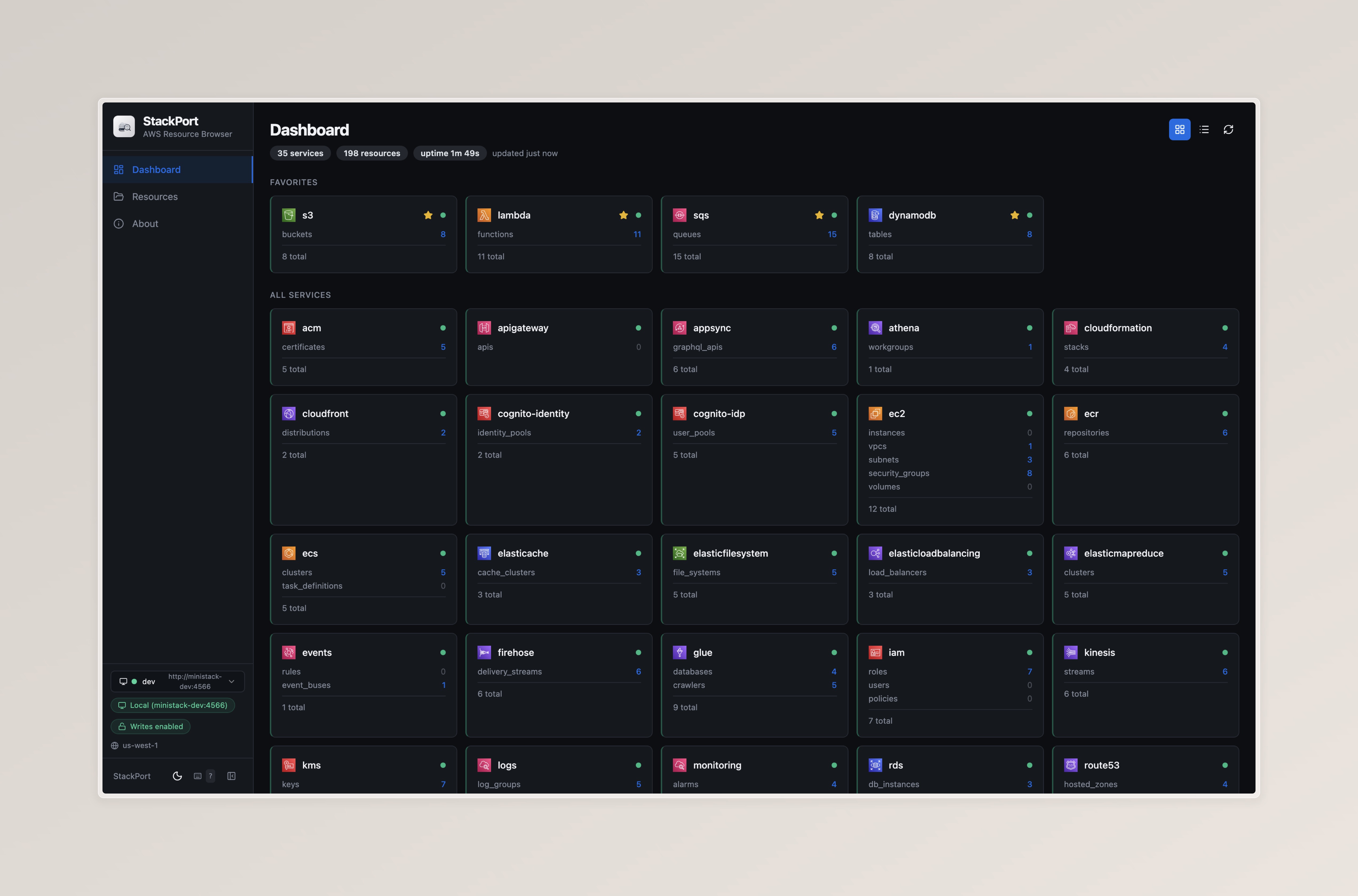
Dashboard — Service overview with resource counts and health status
DynamoDB Browser — Generic resource table with search, pagination, and detail view

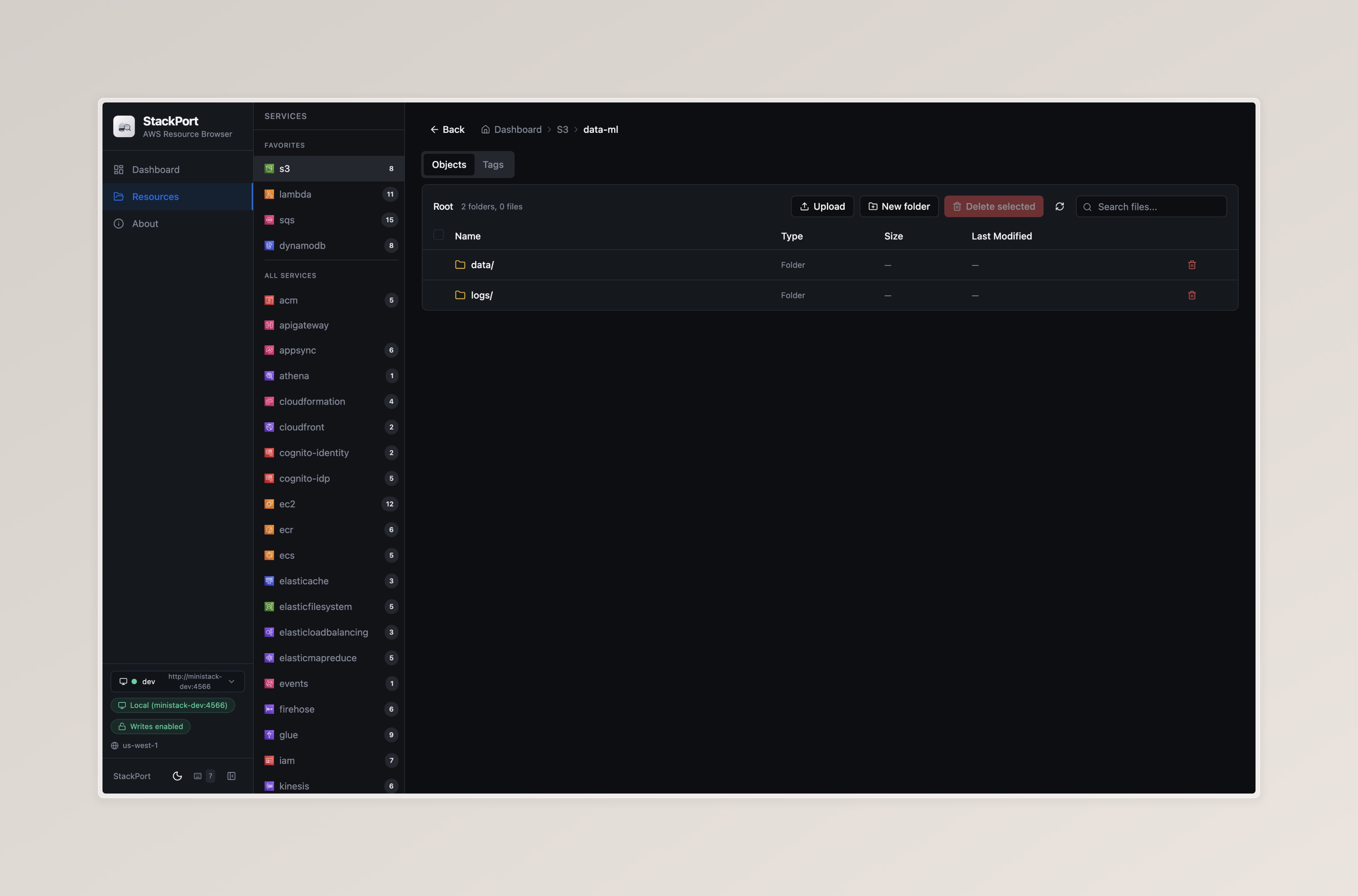
S3 Browser — File browser with folder navigation and object preview
Features
- Browse and inspect resources across 35 AWS services
- S3 file browser with folder navigation, search, pagination, and download
- Dashboard with service health, resource counts, and auto-refresh
- Single Docker image, zero AWS dependencies
- Works out of the box with MiniStack's default port (4566)
Quick Start
With MiniStack (recommended)
# Start MiniStack
pip install ministack && ministack

# Start StackPort
pip install stackport
stackport
# Open http://localhost:8080
Docker Compose (MiniStack + StackPort)
This example uses MiniStack as the emulator, but you can swap it for LocalStack, Moto, or any AWS-compatible endpoint — just update AWS_ENDPOINT_URL.
curl -O https://raw.githubusercontent.com/DaviReisVieira/stackport/main/examples/docker-compose.yml
docker compose up -d
# Open http://localhost:8080
Docker (standalone)
docker run -p 8080:8080 -e AWS_ENDPOINT_URL=http://host.docker.internal:4566 davireis/stackport
Other emulators
StackPort works with any AWS-compatible endpoint — just set AWS_ENDPOINT_URL:
# LocalStack
AWS_ENDPOINT_URL=http://localhost:4566 stackport

# Moto
AWS_ENDPOINT_URL=http://localhost:5000 stackport

# Any custom endpoint
AWS_ENDPOINT_URL=http://my-emulator:4566 stackport
Configuration
| Variable | Default | Description |
|---|---|---|
AWS_ENDPOINT_URL |
http://localhost:4566 |
Target AWS endpoint (MiniStack default) |
AWS_REGION |
us-east-1 |
AWS region |
AWS_ACCESS_KEY_ID |
test |
AWS access key |
AWS_SECRET_ACCESS_KEY |
test |
AWS secret key |
STACKPORT_PORT |
8080 |
StackPort server port |
STACKPORT_S3_MAX_UPLOAD_MB |
100 |
Max upload size for a single S3 object, in whole mebibytes (MiB) (× 1024²). Example: 1000 for about 1000 MiB. Omit for the default (100 MiB). |
STACKPORT_SERVICES |
(35 services) | Comma-separated services to probe |
LOG_LEVEL |
INFO |
Python log level (DEBUG shows healthcheck logs) |
Supported Services (35)
ACM, API Gateway, AppSync, Athena, CloudFormation, CloudFront, Cognito (IDP + Identity), DynamoDB, EC2, ECR, ECS, ElastiCache, EFS, ELB, EMR, EventBridge, Firehose, Glue, IAM, Kinesis, KMS, Lambda, CloudWatch Logs, CloudWatch Monitoring, RDS, Route 53, S3, Secrets Manager, SES, SNS, SQS, SSM, Step Functions, WAFv2
S3 has a dedicated file browser. All other services use the generic resource table with detail view.
Development
git clone https://github.com/DaviReisVieira/stackport.git
cd stackport
pip install -e .
cd ui && npm install && npm run dev
See CONTRIBUTING.md for full details.
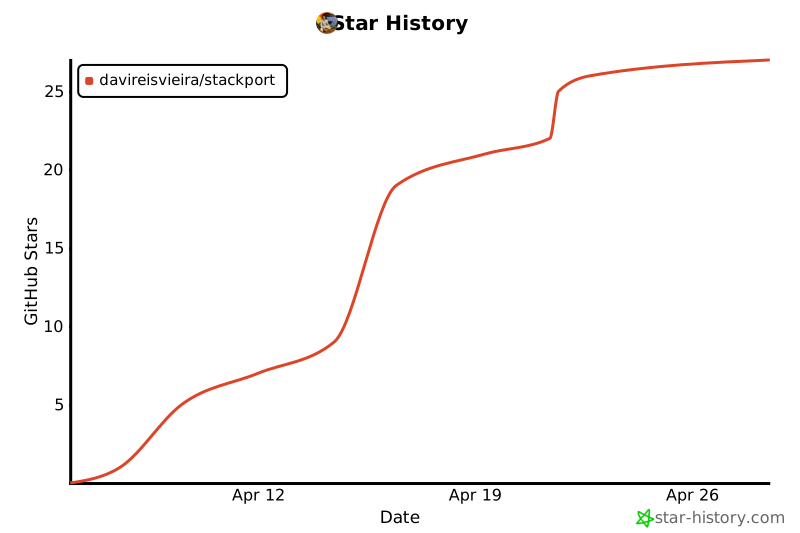
Star History
Contributors

License
MIT
Project details
Verified details
These details have been verified by PyPIProject links
GitHub Statistics
Maintainers
Release history Release notifications | RSS feed


Download files
Download the file for your platform. If you're not sure which to choose, learn more about installing packages.
Source Distribution
Built Distribution
Filter files by name, interpreter, ABI, and platform.
If you're not sure about the file name format, learn more about wheel file names.
Copy a direct link to the current filters
File details
Details for the file stackport-0.2.0.tar.gz.
File metadata
- Download URL: stackport-0.2.0.tar.gz
- Upload date:
- Size: 316.8 kB
- Tags: Source
- Uploaded using Trusted Publishing? Yes
- Uploaded via: twine/6.1.0 CPython/3.13.12
File hashes
| Algorithm | Hash digest | |
|---|---|---|
| SHA256 |
13b999c16bb1e97b0c5795d7e6dd70397240437b062d00bbdfe6a8253f8c80d9
|
|
| MD5 |
8d681827dde7fb9bb3cf801995477d72
|
|
| BLAKE2b-256 |
d9071dab7551285d7db6b74fb23051f13182b91a41e02d269547fd41364b4a4a
|
Provenance
The following attestation bundles were made for stackport-0.2.0.tar.gz:
Publisher:
release.yml on DaviReisVieira/stackport
-
Statement:
-
Statement type:
https://in-toto.io/Statement/v1 -
Predicate type:
https://docs.pypi.org/attestations/publish/v1 -
Subject name:
stackport-0.2.0.tar.gz -
Subject digest:
13b999c16bb1e97b0c5795d7e6dd70397240437b062d00bbdfe6a8253f8c80d9 - Sigstore transparency entry: 1363963992
- Sigstore integration time:
-
Permalink:
DaviReisVieira/stackport@b9c957c2cc2d24dfa45098631a7cfbb784cdd035 -
Branch / Tag:
refs/tags/v0.2.0 - Owner: https://github.com/DaviReisVieira
-
Access:
public
-
Token Issuer:
https://token.actions.githubusercontent.com -
Runner Environment:
github-hosted -
Publication workflow:
release.yml@b9c957c2cc2d24dfa45098631a7cfbb784cdd035 -
Trigger Event:
push
-
Statement type:
File details
Details for the file stackport-0.2.0-py3-none-any.whl.
File metadata
- Download URL: stackport-0.2.0-py3-none-any.whl
- Upload date:
- Size: 321.1 kB
- Tags: Python 3
- Uploaded using Trusted Publishing? Yes
- Uploaded via: twine/6.1.0 CPython/3.13.12
File hashes
| Algorithm | Hash digest | |
|---|---|---|
| SHA256 |
88abd099ab4c846da2fb156d933be7dd367e9dab43b3206ddae8e8524f1149ee
|
|
| MD5 |
bc283bbf0c31977f01865b0bdf9c04f6
|
|
| BLAKE2b-256 |
37c3a6adc36825407bfbafedb0fd1a82ab9135370617af1aeb4543083aac105c
|
Provenance
The following attestation bundles were made for stackport-0.2.0-py3-none-any.whl:
Publisher:
release.yml on DaviReisVieira/stackport
-
Statement:
-
Statement type:
https://in-toto.io/Statement/v1 -
Predicate type:
https://docs.pypi.org/attestations/publish/v1 -
Subject name:
stackport-0.2.0-py3-none-any.whl -
Subject digest:
88abd099ab4c846da2fb156d933be7dd367e9dab43b3206ddae8e8524f1149ee - Sigstore transparency entry: 1363964053
- Sigstore integration time:
-
Permalink:
DaviReisVieira/stackport@b9c957c2cc2d24dfa45098631a7cfbb784cdd035 -
Branch / Tag:
refs/tags/v0.2.0 - Owner: https://github.com/DaviReisVieira
-
Access:
public
-
Token Issuer:
https://token.actions.githubusercontent.com -
Runner Environment:
github-hosted -
Publication workflow:
release.yml@b9c957c2cc2d24dfa45098631a7cfbb784cdd035 -
Trigger Event:
push
-
Statement type:






