
Starlet
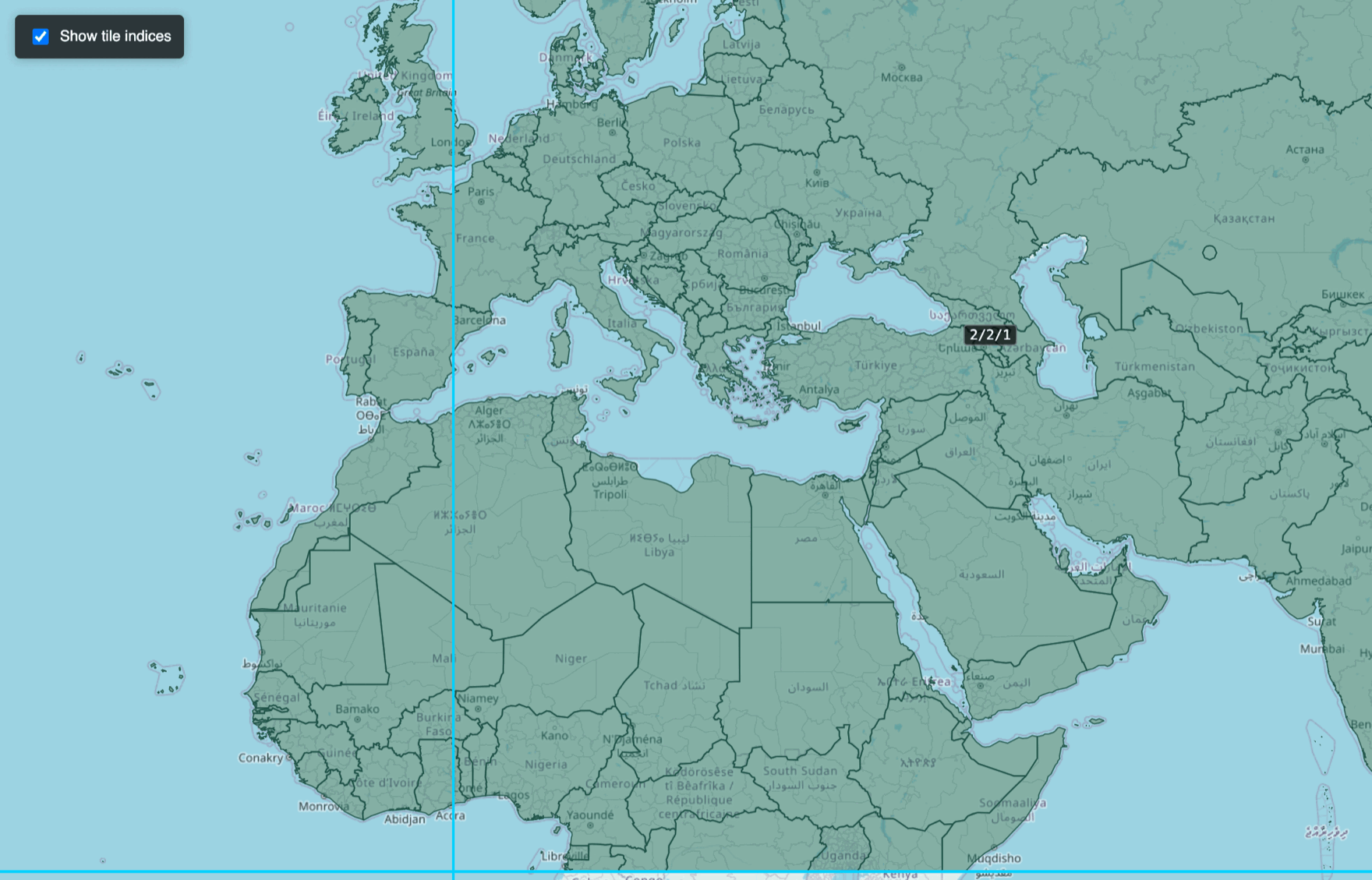
Turn large geospatial datasets into fast, interactive maps. Starlet partitions a GeoParquet / GeoJSON file into spatial tiles, generates Mapbox Vector Tiles, and serves them over HTTP with a built-in web viewer — all from a single command-line tool.
Install
pip install starlet
Requires Python 3.10+. On systems where pip points at Python 2, use pip3:
pip3 install starlet
This installs the starlet command-line tool. Check it:
starlet --version
Quick start
Go from a data file to a live map in two commands:
# 1. Build a dataset: partition into tiles + pre-generate vector tiles
starlet build --input data.parquet --outdir datasets/mydata

# 2. Serve it
starlet serve --dir datasets --port 8765
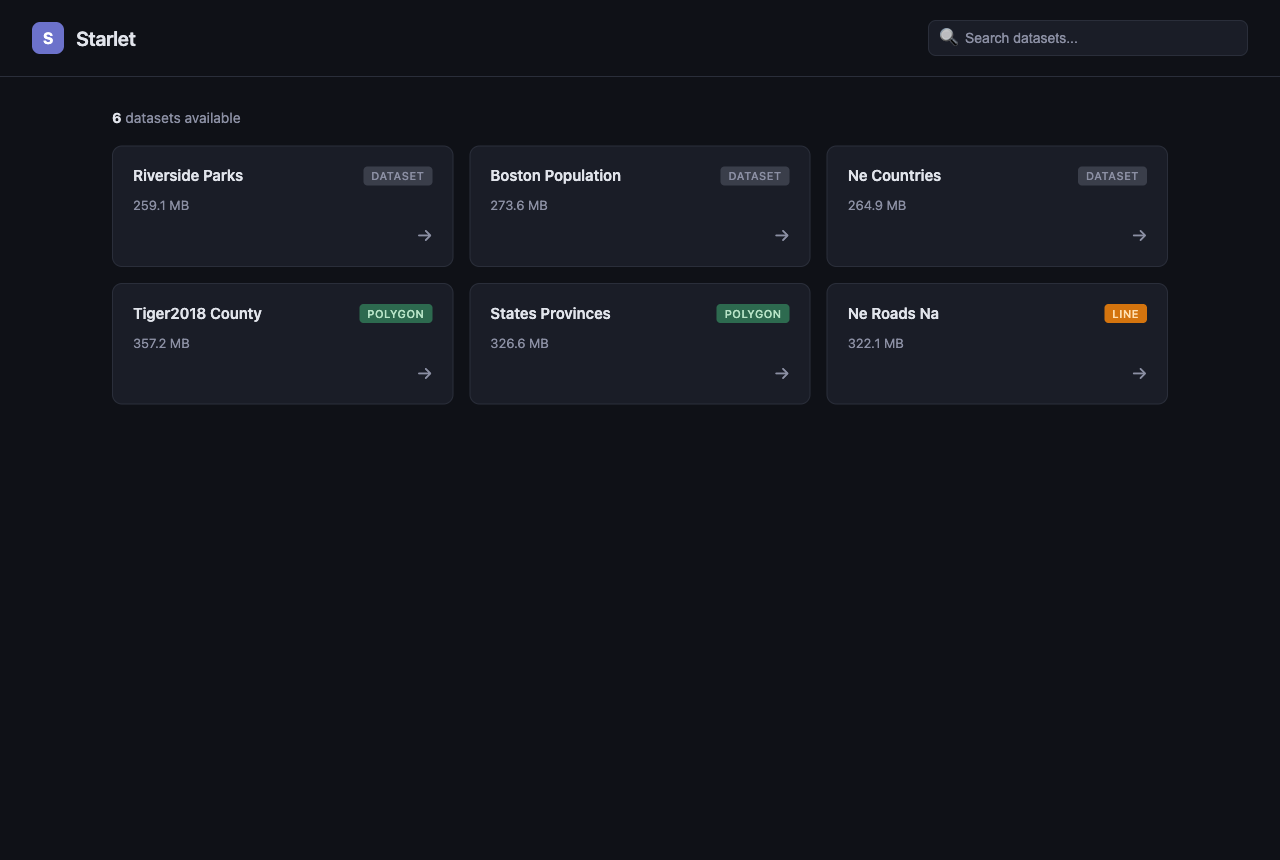
Open http://localhost:8765 and pick your dataset to explore it on a map.
Commands
Everything runs through the starlet CLI. Run starlet <command> --help for the
full option list.
| Command | What it does |
|---|---|
starlet build |
Full pipeline: partition and generate vector tiles |
starlet tile |
Partition a dataset into spatial Parquet tiles only |
starlet mvt |
Generate vector tiles from an already-tiled dataset |
starlet serve |
Run the HTTP tile server + web viewer |
starlet info |
Print a summary of a dataset (tiles, bbox, zoom levels) |
The options you'll actually use
| Option | Commands | Default | Description |
|---|---|---|---|
--input / --outdir |
build, tile | required | Source file and output dataset directory |
--zoom |
build, mvt | 7 |
Maximum vector-tile zoom level |
--geom-col |
build, tile | geometry |
Geometry column name (use wkb_geometry for OGR/ogr2ogr exports) |
--partition-size |
build, tile | 128mb GeoParquet / 512mb GeoJSON |
Target tile size, e.g. 256mb, 1gb |
--pmtiles |
build, mvt | off | Also export a single .pmtiles archive |
--threshold |
build, mvt | 0 |
Minimum feature count for a tile to be generated |
--dir |
serve, mvt, info | required | Dataset directory (or the root of several, for serve) |
--port |
serve | 8765 |
Port to bind the server |
Examples
# Build to a deeper zoom (more detail when you zoom in)
starlet build --input roads.parquet --outdir datasets/roads --zoom 12

# GeoJSON input, custom geometry column
starlet build --input places.geojson --outdir datasets/places --geom-col wkb_geometry

# Serve a whole folder of datasets; the viewer lists them all
starlet serve --dir datasets --port 8765

# Inspect what got built
starlet info --dir datasets/roads
Input formats
Starlet reads GeoParquet, GeoJSON, and CSV (with either x/y
columns or a WKT column — see starlet tile --help). Source data is assumed to
be longitude/latitude (EPSG:4326); tiles are produced in Web Mercator
(EPSG:3857).
One-file distribution with PMTiles
Pass --pmtiles to pack every generated tile into a single
PMTiles archive — handy for shipping a
dataset as one file or hosting it on static storage:
starlet build --input data.parquet --outdir datasets/mydata --pmtiles
Server API
While starlet serve is running:
| Method | Path | Description |
|---|---|---|
GET |
/ |
Interactive dataset browser |
GET |
/api/datasets |
List available datasets |
GET |
/<dataset>/<z>/<x>/<y>.mvt |
A Mapbox Vector Tile |
GET |
/datasets/<dataset>.json |
Dataset metadata (bbox, zoom range) |
GET/POST |
/datasets/<dataset>/features.<csv|geojson> |
Download features (optional geometry filter) |
GET |
/api/datasets/<dataset>/stats |
Per-attribute statistics |
Tiles are served in tiers — an in-memory LRU cache, then a pre-generated
PMTiles archive or .mvt files on disk, then generated on the fly from the
Parquet tiles when you zoom past the pre-built levels — so you can serve a
dataset even without pre-generating every zoom.
Configuration
Settings you reuse often (partition size, zoom, worker count, …) can live in a
starlet.toml file instead of being passed on every command. Copy
starlet.toml.example to starlet.toml and edit it;
Starlet loads it automatically. CLI flags always override the file. See
docs/CONFIGURATION.md for the full list of keys.
Deploying a server
docs/DEPLOYMENT.md walks through standing up a production tile server, including a no-root recipe behind an existing Apache install.
Using Starlet from Python
starlet is also importable — tile(), generate_mvt(), build(),
export_pmtiles(), and create_app() are documented in
docs/PUBLIC_API.md.
Want to work on Starlet itself — run it from a clone, run the tests, or contribute a change? See DEVELOPMENT.md.
License
Starlet is distributed under the MIT License.


Download files
Download the file for your platform. If you're not sure which to choose, learn more about installing packages.
Source Distribution
Built Distribution
Filter files by name, interpreter, ABI, and platform.
If you're not sure about the file name format, learn more about wheel file names.
Copy a direct link to the current filters
File details
Details for the file starlet-0.4.1.tar.gz.
File metadata
- Download URL: starlet-0.4.1.tar.gz
- Upload date:
- Size: 125.4 kB
- Tags: Source
- Uploaded using Trusted Publishing? Yes
- Uploaded via: twine/6.1.0 CPython/3.13.14
File hashes
| Algorithm | Hash digest | |
|---|---|---|
| SHA256 |
89f652404cf3382d5b5c7193984bbcae43be93095e99ed6754b7bf524c94f43c
|
|
| MD5 |
82e7706403bf6d69eb3f5000ce598468
|
|
| BLAKE2b-256 |
bf715fdddbb24aaa481b65d279fd8ce69587a3cdf10acefc55989bddc8856a9e
|
Provenance
The following attestation bundles were made for starlet-0.4.1.tar.gz:
Publisher:
publish.yml on ucr-bdlab/starlet
-
Statement:
-
Statement type:
https://in-toto.io/Statement/v1 -
Predicate type:
https://docs.pypi.org/attestations/publish/v1 -
Subject name:
starlet-0.4.1.tar.gz -
Subject digest:
89f652404cf3382d5b5c7193984bbcae43be93095e99ed6754b7bf524c94f43c - Sigstore transparency entry: 2255349771
- Sigstore integration time:
-
Permalink:
ucr-bdlab/starlet@dc6036b80a1d3527b5eec6562e20b194c66a2203 -
Branch / Tag:
refs/tags/v0.4.1 - Owner: https://github.com/ucr-bdlab
-
Access:
public
-
Token Issuer:
https://token.actions.githubusercontent.com -
Runner Environment:
github-hosted -
Publication workflow:
publish.yml@dc6036b80a1d3527b5eec6562e20b194c66a2203 -
Trigger Event:
push
-
Statement type:
File details
Details for the file starlet-0.4.1-py3-none-any.whl.
File metadata
- Download URL: starlet-0.4.1-py3-none-any.whl
- Upload date:
- Size: 142.4 kB
- Tags: Python 3
- Uploaded using Trusted Publishing? Yes
- Uploaded via: twine/6.1.0 CPython/3.13.14
File hashes
| Algorithm | Hash digest | |
|---|---|---|
| SHA256 |
4ae5153b38351e0efe62ccea0632e76dbe6964032c45d7c0f6dbdd6f1a88ecc2
|
|
| MD5 |
20999c7e77887f4f6b58a88b85016aba
|
|
| BLAKE2b-256 |
399ffa0b57a808e0706e755810961198eeb8bedd2e92f4b62c875c076c24bb87
|
Provenance
The following attestation bundles were made for starlet-0.4.1-py3-none-any.whl:
Publisher:
publish.yml on ucr-bdlab/starlet
-
Statement:
-
Statement type:
https://in-toto.io/Statement/v1 -
Predicate type:
https://docs.pypi.org/attestations/publish/v1 -
Subject name:
starlet-0.4.1-py3-none-any.whl -
Subject digest:
4ae5153b38351e0efe62ccea0632e76dbe6964032c45d7c0f6dbdd6f1a88ecc2 - Sigstore transparency entry: 2255349774
- Sigstore integration time:
-
Permalink:
ucr-bdlab/starlet@dc6036b80a1d3527b5eec6562e20b194c66a2203 -
Branch / Tag:
refs/tags/v0.4.1 - Owner: https://github.com/ucr-bdlab
-
Access:
public
-
Token Issuer:
https://token.actions.githubusercontent.com -
Runner Environment:
github-hosted -
Publication workflow:
publish.yml@dc6036b80a1d3527b5eec6562e20b194c66a2203 -
Trigger Event:
push
-
Statement type:







