
starlit
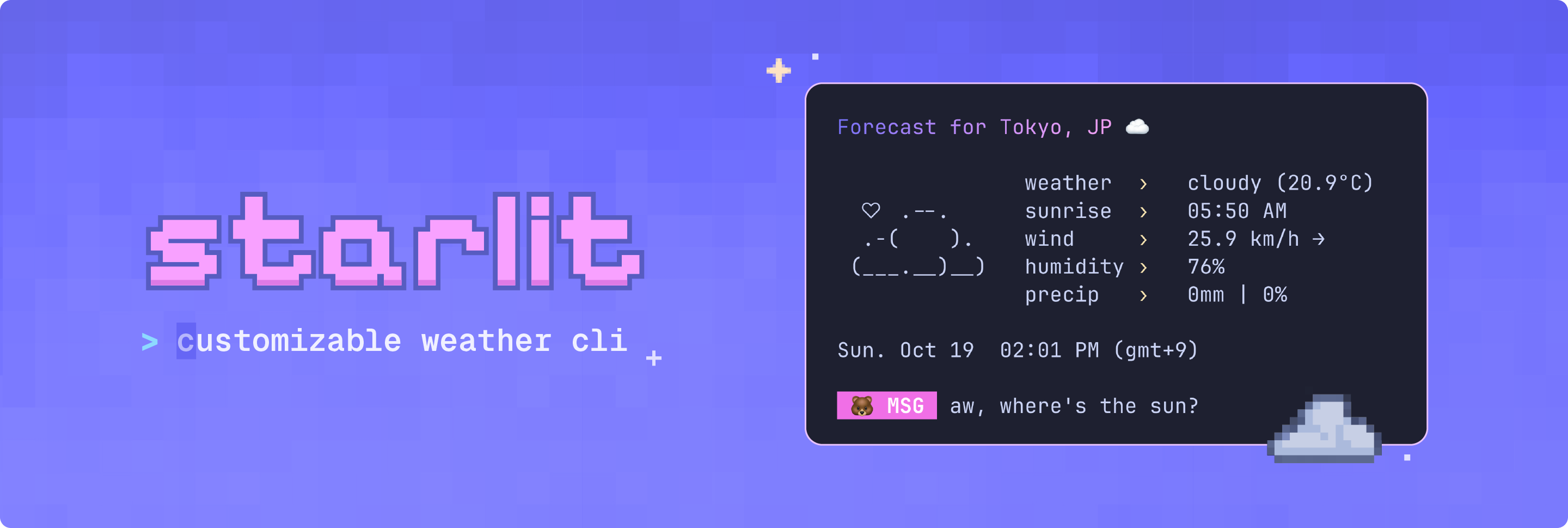
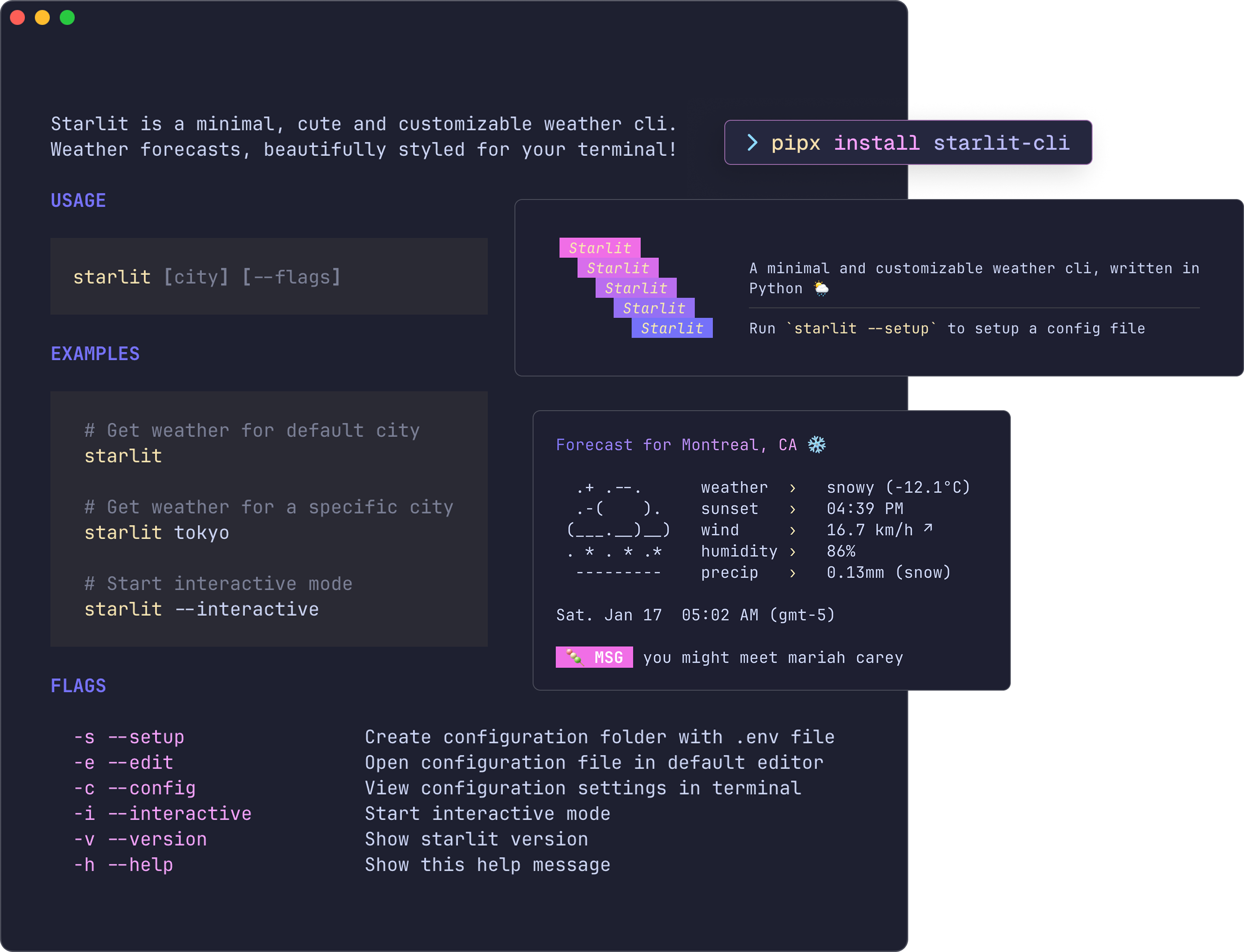
A minimal and customizable weather CLI, written in Python 🐍




Requirements
- Python 3.13+
- Poetry or pip package manager
- An OpenWeatherMap API key
- UTF-8 terminal with 256 colors and nerd font
Installation
Installing starlit is quick and easy. The built-in setup command guides you through configuration.
Option 1: Install with pipx
The easiest way to install starlit is via pipx:
pipx install starlit-cli
Then set up your configuration:
starlit --setup # creates ~/.config/starlit/.env
starlit --edit  # opens .env file (add your api key here)
To upgrade to the latest version:
pipx upgrade starlit-cli
Option 2: Install from source
For local development or contributing:
- Clone this repository
git clone https://github.com/ashuhlee/starlit.git
cd starlit
- Create the virtual environment
# macOS / Linux / Windows
python -m venv .venv
Activate the virtual environment:
source .venv/bin/activate # macOS / Linux
.venv\Scripts\Activate    # Windows (Powershell)
- Install in editable mode
Some packages are required for this project. They will automatically be installed if you run:
pip install -e .
- Set up your configuration
Generates a configuration file from the example template and open the file:
starlit --setup
starlit --edit
To update your installation:
git pull origin main
pip install -e .
Get your OpenWeatherMap API key and paste it into the .env file under API_KEY=
Configuration
starlit creates a default configuration file when you run starlit --setup. The .env file stores your API key, default city and display preferences.
- Linux/macOS:
~/.config/starlit/.env - Windows:
C:\users\username\.config\starlit\.env
| Setting | Description |
|---|---|
API_KEY |
Your OpenWeatherMap API key |
DEFAULT_CITY |
The city shown when you don’t pass one |
UNITS |
Options: metric (°C) or imperial (°F) |
DISABLE_ANIMATION |
Turns off all animations in starlit |
SHOW_DT |
Shows local date and time |
SHOW_ASCII |
Shows the little ASCII art to the left |
SHOW_MSG |
Adds a cute message at the bottom |
SHOW_EMOJI |
Shows emojis in your terminal |
EMOJI_TYPE |
Choose a cute emoji for messages |
Customize colors
You can also set your own colors for the gradient title and message labels. Use six-digit RGB hex codes (no # needed):
| Setting | Description | Example |
|---|---|---|
| COLOR_1 | Gradient color stop 1 |  5D63FF 5D63FF |
| COLOR_2 | Gradient color stop 2 |  F7A4F4 F7A4F4 |
| LABEL_COLOR | Message label color |  5CE7F9 5CE7F9 |
Usage
# basic usage
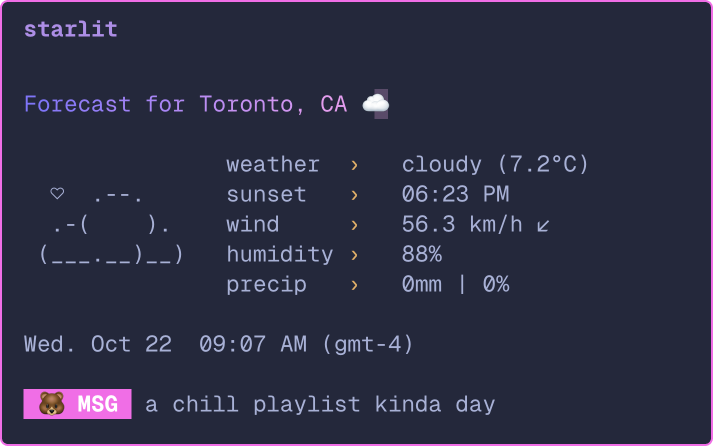
starlit

# specify city via command line
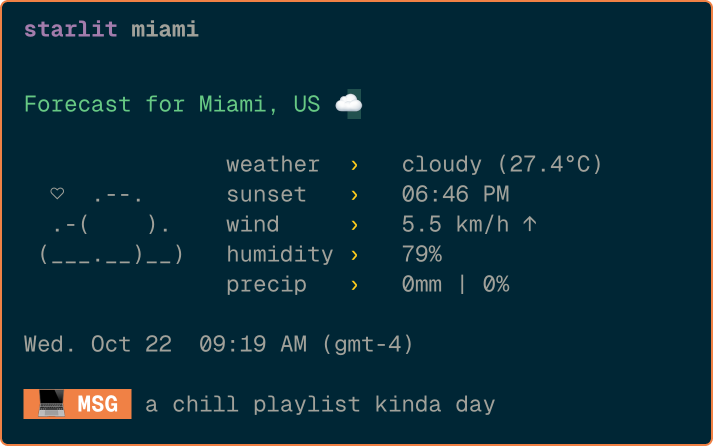
starlit seattle

# start interactive mode
starlit --interactive

# opens the .env file in your default editor
starlit --edit

# shows config in .env file (if found)
starlit --config

# shows contents of .env file (if found)
starlit --config --show-full

# show version
starlit --version

# show help
starlit --help
Usage examples
 |
 |
|---|---|
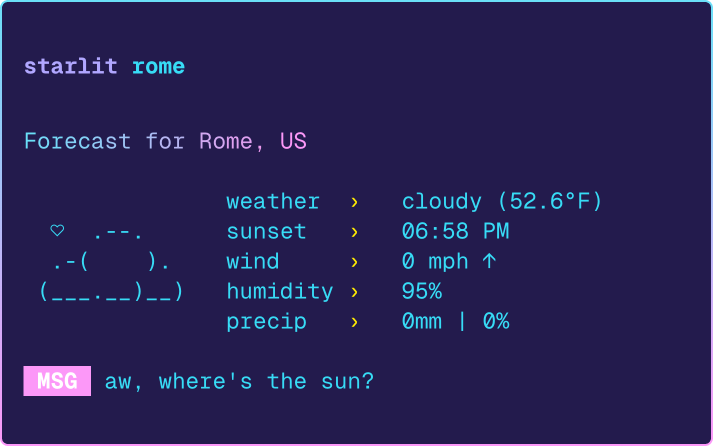 |
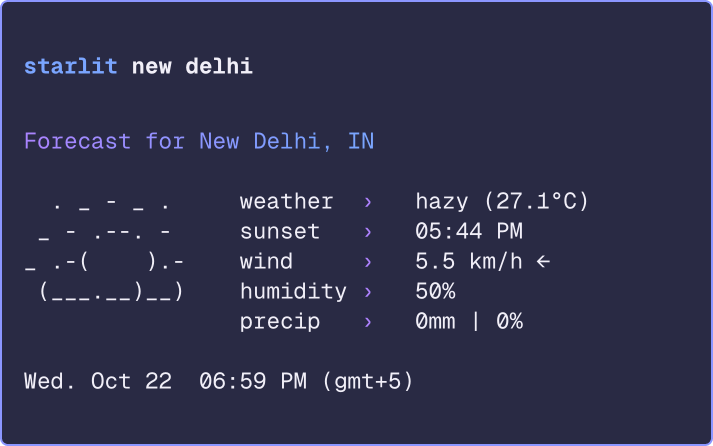 |
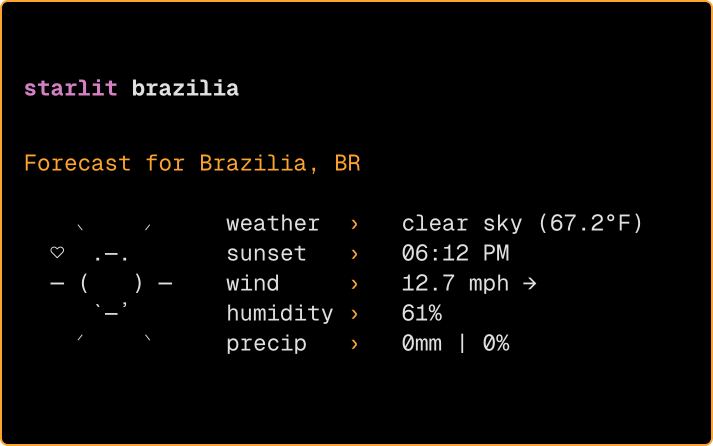 |
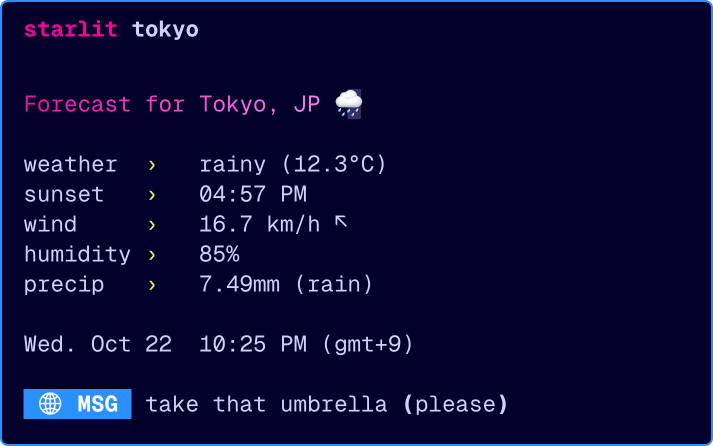 |
What's next
- Different Modes: Add live updates or full forecast modes
- Interactive Mode+: Add a full command line interface when using
starlit -i - Color Themes: Support for
.jsontheme files so you can easily switch between color palettes - Multi-language Support: Option to view weather info in different languages
Tech stack
- Rich - Beautiful terminal formatting
- rich-gradient - Gradient text formatting
- terminal-text-effects - Smooth text animations
- Requests - HTTP requests for weather API
- Python-dotenv - Environment variable management
About this project
I built this fun little project as a way to learn more about APIs and creating colorful terminal apps. It grew into a CLI project I'm proud of!
Thank you to charm for the color palette and design interface inspo 🎨 and to wego for the ASCII icons
⭐ If you like this project, please consider giving it a star!
1 maintainer

Metadata
1 maintainer
Release files for starlit-cli 0.3.0
For a detailed explanation of source distributions (sdists) and built distributions (wheels), please see the package formats documentation.
Source distribution (sdist)
| File | Size | Uploaded | |
|---|---|---|---|
| starlit_cli-0.3.0.tar.gz | 16.1 kB | Details |
Built distribution (wheel)
| File | Interpreter | ABI | Platform | Reset |
|---|---|---|---|---|
| starlit_cli-0.3.0-py3-none-any.whl | Python 3 | none | any | Details |
Total release size: 35.8 kB
Release files / starlit_cli-0.3.0.tar.gz
| Download URL | starlit_cli-0.3.0.tar.gz |
|---|---|
| Size | 16.1 kB |
| Tags | Source |
|
SHA-256 checksum How to use checksums |
3f3090e3ebb3886e5f12c8113319bbc678458a9bb9fdaba3bed66be86acb1020
|
|
BLAKE2b-256 checksum How to use checksums |
57f941ae3003ede961ce78955420d1b7f3d14bfbc3bd6ba23fda42ee2e9bcdf6
|
| Upload date | |
|
Uploaded using Trusted Publishing? What is trusted publishing? |
No |
| Uploaded via |
poetry/2.2.1 CPython/3.13.5 Darwin/24.6.0
|
Release files / starlit_cli-0.3.0-py3-none-any.whl
| Download URL | starlit_cli-0.3.0-py3-none-any.whl |
|---|---|
| Size | 19.6 kB |
| Tags | Python 3 |
|
SHA-256 checksum How to use checksums |
2f79c9c39bc8643b0df4781e285c0248e608f604dafe6ccb0b0a925554a62959
|
|
BLAKE2b-256 checksum How to use checksums |
8d4ef7239f1820ed8dc83a80686a14bdf3503d4f2a3504a2f721fe5765fa7d04
|
| Upload date | |
|
Uploaded using Trusted Publishing? What is trusted publishing? |
No |
| Uploaded via |
poetry/2.2.1 CPython/3.13.5 Darwin/24.6.0
|














