
A minimal, cute and customizable weather cli

Project description
starlit
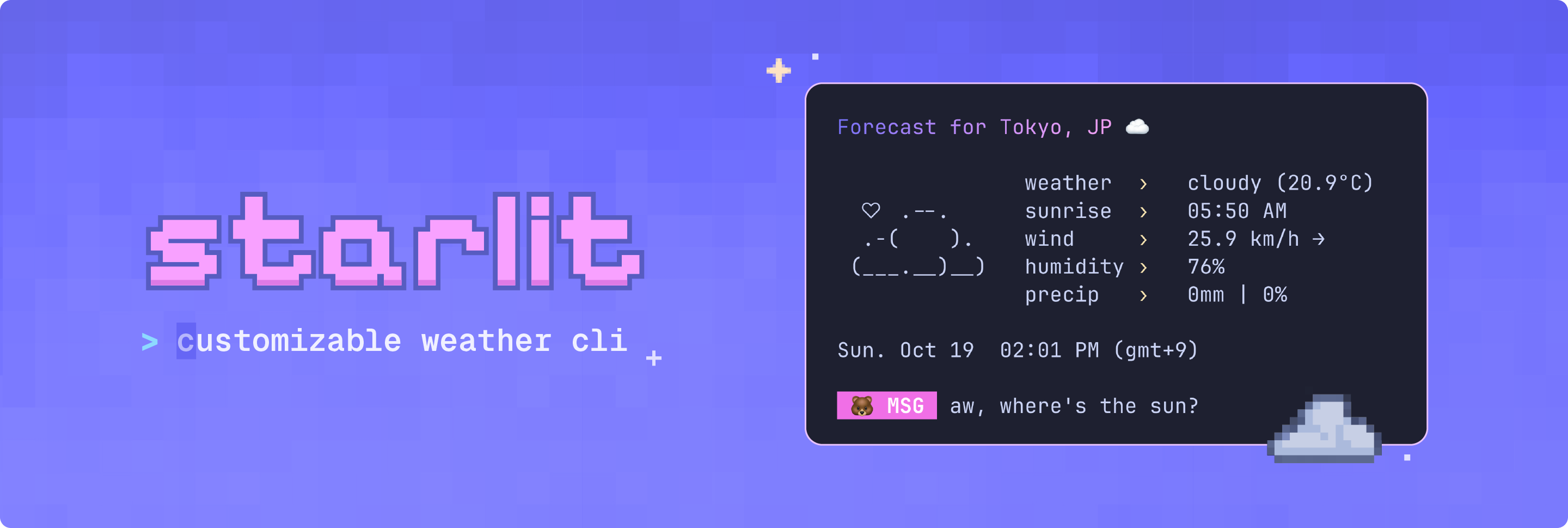
A minimal and customizable weather CLI, written in Python 🐍




Requirements
- Python 3.13+
- Poetry or pip package manager
- An OpenWeatherMap API key
- UTF-8 terminal with 256 colors and nerd font
Installation
Installing starlit is quick and easy. The built-in setup command guides you through configuration.
Option 1: Install with pipx
The easiest way to install starlit is via pipx:
pipx install starlit-cli
Then set up your configuration:
starlit --setup # creates ~/.config/starlit/.env
starlit --edit  # opens .env file (add your api key here)
To upgrade to the latest version:
pipx upgrade starlit-cli
Option 2: Install from source
For local development or contributing:
- Clone this repository
git clone https://github.com/ashuhlee/starlit.git
cd starlit
- Create the virtual environment
# macOS / Linux / Windows
python -m venv .venv
Activate the virtual environment:
source .venv/bin/activate # macOS / Linux
.venv\Scripts\Activate    # Windows (Powershell)
- Install in editable mode
Some packages are required for this project. They will automatically be installed if you run:
pip install -e .
- Set up your configuration
Generates a configuration file from the example template and open the file:
starlit --setup
starlit --edit
To update your installation:
git pull origin main
pip install -e .
Get your OpenWeatherMap API key and paste it into the .env file under API_KEY=
Configuration
starlit creates a default configuration file when you run starlit --setup. The .env file stores your API key, default city and display preferences.
- Linux/macOS:
~/.config/starlit/.env - Windows:
C:\users\username\.config\starlit\.env
| Setting | Description |
|---|---|
API_KEY |
Your OpenWeatherMap API key |
DEFAULT_CITY |
The city shown when you don’t pass one |
UNITS |
Options: metric (°C) or imperial (°F) |
DISABLE_ANIMATION |
Turns off all animations in starlit |
SHOW_DT |
Shows local date and time |
SHOW_ASCII |
Shows the little ASCII art to the left |
SHOW_MSG |
Adds a cute message at the bottom |
SHOW_EMOJI |
Shows emojis in your terminal |
EMOJI_TYPE |
Choose a cute emoji for messages |
Customize colors
You can also set your own colors for the gradient title and message labels. Use six-digit RGB hex codes (no # needed):
| Setting | Description | Example |
|---|---|---|
| COLOR_1 | Gradient color stop 1 |  5D63FF 5D63FF |
| COLOR_2 | Gradient color stop 2 |  F7A4F4 F7A4F4 |
| LABEL_COLOR | Message label color |  5CE7F9 5CE7F9 |
Usage
# basic usage
starlit

# specify city via command line
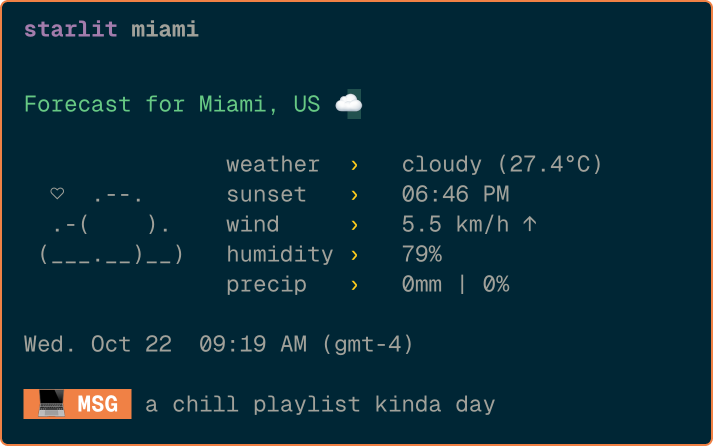
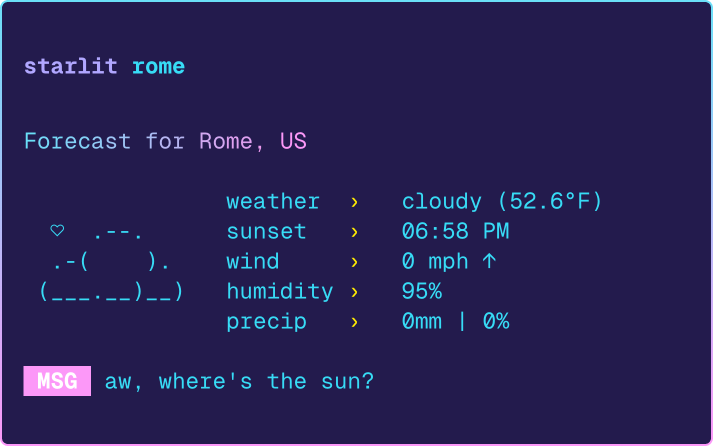
starlit seattle

# start interactive mode
starlit --interactive

# opens the .env file in your default editor
starlit --edit

# shows config in .env file (if found)
starlit --config

# shows contents of .env file (if found)
starlit --config --show-full

# show version
starlit --version

# show help
starlit --help
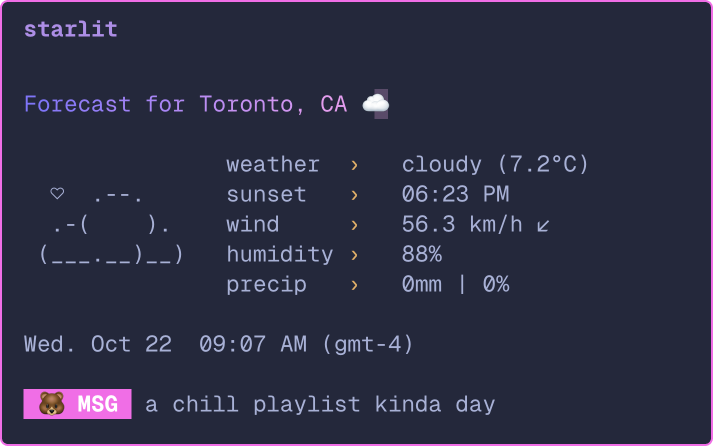
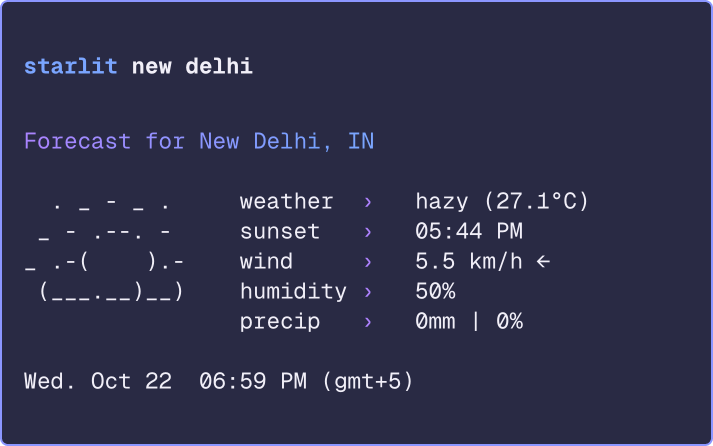
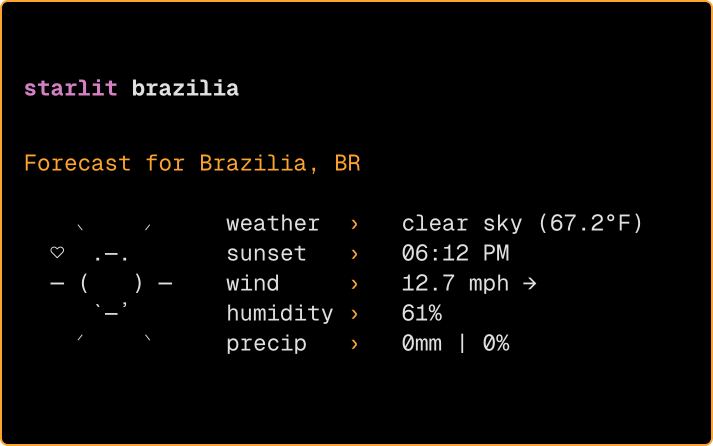
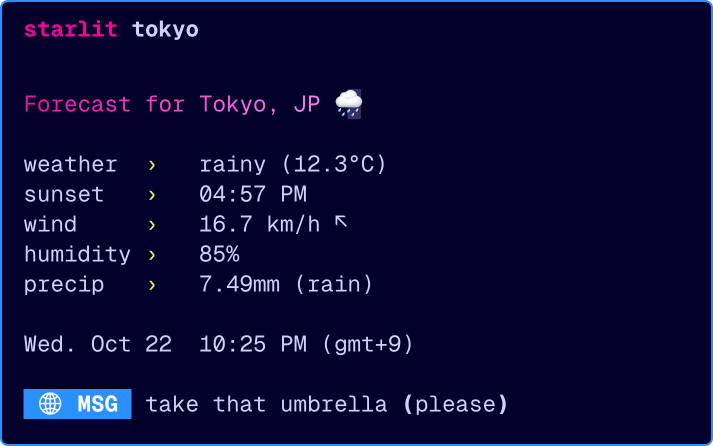
Usage examples
 |
 |
|---|---|
 |
 |
 |
 |
What's next
- Different Modes: Add live updates or full forecast modes
- Interactive Mode+: Add a full command line interface when using
starlit -i - Color Themes: Support for
.jsontheme files so you can easily switch between color palettes - Multi-language Support: Option to view weather info in different languages
Tech stack
- Rich - Beautiful terminal formatting
- rich-gradient - Gradient text formatting
- terminal-text-effects - Smooth text animations
- Requests - HTTP requests for weather API
- Python-dotenv - Environment variable management
About this project
I built this fun little project as a way to learn more about APIs and creating colorful terminal apps. It grew into a CLI project I'm proud of!
Thank you to charm for the color palette and design interface inspo 🎨 and to wego for the ASCII icons
⭐ If you like this project, please consider giving it a star!


Download files
Download the file for your platform. If you're not sure which to choose, learn more about installing packages.
Source Distribution
Built Distribution
Filter files by name, interpreter, ABI, and platform.
If you're not sure about the file name format, learn more about wheel file names.
Copy a direct link to the current filters
File details
Details for the file starlit_cli-0.2.2.tar.gz.
File metadata
- Download URL: starlit_cli-0.2.2.tar.gz
- Upload date:
- Size: 15.5 kB
- Tags: Source
- Uploaded using Trusted Publishing? No
- Uploaded via: poetry/2.2.1 CPython/3.13.5 Darwin/24.6.0
File hashes
| Algorithm | Hash digest | |
|---|---|---|
| SHA256 |
908219515d202fd440974b1921d7d3d62d664fd4793c24c471ea7e7139068bba
|
|
| MD5 |
2e6fff1b1d771d21018994eacf578395
|
|
| BLAKE2b-256 |
304e1d3b2a1b0a4b0f4e267d693ec242d7d79b775428f5ccb6a87ca7797e9353
|
File details
Details for the file starlit_cli-0.2.2-py3-none-any.whl.
File metadata
- Download URL: starlit_cli-0.2.2-py3-none-any.whl
- Upload date:
- Size: 18.8 kB
- Tags: Python 3
- Uploaded using Trusted Publishing? No
- Uploaded via: poetry/2.2.1 CPython/3.13.5 Darwin/24.6.0
File hashes
| Algorithm | Hash digest | |
|---|---|---|
| SHA256 |
c0467bef279dd316d7975c08e0fc45896fe1536b8445c0b8f6df2da227ecc3c4
|
|
| MD5 |
376af6714ed2fedfd50c20d410b8a990
|
|
| BLAKE2b-256 |
94b3c116101ef8c075c4a1c5835ac207e4719bff431472165375cc2cdf906f46
|






