
This release has been yanked by its maintainers, and will be ignored by installers, except when explicitly specified.
Reason given by maintainers: broken


StarWarden
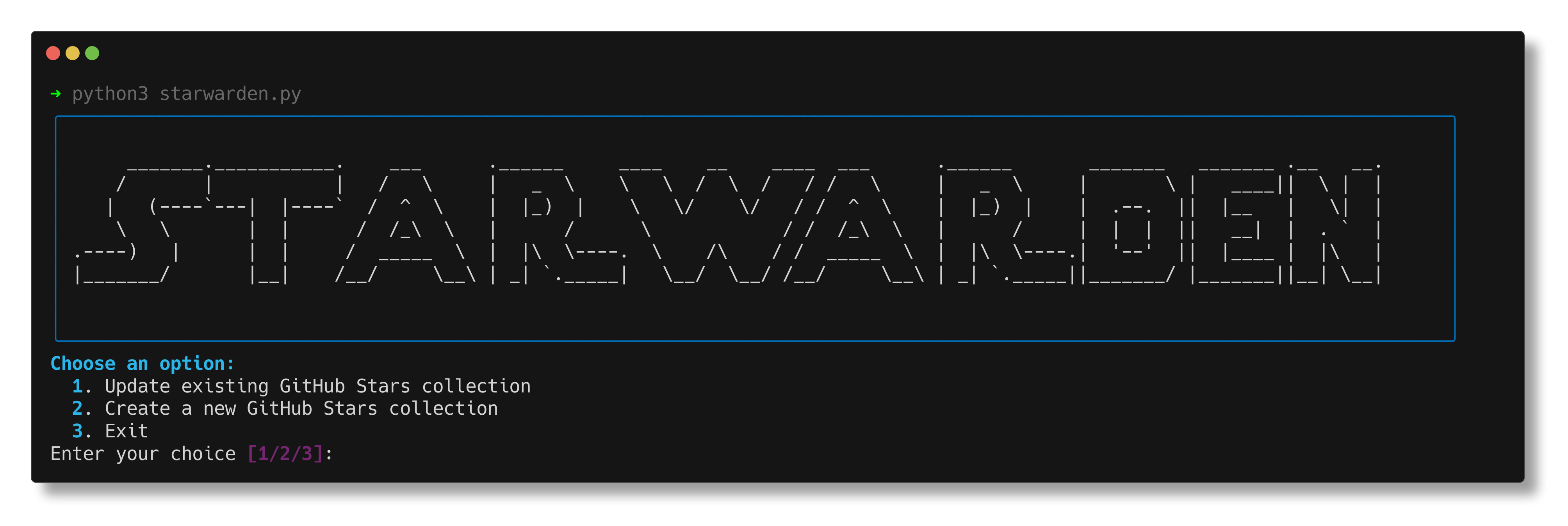
StarWarden allows you to export GitHub stars to Linkwarden.
Features
- Export GitHub stars to Linkwarden
- Export to existing collection or create new colletion
- Keep Linkwarden collection up-to-date with your GitHub stars using the docker image.
Setup
Uses astral/uv
Install:
curl -LsSf https://astral.sh/uv/install.sh | sh
-
Clone the repository
-
Install requirements:
uv sync --locked
-
Create a
.envfile with:GITHUB_TOKEN=your_github_token GITHUB_USERNAME=your_github_username LINKWARDEN_URL=your_linkwarden_instance_url LINKWARDEN_TOKEN=your_linkwarden_api_token APPRISE_URLS=apprise_url_1,apprise_url_2 OPT_TAG=true OPT_TAG_GITHUB=true OPT_TAG_GITHUBSTARS=true OPT_TAG_LANGUAGE=false OPT_TAG_USERNAME=false
Usage
Run:
uv run starwarden.py
To directly update an existing collection without an interactive menu, run:
uv run starwarden.py -id YOUR_COLLECTION_ID
Environment Variables
| Name | Default | Description |
|---|---|---|
| GITHUB_TOKEN | GitHub API token | |
| GITHUB_USERNAME | GitHub username | |
| LINKWARDEN_URL | Linkwarden URL https://your-linkwarden-instance.com | |
| LINKWARDEN_TOKEN | Linkwarden API token | |
| COLLECTION_ID | Linkwarden Collection ID to update (Number) /collections/499 | |
| CRON_SCHEDULE | 0 6 * * * | Cron Schedule (default is daily at 6am) |
| APPRISE_URLS | Apprise URL for push notifications, separated by commas, see Apprise | |
| OPT_TAG | true | Enable/Disable all Tagging |
| OPT_TAG_GITHUB | true | Tag Link with "GitHub" |
| OPT_TAG_GITHUBSTARS | true | Tag Link with "GitHub Stars" |
| OPT_TAG_LANGUAGE | false | Tag Link with Language of repo (e.g. Python or JavaScript) |
| OPT_TAG_USERNAME | false | Tag GitHub username |
| OPT_TAG_CUSTOM | Add custom tags, separated by commas (e.g. tag1,tag2) |
Unsupervised Updates
For automated, unsupervised updates, you can use Docker with the provided docker-compose.yml file.
-
Make sure you have Docker and Docker Compose installed on your system.
-
Create a
.envfile in the project root with the following variables:GITHUB_TOKEN=your_github_token GITHUB_USERNAME=your_github_username LINKWARDEN_URL=your_linkwarden_instance_url LINKWARDEN_TOKEN=your_linkwarden_api_token COLLECTION_ID=your_linkwarden_collection_id CRON_SCHEDULE=0 0 * * * # Run daily at midnight, adjust as needed APPRISE_URLS=apprise_url_1,apprise_url_2 OPT_TAG=true OPT_TAG_GITHUB=true OPT_TAG_GITHUBSTARS=true OPT_TAG_LANGUAGE=false OPT_TAG_USERNAME=false
-
Use the following
docker-compose.ymlfile:version: "3" services: starwarden: image: rtuszik/starwarden:latest env_file: .env volumes: - ./starwarden.log:/app/starwarden.log
-
Run the following command to start the Docker container:
docker compose up -d
The container will now automatically run StarWarden on the specified schedule without any manual intervention.
To manually trigger an update, you can run:
docker compose exec starwarden python /app/starwarden.py -id $COLLECTION_ID
Contributing
Contributions are welcome! Please feel free to submit a Pull Request.
License
This project is licensed under the MIT License - see the LICENSE file for details.
1 maintainer

Metadata
1 maintainer
Release files for starwarden 2.0.0
For a detailed explanation of source distributions (sdists) and built distributions (wheels), please see the package formats documentation.
Source distribution (sdist)
| File | Size | Uploaded | Provenance | Actions |
|---|---|---|---|---|
| starwarden-2.0.0.tar.gz | 8.9 kB | Without provenance | Details for starwarden-2.0.0.tar.gz |
Built distribution (wheel)
| File | Interpreter | ABI | Platform | Actions Reset |
|---|---|---|---|---|
| starwarden-2.0.0-py3-none-any.whl | Python 3 | none | any | Details for starwarden-2.0.0-py3-none-any.whl |
Total release size: 20.1 kB
Release files / starwarden-2.0.0.tar.gz
| Download URL | starwarden-2.0.0.tar.gz |
|---|---|
| Size | 8.9 kB |
| Tags | Source |
|
SHA-256 checksum How to use checksums |
9524e14dbec332e091d504949fdce894a1dead1813096e8929b82dceb9546c90
|
|
BLAKE2b-256 checksum How to use checksums |
3a1279839dc41f03183d0d16c5526340bdc2d49bc8ef316f68392497ca8ca4b8
|
| Upload date | |
|
Uploaded using Trusted Publishing? What is trusted publishing? |
Yes |
| Uploaded via |
uv/0.9.20 {"installer":{"name":"uv","version":"0.9.20","subcommand":["publish"]},"python":null,"implementation":{"name":null,"version":null},"distro":{"name":"Ubuntu","version":"24.04","id":"noble","libc":null},"system":{"name":null,"release":null},"cpu":null,"openssl_version":null,"setuptools_version":null,"rustc_version":null,"ci":true}
|
Release files / starwarden-2.0.0-py3-none-any.whl
| Download URL | starwarden-2.0.0-py3-none-any.whl |
|---|---|
| Size | 11.2 kB |
| Tags | Python 3 |
|
SHA-256 checksum How to use checksums |
985bc1e981582ea071bc3adec555785741f183fb99f8df01da36eb7df84b5218
|
|
BLAKE2b-256 checksum How to use checksums |
4e0e9bd6aaa10eed9cff25d5d884d4a6ff1d5389d72b4f0611afe6f23b6545fd
|
| Upload date | |
|
Uploaded using Trusted Publishing? What is trusted publishing? |
Yes |
| Uploaded via |
uv/0.9.20 {"installer":{"name":"uv","version":"0.9.20","subcommand":["publish"]},"python":null,"implementation":{"name":null,"version":null},"distro":{"name":"Ubuntu","version":"24.04","id":"noble","libc":null},"system":{"name":null,"release":null},"cpu":null,"openssl_version":null,"setuptools_version":null,"rustc_version":null,"ci":true}
|
Security for starwarden 2.0.0
Provenance
Provenance describes where a file came from. On PyPI, provenance is shared via attestations, which provide a verifiable record of the build or publishing details. View details, limitations and caveats.
No provenance found
None of the files in this release were uploaded with provenance metadata.
A note on package security
PyPI is a repository for distributing packages, not a service for auditing them. While third-party security researchers and our staff do their best to detect and remove malicious packages, PyPI cannot guarantee the quality, security or suitability of any given package.
To learn more about protecting yourself from malicious actors, visit our package security documentation.













