
Sync GitHub Stars to Linkwarden

Reason this release was yanked:
broken
Project description



StarWarden
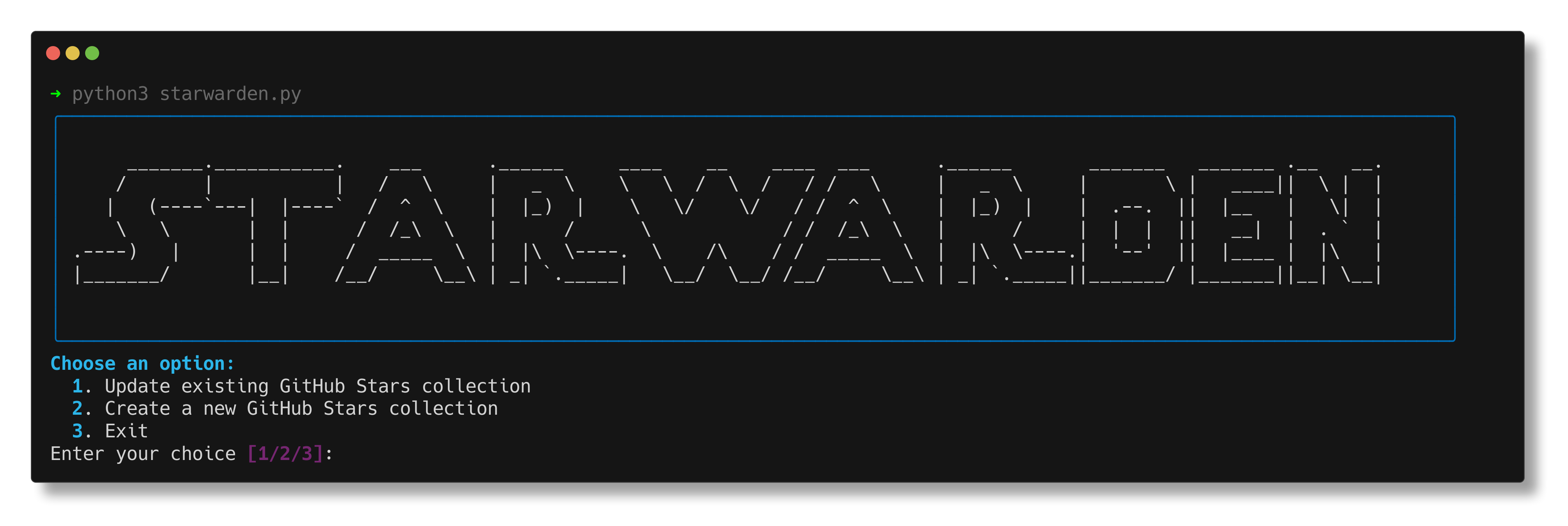
StarWarden allows you to export GitHub stars to Linkwarden.
Features
- Export GitHub stars to Linkwarden
- Export to existing collection or create new colletion
- Keep Linkwarden collection up-to-date with your GitHub stars using the docker image.
Setup
Uses astral/uv
Install:
curl -LsSf https://astral.sh/uv/install.sh | sh
-
Clone the repository
-
Install requirements:
uv sync --locked
-
Create a
.envfile with:GITHUB_TOKEN=your_github_token GITHUB_USERNAME=your_github_username LINKWARDEN_URL=your_linkwarden_instance_url LINKWARDEN_TOKEN=your_linkwarden_api_token APPRISE_URLS=apprise_url_1,apprise_url_2 OPT_TAG=true OPT_TAG_GITHUB=true OPT_TAG_GITHUBSTARS=true OPT_TAG_LANGUAGE=false OPT_TAG_USERNAME=false
Usage
Run:
uv run starwarden.py
To directly update an existing collection without an interactive menu, run:
uv run starwarden.py -id YOUR_COLLECTION_ID
Environment Variables
| Name | Default | Description |
|---|---|---|
| GITHUB_TOKEN | GitHub API token | |
| GITHUB_USERNAME | GitHub username | |
| LINKWARDEN_URL | Linkwarden URL https://your-linkwarden-instance.com | |
| LINKWARDEN_TOKEN | Linkwarden API token | |
| COLLECTION_ID | Linkwarden Collection ID to update (Number) /collections/499 | |
| CRON_SCHEDULE | 0 6 * * * | Cron Schedule (default is daily at 6am) |
| APPRISE_URLS | Apprise URL for push notifications, separated by commas, see Apprise | |
| OPT_TAG | true | Enable/Disable all Tagging |
| OPT_TAG_GITHUB | true | Tag Link with "GitHub" |
| OPT_TAG_GITHUBSTARS | true | Tag Link with "GitHub Stars" |
| OPT_TAG_LANGUAGE | false | Tag Link with Language of repo (e.g. Python or JavaScript) |
| OPT_TAG_USERNAME | false | Tag GitHub username |
| OPT_TAG_CUSTOM | Add custom tags, separated by commas (e.g. tag1,tag2) |
Unsupervised Updates
For automated, unsupervised updates, you can use Docker with the provided docker-compose.yml file.
-
Make sure you have Docker and Docker Compose installed on your system.
-
Create a
.envfile in the project root with the following variables:GITHUB_TOKEN=your_github_token GITHUB_USERNAME=your_github_username LINKWARDEN_URL=your_linkwarden_instance_url LINKWARDEN_TOKEN=your_linkwarden_api_token COLLECTION_ID=your_linkwarden_collection_id CRON_SCHEDULE=0 0 * * * # Run daily at midnight, adjust as needed APPRISE_URLS=apprise_url_1,apprise_url_2 OPT_TAG=true OPT_TAG_GITHUB=true OPT_TAG_GITHUBSTARS=true OPT_TAG_LANGUAGE=false OPT_TAG_USERNAME=false
-
Use the following
docker-compose.ymlfile:version: "3" services: starwarden: image: rtuszik/starwarden:latest env_file: .env volumes: - ./starwarden.log:/app/starwarden.log
-
Run the following command to start the Docker container:
docker compose up -d
The container will now automatically run StarWarden on the specified schedule without any manual intervention.
To manually trigger an update, you can run:
docker compose exec starwarden python /app/starwarden.py -id $COLLECTION_ID
Contributing
Contributions are welcome! Please feel free to submit a Pull Request.
License
This project is licensed under the MIT License - see the LICENSE file for details.
Release history Release notifications | RSS feed

Download files
Download the file for your platform. If you're not sure which to choose, learn more about installing packages.
Source Distribution
Built Distribution
Filter files by name, interpreter, ABI, and platform.
If you're not sure about the file name format, learn more about wheel file names.
Copy a direct link to the current filters
File details
Details for the file starwarden-2.0.0.tar.gz.
File metadata
- Download URL: starwarden-2.0.0.tar.gz
- Upload date:
- Size: 8.9 kB
- Tags: Source
- Uploaded using Trusted Publishing? Yes
- Uploaded via: uv/0.9.20 {"installer":{"name":"uv","version":"0.9.20","subcommand":["publish"]},"python":null,"implementation":{"name":null,"version":null},"distro":{"name":"Ubuntu","version":"24.04","id":"noble","libc":null},"system":{"name":null,"release":null},"cpu":null,"openssl_version":null,"setuptools_version":null,"rustc_version":null,"ci":true}
File hashes
| Algorithm | Hash digest | |
|---|---|---|
| SHA256 |
9524e14dbec332e091d504949fdce894a1dead1813096e8929b82dceb9546c90
|
|
| MD5 |
7e56dc218b1685ae17203210e7a42f88
|
|
| BLAKE2b-256 |
3a1279839dc41f03183d0d16c5526340bdc2d49bc8ef316f68392497ca8ca4b8
|
File details
Details for the file starwarden-2.0.0-py3-none-any.whl.
File metadata
- Download URL: starwarden-2.0.0-py3-none-any.whl
- Upload date:
- Size: 11.2 kB
- Tags: Python 3
- Uploaded using Trusted Publishing? Yes
- Uploaded via: uv/0.9.20 {"installer":{"name":"uv","version":"0.9.20","subcommand":["publish"]},"python":null,"implementation":{"name":null,"version":null},"distro":{"name":"Ubuntu","version":"24.04","id":"noble","libc":null},"system":{"name":null,"release":null},"cpu":null,"openssl_version":null,"setuptools_version":null,"rustc_version":null,"ci":true}
File hashes
| Algorithm | Hash digest | |
|---|---|---|
| SHA256 |
985bc1e981582ea071bc3adec555785741f183fb99f8df01da36eb7df84b5218
|
|
| MD5 |
2c487eac78057ca14786500a64466aee
|
|
| BLAKE2b-256 |
4e0e9bd6aaa10eed9cff25d5d884d4a6ff1d5389d72b4f0611afe6f23b6545fd
|






