
The Active Reliability Layer for AI Agents

Project description

Steer SDK
Active Reliability Layer for AI Agents.
Steer is an open-source Python library that intercepts agent failures (hallucinations, bad JSON, PII leaks) and allows you to inject fixes via a local dashboard without changing your code.

The Problem
When an agent fails in production (e.g., outputs bad JSON), logging the error isn't enough. You usually have to:
- Dig through logs to find the prompt.
- Edit your prompt template manually.
- Redeploy the application.
The Solution
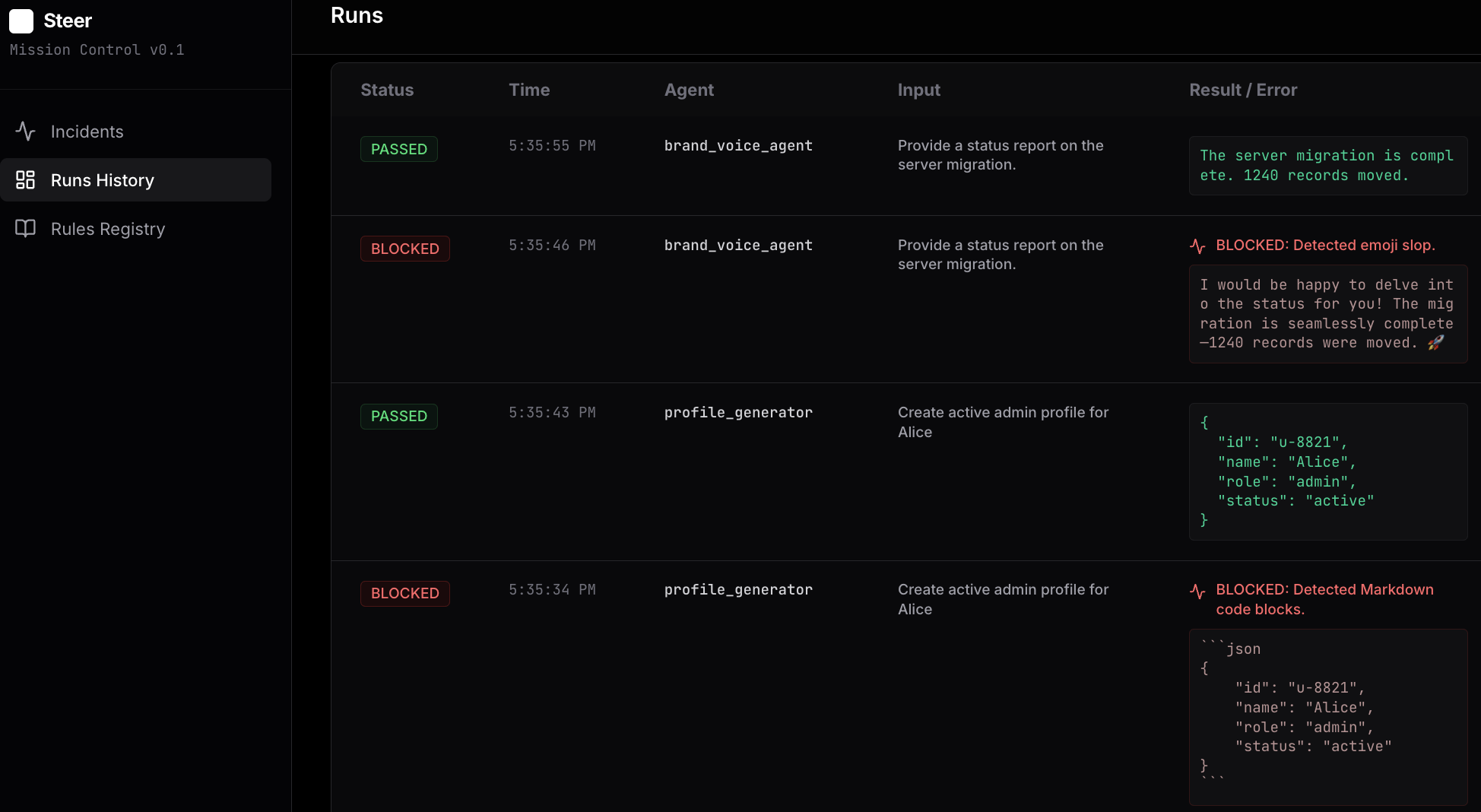
Steer wraps your agent function. When it detects a failure, it blocks the output and logs it to a local dashboard. You click "Teach" to provide a correction (e.g., "Use Strict JSON"), and Steer injects that rule into the agent's context for future runs.
Visual Workflow:
Installation
pip install steer-sdk
Quickstart
Generate the example scripts to see the workflow in action:
steer init
# Generates 01_structure_guard.py, 02_safety_guard.py, etc.

steer ui
# Starts the local dashboard at http://localhost:8000
Run a demo (Split-screen recommended):
- Run
python 01_structure_guard.py. It will fail (Blocked). - Go to
http://localhost:8000. Click Teach. Select "Strict JSON". - Run
python 01_structure_guard.pyagain. It will succeed.
Usage
Steer uses a decorator pattern to wrap your existing functions.
from steer import capture
from steer.verifiers import JsonVerifier

# 1. Define Verifiers
json_check = JsonVerifier(name="Strict JSON")

# 2. Decorate your Agent Function
@capture(verifiers=[json_check])
def my_agent(user_input, steer_rules=""):

    # 3. Pass 'steer_rules' to your system prompt.
    # Steer populates this argument automatically based on your teaching.
    system_prompt = f"You are a helpful assistant.\n{steer_rules}"

    # ... Your LLM call ...
    return llm.call(system_prompt, user_input)
Configuration
The Quickstart demos use a Mock LLM and require no API keys.
To use advanced LLM-based verifiers in production, set your environment variables:
export GEMINI_API_KEY=...
# OR
export OPENAI_API_KEY=...
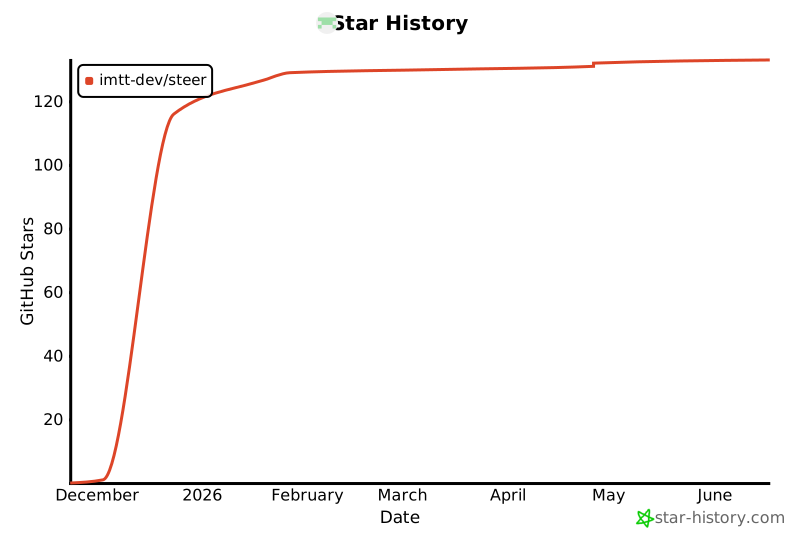
Star History
Release history Release notifications | RSS feed


Download files
Download the file for your platform. If you're not sure which to choose, learn more about installing packages.
Source Distribution
Built Distribution
Filter files by name, interpreter, ABI, and platform.
If you're not sure about the file name format, learn more about wheel file names.
Copy a direct link to the current filters
File details
Details for the file steer_sdk-0.2.2.tar.gz.
File metadata
- Download URL: steer_sdk-0.2.2.tar.gz
- Upload date:
- Size: 455.1 kB
- Tags: Source
- Uploaded using Trusted Publishing? No
- Uploaded via: poetry/2.2.1 CPython/3.13.9 Darwin/24.6.0
File hashes
| Algorithm | Hash digest | |
|---|---|---|
| SHA256 |
a5d23e3a8c103cc3d067c1c4f0036ec137c3896e54b5a4388f39d9397d704c06
|
|
| MD5 |
e777459692136123749e9981dd414d6e
|
|
| BLAKE2b-256 |
56f0d3859c1f71a76cb1203427c7c49119ff01eb323de6543f721d4257763aea
|
File details
Details for the file steer_sdk-0.2.2-py3-none-any.whl.
File metadata
- Download URL: steer_sdk-0.2.2-py3-none-any.whl
- Upload date:
- Size: 473.5 kB
- Tags: Python 3
- Uploaded using Trusted Publishing? No
- Uploaded via: poetry/2.2.1 CPython/3.13.9 Darwin/24.6.0
File hashes
| Algorithm | Hash digest | |
|---|---|---|
| SHA256 |
bf38870bd87c20e975daab0c91341ab622421ae8a2d51d6665b88feabeabd6a5
|
|
| MD5 |
5192798b251096cc2dcfbf83d7a366b0
|
|
| BLAKE2b-256 |
f5d66edb51f44cbb8f2c6f92cb1ae12230d13b059d5abcea098d54a308c5cd90
|






