
stl-to-voxel
Turn STL files into voxels, images, and videos
Main Features
- Convert stl files into a voxel representation
- Output to (a series of) .pngs, .xyz, .svx
- Command line interface
How to run
Run in command line
pip install stl-to-voxel
stltovoxel input.stl output.png
Generating a higher resolution
stltovoxel input.stl output.png --resolution 200
Specifying voxel size
stltovoxel input.stl output.png --voxel-size .5
Multiple materials
stltovoxel input1.stl input2.stl output.png --colors "red,green"
Hex color values are also supported
stltovoxel input1.stl input2.stl output.png --colors "#FF0000,#00FF00"
Integrate into your code
import stltovoxel
stltovoxel.convert_file('input.stl', 'output.png')
Run for development
cd stl-to-voxel
python3 -m stltovoxel input.stl output.png
See help
$ stltovoxel
usage: stltovoxel [-h] [--pad PAD] [--no-parallel] [--colors COLORS] [--resolution RESOLUTION |
   --resolution-xyz RESOLUTION RESOLUTION RESOLUTION |
   --voxel-size VOXEL_SIZE | --voxel-size-xyz VOXEL_SIZE VOXEL_SIZE VOXEL_SIZE] input [input ...] output
Run unit tests
cd stl-to-voxel
PYTHONPATH=./ python3 test/test_slice.py
The resolution is optional and defaults to 100.
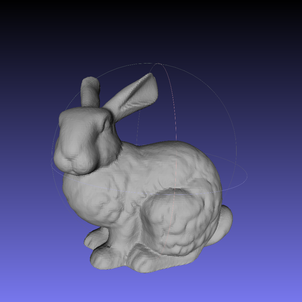
Example:

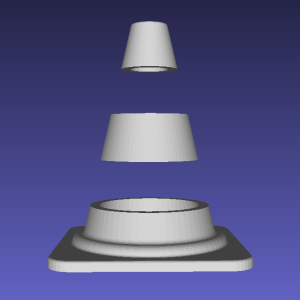
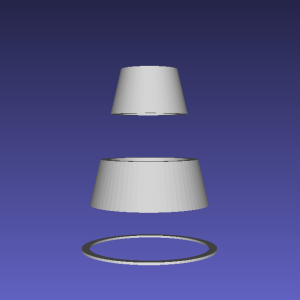
Multi-color Example:

Features a fast winding number based algorithm for polygon repair
2 maintainers


Metadata
2 maintainers
Release files for stl-to-voxel 0.10.1
For a detailed explanation of source distributions (sdists) and built distributions (wheels), please see the package formats documentation.
Source distribution (sdist)
| File | Size | Uploaded | |
|---|---|---|---|
| stl_to_voxel-0.10.1.tar.gz | 11.2 kB | Details |
Built distribution (wheel)
| File | Interpreter | ABI | Platform | Reset |
|---|---|---|---|---|
| stl_to_voxel-0.10.1-py3-none-any.whl | Python 3 | none | any | Details |
Total release size: 23.8 kB
Release files / stl_to_voxel-0.10.1.tar.gz
| Download URL | stl_to_voxel-0.10.1.tar.gz |
|---|---|
| Size | 11.2 kB |
| Tags | Source |
|
SHA-256 checksum How to use checksums |
15fb7b4a7e09b93b0052d995b94e2e2565e309603675d308ed1aee9f70d8c30c
|
|
BLAKE2b-256 checksum How to use checksums |
dc55af0fabf1b889239a8bf837e27298ad988f83996e41d47d9f5457f37fcb67
|
| Upload date | |
|
Uploaded using Trusted Publishing? What is trusted publishing? |
No |
| Uploaded via |
poetry/2.1.3 CPython/3.13.3 Linux/6.11.0-1012-azure
|
Release files / stl_to_voxel-0.10.1-py3-none-any.whl
| Download URL | stl_to_voxel-0.10.1-py3-none-any.whl |
|---|---|
| Size | 12.5 kB |
| Tags | Python 3 |
|
SHA-256 checksum How to use checksums |
6959c00ee5c49eb8fe32d1206dc3733d9460885aee319045d78969556514878b
|
|
BLAKE2b-256 checksum How to use checksums |
58e62ac61d7c2f61f49f7cd77e68acda40f0a761dd5c0a0722a2aacfddf25174
|
| Upload date | |
|
Uploaded using Trusted Publishing? What is trusted publishing? |
No |
| Uploaded via |
poetry/2.1.3 CPython/3.13.3 Linux/6.11.0-1012-azure
|














