
auto play stopots

Project description
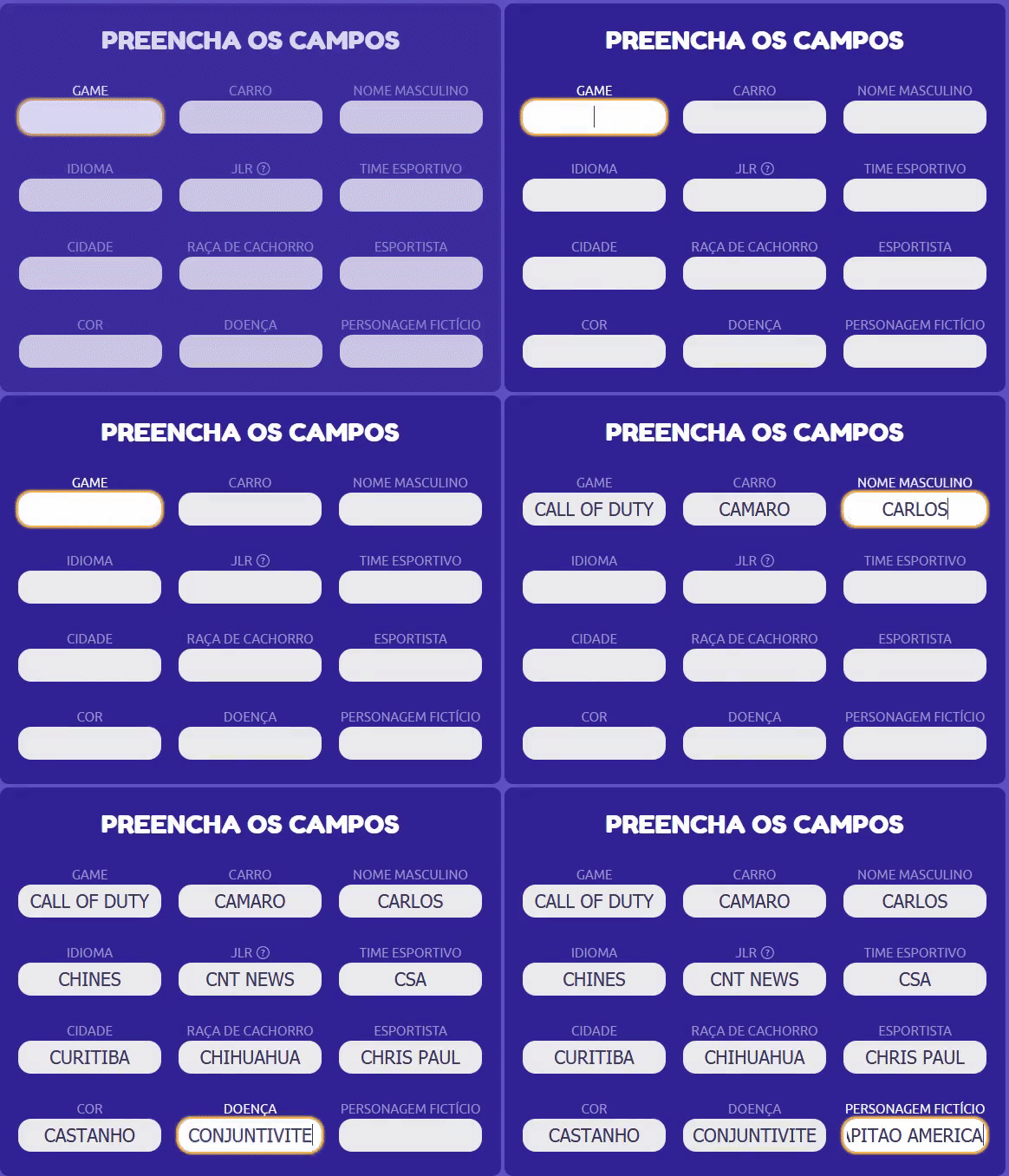
stopots-bot
Automatizando sua jogabilidade de StopotS
Requerimentos
Instalação
Se você tiver o python e o git instalado.
git clone https://github.com/Lucas8x/stopots-bot.git
cd stopots-bot
python setup.py install
Através do PIP.
pip install stopots-bot
Manual
Se você não tiver o python nem o git instalado.
Uso
Entrando com um nome:
stopots -u lucasNOTA: Todas as opções são opcionais.
Opções:
  -h, --help            mostra esta mensagem de ajuda
  --user USERNAME, -u USERNAME
                        seu username
  --avatar AVATAR, -a AVATAR
                        número do avatar
  --room ROOM_ID, -r ROOM_ID
                        número da sala
  --auto-stop           habilita stop automático
  --auto-ready          habilita ready automático
  --validator {quick,deny,accept,check,null}
                        tipo do avaliador
  --driver {chrome,firefox}
                        seu navegador
  --dict                abre o menu do dicionário
Menu
- Entrada Rápida - Ira entrar com o nome definido se não com um nome gerado pelo jogo ex:
Anonimo123. - Entrar no Jogo - Sempre ira perguntar um nome.
- Entrar com ID da Sala - Entra em uma sala específica.
- Configurações.
Configurações
- Abrir
run.bat. - Digite "4" para abrir as opções.
- Username/nick deve possuir entre 2 e 15 caracteres.
- Avaliadores:
- Rápido - Apenas confirma as respostas sem verificar.
- Aceitar - Confirma todas as respostas inclusive as erradas.
- Negação - Invalidará todas as respostas inclusive as suas.
- Avaliar - Avaliará as respostas com base no dicionario e negará as outras.
- Nada - ...
- STOP! Automático - Irá apertar STOP! caso todas as respostas estejam preenchidas.
- Ready Automático - Irá apertar Estou Pronto ao mostrar o resultado da rodada.
- Avatar - Mínimo: 0 Máximo: 36.
-
Avatares
a
Problemas
- Caso o navegador abra e feche :
- Atualizar o navegador instalado chrome/firefox
Foi utilizado StopAnswersAPI por nosliper para formar um dicionário inicial.
Release history Release notifications | RSS feed


Download files
Download the file for your platform. If you're not sure which to choose, learn more about installing packages.
Source Distribution
stopots-bot-1.0.2.tar.gz
(12.5 kB
view details)
Built Distribution
Filter files by name, interpreter, ABI, and platform.
If you're not sure about the file name format, learn more about wheel file names.
Copy a direct link to the current filters
File details
Details for the file stopots-bot-1.0.2.tar.gz.
File metadata
- Download URL: stopots-bot-1.0.2.tar.gz
- Upload date:
- Size: 12.5 kB
- Tags: Source
- Uploaded using Trusted Publishing? No
- Uploaded via: twine/3.2.0 pkginfo/1.5.0.1 requests/2.24.0 setuptools/47.1.0 requests-toolbelt/0.9.1 tqdm/4.48.2 CPython/3.8.5
File hashes
| Algorithm | Hash digest | |
|---|---|---|
| SHA256 |
285e042965d3e20618fc0bf75dfea6f36db90f4d92b673633d0501b3ab18576c
|
|
| MD5 |
e171659d7ea9839a9174fafa601b6086
|
|
| BLAKE2b-256 |
0cf2f3264c96c5d3725e378784e7bf8f3b1f1ac8981ac91af93a90677b2cadd8
|
File details
Details for the file stopots_bot-1.0.2-py3-none-any.whl.
File metadata
- Download URL: stopots_bot-1.0.2-py3-none-any.whl
- Upload date:
- Size: 31.7 kB
- Tags: Python 3
- Uploaded using Trusted Publishing? No
- Uploaded via: twine/3.2.0 pkginfo/1.5.0.1 requests/2.24.0 setuptools/47.1.0 requests-toolbelt/0.9.1 tqdm/4.48.2 CPython/3.8.5
File hashes
| Algorithm | Hash digest | |
|---|---|---|
| SHA256 |
152c1689920cca51f272dea58fb3e9a202e9e55f876261e8878bbd4ed419f6fe
|
|
| MD5 |
b92431e3756fdbc8238a152eb0ae7343
|
|
| BLAKE2b-256 |
53af30efa9cffd26c6319e4a1cbfd94a09bbb4b7894c54e4bf7be47008230b84
|






