
STRAVA ACTIVITY MCP SERVER

Project description
Strava Activity MCP Server




A small Model Context Protocol (MCP) server that exposes your Strava athlete data to language-model tooling.
This package provides a lightweight MCP server which communicates with the Strava API and exposes a few helper tools (authorization URL, token exchange/refresh, and fetching athlete activities) that language models or other local tools can call.
The project is intended to be used locally (for example with Claude MCP integrations) and is published on PyPI as strava-activity-mcp-server.
Installation
Install from PyPI with pip (recommended inside a virtual environment):
pip install strava-activity-mcp-server
Requirements
- Python >= 3.13 (see
pyproject.toml) - The package depends on
mcp[cli]andrequests(installed from PyPI).
Quick start
After installing, you can run the MCP server using the provided console script or by importing and calling main().
Run via the console script (entry point defined in pyproject.toml):
strava-activity-mcp-server
Or, from Python:
from strava_activity_mcp_server import main
main()
By default the server starts the MCP runtime; when used with an MCP-aware client (for example Claude MCP integrations) the exposed tools become callable.
Authentication (Strava OAuth)
This server requires Strava OAuth credentials to access athlete data. You will need:
- STRAVA_CLIENT_ID
- STRAVA_CLIENT_SECRET
- STRAVA_REFRESH_TOKEN (or a short-lived access token obtained from the authorization flow)
Steps:
-
Create a Strava API application at https://www.strava.com/settings/api and note your Client ID and Client Secret. Use
localhostas the Authorization Callback Domain. -
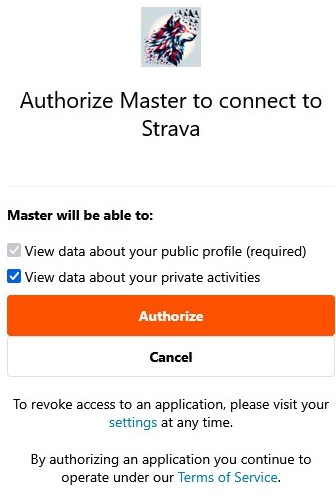
Open the authorization URL produced by the
strava://auth/urltool (see IMAGE below) in a browser to obtain an authorization code. -
Copy the code from the redirected URL (Image below) or use the included helper to save refresh/access tokens to your environment.

Exposed Tools (what the server provides)
The MCP server exposes the following tools (tool IDs shown):
strava://auth/url— Build the Strava OAuth authorization URL. Input:client_id(int). Output: URL string to open in a browser.strava://athlete/stats— Fetch recent athlete activities. Input:client_id(int),client_secret(str),access_token(str) and obtainedcodefrom URL generated bystrava://auth/url. Output: JSON with activity list.
These tools map to the functions implemented in src/strava_activity_mcp_server/strava_activity_mcp_server.py and are intended to be called by MCP clients.
Example flows
- Get an authorization URL and retrieve tokens
- Call
strava://auth/urlwith yourclient_idand open the returned URL in your browser. - After authorizing, Strava will provide a
code.
- Fetch recent activities
- Use
strava://athlete/statswith a valid access token. If the access token is expired, use the refresh flow to get a new access token.
Client config example and quick inspector test
Any MCP-capable client can launch the server using a config similar to the following (example file often called config.json. Be sure to enter your values here):
{
  "command": "uvx",
  "args": [
    "strava-activity-mcp-server"
  ],
  "env": {
    "STRAVA_CLIENT_ID": "12345",
    "STRAVA_CLIENT_SECRET": "e1234a12d12345f12c1f12345a123bba1d12c1",
    "STRAVA_REFRESH_TOKEN": "1a123eda1cfd12345678987db2db1bda234c38"
  }
}
To quickly test the server using the Model Context Protocol inspector tool, run:
npx @modelcontextprotocol/inspector uvx strava-activity-mcp-server
This will attempt to start the server with the uvx transport and connect the inspector to the running MCP server instance named strava-activity-mcp-server.
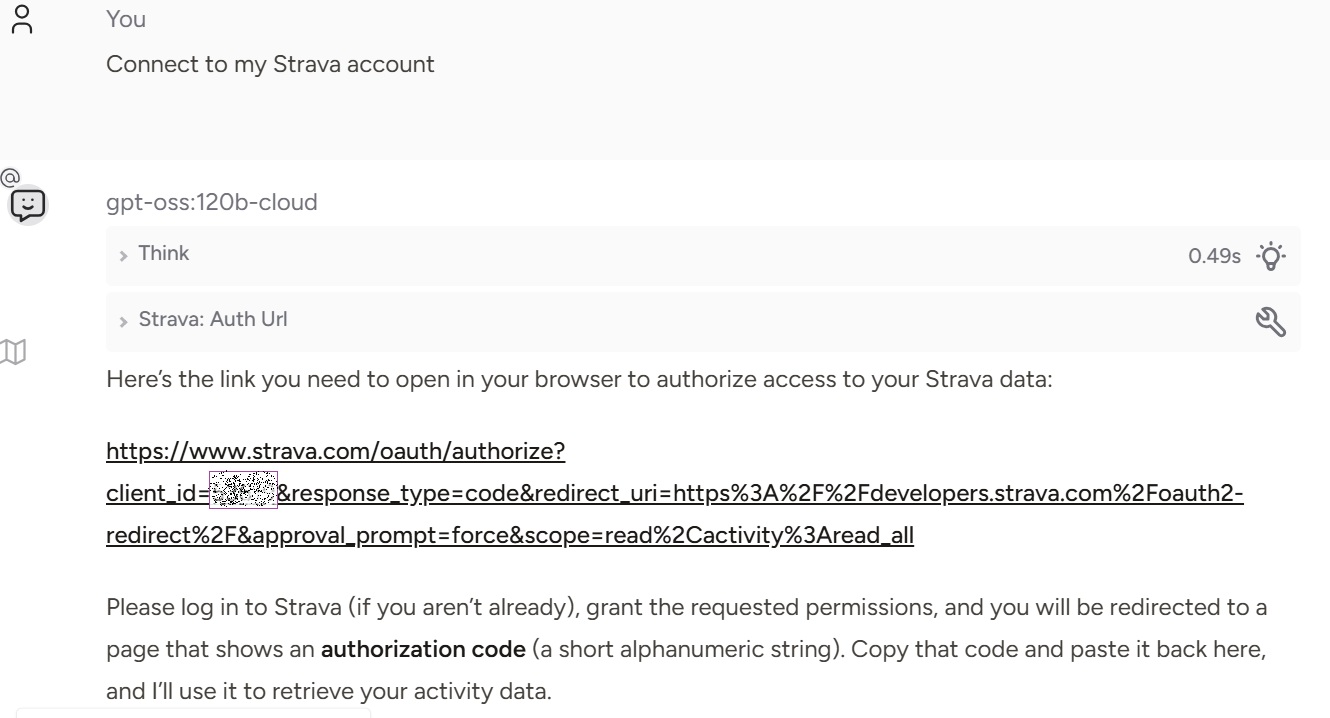
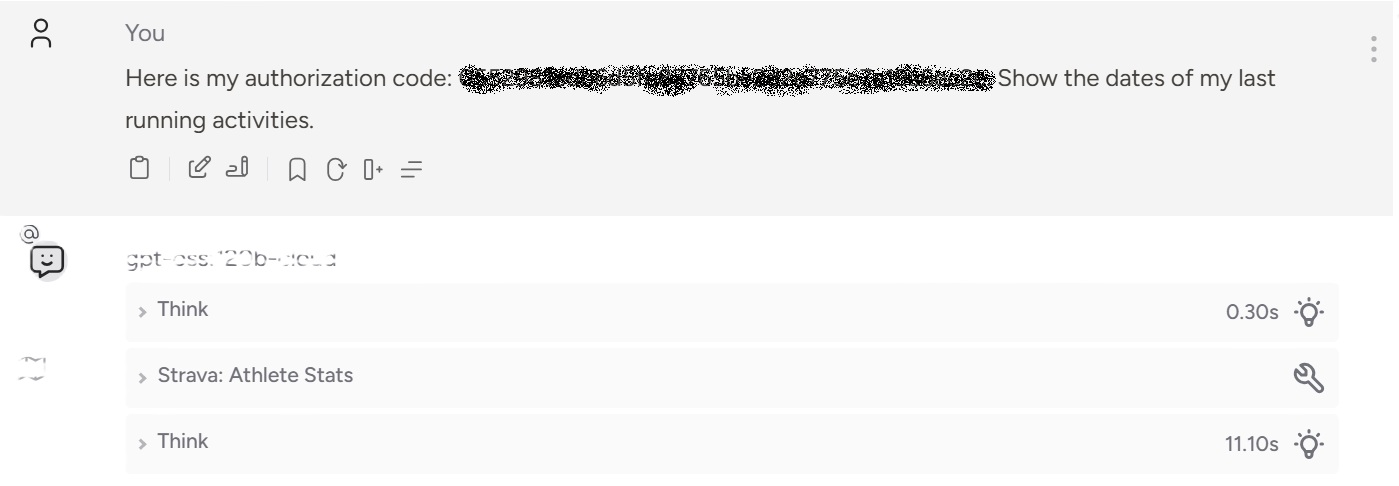
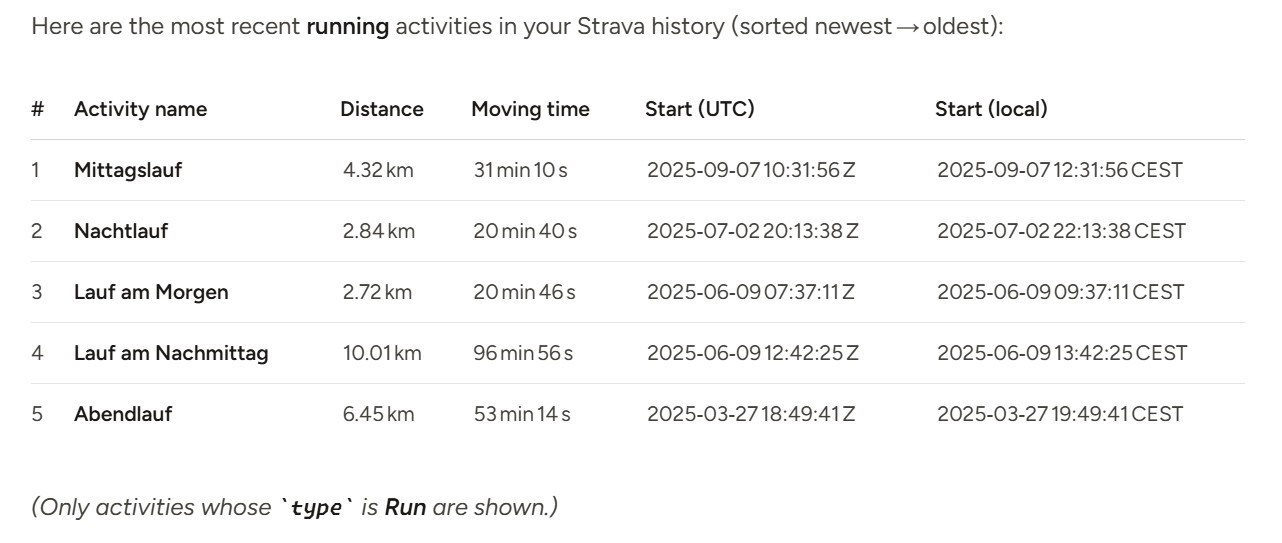
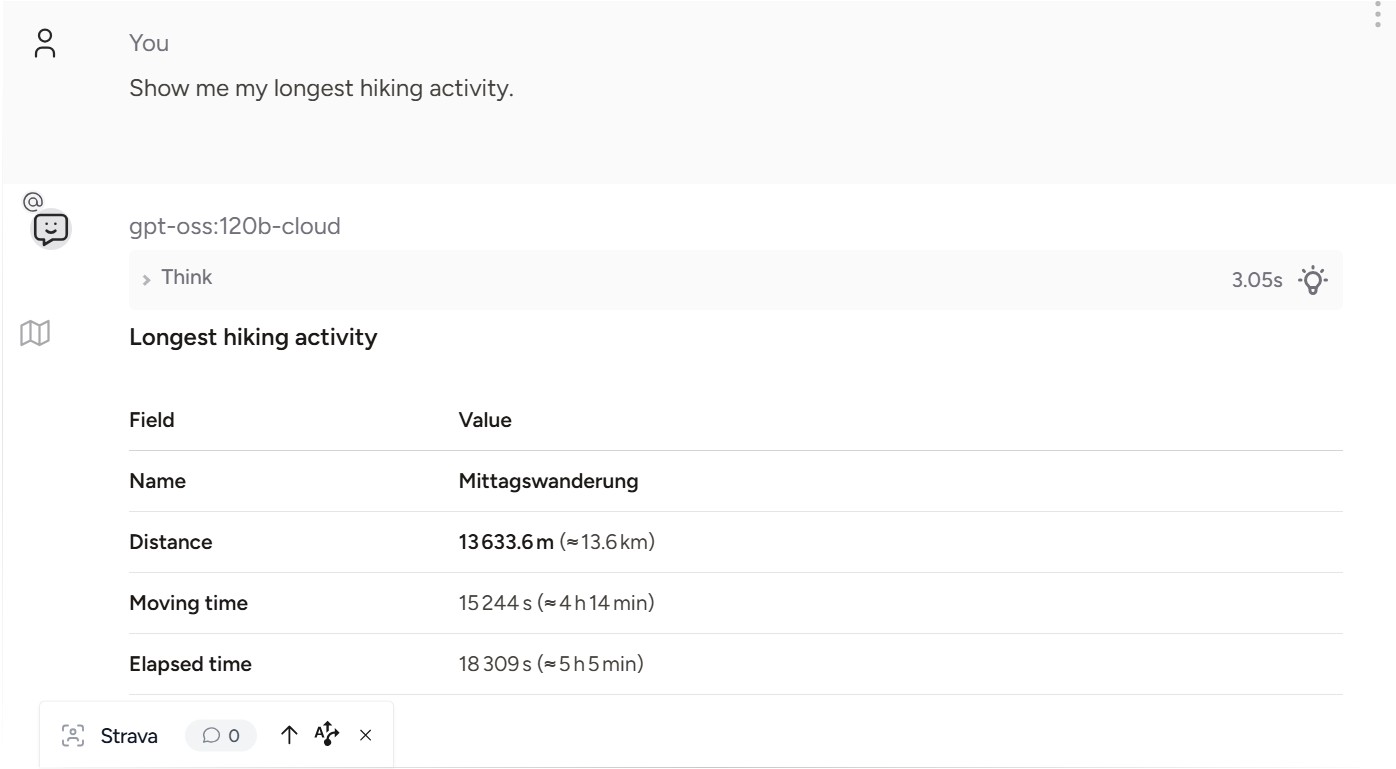
Chat example using MCP in Msty Studio
Contributing
Contributions are welcome. Please open issues or pull requests that include a clear description and tests where applicable.
License
This project is licensed under the GNU GENERAL PUBLIC LICENSE — see the LICENSE file for details.
Links
- Source: repository root
- Documentation note: see
README.mdfor an example MCP configuration
Release history Release notifications | RSS feed


Download files
Download the file for your platform. If you're not sure which to choose, learn more about installing packages.
Source Distribution
Built Distribution
Filter files by name, interpreter, ABI, and platform.
If you're not sure about the file name format, learn more about wheel file names.
Copy a direct link to the current filters
File details
Details for the file strava_activity_mcp_server-0.2.2.tar.gz.
File metadata
- Download URL: strava_activity_mcp_server-0.2.2.tar.gz
- Upload date:
- Size: 472.8 kB
- Tags: Source
- Uploaded using Trusted Publishing? No
- Uploaded via: twine/6.2.0 CPython/3.13.8
File hashes
| Algorithm | Hash digest | |
|---|---|---|
| SHA256 |
dd8f2b23ea1075a3d0316f0b8ca6566ab3d58e9ba7627970c84e82c78c4da4b1
|
|
| MD5 |
275e6e65db9abdd7b96ea71f0a5300a7
|
|
| BLAKE2b-256 |
51b809135aee4006d6b498d5ca4f132b9a9d86730c348d458d7a4496a1b2a66d
|
File details
Details for the file strava_activity_mcp_server-0.2.2-py3-none-any.whl.
File metadata
- Download URL: strava_activity_mcp_server-0.2.2-py3-none-any.whl
- Upload date:
- Size: 18.4 kB
- Tags: Python 3
- Uploaded using Trusted Publishing? No
- Uploaded via: twine/6.2.0 CPython/3.13.8
File hashes
| Algorithm | Hash digest | |
|---|---|---|
| SHA256 |
27a8cc16bc391c60624e0c36b31b99dc8124ccc31d2d8a2f7f683d2f483e31ce
|
|
| MD5 |
963a387faa1dad18bcc1e839a4980ab6
|
|
| BLAKE2b-256 |
de3a5b32213890ac9758f39535ea380339f8211359c3bcef019c258bb504c78e
|






